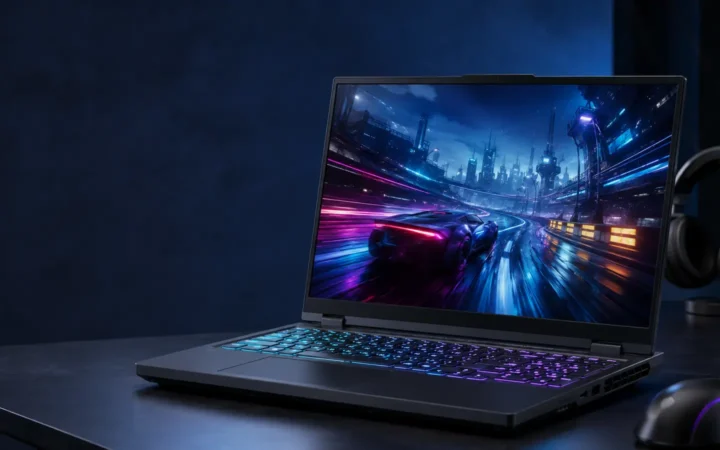
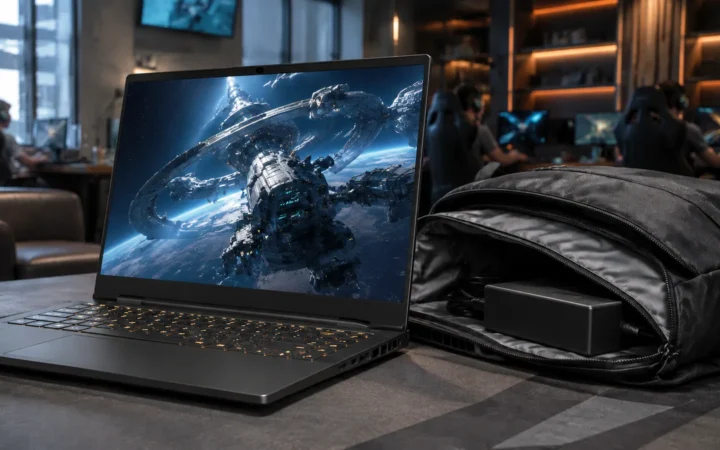
Yoga Slim 7i Ultra Aura Edition Review 2026 should be judged by more than a processor name or launch-day benchmark. This review focuses on the things that shape daily ownership: sustained performance, display quality, keyboard and ports, battery life, thermals, repairability or upgrade limits, software support and the price of the configuration you can actually buy.
Quick Verdict
- Best for: buyers comparing this laptop on real workflow fit rather than headline specifications.
- Focus on: display, sustained performance, keyboard, ports, battery, thermals, memory/storage configuration and warranty.
- Watch for: similarly named generations can have very different processors, displays and upgrade options, so verify the exact model number before buying.

If you’ve been waiting for a truly ultralight Windows laptop that can compete with the “grab-and-go” feel of ultraportables without giving up a high-end display, the Yoga Slim 7i Ultra Aura Edition is one of the most important laptop launches of 2026 so far. Lenovo is positioning it as a sub‑1 kg (975g) creative-first Copilot+ PC, built around Intel’s new Core Ultra Series 3 (“Panther Lake”) platform, with a bright 2.8K 120Hz OLED-class panel and three Thunderbolt 4 ports in a chassis as thin as 13.9mm.
This is exactly the kind of spec mix AI search and SGE (Search Generative Experience) tends to reward: clear differentiators (975g weight, 1100‑nit HDR peak, 75Wh battery, Copilot+ tier) and easy trade-offs (port minimalism, likely reliance on USB‑C hubs)lenovo.com.
Table of contents
Quick verdict for skimmers
Lenovo is swinging for a very specific “best-in-class portability” crown: a 975g, 14-inch, high-brightness 2.8K OLED-class Windows laptop with modern AI PC hardware and a large 75Wh battery—while accepting the reality that most people will need a hub because the laptop’s connectivity is essentially “Thunderbolt-only.”
Buy it if you want: a premium ultralight for travel, writing, study, and creator work that benefits from a high-resolution HDR display and next-gen integrated graphics.
Think twice if you need: USB‑A/HDMI/headphone jack built in, or you hate carrying adapters/docks.
Key confirmed highlights:
- Weight & thickness: 2.15 lbs (975g), as thin as 13.9mm.
- Display: 14″ 2.8K (2880×1800) PureSight Pro pOLED, 120Hz VRR, Dolby Vision, VESA DisplayHDR True Black 1000, up to 1100 nits HDR peak, wide colour coverage (sRGB/P3/Adobe RGB listed).
- Battery: 75Wh; Lenovo cites ~22.3 hours “local video playback” target and a “15 minutes for ~2 hours” rapid charge claim (Rapid Charge Boost).
- Ports: three Thunderbolt 4/USB‑C total (two left, one right).
- Price & timing: Lenovo estimated $1,499.99 starting price with Q2 2026 availability in its CES 2026 announcement (regional timing may vary).
Who this laptop is for
The Yoga Slim 7i Ultra Aura Edition makes the most sense for buyers who prioritise weight, display quality, and “all-day” mobility over built-in legacy ports.
Best-fit users
Frequent travellers, commuters, and students who carry a laptop daily will immediately “feel” the value of sub‑1kg weight—especially compared with many 14-inch premium Windows laptops that drift closer to 1.2–1.4kg. Lenovo explicitly markets this model at 975g, which puts it in rare territory for a Windows laptop with a 75Wh battery.
Creators who do a lot of photo work, design review, content consumption, and light editing can benefit from a bright, high-resolution HDR-capable display, even if they don’t need a discrete GPU. Lenovo and Windows Central both call out the combination of 2.8K OLED-class visuals and Intel’s latest integrated graphics as a key “portable creative” story.
People who want a Copilot+ PC specifically (for on-device AI features) should pay attention here: Lenovo explicitly positions this laptop as Copilot+ class in its CES 2026 materials.
Who should avoid it
If your daily workflow depends on plugging in USB‑A peripherals (older flash drives, affordable wired mice/keyboards, older cameras) or HDMI (meeting room displays) without adapters, you’re likely to find the “three Thunderbolt ports only” approach frustrating.
If you strongly prefer a built-in 3.5mm headphone jack, be cautious: reputable reporting describes the port selection as Thunderbolt-only, implying you’ll rely on USB‑C audio, Bluetooth, or a dongle/dock.
The specs that matter in real life
A good review is less about listing every specification and more about explaining which specs actually change ownership experience.
Portability and build
Lenovo’s CES spec sheet lists the Yoga Slim 7i Ultra Aura Edition at 12.28″ × 8.35″ × 0.55″ (312 × 212 × 13.9mm) and 2.15 lbs / 975g.
Multiple hands-on reports reinforce the “engineering flex” angle: the chassis is described as magnesium alloy, chosen to hit the weight target while keeping the device feeling premium.
Lenovo also claims a refined coating that extends across the chassis to resist oils and fingerprints, which is surprisingly practical for an ultraportable you’ll handle constantly.
Ports and connectivity
Lenovo’s CES 2026 technical specifications list two Thunderbolt 4 ports on the left and one Thunderbolt 4 port on the right for the Yoga Slim 7i Ultra Aura Edition.
That aligns with hands-on and preview reporting that describes the laptop as having three Thunderbolt 4 ports and no USB‑A, emphasising that many buyers will want a dock or hub.
Wireless connectivity is listed as Wi‑Fi 7 and Bluetooth 5.4 in Lenovo’s spec table.
Real-world example:
If you work in a co-working space and need to connect a monitor + wired keyboard + SD card reader + Ethernet, you will almost certainly end up using a Thunderbolt dock (or at least a USB‑C hub). This isn’t speculation—it’s the predictable consequence of “Thunderbolt-only” I/Owindowscentral.com.
For a practical starting point, PCWorld maintains an updated guide to Thunderbolt docks, which is useful when choosing between compact “hub-style” devices and full desktop dockspcworld.com.
Aura Edition features in plain English
Lenovo’s “Aura Edition” approach is not just hardware; it’s a package of AI-assisted modes and cross-device features. On Lenovo’s Aura Edition page, Smart Modes are presented as named profiles designed to reduce friction in common scenarios:
- Shield Mode: shoulder-surf detection and privacy prompts (including screen blur prompts and VPN prompts)lenovo.com.
- Attention Mode: suppress notifications and block distracting websites so you can focus.
- Collaboration Mode: optimises camera settings and meeting enhancements.
- Power Mode: adjusts power management for battery anxiety and mobile use.
- Wellness Mode: eye strain/posture/break reminders.
These are the kinds of features that matter most when your laptop is truly mobile: cafés, trains, campus libraries, and shared offices—exactly where a 975g laptop is most likely to be used.
Display, sound, and input experience
If the Yoga Slim 7i Ultra Aura Edition ends up being a hit, the display will be a major reason why.
The 2.8K pOLED display
Lenovo’s CES spec table lists a 14″ 2.8K (2880×1800) PureSight Pro POLED panel with 120Hz variable refresh rate, Dolby Vision, and VESA DisplayHDR True Black 1000 certification, plus 1100 nits peak brightness (HDR) and wide colour gamut coverage.
Windows Central expands on the same core idea and frames the high peak brightness as especially useful outdoors, where many laptop screens wash out.
What “DisplayHDR True Black 1000” means (simple version):
VESA’s DisplayHDR and DisplayHDR True Black certifications are designed to help consumers identify HDR-capable displays that should render HDR content with vivid colour and accurate contrast, especially on emissive panels like OLEDdisplayhdr.org
In practice, you should still treat certification as a “floor,” not a guarantee of perfect HDR in every app—because HDR experience also depends on software, tone mapping, and content. But when a laptop is explicitly marketed with True Black 1000 and Dolby Vision, it’s reasonable to expect a strong HDR foundation for compatible media and creative workflows.
pOLED vs “regular OLED”
One detail that’s easy to miss: Windows Central characterises Lenovo’s panel as pOLED (plastic OLED) and notes that this approach can help with durability and shock resistance compared with glass-covered OLED designs.
That matters in the real world because ultralights often get used in more chaotic places (bags, trains, cafés), increasing the risk of bumps and pressure on the lid.
Speakers and webcam
On the audio side, Windows Central reports a quad-speaker setup with Dolby Atmos tuning, and a 5MP IR camera for Windows Hello.
Lenovo’s CES spec table lists a 5MP webcam, IR camera, e-camera shutter, and four microphones for this model.
Tom’s Guide’s CES hands-on impression highlights surprisingly strong speaker volume/clarity for a sub‑1kg chassis—important if you take calls or consume media without headphonestomsguide.com.
Real-world example:
If you routinely take Teams/Zoom calls without an external webcam, a 5MP + IR setup plus multiple mics is a meaningful upgrade over the common 1080p webcams still found in many laptops.
Performance and AI features
This laptop’s performance story is really two stories:
- Intel’s new platform (Panther Lake / Core Ultra Series 3)
- The Copilot+ PC category—and what it actually requires
The platform: Intel Core Ultra Series 3 (Panther Lake)
Intel’s own CES 2026 announcement describes Core Ultra Series 3 as bringing up to 16 CPU cores, 12 Xe-cores of integrated Arc graphics, and up to 50 NPU TOPS on top SKUs—explicitly framing it as a leap for gaming, creation, and AI workloads on mobile devicesnewsroom.intel.com
Lenovo’s CES 2026 copy for the Yoga Slim 7i Ultra Aura Edition aligns closely with that positioning, describing the device as a Copilot+ PC with up to Intel Core Ultra X9 Series 3 processors, and integrated Arc graphics “up to 12 Xe.”
Copilot+ PC requirements
A lot of “AI PC” marketing is vague, so this is where clarity matters.
Microsoft defines Copilot+ PCs as a category of Windows 11 PCs powered by an NPU capable of 40+ TOPS (and Microsoft also lists baseline requirements like 16GB RAM and 256GB storage)microsoft.com.
Lenovo explicitly lists the Yoga Slim 7i Ultra Aura Edition as a Copilot+ PC in its CES 2026 press materials, which implies it is intended to meet that 40+ TOPS class requirement.
Memory and storage choices
Lenovo’s CES technical specs list 32GB LPDDR5X at 9600MT/s for the Yoga Slim 7i Ultra Aura Edition, alongside storage up to 2TB PCIe Gen 4.
Windows Central’s reporting matches the high-level configuration story: up to 32GB LPDDR5X and up to 2TB NVMe storage.
Why this matters:
32GB RAM is often the difference between “comfortable multitasking” and “tab juggling,” especially for people who keep heavy browser sessions, creative apps, and background tools open together. This is particularly relevant on thin-and-light machines where RAM is typically not user-upgradable.
Real-world workload expectations
Because early coverage is heavily hands-on rather than long-term lab benchmarking, set expectations like this:
Everyday office and study:
The combination of modern CPUs, fast LPDDR5X memory, and SSD performance should make daily work feel snappy: Office apps, hundreds of browser tabs (within reason), video calls, and general multi-tasking. Intel positions the platform for multitasking and mobile productivity, and Lenovo is clearly targeting this laptop at mobile creators and professionals.
Creative work:
A 2.8K HDR-capable panel with wide colour coverage is, by itself, a creator-friendly trait. Lenovo frames this line as “Ultra-Thin Performance for Creative Freedom,” explicitly connecting the display and new integrated graphics to creative workloads.
Light gaming and GPU-accelerated tasks:
Tom’s Guide reports impressive show-floor results—claiming near-200 FPS in Battlefield 6 during its test scenario—while emphasising the surprising strength of the integrated GPU in the highest-end CPU configuration. Treat this as a best-case, CES-demo-style datapoint, not a guaranteed real-world outcome across games/settings/drivers.
If you want a grounded mental model, Intel itself is positioning the top integrated GPU tiers as a major step forward versus previous mobile generations—though all vendor claims should be validated once retail reviews proliferate.
Battery life and setup steps
Battery life is often the make-or-break factor for ultralights. The good news is that the Yoga Slim 7i Ultra Aura Edition is not trying to survive on a tiny battery.
What we know (and what we don’t)
Lenovo lists a 75Wh battery for this model and references a local video playback (LVP) target of ~22.3 hours, plus a quick-charge claim of 15 minutes for ~2 hours (Rapid Charge Boost).
Those are vendor targets, not independent review results. Expect real-world mixed-use battery life to vary based on brightness, refresh rate, app workload, background syncing, and whether AI/video conferencing features are active.
Step-by-step: how to get the best battery life on a high-end OLED ultralight
These steps are intentionally simple and practical, and they map to Windows 11’s own power guidance.
Use the right Windows power mode
In Windows 11, you can choose power modes (best battery, balanced, best performance) under Settings → System → Power & battery. Microsoft explicitly describes these as a way to choose battery life vs performance trade-offsmicrosoft.com.
Practical rule:
- Use “best power efficiency” (or Energy Saver / Battery Saver) when you’re writing, browsing, reading, or watching videos.
- Switch to balanced/performance when exporting media, installing large apps, or doing heavy multitasking.
Drop refresh rate when you don’t need 120Hz
Microsoft’s battery guidance notes that higher refresh rates can use more power, and explicitly suggests reducing refresh rate to extend battery life.
Real-world example:
If you mostly type, read, and use Office apps, 60Hz is usually “fine.” Save 120Hz for scrolling-heavy work, creative review, and moments where smoothness matters.
Don’t run the OLED panel at maximum brightness all the time
Microsoft’s battery-saving guidance calls out display brightness as a direct lever for extending battery life.
Since this laptop can hit very high peak brightness in HDR scenarios, it’s reasonable to treat brightness as an “on-demand tool” (outdoor use, harsh lighting) rather than a default.
Use Energy Saver features strategically
Microsoft provides step-by-step power settings guidance for Windows 11, including options like lowering screen brightness in energy saver and adjusting sleep timers to reduce idle power use.
Step-by-step: plan your “dongle strategy” before you buy
Because the Yoga Slim 7i Ultra Aura Edition’s ports are essentially Thunderbolt-only, it helps to plan which path fits your routine:
- Minimalist travel setup: one compact USB‑C hub (HDMI + USB‑A + PD) in your bag.
- Desk setup: one Thunderbolt dock at home/office so you can connect monitor(s), Ethernet, audio, and peripherals with one cable.
- Creator setup: a dock plus fast external storage (or a Thunderbolt SSD) if you handle large media files.
Pricing, availability, and smart alternatives
Price and availability
Lenovo’s CES 2026 press release lists the Yoga Slim 7i Ultra Aura Edition (14″, 11) with an estimated starting price of $1,499.99 and expected availability from Q2 2026.
Some regional reporting has suggested earlier listings or region-specific availability, so the safest approach is to treat Lenovo’s official guidance as the anchor and verify your country’s Lenovo store for timing.
How to choose between Aura Edition models (quick buyer logic)
If you like the “Aura” software concept and Copilot+ positioning but you’re not sure which Lenovo family makes sense, these internal guides on Freditech help you compare form factors and priorities:
- For a broader roundup across Lenovo’s 2026 laptop lineup (work, school, gaming): Best Lenovo Laptops 2026: Top Picks for Work, School & Gaming
- If you want a premium convertible instead of a clamshell ultralight: Lenovo Yoga 9i 2‑in‑1 Aura Edition review
- If you need a creator-class laptop with a discrete GPU and more ports: Lenovo Yoga Pro 9i Aura Edition review
Strong alternatives if ports matter more than weight
Windows Central directly contrasts this model with the Zenbook A14 and makes the key point: the Yoga Slim 7i Ultra is more “premium creator-focused,” but the port situation is stricter—while some competitors offer a wider mix (USB‑A, HDMI, audio jack).
If you expect to live in conference rooms and classrooms where HDMI and USB‑A are unavoidable, you may prefer a slightly heavier laptop that reduces your dependency on adapterswindowscentral.com.
Bottom line
The Yoga Slim 7i Ultra Aura Edition is shaping up as a genuinely distinctive Windows laptop in 2026 because Lenovo is pairing:
- extreme portability (975g),
- a high-end HDR-capable 2.8K 120Hz OLED-class display,
- a large 75Wh battery for the class,
- and the Copilot+ PC platform direction,
If that trade-off matches your life, this could be one of the most satisfying “premium ultralight” purchases of the year.
FAQ
Is the Yoga Slim 7i Ultra Aura Edition a Copilot+ PC?
Yes—Lenovo explicitly labels the Yoga Slim 7i Ultra Aura Edition as a Copilot+ PC in its CES 2026 materials. Separately, Microsoft defines Copilot+ PCs as requiring an NPU capable of 40+ TOPS, plus baseline specs like 16GB RAM and 256GB storage.
How light is the Yoga Slim 7i Ultra Aura Edition?
Lenovo lists the laptop at 2.15 lbs (975g) and as thin as 13.9mm.
What ports does it have?
Lenovo’s CES technical specification table lists three Thunderbolt 4 ports total (two on the left, one on the right). Hands-on reporting also describes it as “three Thunderbolt ports,” with no USB-A.
Does it have USB-A or HDMI built in?
Credible CES coverage describes the Yoga Slim 7i Ultra Aura Edition as lacking USB-A and relying on Thunderbolt/USB-C. For HDMI, Lenovo’s CES table lists only Thunderbolt ports for this model, so plan on a hub/dock for HDMI output.
How bright is the display?
Lenovo claims 1,100 nits peak brightness (HDR) for the 14-inch 2.8K PureSight Pro pOLED panel. Windows Central highlights this brightness as a practical advantage for outdoor use compared to typical laptop displays.
What is “DisplayHDR True Black 1000” and should you care?
VESA’s DisplayHDR True Black certifications are designed to signal strong HDR performance (color and contrast) on emissive displays like OLED. You should care if you watch HDR content or do visual work where contrast and highlight detail matter—but remember that real HDR experience also depends on software and content.
How big is the battery?
Lenovo lists a 75Wh battery for the Yoga Slim 7i Ultra Aura Edition and references a local video playback target of about 22.3 hours.
Is it good for creators and light gaming?
Lenovo and Intel position the combination of Core Ultra Series 3 and upgraded integrated Arc graphics as strong for creation (and improved gaming-class integrated graphics), especially in higher-tier configurations. Tom’s Guide reports impressive CES hands-on performance observations; treat these as early indicators pending broad retail benchmarks.
What are Aura Edition “Smart Modes”?
Lenovo describes Smart Modes as scenario-based modes (Shield, Attention, Collaboration, Power, Wellness) designed to improve privacy, focus, meetings, and battery comfort.
What external sources should I trust for ongoing updates?
For official specs, pricing guidance, and positioning, start with Lenovo’s CES 2026 announcement. For platform context on Intel Core Ultra Series 3 (“Panther Lake”), Intel’s newsroom release is a primary source. For Copilot+ requirements, Microsoft’s Windows 11 specifications page is a clean official reference.
Author: Wiredu Fred
Wiredu Fred is a tech writer and reviewer at FrediTech & Modern Collective, focusing on buyer-first laptop reviews, practical performance expectations, and clear explanations of specs (display, battery, ports, and AI features) so readers can make confident purchases.
Bottom Line
A laptop is a good buy when its exact configuration fits your workload, portability needs and budget. Compare the reviewed hardware with current alternatives and discounts, then prioritize the display, battery, ports and support you will use every day.