
Lenovo Yoga 9i 2‑in‑1 Aura Edition (2025/2026): The Complete Review and Buyer’s Guide
Introduction: why the Yoga 9i Aura Edition matters
Lenovo’s Yoga series has long set the standard for premium convertible laptops, blending laptop and tablet modes with elegant industrial design. The Yoga 9i 2‑in‑1 Aura Edition is the 10th‑generation version of the company’s flagship 14‑inch convertible. It introduces Intel’s Lunar Lake Core Ultra processors with a 45‑TOPS neural processing unit (NPU), a brighter 2.8 K OLED touch display and several AI‑driven “Aura” utilities aimed at boosting productivity and creativitypsrefstuff.lenovo.com. With a 75 Wh battery, ultra‑light chassis and 360° hinge, the Yoga 9i positions itself as the premium Copilot+ PC for 2025/2026.
This guide is meant for students, professionals and creatives who are evaluating whether the Aura Edition is worth the price. We explore its hardware, performance, battery life and unique software, compare it to competing 2‑in‑1 laptops and answer frequently asked questions. Where possible, we cite independent reviews and Lenovo’s official specifications to give a balanced view. For a broader look at Lenovo’s product portfolio, see FrediTech’s Lenovo Product Reviews: Your Comprehensive Guide to Top‑Performing Devices.
Key features at a glance
- Convertible design: The 360° hinge lets you switch between laptop, tablet and tent modes. The chassis is just 15.9 mm thick and weighs around 1.32 kg (2.91 lb), making it easy to carry.
- Stunning OLED display: Two touch‑screen options are available—a 14‑inch 2.8 K (2880 × 1800) panel with a variable 30–120 Hz refresh rate and up to 1 100 nit peak brightness, or a 4 K option at 60 Hz. Both support Dolby Vision and cover 100 % of the DCI‑P3 colour space.
- AI‑powered performance: Intel’s Core Ultra 7 processors (256V or 258V) combine traditional P‑ and E‑cores with an integrated Intel Arc GPU and a 45‑TOPS NPU for on‑device AI workloads. Configurations include 16 GB or 32 GB LPDDR5 memory and up to 1 TB PCIe NVMe SSD.
- Long battery life: The 75 Wh battery offers exceptional longevity. RTINGS measured around 15 hours of local video playbackrtings.com and Ultrabookreview’s power tests ranged from 7–10 hours of web use to 20+ hours of idle timeultrabookreview.com. Quick‑charge technology delivers about 3 hours of use from a 15‑minute charge.
- Rich connectivity: Three USB‑C ports (two supporting Thunderbolt 4/USB4), one USB‑A 3.2 Gen 2, a 3.5 mm headphone/microphone jack and Wi‑Fi 7 with Bluetooth 5.4 provide flexibility for peripherals. A 1440 p webcam with IR facial recognition and a fingerprint sensor enhance security.
- Sustainability credentials: The Aura Edition uses 50 % recycled aluminium in the bottom cover, has plastic‑free packaging and is EPEAT Gold and ENERGY STAR certified. Lenovo offers optional CO₂ offset services and extended battery warranties.
 Yoga 9i Aura 14" 32GB 2TB
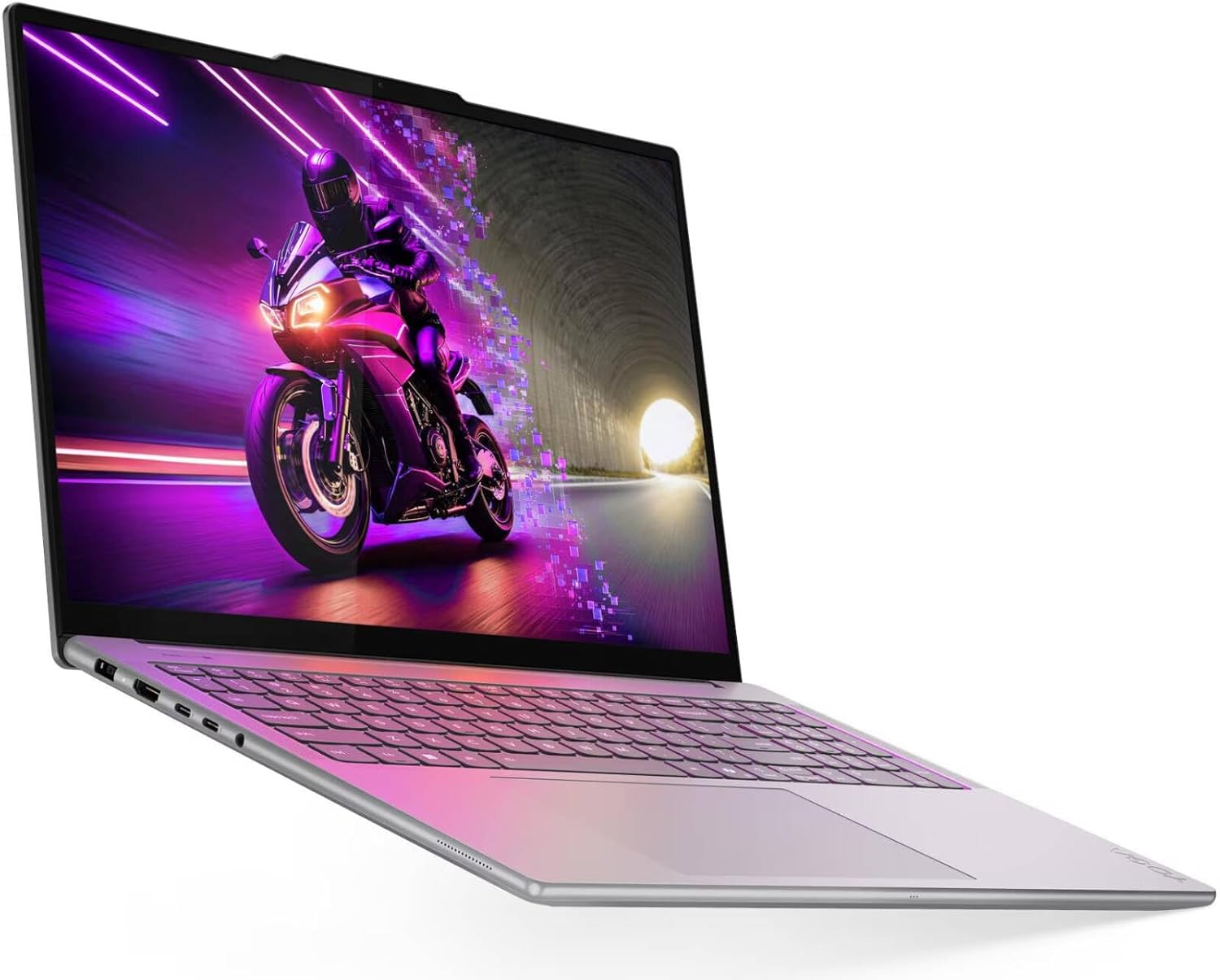 Yoga Pro 9i 16" RTX 5060
 Slim 7i Aura 14" 16GB 1TB
 IdeaPad Slim 3X 15.3"
 Yoga 7 16" Ryzen AI 7
 Yoga 7i 16" Ultra 7 1TB
 Yoga 7i 16" 1TB
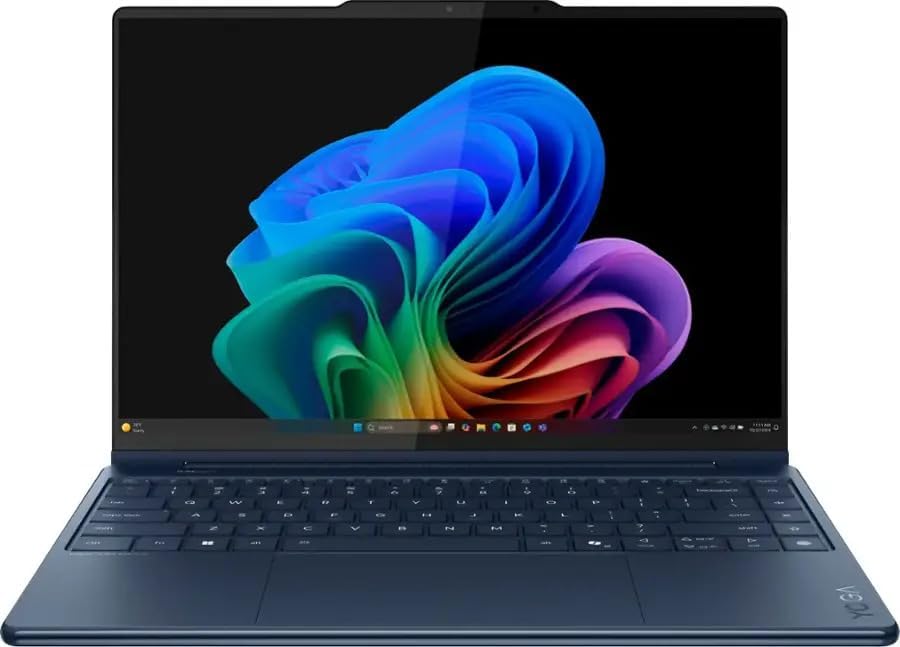 Yoga 9i Aura 14" 32GB 1TB
 ThinkPad X1 Gen 9 2-in-1
 Yoga 9i 14" 3K OLED 1TB
 Sponsored Ad – Amazon.com
Design and build quality
The Yoga 9i Aura Edition exudes premium craftsmanship. The CNC‑machined aluminium chassis feels dense and exhibits minimal flex, while the Cosmic Blue finish gives it an understated yet distinctive look. Lenovo equips the hinge with a built‑in soundbar—part of its signature rotating speaker design—so the audio remains clear whether you’re using the device as a laptop, tent or tablet. Ultrabookreview notes that although the polished edges look a little flashy, the overall construction is “solid and functional”ultrabookreview.com. At around 1.33 kg, it’s portable enough for commuters and students, though not as feather‑light as tablet‑only devices like the Surface Pro.
The convertible hinge allows seamless transitions between modes. In laptop mode, you enjoy a traditional typing experience. Tent mode is perfect for watching videos or presenting slides, while tablet mode lets you sketch or annotate with the included Yoga Pen. Because the 14‑inch form factor is larger than a typical tablet, using it as a slate for extended periods may cause fatigue. Nonetheless, the versatility adds value by eliminating the need for a separate tablet.
Keyboard and touchpad
Lenovo’s keyboard continues to be one of the best in the industry. The Aura Edition offers full‑size keycaps with 1.5 mm of travel, resulting in tactile feedback comparable to ThinkPads. White LED backlighting allows comfortable typing in dark environments. However, Ultrabookreview criticises Lenovo for placing an extra column of Quick Keys (for power profiles, sound settings and blue‑light filter) on the far right; these keys can be accidentally pressed until you adjust to themultrabookreview.com. The large glass touchpad is smooth and supports Windows Precision drivers for accurate gestures.
Speakers and multimedia
The 360° soundbar in the hinge houses quad speakers with Dolby Atmos support. Reviewers praise the audio experience; the speakers are loud and well‑balanced with a surprising amount of bass. Combined with the vivid OLED panel, the Yoga 9i delivers an immersive multimedia setup for movies and music. A 1440 p webcam with a physical privacy shutter supports Windows Hello facial recognition, while a fingerprint sensor in the keyboard provides an alternative biometric optionrtings.com.
Display: bright, colourful OLED options
The Yoga 9i’s display is a standout feature. The 2.8 K (2880 × 1800) OLED panel uses a 30–120 Hz variable refresh rate to balance smooth animations with power efficiency. Lenovo claims up to 1 100 nit peak brightness, and the panel covers 100 % of the DCI‑P3 and 99 % of the Adobe RGB colour gamuts. A 4 K (3840 × 2400) option at 60 Hz is also available for those who value absolute resolution over refresh ratepsrefstuff.lenovo.com.
Independent testing backs up these claims. FrediTech’s Lenovo Product Reviews article cites a LaptopMag measurement showing the Yoga 9i’s OLED panel achieving 149.2 % of the DCI‑P3 gamut—nearly twice the colour saturation of some high‑end laptopsfreditech.com. The display produces deep blacks and vibrant colours, making it ideal for HDR movies and creative work. The glossy coating means reflections can be an issue in bright environments; to mitigate this, Lenovo includes TÜV Low Blue Light certification and emphasises the variable refresh feature.
Touch and stylus support
Both display options support multi‑touch and active pen input. The included Yoga Pen attaches magnetically to the front cover and offers tilt detection, 4 096 levels of pressure sensitivity and low latency, making it suitable for sketching, digital art and handwritten notes. Students and creatives can seamlessly switch between typing and drawing, mirroring experiences like the Surface Pro or iPad Pro.
Yoga 9i Aura 14" 32GB 2TB
Yoga Pro 9i 16" RTX 5060
Slim 7i Aura 14" 16GB 1TB
IdeaPad Slim 3X 15.3"
Yoga 7 16" Ryzen AI 7
Yoga 7i 16" Ultra 7 1TB
Yoga 7i 16" 1TB
Yoga 9i Aura 14" 32GB 1TB
ThinkPad X1 Gen 9 2-in-1
Yoga 9i 14" 3K OLED 1TB
Sponsored Ad – Amazon.com
Hardware and AI performance
Intel Core Ultra processors and NPU
The Yoga 9i Aura Edition debuts Intel’s Lunar Lake Core Ultra platform (Core Ultra 7 256V or 258V). Each chip combines four performance cores, four low‑power efficiency cores and an integrated Intel Arc GPU. More importantly, it integrates a neural processing unit (NPU) capable of up to 45 trillion operations per second, enabling on‑device AI tasks like Copilot+ features, generative image creation and real‑time transcription. Lenovo calls this suite “Aura Smart Modes,” which automatically optimise performance, battery life and cooling based on your workflow.
Although early Copilot+ PCs use Qualcomm’s Snapdragon X Elite SoCs, Intel’s Lunar Lake chips maintain Windows software compatibility and offer reliable x86 performance. The 256V/258V processors are “competent for general use and multitasking”, staying cool and quiet even under sustained loads. However, the NPU isn’t a powerhouse; heavy content‑creation or programming tasks still benefit from more powerful platforms like Intel Arrow Lake or AMD Strix Point. If your workload involves long video renders or complex 3D modelling, consider Lenovo’s ThinkPad or Legion laptops instead.
Memory, storage and expandability
Base configurations include 16 GB of LPDDR5‑8533 memory soldered onto the motherboard, with some markets offering 32 GB options. Storage comprises a single M.2 2240 slot supporting up to 1 TB NVMe SSD. The SSD is user‑replaceable, which is uncommon among thin convertible laptops. However, memory is soldered, so pick the capacity you need at purchase.
Connectivity and ports
The Aura Edition includes Wi‑Fi 7 (Intel BE201) and Bluetooth 5.4 for fast wireless connections. Port selection includes:
- Left side: Two USB‑C/Thunderbolt 4 ports (supporting USB PD 3.0 and DisplayPort 2.1) and one USB‑A 3.2 Gen 2 port.
- Right side: One USB‑C 3.2 Gen 2 port with DisplayPort 1.4 and a 3.5 mm audio jack.
Lenovo also offers an optional USB‑C docking station, which can connect multiple external displays and peripherals. The inclusion of ports on both sides allows flexible cable management, a convenience many competitors lack.
Biometrics and extras
For security and convenience, the laptop provides Windows Hello facial recognition via the IR‑enabled webcam and a fingerprint reader integrated into the keyboard. There’s also a physical camera shutter for privacy. Other notable extras include a quad‑speaker soundbar, Dolby Vision and Dolby Atmos support, and Lenovo’s Smart Performance and Premium Care Plus services, which offer extended warranty, accidental damage protection and CO₂ offset programs.
Battery life and charging
Battery life has been a point of debate. Official Lenovo materials cite “all‑day use” thanks to the 75 Wh battery. Third‑party tests provide more concrete numbers:
- RTINGS recorded ~15 hours of local video playback and labelled the Yoga 9i easy to carry with all‑day battery lifertings.com. They highlight that even under heavy workloads the laptop remains cool and quiet.
- Ultrabookreview performed granular tests at 120 nits brightness. They measured 20+ hours of idle use, 7–10 hours for text editing and web browsing, 15+ hours for video streaming and ~5–8 hours for general browsingultrabookreview.com. Gaming drained the battery in less than two hours.
- Paul Thurrott’s review reported a less optimistic average of just over 6 hours during daily productivity tasks. Variance was high; some runs lasted 4.5 hours, while others reached 7.5 hours. He praised the Rapid Charge feature that adds up to 3 hours of use after a 15‑minute chargethurrott.com.
These results show that battery life depends heavily on usage patterns and power settings. Light workloads and media consumption can stretch past 10 hours, but intense multitasking or high refresh rates will drain the battery more quickly. Always carry the 65 W USB‑C charger, which is compact but has long cables that add bulk.
Software: Copilot+, Aura utilities and bloatware
Since the Yoga 9i Aura Edition qualifies as a Copilot+ PC, it runs Windows 11 with features tailored for on‑device AI. Recall, Click‑to‑Do and Semantic Search allow you to quickly find files or summarise content. Live Captions provides real‑time transcription for any audio source, while Image Creator uses generative AI to produce artwork from text prompts. The integrated NPU means most of these tasks run locally, preserving privacy and reducing latency.
Lenovo adds its own Aura utilities—Smart Modes, Smart Share and Smart Care. Smart Modes automatically adjust fan speed, display settings and power profiles based on your activity. Smart Share (based on Intel’s Unison software) makes it easy to transfer files between your phone and PC, although this feature may be discontinued. Smart Care monitors system health and suggests optimisations.
One downside is software clutter. Thurrott counts at least ten Lenovo and Intel utilities preinstalled, many of which duplicate functionality or serve as sales funnelsthurrott.com. He recommends uninstalling unnecessary apps after setup to free memory and simplify settings. On the positive side, the laptop comes with Windows 11 Home or Pro, Dolby Access, Microsoft 365 and McAfee trials, Lenovo Vantage and other utilities.
Real‑world performance: examples and use cases
Productivity and education
In office tasks—writing documents, browsing dozens of tabs, running video calls and editing spreadsheets—the Yoga 9i feels responsive. The machine “handles daily chores well” with minimal heat or fan noise. Its compact size, all‑day battery life and comfortable keyboard make it ideal for students and professionals who spend hours typing reports or taking notes. It 8.7/10 for school use, praising its portability and long battery life.
Here’s a typical workflow you might follow:
- Note‑taking in class: Flip the screen into tablet mode and use the Yoga Pen to annotate lecture slides or draw diagrams. Pen support makes it feel like writing on paper, and the 1440 p webcam is perfect for remote classes.
- Switch to laptop mode to type essays or reports. The backlit keyboard and large touchpad provide a comfortable experience even during late‑night study sessions.
- Use Copilot+ features like Recall to search notes or transcripts later, or Semantic Search to find relevant parts of a document.
- Connect peripherals via Thunderbolt 4 if you need a second monitor or external storage. Wi‑Fi 7 ensures fast downloads of research papers.
Creative work
Artists and designers will appreciate the Yoga 9i’s OLED screen with its wide colour gamut and high brightness. Photoshop tasks, light photo editing and digital illustration are smooth thanks to the Arc GPU and NPU acceleration. However, the Lunar Lake platform is not ideal for heavy, sustained loads; large 3D rendering or video‑editing projects may cause thermal throttling. For serious creative workflows, consider a dedicated workstation like Lenovo’s Legion Pro 7i or ThinkPad X1 Extreme.
Media consumption and entertainment
With its beautiful display and powerful speakers, the Yoga 9i is a delightful portable cinema. RTINGS rates it 8.8/10 for multimedia, citing its 120 Hz panel and strong audiortings.com. Watching movies in tent mode on an aeroplane tray table is more comfortable than with clamshell laptops. Casual gaming is possible, but you’ll need to lower graphics settings; the integrated Intel Arc 140V GPU can run titles like Dota 2 or Fortnite at 720 p–1080 p but struggles with AAA gamesultrabookreview.com.
Business travel and remote work
Business travellers benefit from the laptop’s light weight, premium build and strong security features. The IR camera and fingerprint sensor provide quick login without typing passwords. With a 75 Wh battery lasting a full workday in many scenarios, you can work from coffee shops or aeroplanes without searching for outlets. The quiet cooling system ensures you won’t distract colleagues during meetings. For video conferences, the 1440 p webcam and quad speakers deliver clear visuals and audio.
Pricing, configurations and value
The Yoga 9i Aura Edition is a premium device with pricing to match. Paul Thurrott reports that the base configuration (Core Ultra 7 256V, 16 GB RAM, 512 GB SSD) starts at about US $1 600, but Lenovo’s frequent sales bring it down to around $1 440thurrott.com. Upgrading to a Core Ultra 7 258V, 32 GB RAM and 1 TB SSD costs roughly $1 650—an excellent deal compared with other ultrabooks. The optional 4 K display, Windows 11 Pro upgrade and additional software can add $50–$150. European prices are higher (around €1 999 for similar specs).
Considering its high‑end components, OLED display, AI features and premium build, the Yoga 9i offers reasonable value for those who can utilise its flexibility. However, if you simply need a traditional laptop for productivity, devices like the Lenovo ThinkPad X1 Carbon or Dell XPS 13 may offer better battery life and lower cost. For budget‑minded students looking for a convertible, FrediTech’s Best 2‑in‑1 Laptops for Students lists excellent alternatives.
Pros and cons
|
Strengths |
Evidence |
Weaknesses |
Evidence |
|
Superb OLED display with
high brightness and colour accuracy |
2.8 K and 4 K options provide up to 1 100 nit peak
brightness and 100 % DCI‑P3 coverage; independent tests recorded
149.2 % DCI‑P3. |
Glossy finish can cause reflections |
Reflections hinder visibility in bright
environments. |
|
Versatile convertible
design with excellent build quality |
The CNC‑machined chassis is thin
(15.9 mm) and light (1.32 kg); reviewers praise its sturdy
construction. |
Weight slightly higher than tablet‑centric
devices |
At ~1.33 kg, long sessions in
tablet mode may cause fatigue. |
|
AI‑powered performance and
Copilot+ features |
Lunar Lake processors integrate a 45‑TOPS NPU and deliver
competent productivity performance. |
Not suitable for heavy 3D or video editing workloads |
The integrated Arc GPU and NPU are limited for sustained loads. |
|
Long battery life with
rapid charging |
Independent tests show
7–10 hours of productivity use and 15 hours of video playback;
Rapid Charge adds ~3 hours in 15 minutes. |
Battery life can vary widely under
real‑world conditions |
Some users experience only
4.5–7.5 hours in mixed workloads. |
|
Rich port selection and Wi‑Fi 7 |
Three USB‑C ports (two Thunderbolt 4), one USB‑A and headphone
jack. |
Minimalist I/O means reliance on USB‑C for displays |
Only one USB‑A port; users may need a dock for older peripherals. |
|
Excellent keyboard,
touchpad and speakers |
1.5 mm key travel and well‑balanced
quad speakers. |
Extra “Quick Keys” can be annoying |
Placement of Quick Keys leads to
accidental presses. |
|
Sustainable materials and certifications |
50 % recycled aluminium, plastic‑free packaging and
EPEAT Gold certification. |
Preinstalled bloatware and redundant utilities |
Thurrott criticises Lenovo’s numerous utilities and upsell apps. |
Yoga 9i Aura 14" 32GB 2TB
Yoga Pro 9i 16" RTX 5060
Slim 7i Aura 14" 16GB 1TB
IdeaPad Slim 3X 15.3"
Yoga 7 16" Ryzen AI 7
Yoga 7i 16" Ultra 7 1TB
Yoga 7i 16" 1TB
Yoga 9i Aura 14" 32GB 1TB
ThinkPad X1 Gen 9 2-in-1
Yoga 9i 14" 3K OLED 1TB
Sponsored Ad – Amazon.com
Yoga 9i Aura Edition vs. competitors
In 2025/2026, convertible laptops are plentiful. Here’s how the Yoga 9i compares to popular alternatives:
- HP OmniBook Ultra Flip 14: HP’s convertible uses similar Lunar Lake hardware and also emphasises AI. It offers a slightly larger 3 K IPS display and multiple USB‑A ports. However, its design isn’t as premium as the Yoga’s, and battery life is comparable. Pricing is similar (~US $1 500). If you need more legacy ports, the HP may be preferable.
- Microsoft Surface Pro 10: A detachable 2‑in‑1 with an M‑series processor and slimmer tablet form factor. It’s lighter (~870 g for the tablet) and better for pen‑focused note‑taking. However, the kickstand design isn’t ideal on your lap, and the separate keyboard adds cost. Battery life is excellent thanks to ARM efficiency, but Windows on ARM can have app compatibility issues.
- Lenovo ThinkPad X1 2‑in‑1 Aura Edition: Targeted at business users, it offers similar specs but with a sturdier MIL‑STD 810H chassis, more ports (including HDMI and microSD) and a pointing stick. It’s heavier and more expensive but appeals to corporate buyers.
- Traditional ultrabooks (Dell XPS 13, MacBook Air M4): If you don’t need tablet functionality, clamshell ultrabooks offer longer battery life and often lower prices. The MacBook Air’s M‑series chips provide superior efficiency and performance for many tasks. The Yoga’s convertible design is its unique selling point.
For more ideas, read Ultrabookreview’s Best Ultrabooks of 2026 and FrediTech’s Best 2‑in‑1 laptops for students.
Sustainability and service
Lenovo is increasingly emphasising sustainability. The Yoga 9i Aura Edition uses 50 % recycled aluminium in its bottom cover and comes in plastic‑free packaging. It holds EPEAT Gold and ENERGY STAR ratings, reflecting low environmental impact. Lenovo also offers CO₂ Offset Services, allowing you to contribute to UN‑approved renewable energy projects.
Service options include Lenovo Premium Care Plus, which provides 24/7 hardware and software support, accidental damage protection, extended battery warranty and data migration assistance. You can also purchase Accidental Damage Protection or a Sealed Battery Warranty, ensuring your investment lasts for years.
Conclusion: who should buy the Yoga 9i Aura Edition?
The Lenovo Yoga 9i 2‑in‑1 Aura Edition stands out as one of the most refined convertible laptops on the market. Its vibrant OLED display, flexible 360° design, AI‑enhanced performance and long battery life make it a compelling choice for students, professionals and creatives who need a do‑it‑all machine. RTINGS praises it for “all‑day battery life” and portabilityrtings.com, while Ultrabookreview hails it as a favourite among premium 2‑in‑1sultrabookreview.com.
However, the Aura Edition isn’t perfect. Battery life can vary widely under heavy workloads, the integrated GPU isn’t suited for demanding 3D work or gaming, and the price remains high. Competing ultrabooks may offer better performance or value if you don’t need tablet functionality. Nonetheless, for those who prioritise a beautiful display, versatile form factor and on‑device AI, the Yoga 9i Aura Edition is an excellent investment.
Recommendation
If you’re looking for a premium convertible laptop that can handle everyday productivity, creative sketches and media consumption while leveraging new AI features, the Yoga 9i Aura Edition deserves a spot on your shortlist. Students and mobile professionals will appreciate its portable build, all‑day battery and robust security. Creatives will love the OLED display and pen input. But if your workflow includes heavy video editing or 3D modelling, consider a more powerful machine from Lenovo’s Legion or ThinkPad lines.
Frequently Asked Questions (FAQs)
Is the Lenovo Yoga 9i Aura Edition worth the price?
For users who value a high-quality display, versatile convertible design, and AI features, the Yoga 9i offers strong value. Independent reviews rate it highly for school and multimedia use. However, if you don’t need tablet functionality or AI tools, a clamshell ultrabook may provide better value.
How long does the Yoga 9i’s battery last?
Battery life varies with usage. Lenovo’s 75 Wh battery supports long runtimes; RTINGS measured 15 hours of video playback, Ultrabookreview recorded 7–10 hours for web and productivity tasks, while Thurrott averaged around 6 hours in mixed use. Using Battery Saver mode and lowering refresh rate can extend endurance.
Does the Yoga 9i support a stylus?
Yes. The laptop includes a Yoga Pen that attaches magnetically to the lid and supports tilt detection and pressure sensitivity. It works well for note-taking, drawing, and annotating documents.
What are the differences between the Aura Edition and the regular Yoga 9i?
The Aura Edition is primarily distinguished by Intel’s Lunar Lake Core Ultra processors with a 45-TOPS NPU and a suite of Aura utilities (Smart Modes, Smart Share, Smart Care) designed to optimize performance and connectivity. It also ships as a Copilot+ PC, enabling AI features like Recall and Semantic Search. Hardware design and build quality are similar to the previous generation, but the Aura Edition gets a brighter OLED display and minor refinements.
Can I upgrade the RAM or storage?
The storage drive is user-replaceable via the M.2 2240 slot, but the RAM is soldered. Choose the memory configuration (16 GB vs. 32 GB) carefully when purchasing. Storage upgrades require removing the bottom cover, and Lenovo seals may affect warranty.
Does the Yoga 9i overheat or throttle?
Under typical productivity workloads, the laptop stays cool and quiet. For demanding workloads, the integrated GPU may throttle, resulting in reduced performance. If you need sustained high performance, consider a gaming or workstation laptop.
Where can I learn more about other Lenovo devices?
For a broader view of Lenovo’s lineup—including ThinkPads, Legion gaming rigs and Yoga convertibles—read FrediTech’s Lenovo Product Reviews: Your Comprehensive Guide to Top‑Performing Devices. Students can explore FrediTech’s Best 2‑in‑1 laptops for students for budget‑friendly alternatives.