

Introduction
Smart lighting has become one of the most popular gateways into home automation. A Harbor Research/ASHB survey found that smart‑home adoption in the U.S. and Canada grew from 49 % in 2024 to 59 % in 2025, with smart lights/controllers used by 31 % of adopterslightnowblog.com. Market analysts at Fortune Business Insights value the global smart‑home market at US$147 billion in 2025 and project it will reach US$848 billion by 2034fortunebusinessinsights.com. These trends show that connected lighting is more than a fad—it’s becoming an essential part of modern living.
Two of the most common ways to modernize lighting are smart bulbs and smart switches. Both replace dated technology with intelligent control, but they differ in cost, installation, features and energy efficiency. This guide compares the two, using evidence‑based research and real‑world examples to help you decide which option (or combination) fits your home.
What Are Smart Bulbs?
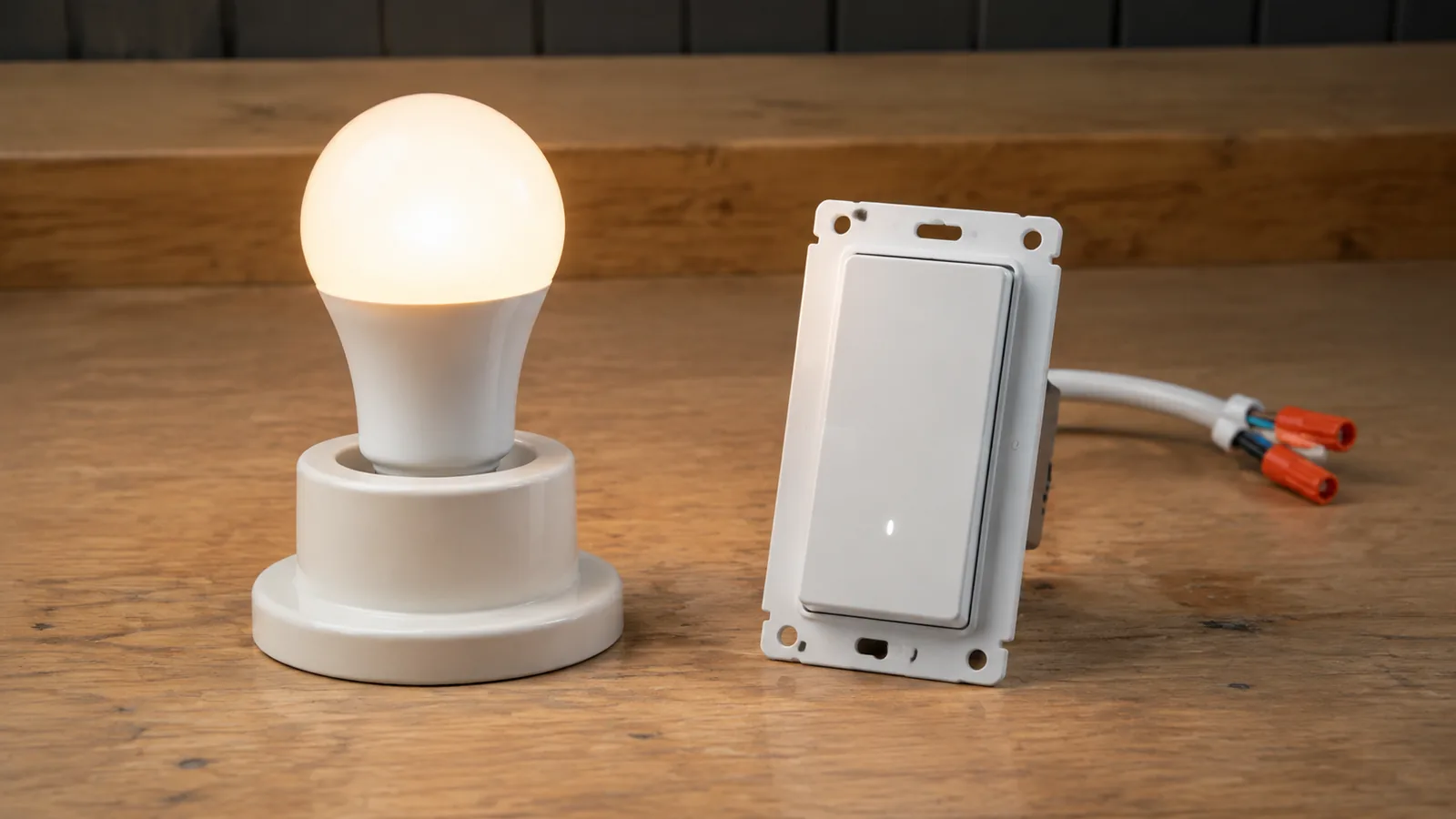
Smart bulbs are LED light bulbs with built‑in wireless radios and processors. They connect to your Wi‑Fi, Bluetooth, Zigbee or Matter network and can be controlled with a smartphone app, voice assistant or automation platform. Because they’re LED‑based, they consume much less electricity than incandescent lamps; the U.S. Department of Energy notes that LEDs use at least 75 % less energy and can last up to 25 times longer than traditional bulbsenergy.gov. Smart bulbs leverage those efficiency gains while adding features like color changing, dimming, scheduling and integration with sensors.
How Smart Bulbs Work
Each smart bulb contains an LED driver, a microcontroller and a wireless module. When you send a command (from a phone or a voice assistant), the bulb’s microcontroller adjusts power to the LED driver, changing brightness or color. This always‑connected design means smart bulbs draw a small amount of standby power even when off. Independent tests by Mirsky Electric show that smart bulbs use about 0.2–0.5 watts in standby. Orbvolt notes that the International Energy Agency measured standby as low as 0.15 W and as high as 2.7 W depending on the modelorbvolt.co. A Yeelight guide explains that most smart bulbs draw 0.5–1 W to stay connectedstore.yeelight.com. Although this is higher than the 0 W draw of a conventional mechanical switch, the standby cost is usually only a few dollars per year and is often offset by smarter automationmirskyelectric.com.
Advantages of Smart Bulbs
- Easy installation: Replacing a bulb is as simple as screwing it into a lamp or fixture. There’s no wiring and no need to turn off circuit breakers.
- Rich features: Many smart bulbs offer millions of colors, tunable white temperatures and dynamic scenes. They can be scheduled to wake you gently in the morning or sync with music.
- Granular control: Because control happens at the bulb level, you can set individual lights to different colors or brightness levels. This is ideal for accent lighting, mood settings or tasks that require specific illumination.
- Example: Want to create a relaxing mood in the bedroom? FrediTech’s Best Smart Bulbs for Bedroom Mood Lighting (Warm vs Cool vs RGB) article notes that choosing warm‑white (2700 K), cool‑white (5000 K) or RGB bulbs allows you to tailor ambience for reading, sleeping or parties. Smart bulbs make that flexibility as easy as opening an appfreditech.com.
- Portability: Renters and frequent movers can take smart bulbs with them; there’s no electrical work to undo.
Disadvantages of Smart Bulbs
- Dependent on power at the switch: If someone turns off the wall switch, the smart bulb loses power—and connectivity. You must leave the switch on and control the bulb via app or voice. This can be confusing for guests.
- Higher per‑bulb cost: Smart bulbs typically cost US$10–50 eachpaclights.com. Outfitting a chandelier or multi‑bulb fixture with smart bulbs can quickly become expensive.
- Standby power draw: Each bulb consumes 0.2–1 W continuously. In a fixture with several bulbs, the total standby load can exceed that of a single smart switch controlling conventional LEDsigotoele.com.
What Are Smart Switches?
A smart switch replaces a traditional wall switch. It connects to your network (often via Wi‑Fi, Zigbee or Z‑Wave) and controls the power going to your fixtures. From the outside, it may look like a standard rocker or toggle, but inside is a small circuit board and wireless radio.
How Smart Switches Work
Smart switches remain powered even when the lights are “off.” They use a trickle of electricity to keep their Wi‑Fi or Zigbee module alive so they can receive commands. Most smart switches consume 0.5–1.5 W in standbyiotics.io. An IGOTO guide translates that to about 0.72 kWh per month, costing roughly US$1 per year per switch at US$0.12 per kWhigotoele.com. Quality models often stay below 1 W, while cheaper units may draw 2–3 W. Although mechanical switches have no standby power, smart switches compensate with automation features that prevent lights from being left on.
Neutral Wire Considerations
Unlike bulbs that plug into any standard socket, most smart switches require a neutral wire to complete the circuit and power the internal electronics. Matter Alpha’s installation guide emphasizes that installing a smart switch is straightforward but impossible without a neutral wire; many older homes lack neutrals at switch boxesmatteralpha.com. Iotics further explains that the neutral wire provides a constant supply so features like remote control, dimming and voice integration can operateiotics.io. Homes without neutrals may need rewiring or a “no‑neutral” smart switch variant.
Advantages of Smart Switches
- Whole‑fixture control: One switch can control all bulbs in a circuit. This is ideal for rooms with multiple bulbs (e.g., recessed cans, chandeliers) because you only install one device instead of several smart bulbs.
- Compatibility with any bulb: Smart switches work with regular LED, halogen or incandescent bulbs, allowing you to choose high‑CRI or specialty lamps without losing smart control.
- Familiarity: Because the wall switch still functions manually, guests and children can operate lights without an app. The switch stays in the usual location.
- Energy savings through automation: Lutron claims homeowners can save up to 60 % on lighting energy by using smart switches with dimming and occupancy sensorsbuildwithrise.com. Sensors turn lights off when rooms are empty, and dimmers reduce wattage.
Disadvantages of Smart Switches
- Installation complexity: Installing a smart switch requires turning off power, removing the old switch, identifying line/load/ground/neutral wires and connecting the new device. Matter Alpha points out that although the process is simpler than many expect, neutral‑wire availability is criticalmatteralpha.com. Hiring an electrician can cost US$50–150 per switchpaclights.com.
- Higher upfront cost per circuit: Smart switches cost US$40–100 each. If you have many circuits, the investment can be significant.
- Limited color control: Smart switches turn lamps on/off and dim them but cannot change bulb color. To get RGB or tunable white, you still need smart bulbs.
- Standby power: Each switch draws 0.5–1.5 W, although this is usually less than the standby draw of multiple smart bulbs.
Smart Bulbs vs. Smart Switches: Detailed Comparison
Energy Efficiency and Standby Consumption
Aspect | Smart Bulbs | Smart Switches |
Active mode | LED bulbs use 7–10 W to replace a 60‑W incandescent. DOE notes LEDs cut energy use by 75 %. | Smart switches control any bulb. Energy savings depend on the bulbs used (e.g., LED vs. incandescent) and whether dimming/occupancy sensors are enabled. |
Standby power | Approximately 0.2–0.5 W per bulb; Yeelight cites 0.5–1 W. Many bulbs draw more when using Wi‑Fi or color effects. | Typically 0.5–1.5 W per switch. Cheaper models may draw 2–3 W. |
Impact in multi‑bulb fixtures | Four smart bulbs draw ~0.8–2 W in standby. IGOTO notes that a smart switch controlling four regular bulbs consumes about 1 W, whereas four smart bulbs can consume 2–4 W, indicating higher standby costs for bulbsigotoele.com. | One switch controls all bulbs; standby draw is concentrated in a single device. |
Both devices can lead to energy savings by enabling scheduling, remote control and sensors. GDS Lighting calculates that smart lighting systems can reduce lighting costs 35–70 %,gdslighting.com and sensors can cut consumption by 20–40 %. PacLights notes that smart switches can reduce lighting energy consumption up to 30 % through scheduling and controlpaclights.com.
Installation and Compatibility
Aspect | Smart Bulbs | Smart Switches |
Installation | Screw into an existing socket. No wiring skills needed. | Requires wiring and often a neutral wire. May require an electrician. |
Neutral wire requirement | Not applicable (uses socket’s neutral). | Most smart switches need a neutral to supply power. No‑neutral models exist but have limited options and may require a capacitor. |
Costs | Bulbs cost US$10–50 each; premium models can be higher. | Switches cost US$40–100 each plus possible installation fee (US$50–150). |
Bulb compatibility | Only the smart bulb itself; typically uses E26/E27 sockets. | Works with any dimmable bulb; ensures compatibility with LED, incandescent, halogen or specialty lamps. |
Features and Flexibility
Feature | Smart Bulbs | Smart Switches |
Color changing | Yes; many models offer millions of colors and tunable white. | No; only dimming or on/off control. |
Scene and mood settings | Extensive; can set different scenes for each bulb. | Limited; scenes apply to all bulbs on the circuit. |
Integration with sensors | Some bulbs have built‑in motion or ambient light sensors; scheduling is easy via apps. | Dimmers and occupancy sensors built into certain switches (e.g., Lutron) can automatically turn lights off, saving energy. |
Voice and app control | Yes; typically integrates with Alexa, Google Assistant, Apple HomeKit or Matter. | Yes; connects via Wi‑Fi or Zigbee to voice assistants and hubs. |
Energy monitoring | Some smart bulbs provide energy‑usage tracking in the app. | Many smart switches monitor usage per circuit and can integrate with energy dashboards. |
Retaining manual control | If the wall switch is turned off, smart features stop working. | Wall switch works normally; manual control remains even when not connected to Wi‑Fi. |
Cost Effectiveness
To determine cost effectiveness, consider the number of bulbs per fixture. If a room has a single bulb, a smart bulb is cheaper and easier to install. For fixtures with multiple bulbs, a smart switch is usually more economical. The PacLights article estimates that replacing a standard switch with a professional installation costs US$50–150paclights.com. A smart switch costing US$50–100 plus installation may still be cheaper than buying six US$20 smart bulbs for a chandelier.
However, if you want color‑changing lights, only a smart bulb will provide that. A hybrid approach—installing a smart switch for large circuits and using a few smart bulbs for accent lighting—often yields the best balance of cost, convenience and features.
Real‑World Scenarios
Scenario 1: Apartment Living / Rental Property
Renters often avoid wiring work and need portability. Smart bulbs allow quick installation and removal without altering electrical systems. They’re ideal for desk lamps, floor lamps, and plug‑in fixtures. However, ensure that roommates know not to flip the wall switch off. Pairing bulbs with smart plugs can add remote control and energy monitoring; FrediTech’s Smart Plug Buying Guide explains how to check wattage, Wi‑Fi range and app compatibilityfreditech.com.
Scenario 2: Multi‑Bulb Ceiling Fixtures
For recessed lighting or chandeliers with many bulbs, a smart switch provides centralized control and is more cost‑effective. You can use high‑quality LED bulbs with high color rendering and still enjoy scheduling and remote control. The lower standby draw per circuit saves energy compared with multiple smart bulbsigotoele.com.
Scenario 3: Older Home Without Neutral Wires
If your house lacks neutrals in switch boxes, installing typical smart switches is not possible. Options include:
- No‑neutral smart switches: Some brands offer models that work without a neutral. They usually require a capacitor and may have limited dimming functions.
- Smart bulbs: Since bulbs don’t rely on the wiring behind the switch, they work in any socket. You can also use a physical button‑pusher device (e.g., SwitchBot) to press your existing switch remotelymatteralpha.com.
Scenario 4: Energy‑Focused Home
If your goal is to minimize energy waste, either option can help—when used with scheduling, dimming, occupancy sensors and energy monitoring. Studies show smart lighting systems can reduce lighting costs 35–70 %gdslighting.com. Many homeowners use a combination: smart switches for general lighting and a few smart bulbs in key areas to create scenes or mood lighting.
Environmental Impact and Energy Savings
LED lighting is inherently efficient. Switching from incandescent to LED reduces electricity consumption by three‑quarters. Smart bulbs and switches build on this by minimizing wasted light through automation. Mirsky Electric’s analysis indicates that smart bulbs’ standby draw (0.2–0.5 W) adds only US$1.30–1.50 per yearmirskyelectric.com, while smart switches’ standby draw is roughly US$1 per year per switch. These costs are easily offset if the devices prevent lights from being left on for extended periods.
Moreover, scheduling and sensors can significantly cut usage. GDS Lighting reports that sensors and remote control reduce consumption 20–40 %. Buildwithrise explains that pairing dimmers with occupancy sensors can save up to 60 % of lighting energybuildwithrise.com. That means a home spending US$20 per month on lighting could save US$12 per month by automating lights, dwarfing the standby costs.
How to Choose the Right Option: Step‑by‑Step Guide
- Audit your fixtures. List the rooms and count bulbs per fixture. For single‑bulb lamps or accent lights, smart bulbs may be more practical. For multi‑bulb fixtures, smart switches are usually cheaper.
- Check your wiring. Remove a wall plate and look for a bundle of white wires (neutral). If neutrals are absent, you’ll need no‑neutral switches or smart bulbs.
- Identify desired features. Decide whether you want color changing, tunable white, dimming or simply remote on/off. Only smart bulbs provide millions of colors; smart switches can dim but not change color.
- Consider voice assistant and ecosystem compatibility. Smart bulbs often integrate easily with Alexa, Google Assistant, Apple HomeKit and Matter. Smart switches may require a hub (e.g., Zigbee or Z‑Wave) but can connect to the same ecosystems.
- Determine your budget. Calculate cost per fixture (bulbs vs. switch + installation). Don’t forget to account for professional labor when replacing switches.
- Plan automation strategies. Use schedules, motion sensors, ambient‑light sensors and geofencing to minimize wasted energy. Look for devices that provide energy‑usage reports so you can track savings.
- Combine solutions. In many homes, a hybrid approach—smart switches for general lighting and smart bulbs for accent or color—offers the best balance.
Tips for Maximizing Energy Savings
- Use dimming and occupancy sensors. Dimming reduces wattage proportionally, while occupancy sensors turn lights off automatically when rooms are vacant.
- Leverage schedules and automation. Program lights to turn off at bedtime or when everyone leaves the house.
- Group control. Group bulbs or circuits by room in your smart‑home app to turn off all lights with one command.
- Optimize Wi‑Fi and firmware. Ensure strong Wi‑Fi signals and update firmware to reduce idle power consumption.
- Choose certified products. Look for Energy Star or IEA‑tested devices to ensure low standby draw.
- Recycle responsibly. LED bulbs contain small amounts of heavy metals. Programs such as Home Depot’s recycling bins accept used LEDs.
Conclusion
The debate between smart bulbs and smart switches doesn’t have a single answer. Smart bulbs are plug‑and‑play, offer rich colors and are ideal for renters or accent lighting. They consume minimal standby power but become costly in multi‑bulb fixtures. Smart switches provide whole‑room control, preserve the familiarity of wall switches and work with any bulb. Their installation is more complex and usually requires a neutral wire, but they often yield better cost efficiency in rooms with multiple lights.
Ultimately, the best solution depends on your home’s wiring, the number of fixtures, your desire for color or dimming, and your budget. Many homeowners adopt a hybrid approach—smart switches for general lighting and a few smart bulbs for mood settings. Regardless of which you choose, smart lighting can significantly reduce energy consumption, improve convenience and lay the foundation for broader home automation.
Frequently Asked Questions (FAQs)
Do smart bulbs use electricity when they’re off?
Yes. Smart bulbs stay in a low-power standby mode to maintain connectivity. They typically draw 0.2–0.5 W, which costs only a few dollars per year. Scheduling and sensors can easily offset this small consumption by preventing lights from being left on.
Can I install a smart switch if my home doesn’t have a neutral wire?
Most smart switches require a neutral wire to power their electronics. In older homes without neutrals, you can either install no-neutral-required models (which may have limited features) or opt for smart bulbs instead.
Which is more cost-effective for a multi-bulb fixture—a smart bulb or smart switch?
A smart switch controlling all bulbs in the fixture is usually more cost-effective because you only need one device. Multiple smart bulbs in the same fixture can be much more expensive and have higher total standby draw.
Do smart switches save energy even though they consume standby power?
Yes. Smart switches’ standby power (0.5–1.5 W) is small. By enabling scheduling and occupancy sensors, they can reduce overall lighting consumption up to 30–60 %—more than enough to offset standby costs.
Can I change the color of lights with a smart switch?
No. Smart switches only control power and dimming. To change colors, you need smart bulbs or add LED strips controlled by a smart controller.
What if I have both smart bulbs and a smart switch in the same circuit?
You should leave the smart switch on and use the bulbs’ app for control. Turning off the switch cuts power to the bulbs, disabling smart features.
How many smart bulbs should I have before a hub becomes necessary?
If you install dozens of Wi-Fi bulbs, the standby consumption of each can add up. Orbvolt suggests using a hub (e.g., Zigbee) when you have many bulbs—it can reduce total standby power and improve reliability.
Are smart bulbs and switches safe to use?
Yes. Certified smart devices meet strict electrical standards. However, always follow manufacturer instructions and hire a licensed electrician if you’re unsure about wiring.
Author: Wiredu Fred – Founder and chief editor of FrediTech. With over a decade of experience reviewing consumer electronics and smart‑home gadgets, Fred offers authoritative, in‑depth guides to help readers make informed decisions. His work emphasizes energy efficiency, practical benefits and sustainable technology.