

Introduction
LED strip lights have exploded in popularity in recent years. They’re flexible, energy‑efficient bands of light that can be cut to size and stuck almost anywhere to add ambience or functional illumination. These strips are no longer just for industrial applications; homeowners use them for TV backlighting, bedroom ambience and immersive gaming setups, while architects deploy them for cabinets, coves and feature lighting. According to the U.S. Department of Energy, residential LED products use at least 75 % less energy and last up to 25 times longer than incandescent bulbsenergy.gov. Industry analyses also show that high‑quality LED lamps typically consume at least 75 % less energy than comparable incandescent lamps and can last up to 25 times longerledlightingsupply.com. These efficiency gains, combined with falling prices and smart‑home integration, have propelled LED strip lights into mainstream adoption.
This guide examines the best LED strip lights for TV backlighting, bedrooms and gaming setups. It explains how LED strips work, why they are beneficial for eye health and energy consumption, and how to choose the right product for your needs. It also includes internal links to related FrediTech articles – such as our guide on Best Smart Bulbs for Bedroom Mood Lighting (Warm vs Cool vs RGB) and the comparison of Smart Bulb vs Smart Switch – and ends with an FAQ section.
Understanding LED Strip Lights
What are LED strip lights?
LED strip lights are elongated circuit boards populated with dozens of tiny light‑emitting diodes (LEDs). In PacLights’ primer on LED strip lighting, the company explains that strip lights consist of multiple small LEDs mounted on a flexible circuit board, allowing them to be bent and cut to fit various applicationspaclights.com. The strips are often encapsulated in a protective material and typically include an adhesive backing for easy installation. Users can connect multiple strips or cut them to size, creating customized layouts for under‑cabinet lighting, TV backlighting or ambient bedroom illumination. Because LED strips are low profile, they can be hidden behind furniture, tucked under shelves or wrapped around gaming monitors without obstructing the view.
LED strips come in various types:
- Single‑colour (white) strips – fixed at a particular colour temperature (e.g., 2700 K warm white or 6500 K daylight). They’re ideal when consistent white illumination is desired, such as under cabinets or behind monitors.
- RGB strips – contain red, green and blue chips that can mix to produce millions of colours. They’re popular for mood lighting and gaming because users can change colours via remote control or smartphone apps.
- RGBW and RGBIC strips – add white chips or independently addressable “IC” zones, enabling brighter whites and dynamic colour‑chasing effects.
- Tunable white or CCT strips – allow users to adjust the colour temperature along a spectrum (e.g., from warm 2700 K to cool 6500 K), making them suitable for circadian‑friendly bedroom lighting.
- Addressable (pixel) strips – each LED segment can be controlled individually to create complex patterns or music‑reactive effects.
How do LED strip lights work?
At the heart of each LED strip is the LED chip, which converts electrical energy directly into light through a process called electroluminescence. When a current passes through a semiconductor, electrons move from a higher energy state to a lower one, releasing photons of a specific wavelength (colour). This process produces light efficiently with minimal heat. The LED chips are soldered onto a flexible printed circuit board (PCB) with resistors to regulate current and maintain consistent brightness across the strip. Most consumer LED strips operate at low voltage (5 V, 12 V or 24 V), making them safe and compatible with plug‑in power supplies or battery packs.
Key features and advantages
- Flexibility and customization – LED strips can be bent around corners, cut along designated points, and connected to form longer runs. This flexibility allows creative installations in tight spaces or irregular shapes. Adhesive backing and low‑profile design make them easy to hide behind TVs, under beds or along desks.
- Energy efficiency – LED strips consume significantly less power than incandescent or fluorescent lighting. The PacLights article notes that LED lights are energy‑efficient and produce minimal heatpaclights.com. The U.S. Department of Energy also states that LEDs use at least 75 % less energy and last up to 25 times longer than incandescent bulbsenergy.gov. Industry statistics confirm that high‑quality LED lamps typically consume at least 75 % less energy than incandescent lamps and can last 25 times longer.
- Longevity and low maintenance – Quality LED strips can operate for tens of thousands of hours. Many manufacturers rate their strips for 15 000 to 50 000 hours of use, which equates to 5–17 years of daily operation if run a few hours per day. This longevity reduces the need for replacement and lowers lifetime costs.
- Brightness and colour control – LED strips are available in various brightness levels (measured in lumens per metre) and colour options (RGB, tunable white, addressable). Modern strips commonly produce over 100 lm/W, with top performers exceeding 120 lm/Wledlightingsupply.com. Users can adjust brightness via dimmers or smart‑home apps and change colours to suit different moods or activities.
- Smart‑home integration – Many LED strips support Wi‑Fi, Bluetooth, Zigbee or Matter protocols, allowing control through smartphone apps, voice assistants (e.g., Alexa, Google Assistant) or automation platforms. This integration makes it easy to schedule on/off times, sync colours with music or gaming, or adjust lighting based on time of day. For more on smart‑home lighting control, check out our guide comparing Smart Bulbs vs Smart Switches.
Why Use LED Strip Lights for TV Backlighting, Bedrooms & Gaming?
Eye comfort and bias lighting for TV and monitors
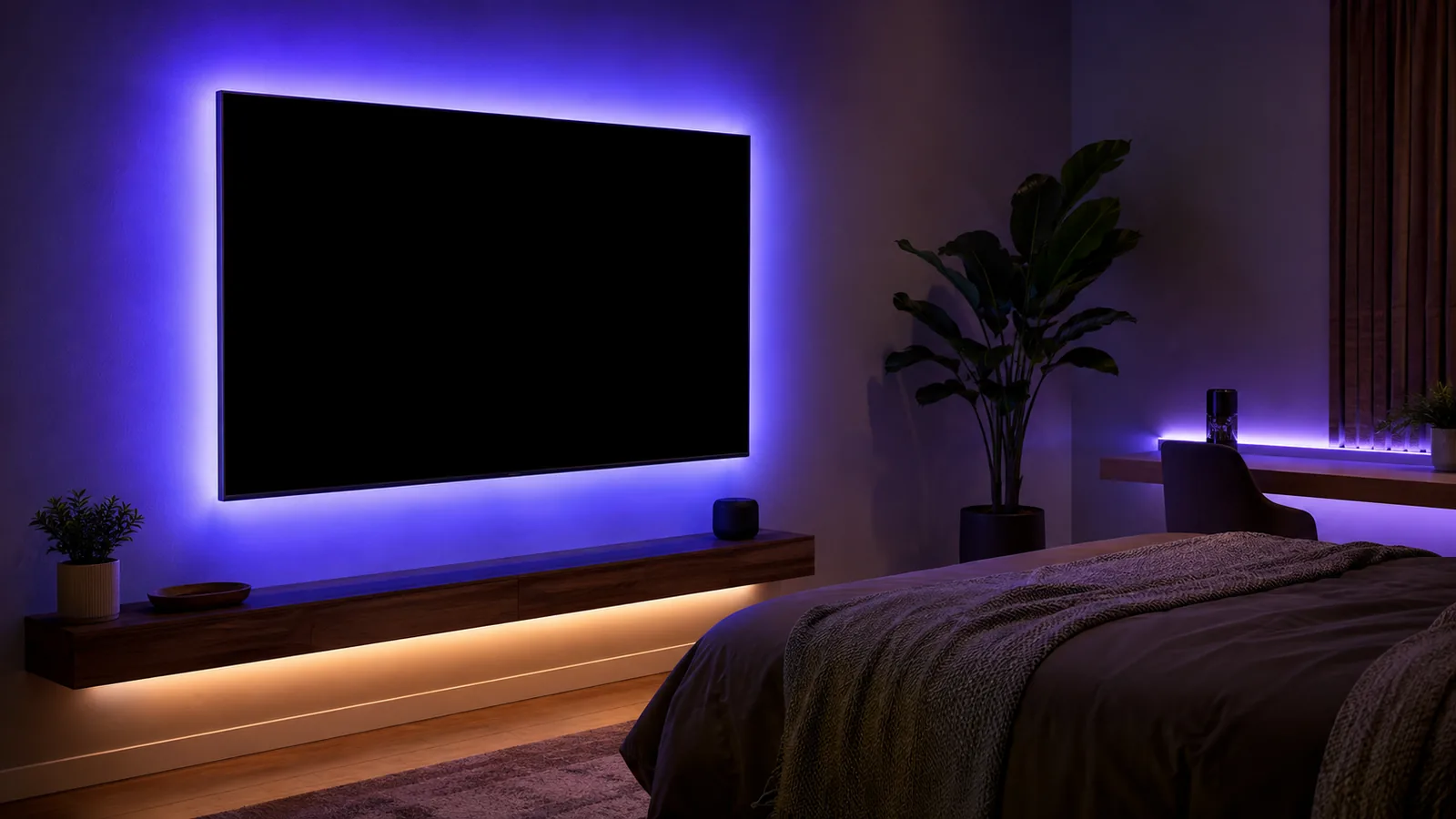
Watching a bright screen in a dark room can strain your eyes. When your pupils dilate to accommodate the dark surroundings and then constrict when you look at the bright screen, the constant adjustment causes muscle fatigue. The Eureka Ergonomic article explains that bias lighting (placing a dim light source behind a display) increases the ambient brightness around the screen, letting your pupils settle at a mid‑range size. This reduces muscular strain and improves the perceived contrast of the display. The article also recommends using LED strips with a 6500 K (daylight) colour temperature for bias lighting and warmer colours for late‑night work to minimize blue light exposureeurekaergonomic.com.
Jeff Atwood’s Coding Horror blog references an expert from Ars Technica, noting that bias lighting “provides enough ambient light that your pupils don’t need to dilate as far,” reducing eye strain and making colours appear richerblog.codinghorror.com. In other words, a soft halo of light behind your TV or monitor helps your eyes relax while watching movies or gaming in dim rooms. The ERCC Build article adds that bias lighting reduces glare and flicker, enhances perceived black levels, and can even improve sleep quality when using warm hueserc.build.
Sleep and circadian health in bedrooms
Lighting affects your circadian rhythm—the internal clock that regulates sleep and wakefulness. Harvard Health explains that exposure to light at night suppresses melatonin secretion; even dim light as low as eight lux can interfere with a person’s circadian rhythm. Blue light is particularly disruptive: a Harvard experiment found that 6.5 hours of blue‑light exposure suppressed melatonin for about twice as long as green light and shifted circadian rhythms twice as muchhealth.harvard.edu. To promote healthy sleep, use warm‑white or red hues (around 2700 K) in bedrooms during the evening. These colours produce less blue‑light content and therefore have less impact on melatonin, helping you wind down. Many LED strips offer tunable white or warm settings specifically for bedtime.
Immersive gaming and mood ambience
For gamers, LED strips add ambience and enhance immersion by synchronizing colours with on‑screen action or music. Addressable RGBIC strips can display multiple colours at once, creating reactive waves or visualizations that correspond to game audio or keyboard strokes. Syncing lights with gameplay can also reduce eye strain by providing ambient illumination, much like bias lighting. Many gaming‑oriented strips integrate with PC platforms like Razer Chroma, Corsair iCUE, or consoles via HDMI sync boxes. Combined with high refresh‑rate monitors and ergonomic setups, LED strips help create a cohesive and comfortable gaming environment.
Energy efficiency and sustainability
One of the biggest advantages of LED strips is energy efficiency. High‑quality LED lamps consume at least 75 % less energy than incandescent bulbsledlightingsupply.com. LEDs convert a much higher percentage of electrical energy into visible light, while incandescent bulbs waste around 90 % as heat. The U.S. DOE notes that LEDs can last up to 25 times longer than incandescent bulbsenergy.gov, reducing waste and replacement costs. Industry statistics project that LEDs could account for up to 87 % of global lighting installations by 2030, and the global LED market is projected to reach about $100 billion by 2030. The shift to LEDs is expected to reduce global electricity demand for lighting by 30–40 % by 2030ledlightingsupply.com. By choosing efficient LED strips instead of traditional halogen or fluorescent lighting, you’re contributing to broader sustainability goals.
Types of LED Strip Lights and Choosing the Right One
Brightness (lumens per metre) and wattage
Brightness is measured in lumens per metre (lm/m). High‑density strips (e.g., 60 LEDs per metre) produce more lumens and are appropriate for areas requiring task lighting or vivid bias lighting behind large TVs. Lower‑density strips (30 LEDs per metre) offer softer accent lighting ideal for bedrooms or ambient backlighting. When comparing products, look at their lumens per watt (efficacy) rating; modern residential LEDs often achieve 110–130 lm/W, while top performers can exceed 120 lm/W. Higher efficacy means more light output for less energy, resulting in lower electricity bills and reduced heat.
When estimating power consumption, multiply the strip’s wattage per metre by its length. For example, a 5‑metre strip rated at 12 W/m will consume 60 W. At $0.12 per kWh (a typical U.S. electricity cost), running this strip for five hours per day would cost about $0.36 per month (5 hours × 60 W × $0.12/kWh ÷ 1000). Choose an adequately rated power supply (driver) with at least 20 % more capacity than the total wattage to ensure reliable operation, especially if connecting multiple strips.
Colour temperature and colour rendering
Colour temperature, measured in kelvin (K), influences the mood of a space. Warm whites (2700–3000 K) create cozy, relaxing atmospheres suitable for bedrooms, while neutral whites (4000–5000 K) provide balanced, task‑friendly illumination for reading nooks or home offices. Daylight whites (6000–6500 K) mimic natural daylight and are ideal for bias lighting behind TVs or monitorseurekaergonomic.com. Colour rendering index (CRI) indicates how accurately colours appear under a light source; look for strips with CRI 80 or higher for true‑to‑life colours. Some premium strips offer CRI 90–95, which is beneficial for media rooms or art displays.
Control options: remote, app and voice
Entry‑level LED strips often include an infrared remote for basic colour and brightness control. More advanced models connect via Bluetooth or Wi‑Fi, allowing control through smartphone apps. Smart strips integrate with home automation systems and voice assistants (e.g., Alexa, Google Assistant, Apple HomeKit). Consider compatibility with your existing smart‑home ecosystem and whether you plan to automate schedules or integrate lighting with other devices (e.g., gaming peripherals or smart speakers). Also check if the strip supports scenes, music sync or screen‑mirroring effects.
Additional features
- Waterproof rating – Look for IP65 (splash‑resistant) or IP67/IP68 (submersible) ratings if installing strips in humid environments like bathrooms or around gaming desks with beverage risks.
- Adhesive quality – Premium strips use strong 3M adhesives that stick securely to TVs or furniture. Cheaper strips may peel over time; using additional mounting clips can help.
- Cuttable and linkable – Most strips have cut marks (usually every 3–5 LEDs) that allow you to tailor the length. Ensure you have the appropriate connectors or soldering equipment to re‑join segments.
- Certification and safety – Check for UL, ETL or CE certifications indicating that the product meets safety standards. Low‑quality strips might overheat or have inconsistent voltage regulation, reducing lifespan or posing risks.
Step‑by‑Step Installation Guides
1. Installing LED strips for TV backlighting (bias lighting)
- Measure and plan – Measure the perimeter of your TV to estimate how many metres of strip you need. Bias lighting typically runs along the top and sides of the TV; some users also place a short segment along the bottom. Ensure there’s enough slack for corners and the power cable. Consider a strip that supports right‑angle connectors if your TV has sharp corners.
- Clean the surface – Wipe the back of the TV with a microfiber cloth and rubbing alcohol to remove dust and oils. A clean surface ensures the adhesive sticks properly.
- Cut and connect – Unroll the LED strip and place it along the TV’s perimeter to mark where it will be cut. Cut only at designated cut marks (usually indicated by scissor icons). If the strip needs to turn corners, use appropriate corner connectors or gently bend the strip (if designed for bending). Connect segments using the included connectors or by soldering wires.
- Stick the strip – Peel off the adhesive backing and press the strip firmly onto the TV’s back. Start at one corner and work your way around, ensuring even placement. Hold each section for a few seconds to secure adhesion. Avoid placing strips directly over ventilation grills.
- Power and test – Connect the strip to the controller and then to the power supply. Plug it into a power outlet and test the lights. Adjust colours and brightness to achieve the desired ambient glow. For bias lighting, set the colour to neutral daylight (around 6500 K) for accurate TV colours.
- Route cables neatly – Use cable clips or adhesive cable management channels to route wires down the back of the TV stand. This creates a clean look and prevents cables from being pinched or pulled.
2. Installing LED strips in bedrooms
- Plan your layout – Decide where you want the strips: under the bed frame, along crown moulding, behind headboards or inside wardrobes. Measure each area to determine the total length required. For relaxing ambience, warm white or RGB strips with tunable white capability are ideal.
- Prepare the surfaces – Clean the surfaces where the strip will adhere. If mounting under the bed, ensure there’s no dust and use clips or channels to secure the strip out of sight. When running strips along moulding, consider using aluminum channels to dissipate heat and create a polished look.
- Install and connect – Cut the strip to length at the designated marks. Peel the adhesive backing and press the strip into place. If covering long runs (e.g., around the perimeter of a ceiling), plan for power injection at intervals to prevent voltage drop and brightness loss. Use a power supply with adequate capacity and consider using a controller that supports multiple zones.
- Set up control – Connect the strip to its controller and pair with a remote or app. For bedrooms, program warm colours for evening routines and cooler whites for morning wake‑up. Many smart strips offer scheduling, sunrise simulations and integration with sleep‑tracking apps.
- Enhance safety – Avoid placing strips where children or pets can pull on them. Hide wires inside channels or behind furniture. For IP67/IP68 rated strips installed near humidity (e.g., around mirror), ensure connectors are waterproof.
3. Installing LED strips for gaming setups
- Define zones – Gamers often install LED strips behind monitors, under desks, around shelving or along the rear edge of a gaming PC. Plan each zone and choose addressable strips if you want complex effects. Measure the required lengths and decide where controllers and power supplies will sit (e.g., behind the desk or inside a cable tray).
- Clean and mount – As with TV installations, clean surfaces thoroughly. Use the strip’s adhesive or mounting clips to secure the LEDs along the back of monitors and under desks. If mounting inside a PC case, ensure the strip is cuttable and designed for PC use; many PC strips use magnetic backing for metal cases.
- Wire management – Gaming setups involve multiple cables. Use cable sleeves or raceways to route LED strip wires alongside monitor cables. Label connectors so you can identify each zone easily when connecting to controllers.
- Sync with hardware – Connect your LED strips to a controller that integrates with your gaming ecosystem (e.g., Razer Chroma, Corsair iCUE, or Philips Hue Sync Box). Some strips connect via HDMI sync boxes, which capture screen content and translate it into lighting effects around the monitor or room. Follow the manufacturer’s instructions for pairing and configuration. For example, you might set the strip to change colours in response to in‑game events or music.
- Test and adjust – Once installed, test the strip’s effects while gaming. Adjust brightness and pattern speed to match your preference. Many gamers reduce brightness to 10–20 % to minimize distraction while still benefiting from ambient illumination.
Real‑World Examples and Practical Tips
Example 1: Creating a cinematic TV room
Imagine you want to turn your living room into a mini theater. You measure the circumference of your 55‑inch TV (approximately 4.4 metres) and purchase a 5‑metre RGBW LED strip with adhesive backing and a Wi‑Fi controller. After cleaning the back of your TV, you apply the strip along the top and sides, cutting at appropriate marks and using corner connectors. You plug the strip into its controller and connect it to your home Wi‑Fi. Through the companion app, you set the bias lighting to 6500 K for movie nights, creating a soft halo that reduces eye straineurekaergonomic.com. You also program a warm amber scene for evening relaxation, ensuring that the bedroom lights later mimic the sunset and minimize blue‑light exposure.
Example 2: Transforming a bedroom with ambient lighting
In a bedroom, you install warm white LED strips under the bed frame and behind the headboard to create a floating effect. You choose strips with tunable white capability so you can switch between warm 2700 K for bedtime and cool 4000 K for reading. The strips are connected to a smart controller that integrates with your voice assistant. Each evening, the lights gradually dim to a deep red hue, promoting melatonin production and better sleephealth.harvard.edu. In the morning, they transition to bright white to gently wake you up. Additional strips run along the edge of a dresser, accentuating artwork and providing a night light. This layered approach uses low‑wattage LED strips, so the energy cost remains minimal compared to leaving a bedside lamp on all night.
Example 3: Building an immersive gaming battlestation
For a gaming room, you select addressable RGBIC strips capable of displaying multiple colours simultaneously. You mount one strip behind your 34‑inch ultrawide monitor, another under your desk and a third along the rear edge of your gaming PC case. Using a compatible controller, you sync the strips with your game’s audio and screen output. When playing a racing game, for instance, the strips glow green at high speeds and flash red when you collide. During an RPG, ambient colours shift to match the environment (e.g., blue in underwater scenes, orange near fire). This dynamic lighting not only elevates immersion but also provides ambient illumination that mitigates eye strain during long sessionsblog.codinghorror.com.
Market Trends and the Future of LED Strip Lighting
The LED lighting market has grown rapidly due to improved efficiency, declining costs and increasing consumer awareness. According to LED Lighting Supply’s statistics, high‑quality LED lamps consume at least 75 % less energy than incandescent lamps and last up to 25 times longerledlightingsupply.com. LEDs also convert a much higher percentage of electrical energy into visible light, whereas incandescent bulbs waste roughly 90 % as heat. These gains have driven adoption: by 2019, LEDs represented nearly half of global lighting sales. Analysts project that LEDs could make up 87 % of lighting installations by 2030. The global LED market – valued at about $70 billion in 2019 – is projected to reach nearly $100 billion by 2030ledlightingsupply.com.
In addition to market size, LED efficacy continues to improve. LED Lighting Supply notes that since 2010, average LED efficacy has doubled to over 100 lumens per watt, with top products surpassing 120 lm/W. Future technologies may reach 250 lm/W. These improvements mean future LED strips will produce more light with even lower energy consumption. Adoption is also rising in residential settings: the percentage of households using LED lighting for most or all indoor lighting increased from 4 % in 2015 to 47 % by 2020. As more consumers embrace smart‑home ecosystems, demand for connected LED strips will grow, spurring innovations like Matter‑ready strips, improved colour accuracy and integrated health features (e.g., circadian‑friendly automation).
Environmental Impact and Sustainability
Choosing LED strip lighting contributes to environmental sustainability in several ways:
- Reduced energy consumption – LEDs use significantly less electricity than incandescent or CFL bulbs. Industry data confirms that high‑quality LED lamps consume at least 75 % less energy than comparable incandescent lamps. This not only lowers household electricity bills but also reduces demand on power plants, decreasing greenhouse‑gas emissions.
- Lower heat output – LEDs convert most of their energy into light rather than heat. Incandescent bulbs waste approximately 90 % of their energy as heat, leading to unnecessary power consumption and higher cooling costs. LED strips remain cool to the touch, making them safer for use near children, pets and delicate surfaces.
- Longer lifespan means less waste – Quality LED products can last tens of thousands of hours. Longer lifespans reduce the number of bulbs or strips that end up in landfills. Many LED strips are also free of hazardous materials like mercury, which is present in fluorescent lamps.
- Potential for recycling – Some manufacturers offer recycling programs for spent LED products. Check whether the brand offers take‑back services or whether local recycling centres accept electronic lighting products. Proper disposal prevents electronic waste and recovers valuable materials.
- Smart controls reduce standby energy – Smart strips can be scheduled to turn off automatically, minimizing “vampire” loads. Advanced controllers provide energy‑use statistics, helping you optimize usage patterns.
By selecting high‑quality, efficient LED strips and using them responsibly, you support both personal comfort and broader environmental goals.
Conclusion
LED strip lights have transformed home lighting by providing flexible, energy‑efficient and customizable illumination. For TV backlighting, they act as bias lights that reduce eye strain and enhance perceived contrast. In bedrooms, tunable and warm‑white strips support healthy circadian rhythms by avoiding blue‑light exposure at night. In gaming setups, addressable RGB strips create immersive environments while providing ambient light to alleviate eyestrain. With lifespans measured in tens of thousands of hours and energy savings exceeding 75 % compared to incandescent lights, LED strips offer exceptional value and sustainability. Falling prices, improved colour accuracy and integration with smart‑home ecosystems will make LED strips even more accessible in the coming years.
To get started, define your lighting goals (bias lighting, ambience or gaming), choose a high‑quality strip with appropriate brightness and features, and follow the installation steps outlined above. For more information on optimizing your home lighting, explore our related articles on Best Smart Bulbs for Bedroom Mood Lighting and Smart Bulb vs Smart Switch. With thoughtful planning, LED strip lights can transform your living spaces into immersive, efficient and health‑conscious environments.
FAQ
What are the benefits of LED strip lights?
LED strip lights are flexible, low-profile lighting solutions that offer energy efficiency, long lifespan, customizable colours and brightness, and easy installation. They can be cut and connected to fit almost any space, making them ideal for TV backlighting, bedroom ambiance and gaming setups.
How long do LED strip lights last?
Quality LED strips are rated for 15,000 to 50,000 hours of operation, depending on the manufacturer. Industry statistics indicate that high-quality LED lamps can last up to 25 times longer than incandescent bulbs.
Are LED strip lights safe?
Yes, LED strips operate at low voltage (often 5–24 V) and produce minimal heat, making them safe for home use. Always choose strips with safety certifications (UL, ETL or CE), follow manufacturer instructions and use appropriately rated power supplies. Avoid placing strips where children or pets can pull or chew on them.
How do I choose the right brightness?
Assess the purpose of the lighting. For bias lighting behind a TV, moderate brightness (around 200–300 lm/m) is sufficient. For accent lighting in bedrooms, lower brightness creates a cozy glow. For task lighting or large gaming setups, choose higher-density strips that provide 500 lm/m or more. Consider the strip’s efficacy (lumens per watt); modern residential LEDs commonly achieve 110–130 lm/W.
Can I cut LED strip lights?
Most LED strips have designated cut marks (usually every 3–6 LEDs). You can cut along these marks to adjust the length. Use proper connectors or solder wires to re-join segments. Cutting outside the marked areas can damage the circuit and void warranties.
Do LED strip lights consume a lot of electricity?
No. LEDs are highly efficient. According to LED Lighting Supply, high-quality LED lamps consume at least 75% less energy than incandescent lamps. A typical 5-metre strip rated at 12 W/m uses about 60 W; running it for five hours per day costs only a few cents per day at average electricity rates.
Can LED strips improve sleep quality?
Yes, when used correctly. Harvard Health notes that light exposure at night suppresses melatonin, and blue light has the most significant effect. Using warm-white or red LED strips in the evening reduces blue-light exposure and helps maintain your natural circadian rhythm. Many LED strips offer tunable white or amber modes for this purpose.
How do I integrate LED strips with my smart home?
Choose LED strips that support your preferred protocol (Wi-Fi, Bluetooth, Zigbee or Matter). Follow the manufacturer’s pairing instructions to connect the strip to your smartphone app or voice assistant. You can then create schedules, scenes and automations, or sync the lights with music and gaming via compatible platforms.
Do LED strips require a special power supply?
Yes. Match the power supply voltage (5 V, 12 V or 24 V) with the strip’s rating. Calculate the total wattage by multiplying the strip’s watts per metre by its length and add a 20% safety margin. Using an undersized power supply can lead to voltage drop, flickering or overheating.
Are there any downsides to LED strip lights?
Potential drawbacks include the need for proper installation (cutting and connecting strips requires care), adhesive degradation over time, and the possibility of colour inconsistency in cheaper products. Inexpensive strips may have lower CRI, limited smart-home compatibility or shorter lifespans. Investing in high-quality strips from reputable brands mitigates these issues.
Author
Wiredu Fred is a technology journalist and smart‑home enthusiast. As the founder of FrediTech, he has spent over a decade researching and writing about emerging consumer electronics, focusing on how modern gadgets enhance everyday living. His work emphasizes accessible explanations and data‑driven recommendations, helping readers make informed decisions about smart lighting, home automation and energy efficiency.