

Introduction
Smart bulbs let you easily tailor bedroom lighting for every mood and activity. With a tap or voice command you can adjust brightness, color temperature, or even select vibrant RGB colors and preset scenes. This flexibility means you can use warm white light for cozy, pre-bedtime relaxation or switch to cool white or colorful effects for energy and fun. The smart-home market is booming – Fortune Business Insights projects it to reach $147.5 billion by 2025freditech.com – and nearly two-thirds of U.S. households already own at least one smart-home device. Adding smart bulbs is one of the quickest, most affordable upgrades. In the bedroom, the right smart bulb can set a peaceful ambiance or gently wake you up in the morning. Below we explain everything you need to know about warm vs cool vs RGB lighting, help you choose the best bulbs, and show how to set them up step-by-step.
Why Choose Smart Bulbs for Bedroom Mood Lighting?
Smart bulbs offer convenience and versatility that ordinary bulbs can’t match. You simply screw them into an existing lamp or fixture, then use a smartphone app or voice assistant to control them. This lets you create presets and schedules. For example, you can have lights automatically dim to a warm glow each night at 10 PM, or turn on to bright white in the morning. Many smart bulbs also support fun color and music modes. According to Wired, smart bulbs can add “dimmability and color without needing to rewire the switch,” and you can “add routines for lights to automatically turn themselves on and off to make your evenings and mornings easier”wired.com. In practice this means a lamp connected to a smart bulb can become a “candle” effect or color-changing display at your command.
Key benefits of bedroom smart bulbs include:
- Custom Ambiance: Switch between relaxing warm white, energizing cool white, or millions of colors. For example, one reviewer’s favorite was the “Candle” scene on a smart bulb, which mimics a flickering candle for a cozy feel.
- Automation & Safety: Schedule lights to turn on/off so you never have to fumble for a switch. You can simulate occupancy (lights on/off) when away for security.
- Energy Savings: LEDs in smart bulbs use far less power than incandescent bulbs. Replacing old bulbs can save ~75% on lighting energyfreditech.com (see Energy Efficiency below).
- No Hub Needed: Most modern bulbs work over Wi-Fi or Bluetooth. Only a few (like Philips Hue) require a separate hub; others connect directly to your phone or smart speaker.
Because they are so easy to use and program, smart bulbs have become a must-have in many connected homeswired.com. In a bedroom, that means you can transform a simple nightstand lamp into a customizable mood light – just pick a color or scene in the app, and you’re done.
Understanding Light Color: Warm vs Cool vs RGB
Light color (color temperature) is measured in Kelvin (K). Lower Kelvin values yield a “warm” yellowish glow, while higher values produce a “cool” bluish light. Here’s what to know for bedroom lighting:
- Warm White (2700K–3000K): This range is closest to traditional incandescent bulbs. It produces a soft, cozy yellow/orange glow. Warm white is ideal for relaxing evenings or winding down before bed. For example, traditional bulbs (~3000K) are specifically noted as “good for bedrooms, living rooms, and dens”occ.ohio.gov.
- Neutral/Soft White (3100K–4000K): This is a balanced white that isn’t too yellow or blue. It’s often called “soft white” and works well for general home use, but in bedrooms you might prefer warmer or cooler extremes depending on the mood.
- Cool White (4100K–5000K): This is a bright, crisp white light with a slight blue tint. It enhances alertness and is great for reading or tasks, but at night it can feel too harsh. It’s generally recommended more for workspaces or bathrooms.
- Daylight (5100K–6500K+): This mimics daylight and is very bright and bluish. It’s energizing and good for high-focus activities, but not for a relaxing bedroom vibe.
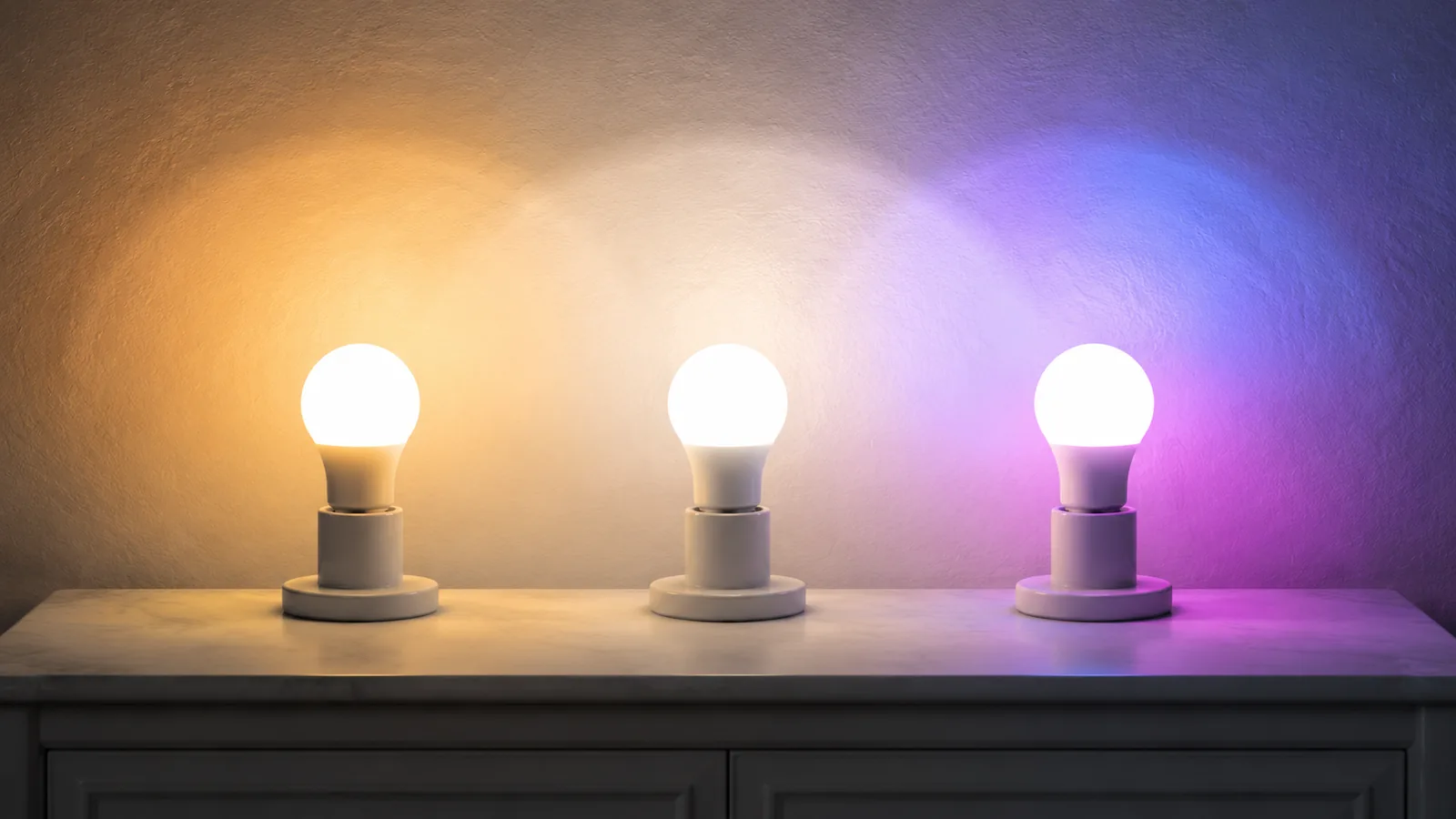
- RGB (Red/Green/Blue) or RGBTW Bulbs: In addition to whites, many smart bulbs offer full RGB color mixing, allowing any hue from a color wheel. They often also include separate white LEDs (tunable white or “TW”), so they’re sometimes labeled RGBTW. The RGB mode lets you pick millions of colors. For instance, you could set an accent color (like deep blue or purple) or dynamic patterns (some bulbs let you sync to music). One review notes that modern smart bulbs have “all the classic controls, like various shades of white and color” and fun color “light shows” that react to music or generate moving patternswired.com.

Smart bulbs can produce a warm, amber glow. In the image above, a smart filament bulb is shown casting a cozy yellow light – ideal for a relaxing bedtime atmosphere.
In summary, warm white light (around 2700K–3000K) is best for a calm, cozy bedroom. Cool white light (4500K–5000K) is better for focused tasks or wake-up routines. And RGB or multi-color bulbs give you full creative control: you can switch to blue for a cool effect, pink or purple for a party vibe, or any color that fits your mood. Many smart bulbs let you tune between warm and cool white on the fly, giving you the “best of both” (this is sometimes called tunable white or dim-to-warm).
Selecting the Right Smart Bulb: Key Considerations
When shopping for smart bulbs for your bedroom, consider these factors:
- Ecosystem & Compatibility: Make sure the bulb works with your smart home. Popular options like Philips Hue and GE Cync work with Alexa, Google Home, and Apple HomeKitpcworld.com. If you have an Apple-centric setup, bulbs that support HomeKit/Matter may be a priority. Wired notes that the Hue bulb “works with Alexa, Apple HomeKit, and Google Assistant” and is very reliable. In short, choose bulbs that integrate with your preferred voice assistant or hub.
- Hub Requirement: Some brands (e.g. Philips Hue) traditionally required a hub (Bridge) for control, though many now support Bluetooth or Zigbee plus optional hub. Most other smart bulbs (Wyze, Cync, TP-Link, etc.) connect directly to Wi-Fi or Bluetooth, needing no extra hubwired.com. Decide if you want a hubless bulb (simple wifi) or if you plan to use a hub that can also connect other Zigbee devices.
- Brightness (Lumens) and Wattage: Look at lumens (light output) instead of watts. A typical 60W-equivalent smart bulb is around 800 lumens (as confirmed by reviews). Ensure the bulb is bright enough for your needs – e.g. 400–800 lm for a nightstand lamp, 800–1600 lm total for a bedroom ceiling light.
- Color vs. White: RGB bulbs (color-capable) are more expensive than white-only bulbs, but allow creative scenes. If you only need white light (warm-to-cool), you can save money on a “tunable white” bulb. Some bulbs (labeled RGBTW or RGB-CCT) offer both full color and tunable whites. If ambiance variety is important, go with full color; otherwise a white-only bulb might be enough.
- Features & Extras: Check for additional perks like built-in Music Sync, motion activation, or Matter support. For example, the budget Linkind RGBTW bulb supports Matter and even music syncpcworld.com, allowing a wide choice of control apps.
- Price: Smart bulbs range from about $6 (in multi-packs) up to $50+ for premium models. Consider how many bulbs you need. Often you can mix and match (e.g. Hue in living areas, cheaper bulbs in bedrooms). Even an inexpensive bulb can add smart control, as long as it fits your ecosystem.
By weighing these factors, you can pick bulbs that fit your budget and technology setup. In the next section, we list some top choices to illustrate real options on the market.
Top Smart Bulbs for Bedroom Lighting
Below are several smart bulb picks covering different use-cases and budgets. All of these bulbs offer white-light tuning (warm-to-cool), and most support full color (RGB). They are highly rated by experts and users:
Philips Hue White & Color Ambiance A19 – Best overall color bulb.

- This is the classic smart bulb. It provides 16 million colors plus tunable white. It’s one of the most mature systems and “works with Alexa, Apple HomeKit, and Google Assistant” out of the box. Bluetooth-enabled so a bridge isn’t required for basic use. Hue bulbs are reliable and well-built, making them “worth the extra cost”. If you plan to use lots of smart lights, the Hue ecosystem is extremely deep (everything from bulbs to lightstrips)pcworld.com.
Philips Hue White Ambiance – Best smart white bulb
- If you don’t need colors but want both warm and cool white, this is Hue’s top white-only bulb. It’s easy to set up, works with all major platforms, and the Hue Bridge is optional. It delivers smooth dimming and high-quality light. Because it’s Hue-brand, you get top-notch compatibility; it’s “considerably more affordable” than the Color bulb if you only want whitespcworld.com.
Wyze Bulb Color – Best budget color bulb
- These Wi-Fi bulbs offer color and white, and they are very affordable. You need no bridge, just Wyze’s app. They’re surprisingly bright for the price. The trade-off is they don’t support Matter or Apple HomeKit, and the ecosystem is smaller than Hue’s. Still, for price-conscious buyers who use Alexa/Google, Wyze bulbs are a solid pick.
GE Cync (formerly C by GE) Dynamic Effects A19 – All-around favorite (Wi-Fi)

- This smart bulb supports full color and white, and has a user-friendly app. Reviewers praise its fast response and scenes like “Candle” mode that mimic warm flickering light. It requires no hub and works directly with Alexa (and Google). Cync bulbs also offer music sync and dozens of built-in lighting effects for atmosphere. In Wired’s testing, the Cync Dynamic Effects was a top pick for its combination of reliability and fun featureswired.com.
Meross Smart Wi-Fi Bulb (MSL120) – Best for Apple HomeKit
- If you use Apple’s smart home system, Meross bulbs pair lightning-fast with HomeKit. The MSL120 model has warm white to cool white tuning and color, and it works equally with Alexa and Google too. According to reviewers, setup with HomeKit is “fast [and] painless,” making it a great choice for Apple users who want the full range of colors and compatibilitywired.com.
Linkind Matter Smart RGBTW A19 – Best budget Matter bulb.
- This Chinese-made bulb is extremely cheap (around $6 each in a 4-pack) yet feature-rich. It supports Matter, so it will integrate with any Matter-capable smart home. It offers RGB color and tunable white, dimming, and even has an app option for syncing the light to music. For those who dislike hubs and want future-proof compatibility, Linkind’s Matter bulb is hard to beat on pricepcworld.com (but note the app can be a bit overwhelming).
TP-Link Kasa Smart Wi-Fi Bulb – Solid budget bulb
- Kasa (by TP-Link) makes good, inexpensive smart bulbs that work with Alexa and Google (and now Matter on newer models). The Kasa bulbs support both color and tunable white, have scheduling, and animate effects through their app. They don’t have music-sync, but they are well-reviewed for easy Wi-Fi setup and reliability. (They were a runner-up light strip pick in PCWorld.)
Each of these bulbs supports smartphone app control, scheduling, and can be integrated into larger smart home routines. As a rule, Philips Hue leads on ecosystem depth and polish, Wyze/Meross/Linkind lead on affordability, and GE Cync/TP-Link strike a balance. Whichever you pick, replacing a standard bedroom lamp with a smart bulb will immediately add dynamic mood-lighting at your fingertips.
How to Set Up and Use Smart Bulbs (Step-by-Step)
Getting started with smart bulbs is straightforward. Here’s a quick rundown of the typical process:
- Install the Bulb: Turn off power to the fixture, screw in the smart bulb, and turn the power back on. Many bulbs instantly show a default light (often bright white).
- Download the App: Each brand has its own app (e.g. Hue Bluetooth app, Wyze app, etc.). Download it from Google Play or the App Store.
- Pair and Connect: Open the app and add the new bulb. Most bulbs use Wi-Fi or Bluetooth for initial setup. The app will guide you to connect the bulb to your home Wi-Fi network (or Bluetooth). Some bulbs (e.g. Hue Bluetooth) can pair directly via Bluetooth without Wi-Fi. Wired notes that “smart bulbs connect to Wi-Fi or other devices in your home using smart home protocols like Zigbee and Matter”wired.com. For example, Hue bulbs can join via Bluetooth or through the Hue Bridge (Zigbee). Others like Wyze and Meross connect directly to Wi-Fi.
- Choose Colors and Scenes: Once connected, use the app to set your desired color or white tone. You can typically slide a wheel to pick any color or adjust temperature. You can save presets (“scenes”) so that one tap sets the bulb to soft warm, another to a reading bright white, etc. Many apps even offer animated effects or syncing to music.
- Create Schedules and Automations: Most apps let you set schedules (e.g. dim at 9 PM, off at 10 PM) or routines (e.g. “wake up” scene at 7 AM). You can also sync bulbs with other devices. For instance, some Wyze cameras can trigger lights when motion is detectedpcworld.com. And if you have a smart speaker, you can often control lights by voice commands like “Alexa, set bedroom light to warm white.”
- Integrate with Voice Assistants (Optional): If desired, link your bulbs to Alexa, Google Home, or Apple HomeKit. For example, in the Wired review, the Cync bulb automatically offered to connect to Amazon Alexa after setupwired.com. Once linked, you can control lights hands-free (“Hey Google, dim bedroom lights to 50%”).
Even if your Wi-Fi goes down, most bulbs can still be operated manually (turned on/off) and often via Bluetooth. For full smart control, an active network is usually needed. Still, the setup is generally plug-and-play. As one expert puts it, adding a smart bulb is “easy and affordable” with no complicated installation neededwired.com.
Warm vs Cool Light: Effects on Sleep and Mood
The color temperature of your bedroom lights can impact your relaxation and sleep. Here’s how different hues affect you:
- Warm Light (≈2700K): Promotes relaxation. Warm orange-yellow tones resemble sunset/candlelight, which helps the body produce melatonin. Studies suggest winding down with warm, dim light at night is best for sleep readiness. The Ohio lighting guide confirms that “warm light (1000K–3000K)…is best for relaxation and ambiance”occ.ohio.gov. In practical terms, using a 2700K bulb in the evening makes the room feel cozy and calm.
- Cool Light (≈5000K): Increases alertness. Cool white has a noticeable blue component (like daylight) which suppresses melatonin and can make you feel more awake. This can be good for early morning light, reading, or getting dressed, but it’s counterproductive right before bed. The Ohio guide notes cool white (4100K–5000K) is “best for tasks and focus”occ.ohio.gov, implying it’s not ideal when you want to relax.
- Bright vs Dim: In any color, overly bright light at night can interfere with sleep. It’s often best to dim lights after sunset. Many smart bulbs can fade to lower brightness or “dim-to-warm” as you lower intensity, mimicking how incandescent bulbs warm as they dimenergy.gov.
- RGB Colors: Colored lights (red, blue, etc.) can dramatically change mood but may disrupt sleep if too stimulating. Blue or purple light may feel “cool” even if it’s not high kelvin. Red or amber hues (often available in RGB bulbs) are considered the least disruptive to melatonin. Some people use a soft red or pink mode on their bulbs for late-night use.
In summary, for bedroom winding-down, stick with warm, dim lighting. Save cool or bright colors for daytime or specific tasks. Smart bulbs shine here because you can program a nightly routine: for example, at 9 PM switch to warm dim light, at sunrise switch to a cool white “morning alarm.”
Mixed Warm/Cool (Dual White) Lighting
The best of both worlds is to have tunable white bulbs (also called adjustable white or dual-white). These can slide seamlessly between warm and cool. This means you don’t have to commit to just one shade in the room. For instance:
- In the evening, set the bulb to 2200–2700K (very warm) for calm.
- In the morning, bump it up to 4000K or higher to feel more awake.
- During the day, you might use a neutral 3000–3500K for general lighting.
Many smart bulbs (like the ones above) have this tunable white feature. You can even automate the change: some people program a daily scene where the light gradually shifts from warm pre-bedtime to cool wake-up light. Mixing both warm and cool in one bulb is not only convenient, but studies (and real-world practice) confirm it’s the most ergonomic choice for bedroomsfreditech.com.

In a bedroom, a bedside lamp with a warm bulb creates a soothing glow. This kind of setup (warm white light on a nightstand) is ideal for reading or winding down before sleep.
Energy Efficiency and Savings
Smart LED bulbs are hugely more efficient than old incandescent bulbs. LED bulbs use about 75% less energy for the same light outputfreditech.com. Converting your bedroom to LED bulbs (smart or not) can save a lot on your electric bill. In fact, one energy guide notes the average household saves about $225 per year by switching all lights from incandescent to LED.
Smart bulbs add extra savings: you can schedule lights to turn off automatically, and use occupancy sensors (so lights only run when the room is used). This eliminates phantom power waste from lights left on. As Freditech’s Smart Home Efficiency guide states, smart homes can be up to 26% more energy-efficient than conventional onesfreditech.com, thanks to these optimizations.
So, not only do you gain mood control with smart bulbs, but you also reduce energy consumption. Over time, the savings help offset the higher upfront cost of smart LEDs. For example, switching just one 60W-equivalent bulb to a 9W LED saves about 51W hourly; over 5 hours a day, that’s over 90 kWh a year saved by a single lamp.
Smart Home Ecosystems and Compatibility
Choosing bulbs that fit your existing smart home is important. Here are some ecosystem tips:
- Alexa/Google Home: Most smart bulbs work with Amazon Alexa or Google Assistant out of the box. Philips Hue, Wyze, TP-Link, and others all integrate. Once set up, you can say “Alexa, set bedroom light to soft white.”
- Apple HomeKit: Fewer bulbs natively support HomeKit/Matter. Brands like Meross, Nanoleaf, and Logitech do. Hue works too if you use the Hue Bridge. The Meross MSL120 is noted for its seamless HomeKit setupwired.com.
- Matter Support: The new Matter standard aims to unify smart home devices. Linkind’s bulb mentioned above already supports Matter, so it will be compatible with any Matter hub or app. Many future bulbs (and some firmware updates) will add Matter.
- Local Control: Some bulbs have Bluetooth or Zigbee variants that allow controlling without Wi-Fi (e.g. Hue Bluetooth bulbs). Local control can be more reliable or faster, but may need you to be in Bluetooth range or have a Zigbee hub.
In short, pick bulbs that match the assistants and hubs you already own. If you’re unsure, Philips Hue is “our top pick for [a] color LED smart bulb” because of its broad support, while budget bulbs like Linkind offer future-proofing with Matterpcworld.com.
Conclusion
In conclusion, the best smart bulbs for bedroom mood lighting depend on your needs. Warm-white bulbs (~2700K) create a relaxing ambiance (perfect for bedtime), while cool-white bulbs (~5000K) boost alertness (good for mornings or focused tasks). RGB smart bulbs add the ability to bathe your bedroom in any color, letting you switch to violet, blue, or even candle-like orange for special moods.
Top choices like Philips Hue provide rock-solid compatibility and the full range of features. Budget-friendly options like Wyze or Linkind give great value, especially if you’re adding multiple lights. Setting up is straightforward – screw them in and connect via the app, then enjoy scheduling and voice control. And don’t forget: replacing old bulbs with LEDs (smart or not) saves energy and money.
By choosing the right smart bulbs and colors, you can transform your bedroom into a personalized oasis. Use soft warm tones for cozy evenings, cool energizing light when you need it, or vibrant RGB scenes for fun or relaxation. The flexibility of smart lighting ensures your bedroom atmosphere is always exactly how you want it.
FAQ
What color light should I use in my bedroom for sleep?
Warm white light (around 2700K–3000K) is best for relaxing and preparing for sleep. It produces a cozy, yellowish glow similar to candlelight. Cool or blue-tinted light should be avoided in the hour before bed, as it can inhibit sleep hormones.
Can I mix warm and cool lights in the bedroom?
Yes. You can use tunable white bulbs that go from warm to cool. Many smart bulbs let you dial any color temperature. For example, set a bulb to 2700K in the evening for warmth, then switch it to 4000–5000K in the morning to feel more awake. This single-bulb solution mixes both without changing fixtures.
How bright should my bedroom smart bulbs be?
For ambient ceiling lights, aim for around 2000–4000 lumens (total for the room). For bedside lamps, 400–800 lumens per lamp is usually sufficient. (As a reference, a 60W incandescent bulb is about 800 lumens.) Dimmable smart bulbs are ideal because you can adjust brightness to your liking at any time.
Do smart bulbs save electricity?
Absolutely. Most are LED-based and use about 75% less power than old incandescent bulbs. Smart features also save energy by auto-dimming or turning off lights when not needed. Estimates show an average home saves around $225 per year by switching to LED bulbs.
Are smart bulbs hard to install?
No. They install just like regular bulbs. The only extra steps are setting up the app. Most pairing processes are simple: power on the bulb, open the app, and follow the on-screen instructions. Many bulbs use Bluetooth or Wi-Fi for a quick setup.
What is RGB vs RGBTW in smart bulbs?
RGB bulbs have red, green, and blue LEDs that mix to make various colors. RGBCW or RGBTW bulbs add one (CW – cool white) or two white LEDs (one warm, one cool – TW) for pure white lighting. If you want both color and accurate warm-to-cool whites, choose RGBTW bulbs. The Linkind RGBTW bulb, for example, offers full color plus tunable warm/cool white.
Can I use smart bulbs without Wi-Fi or internet?
Some can. Bulbs with Bluetooth can be controlled by your phone nearby without Wi-Fi. Zigbee bulbs like Hue require a local hub (they work on the home network without internet). However, for full smart features and voice control, Wi-Fi or a smart home hub is typically needed. If your internet is down, you can usually still turn smart bulbs on/off at the switch or via local Bluetooth/Matter control.
What brands of smart bulbs work with Alexa/Google/HomeKit?
Many brands work with multiple platforms. Philips Hue, LIFX, GE Cync, TP-Link Kasa, and Wyze bulbs all support Alexa and Google Assistant. HomeKit-compatible bulbs include Hue (with Bridge), Nanoleaf, Meross, and some Eve models. When in doubt, check the box: it will list compatible voice assistants. For broad compatibility, Hue bulbs are “easy to set up” and support all major platforms.
Are smart bulbs worth it for my bedroom?
If you value ambiance, convenience, and flexibility, yes. Smart bulbs transform how you use your bedroom lighting. You get fine-grained control of color and brightness, easy scheduling (no fumbling switches), and can integrate lights into home routines. The energy savings also help. As one tech reviewer notes, smart bulbs turn a regular lamp into an “easy-to-control device” with dimming, color, and automated routines. For many people, that convenience and mood-setting makes them worthwhile.