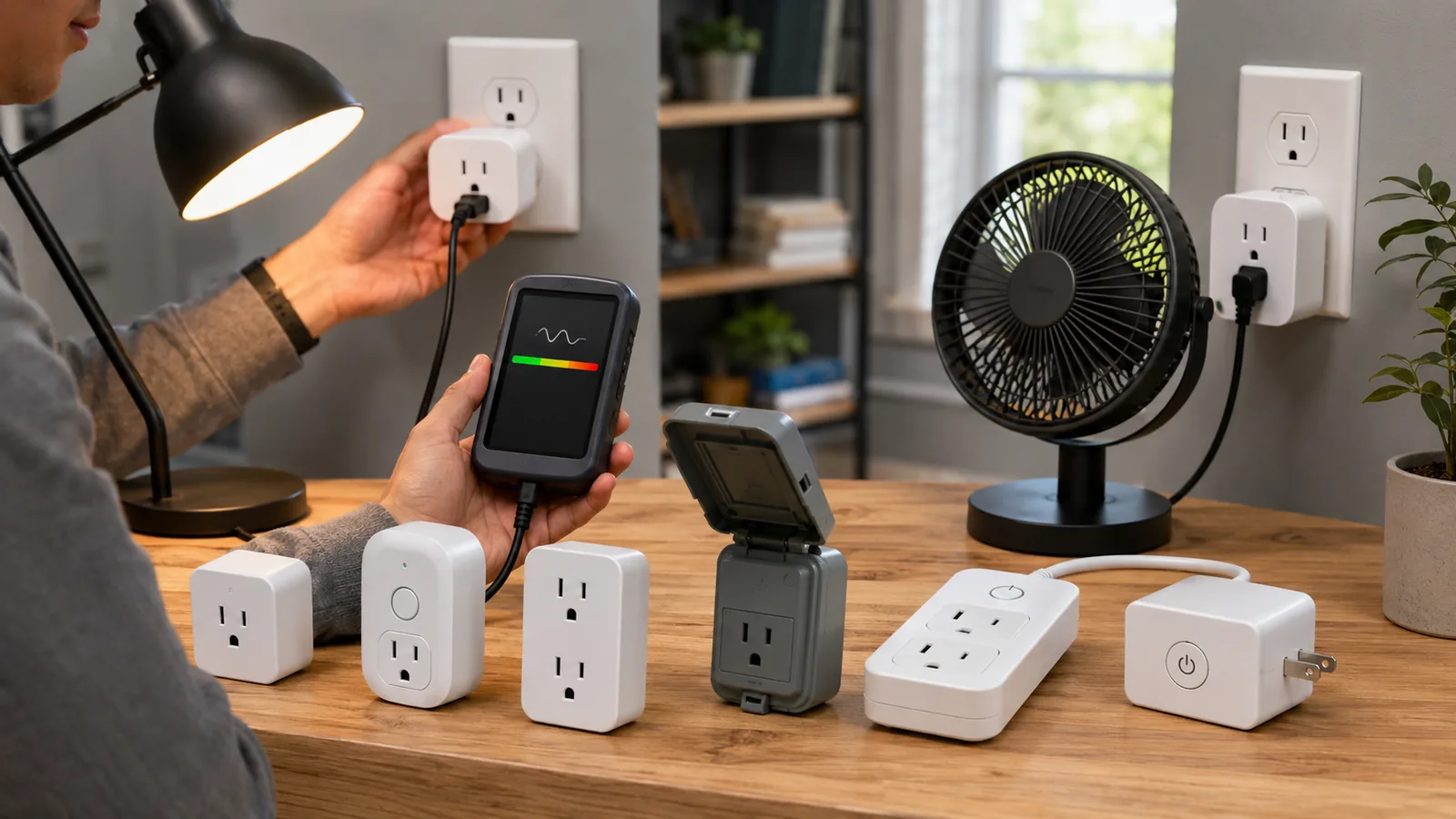


Smart plugs have become one of the easiest and most affordable ways to make any appliance in your home or office “smart.” Simply plug one into a wall outlet, attach a lamp or small appliance, and connect it to your Wi-Fi network. You immediately gain app-based or voice control over the device. As PCWorld explains, “There’s no special wiring required. You’ll be able to operate your smart plug remotely with your smartphone, set up lighting schedules, or program it to turn lights on and off”pcworld.com. Every smart-plug worth buying works with popular voice assistants (Alexa, Google Assistant, Siri); Matter-certified models can work across all these ecosystems seamlessly. In other words, smart plugs are the low-risk, high-reward entry point into a connected home or office.
Smart-home adoption is booming. Fortune Business Insights reports the global smart-home market hit $121.6 billion in 2024 and is expected to reach $147.5 billion by 2025iotbreakthrough.com. By 2025 about 63% of U.S. households are projected to have at least one smart home devicefreditech.com, and smart plugs/outlets alone have roughly 31% adoption among those homesfreditech.com. With so many devices becoming connected (IoT devices worldwide are on track to reach 39 billion by 2030)freditech.com, smart plugs play a key role: they can turn almost any “dumb” appliance (fans, lamps, coffee makers, space heaters, etc.) into a controllable smart device. For homeowners, this means more convenience, security (e.g. scheduling lights when away), and energy management. In fact, studies suggest connected homes can be significantly more efficient – one smart-home efficiency guide notes smart homes can be up to 26% more energy-efficient than conventional homes, thanks in part to features like smart thermostats (saving 10–15%) and eliminating “phantom” standby loadsfreditech.com. A real-world trial even found participating households using smart plugs and energy-saving coaching used about 5% less electricity than similar householdsmdpi.com.

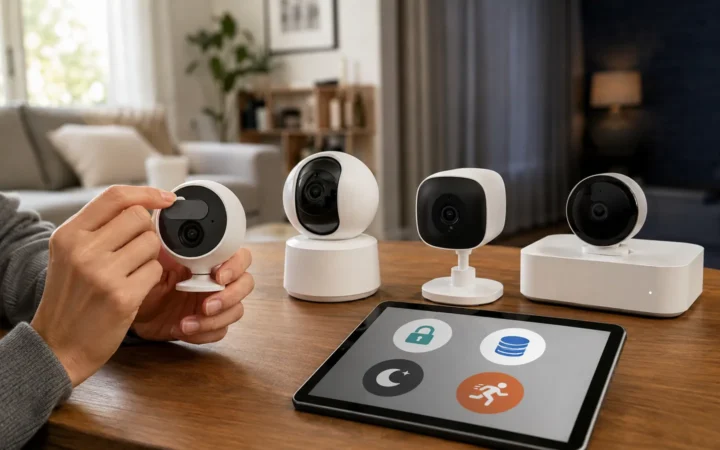
Figure: Conceptual smart home gadgets (smart bulbs, plugs, sensors) all connected together, illustrating the ecosystem a smart plug can integrate with.
The benefits of smart plugs are clear: remote control, scheduling, and voice commands translate to convenience and safety. For example, you can turn lamps on/off remotely via a smartphone app (giving “lived-in” security when traveling), or tell Alexa to start your coffee maker at 7 AM. You can also schedule appliances to turn off automatically (e.g. cutting phantom power to chargers or entertainment centers when not in use). In offices, smart plugs help automate break-room coffee machines, printers, or desk lamps and ensure devices shut down overnight. Many smart plugs support grouping and scenes – e.g. “office off” to cut power to all devices at quitting time. Even simple timers (like “garden lights on at dusk”) are easy. In short, smart plugs democratize home and office automation at very low cost.
/* Scoped styles under #ad-wrapper to avoid global impact */ #ad-wrapper { max-width: 100%; margin: 20px auto; box-shadow: 0 2px 6px rgba(0,0,0,0.1); border-radius: 4px; overflow: hidden; font-family: Arial, sans-serif; } #ad-wrapper .ad-grid { display: flex; flex-wrap: wrap; gap: 5px; justify-content: space-between; padding: 10px; background: #fff; border: 1px solid #ddd; border-bottom: none; } #ad-wrapper .ad-grid a { flex: 1 0 18%; /* 5 per row */ max-width: 18%; text-align: center; } #ad-wrapper .ad-grid img { width: 100%; height: auto; display: block; border-radius: 4px; transition: transform 0.2s ease; } #ad-wrapper .ad-grid a:hover img { transform: scale(1.05); } #ad-wrapper .ad-footer { display: flex; align-items: center; padding: 8px 12px; background: #f9f9f9; border-top: 1px solid #ddd; } #ad-wrapper .ad-footer img { height: 14px; margin-right: 8px; display: block; } #ad-wrapper .ad-footer span { font-size: 13px; color: #555; line-height: 1; } /* Responsive breakpoints */ @media (max-width: 900px) { /* 4 per row */ #ad-wrapper .ad-grid a { flex: 1 0 30%; max-width: 30%; } } @media (max-width: 600px) { /* 2 per row, reduced size for mobile */ #ad-wrapper .ad-grid a { flex: 1 0 40%; max-width: 40%; } } @media (max-width: 400px) { /* 2 per row, reduced size for mobile */ #ad-wrapper .ad-grid a { flex: 1 0 40%; max-width: 40%; } }


 Sponsored Ad – Amazon.com
Key Benefits of Smart Plugs
- Voice and remote control: Most smart plugs work with Alexa, Google Assistant, and Siri. You can use your voice or app to switch devices on/off from anywhere. A Matter-certified smart plug even works across all major platforms.
- Scheduling and automation: You can program smart plugs to turn devices on/off on schedules, timers, or based on sunrise/sunset. For example, schedule a coffee maker at 8 AM or have lights turn on at dusk. This saves energy and adds convenience.
- Energy monitoring (select models): Some smart plugs (e.g. Eve Energy, Emporia) monitor real-time power usage, helping you identify energy hogs and track savings. Cutting standby power to electronics can save 5–10% on your bill over time.
- Enhanced safety and security: You can turn off devices remotely if you forgot (space heater, iron, etc.), reducing fire risk. Randomized light schedules give the appearance someone is home when you’re away. In offices, automatic shutoff at night prevents waste.
- Easy setup: Most use Wi-Fi (2.4 GHz) and don’t require a separate smart-home hub. Newer Matter-enabled models can be added with a QR code or smartphone quick-setup.
Smart plugs themselves use very little power (often <1 W), so the net savings from controlling devices usually outweighs the plug’s usage. Don’t worry about plugs “eating” too much electricity – a typical smart plug’s standby draw is negligible. Instead, the real power gain is from turning off loads that would otherwise idle. In fact, one analysis found eliminating phantom loads with smart plugs can further boost overall home efficiency.
Choosing the Right Smart Plug
When shopping for a smart plug, consider these factors:
- Compatibility: Ensure it works with your ecosystem. Most are Alexa/Google friendly. If you have HomeKit (Apple) devices, look for HomeKit-certified plugs (Wemo Mini, Eve Energy). Look for Matter certification if you want cross-platform compatibility (especially useful as Matter gains momentum).
- Connectivity: Almost all current smart plugs use Wi-Fi (no extra hub needed). A few (like Eve Energy) use Bluetooth/Thread. Check frequency: many plugs require 2.4 GHz Wi-Fi (they won’t join 5 GHz networks).
- Energy Monitoring: Some advanced plugs measure watts used. If saving energy is a priority, models like Eve Energy or Emporia Smart Plug include meters. (Budget plugs typically lack this.)
- Load Rating: Check the amperage/watt rating. Commonly 10–15 A (1200–1800 W). For high-draw devices (AC units, heaters), use a heavy-duty smart plug or a smart switch on a dedicated circuit.
- Outlet Count: Standard smart plugs have one outlet and will usually block the second outlet on a duplex wall plate. Mini designs (e.g. Meross) avoid blocking. For multiple loads, consider a smart power strip (see below).
- Form Factor: Slim plugs let you stack devices. Outdoor plugs should be weatherproof (if using outdoors, pick an IP64+/IP66-rated model).
- Special Features: Some plugs include manual on/off buttons (handy if internet is down), built-in night lights, or integrate with routines (like auto- off when you leave home). A few even support dimming (Lutron Caséta dimmers).
Setting Up a Smart Plug (Step-by-Step)
- Plug it in: Insert the smart plug into a free wall outlet. If it has a power switch or button, turn it on.
- Connect to Wi-Fi: Open the manufacturer’s app (or the Alexa/Google app for some devices). Put the plug in pairing mode (often by holding a button). In the app, add a new device and follow instructions to connect it to your 2.4 GHz Wi-Fi network. Many Matter plugs allow “scanning a QR code” with a phone camera for instant setup.
- Configure and Name: Assign a friendly name (e.g. “Desk Lamp” or “Office Fan”), place it in a room or group in the app. This lets you control it by room or scene.
- Test voice control: Link the device to your voice assistant (Alexa, Google, Siri) if desired. For example, open the Alexa app and discover new devices – your plug should appear automatically if paired. Then you can say, “Alexa, turn on the Desk Lamp.”
- Create automations: Use the app to set schedules (e.g. off at midnight) or routines (e.g. “Good Night” turns off bedroom plug). Some apps let you randomize on/off times for vacation mode.
Setting up is usually quick. For example, one reviewer notes you simply open your Alexa app and “the app should recognize the plug right away and add it to your device list”. No hub or new account is needed for most Wi-Fi plugs, which simplifies the process.
Top 10 Smart Plugs of 2026
Below are our expert picks for 2026. We highlight best uses (home, office, energy monitoring) and key features:
Amazon Smart Plug (Alexa only) – Best for Alexa Users
- The Amazon Smart Plug is a compact, Alexa-certified plug that requires no hub and is very easy to set up. It works only with Amazon Alexa, so it’s ideal if you already use Echo devices. The Alexa app recognizes it instantly; after setup you can use voice commands (“Alexa, turn on the first plug”) or schedules. It supports up to 120 VAC at 15 A (common appliances). It’s rated for indoor use on 2.4 GHz Wi-Fi (not 5 GHz). At about $25 (USD) per plug, it’s an affordable way to automate lamps, fans or coffee makers. The downside is its Alexa-only limitation – no Google or Apple support. But in an Alexa-centric home, it’s a very reliable choice. The seller’s own review notes that because it’s from Amazon, “there’s no extra step or app in the middle… take care of setup, and suddenly you’re connected to Alexa”.
TP-Link Kasa/Tapo Series – Best Budget & Broad Compatibility
- TP-Link’s Kasa (and its sub-brand Tapo) plugs are consistently top-rated for value. The Kasa Mini Smart Plug and Tapo P125/Tapo P110 are Wi-Fi plugs that work with Alexa, Google Home, and HomeKit (Kasa HomeKit models exist). They now offer Matter support too. For example, the Tapo P125M is Matter-certified (so works across ecosystems) and is very compact. In TechHive’s review, the TP-Link Tapo P125M was chosen as a top Matter plug. Kasa plugs often include energy monitoring (e.g. Kasa HS110) for tracking usage, or high-power rating (HS300 power strip has 6 outlets and energy meter). TP-Link outdoor smart plugs (Kasa KP405) are also excellent for porch lighting (IP64 weatherproof). Overall, Kasa/Tapo plugs are feature-rich (scheduling, away modes) and affordable (many under $15 each). They make great all-around home or office plugs – even in a conference room you can turn off multiple lamps or gadgets from your phone. (Note: always confirm if a specific model supports HomeKit or Matter if that matters to you.)

TP-Link Tapo Matter Supported Smart Plug Mini, Compact Design, 15A/1800W Max, Super Easy Setup, Works with Apple Home, Alexa & Google Home, UL Certified
Leviton Decora (2nd Gen) – Best for Heavy Loads & HomeKit
- Leviton’s Decora Smart Wi-Fi Plug-in Switch (D215P) is a larger, robust plug that supports up to 15 A loads. That means it can handle lights, fans, and even small motors up to 3/4 HP – more than most skinny plugs. It’s also one of the few on the market supporting all platforms: Alexa, Google, HomeKit and Matter. In short, it’s extremely versatile. The D215P has a straightforward app and a built-in on/off button. It will occupy one half of a duplex outlet (so two fit in one). PCWorld praised it as an “easy-to-use introduction to home automation”. This plug is perfect for a main lamp or ceiling fan in a home office or living room where you might later expand to other Leviton smart switches or dimmers. (Leviton’s ecosystem is large, up to smart breakers and in-wall modules.) If you want one plug that will last into the future and handle beefy devices, this is a solid pick.

Leviton Decora Smart Switch, Wi-Fi 2nd Gen, Neutral Wire Required, Works with Matter, Alexa, Google Assistant, Apple Home/Siri, Wired or Wirefree 3-Way
Lutron Caséta (Dimmer Kits) – Best for Smart Dimming
- Lutron Caséta isn’t a Wi-Fi plug – it’s a proprietary smart dimmer that requires the Caséta Bridge – but it deserves mention. If you mainly want to dim lamps or accent lighting, the Caséta lamp dimmer starter kit is excellent. It comes with a plug-in dimmer module (with on/off buttons) and remote switch, plus the necessary bridge. It’s perfect for living rooms or bedrooms where Alexa dimming is desired. Note: Caséta plugs (like the outdoor model or lamp dimmer) work only with Caséta systems (no Matter yet), and only with lamps (no fans/heaters). But in exchange you get rock-solid performance and true dimming. Caséta devices also integrate with many ecosystems (SmartThings, HomeKit, Alexa, etc.). One reviewer says their Caséta smart plugs are “exceptional” for lamp control. For whole-home lamp automation (or home theaters), Caséta is an option. But it’s a bit more niche – not our overall top pick, but runner-up for special cases (especially where wired dimming is a priority).
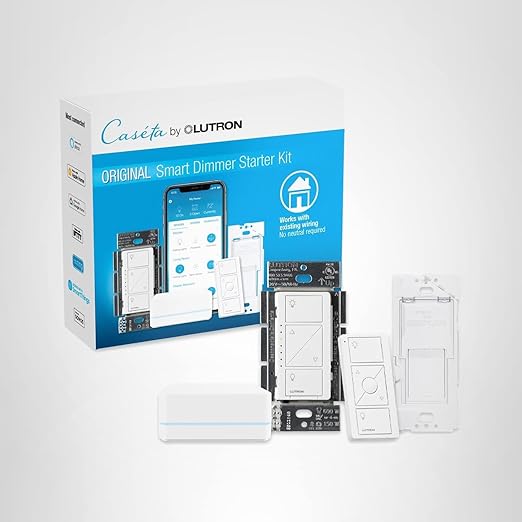
Lutron Caseta Original Smart Dimmer Switch Kit w/ Hub, with Pico Remote, Wallmount Bracket, Smart Hub, Works with Alexa, Apple Home, Google Home, 3 Way, 150W, No Neutral Req
Meross Matter Smart Plug – Best Value (Matter Compatible)
- The Meross Matter Smart Plug Mini (MSS115) is one of the cheapest Matter-certified plugs. It supports Alexa, Google, HomeKit – all via Matter – and costs only about $17 for a single plug (less in multipacks). It’s ultra-compact (won’t block adjacent outlet). Meross ships it with the bare essentials: it has on/off control and Matter support but no energy monitoring or fancy features. In TechHive’s testing it “did its duty” despite a slightly clunky setup, and ultimately was reliable. If you want guaranteed future-proof compatibility at minimal cost, Meross is hard to beat. (Just be aware – setup in a multi-ecosystem Matter network can be a one-time chore, after which it just works.) This is great for budget-conscious buyers who want Siri/Google/Alexa support without worrying about the brand.
meross Matter Smart Plug Mini, FFS Easy Setup, 100% Privacy Smart Outlet, Compact Size, Support Apple Home, Alexa, Google Home with Schedule and Timer, App and Voice Control
Wemo Mini (by Belkin) – Best Compact HomeKit Option
- For Apple users, the Wemo Mini Smart Plug is a popular choice. It supports HomeKit, Alexa, and Google without requiring a hub. It’s very thin – it leaves the second outlet free in a duplex. Wemo Mini works on 2.4 GHz Wi-Fi and handles up to 15 A, so it can run larger appliances (space heaters, A/C window units) too. It does not have energy monitoring, but it does integrate with HomeKit scenes and automations. Wemo is a reputable brand (Belkin) and their plugs tend to be reliable. If you want a plug that looks clean in a dimmer outlet and works with Siri/Home app, the Wemo Mini is a safe bet.

Eve Energy – Best for HomeKit Users with Thread and Monitoring
- Eve Energy is a higher-end smart plug designed specifically for Apple HomeKit. It’s pricier (~$50 USD) but offers some unique tech: it doubles as a Thread border router and has built-in energy usage monitoring. In fact, Eve Energy “checks most of the important boxes” for smart plugs, especially energy monitoring. Being HomeKit-only (for now) means it won’t work with Alexa or Google – but if your home is Apple-centric, it’s a powerhouse. You get robust in-app automation, local scheduling (even without internet), and Thread mesh support for faster, more reliable connections. It can handle up to 15 A (like most high-end plugs). So as an Apple user looking to maximize connectivity and track energy, Eve Energy is an excellent pick.

Eve Energy (Matter) – Smart Plug, App and Voice Control, 100% Privacy, Matter Over Thread, Works with Apple Home, Alexa, Google Home
Emporia Smart Plug – Best for Energy Monitoring
- The Emporia Energy Monitoring Smart Plug is another standout if saving energy is your focus. Each plug not only controls devices but also reports real-time power use to the Emporia app. (Emporia also offers a whole-home monitor that can pair with the plugs for combined analytics.) It integrates with Alexa and Google. Unlike some, the plug’s own report lets you see historical energy usage for each connected device. For example, if you have a holiday light string or an old TV plugged in, the Emporia plug can tell you exactly how much electricity it’s using. The hardware itself is standard (15 A, Wi-Fi), but the value is in the app’s feedback. If monitoring and analytics are key for your “office” or home, an Emporia plug (or 4-pack) is worth it.

Emporia Energy Monitoring Smart Plug, WiFi Smart Outlet Plug Works with Alexa and Google Home – 15a WiFi Outlet with Timer, Mobile App, Home Energy Monitor
TP-Link Kasa Smart Wi-Fi Power Strip (HS300) – Best for Multiple Devices
- Sometimes one smart plug isn’t enough. The Kasa HS300 is a six-outlet smart power strip (with 2 USB ports) that can replace multiple plugs. Each outlet is independently controllable via the app or voice. It’s rated for a total of 15 A. You can schedule or control groups of outlets together or separately. For example, in an office you might plug the monitor, printer, and desk lamp into a single HS300 strip. Using the Kasa app or Alexa routines, you can turn the entire strip on in the morning or cut power at night. It even has an “Away” mode to randomly turn outlets on/off to simulate occupancy. The HS300 is pricier (around $60) but is fantastic for offices or entertainment centers with many devices. Just note it’s large and requires a space for the brick.
Kasa Smart Plug Power Strip KP303, Surge Protector with 3 Individually Controlled Smart Outlets and 2 USB Ports, Works with Alexa & Google Home
Smart Outdoor Plug (TP-Link Tapo KP400) – Best for Outdoor Use
- For patio and garden lighting, look at an IP64+ smart plug. TP-Link’s Tapo P400M Smart Outdoor Plug (also sold as HS300 or TP25 in some markets) is Weather-resistant and offers dual outlets. It’s Matter-certified and inexpensive (~$20). PCWorld named it “Best outdoor smart plug”. It’s perfect for controlling outdoor string lights, pumps, or heaters. The outlets are individually controlled in-app, and it boasts up to 300 ft range with its antennas. Other outdoor options include the Lutron Caséta Outdoor plug (if you already have Caséta bridge) or the TP-Link Kasa Outdoor Dimmer (KP405) if you need dimming (though it’s single-outlet). Outdoor plugs will keep your Christmas lights or water feature on schedule and safe.

TP-Link Tapo Matter Outdoor Smart Plug, 2 Individual outlets, IP65 Weather Resistance, Works with Apple Home, Alexa, Google Home, Long Wi-Fi Range, 2.4G Wi-Fi Only
Each of these picks has its strengths. When choosing, think about your primary ecosystem (Alexa vs Google vs Apple), whether you need monitoring or multi-outlet control, and the device loads you’ll attach. All the above plugs support at least Alexa or Google; those labeled “HomeKit” or “Apple” support Siri/Home app as well.
Installing and Using Smart Plugs
- Step 1: Prepare your network. Most smart plugs require a 2.4 GHz Wi-Fi network. Make sure your phone is on the same network before setup. Some Matter plugs can also be added via Bluetooth scan.
- Step 2: Plug in and power on. Insert the smart plug into an outlet. If it has a manual switch, turn it on. The plug’s indicator light should blink, meaning it’s in pairing mode (consult the manual if not).
- Step 3: Pair via app. Open the manufacturer’s app (or a smart-home app like Google Home). Tap “Add Device” or the “+”. Often the app will ask you to scan a QR code on the plug (especially for Matter-capable devices). Otherwise, it will search and find the plug. Enter your Wi-Fi password if prompted. The device should connect within seconds.
- Step 4: Name and assign the plug. Once added, give it a name like “Living Room Lamp” or “Office Fan”. Assign it to a “Room” or group if your app supports it. This makes voice control easier (e.g. “Alexa, turn off Office Fan”).
- Step 5: Configure automation. Use the app to set timers or schedules. For example, schedule the porch lights plug to activate at sunset. Or create routines (e.g. “Good Night” turns off plugs in the Bedroom). Some apps even let you set usage alerts. Test the plug manually or with voice to ensure it’s working. You’re done! In most cases, you never need to touch the plug again — control is all digital.
Sponsored Ad – Amazon.comOnce set up, you can control plugs via smartphone or voice. For example, pairing the plug with Alexa (through the Alexa app) allows commands like “Alexa, turn on the kitchen lamp.” The plug will remember schedules internally in many systems, so it can even run routines when you’re not on Wi-Fi. Troubleshooting is usually just: ensure the device has power, your phone is on the right Wi-Fi band, and you’re using the correct app.
FAQ: Common Smart Plug Questions
What devices can I use with a smart plug?
Can smart plugs really save on my electricity bill?
Do smart plugs require a hub or subscription?
Are smart plugs secure and safe?
Can I use smart plugs to dim lights?
What happens if my Wi-Fi goes out?
How long will a smart plug last?
Conclusion
Smart plugs are a powerful and affordable tool for home and office automation in 2026. They let you control almost any appliance with your voice or phone, schedule devices for comfort and security, and even trim your energy bill. We covered the top contenders—from the Alexa-friendly Amazon Smart Plug to the cross-platform TP-Link Kasa and the Apple-centric Eve Energy. Whether you’re automating your living room lamp, setting up your office coffee station, or plugging in holiday lights, there’s a smart plug fit for your needs.
When choosing, consider your ecosystem and requirements: do you need energy monitoring, multi-outlet control, outdoor weatherproofing, or broad hub-free compatibility? Rest assured that installing these devices is straightforward, and the time saved on pointless wiring is well worth the short setup.
For more on creating a connected home, see FrediTech’s Smart Home Integration with Android: Your Ultimate Guide to a Connected Home (2026), which dives deep into smart home strategies and devices.
Smart plugs are a gateway to the “smart” lifestyle. With the right pick in 2026, you’ll enjoy hands-free comfort, control your office energy use, and save on utility bills – all while gaining a fun gadget to talk to your home.
Author: Wiredu Fred – Smart home enthusiast and technology writer with over a decade covering home automation trends.