

Introduction: Why Remote Workers Need the Right Laptop
Remote and hybrid work models have become permanent fixtures of the modern workplace. Upwork predicts that by 2025 more than 32.6 million Americans — around 22 % of the workforce — will be working remotelyforbes.com. Worker preferences echo this shift: 98 % of employees surveyed in 2024 said they want to work remotely at least part of the time, and 16 % of companies already operate without a physical office. As remote jobs expand across sectors like IT, finance and project management, professionals need portable yet powerful laptops that handle video calls, spreadsheets and AI‑assisted tasks without tethering them to a power outlet.
Lenovo’s ThinkPad X13 Gen 5 aims to fill that niche. Announced in 2025 and updated for 2026, this 13‑inch notebook brings Intel’s Meteor Lake Core Ultra processors, dedicated AI hardware, next‑generation Wi‑Fi and a promise of business‑class reliability in a package that weighs about 1.12–1.17 kgpsref.lenovo.com. In this review we’ll examine whether the X13 Gen 5 delivers on its promise of portability, performance and durability for remote professionals. We’ll explore its specifications, build quality, battery life and security features; compare it against alternatives; and provide step‑by‑step advice for selecting the right configuration.
Why the ThinkPad X13 Gen 5 Matters for Remote Work
Before diving into hardware specifics, it’s worth framing why a laptop like the X13 Gen 5 is relevant. Remote work isn’t just about checking email from the couch: it demands reliable video‑conferencing, secure access to corporate networks, document creation, light content creation and the ability to move between home and co‑working spaces without fuss. According to Forbes’ remote work statistics, the top industries embracing remote work include computer and IT, accounting and finance, marketing and healthcare, and the 24‑to‑35 age group is most likely to work remotelyforbes.com. Remote workers also value flexibility—71 % report that remote work improves work–life balance—so long battery life and fast connectivity are paramount.
Lenovo positions the X13 Gen 5 as an AI PC with up to an Intel Core Ultra 7 155H processor that includes a neural processing unit (NPU) capable of up to 11 TOPS. The company touts features like Rapid Charge, MIL‑STD‑810H durability testing and ThinkShield security to appeal to IT departments and remote professionals. But marketing claims need validation. Let’s examine the hardware and design first.
Key Specifications and Configuration Options
ThinkPad X13 Gen 5 models differ primarily by processor family (U‑series or H‑series), memory capacity, storage and battery size. Understanding these choices is crucial for remote workers selecting a machine that fits their tasks.
Processor, Memory and AI Capabilities
- Core Ultra U‑series (125U, 135U, 155U, 165U) – These 15 W chips feature 12 cores (2 performance cores, 8 efficiency cores and 2 low‑power E‑cores) and an NPU for on‑device AI tasks. The Core Ultra 7 155U and 165U boost up to 4.8 GHz but use integrated Intel Graphics.. They balance performance and battery life.
- Core Ultra H‑series (125H, 155H) – These 21 W processors pack more performance cores (up to 6) and include Intel Arc integrated graphics. They’re suited for heavier workloads and can deliver up to 18 TOPS of AI throughput but may drain the battery faster.
- Memory – Lenovo removed the 8 GB option; configurations start at 16 GB and scale up to 64 GB of LPDDR5X memory soldered to the board. While soldered RAM prevents future upgrades, ample memory benefits remote multitaskers running virtual machines or dozens of Chrome tabs.
- Storage – Solid‑state drives range from 256 GB to 2 TB of PCIe Gen 4 storage, with some models optionally offering Gen 5 drives for faster read/write speeds. Remote professionals editing large documents or datasets should consider at least 512 GB.
- AI Features – The integrated NPU offloads background AI workloads like Windows Studio Effects, Live Captions and Copilot features, freeing CPU resources for productivity taskslaptopmag.com. Though the X13 lacks a dedicated Copilot key, the AI engine can accelerate meeting transcription and image processing.
Display Options
All Gen 5 models use a 13.3‑inch WUXGA (1920 × 1200) panel with a 16:10 aspect ratio. Customers can choose:
- 300‑nit IPS non‑touch – Standard panel with 300 nits brightness and 100 % sRGB gamut.
- 300‑nit IPS multi‑touch – Adds on‑cell touch support without sacrificing color accuracy.
- 400‑nit low‑power IPS – Offers higher brightness and Eyesafe 2.0 certification for reduced blue‑light exposure.
Unlike the previous generation, the 2.8K OLED option has been dropped. This means creatives who rely on high‑contrast panels may need an external display.
Battery and Power
Lenovo offers two battery sizes:
- 41 Wh – Standard pack that weighs less; the system starts at 1.12 kg (2.47 lb) with this battery.
- 54.7 Wh – Larger pack that extends runtime and adds roughly 50 g; weight starts at 1.17 kg (2.58 lb). Both support Rapid Charge, delivering 80 % charge in about an hour with the 65 W adapter.
The PSREF battery‑life tests show that with a 54.7 Wh pack and WUXGA low‑power display, the X13 Gen 5 can achieve up to 15.2 hours under the MobileMark 25 benchmark and up to 21.7 hours of local video playbackpsref.lenovo.com. Alternate configurations hover around 13 hours MobileMark and 20 hours of video playback. Real‑world results differ; Laptop Mag’s review unit with a 41 Wh battery lasted 7 hours 25 minutes on a web browsing test at 150 nitslaptopmag.com.
Ports and Connectivity
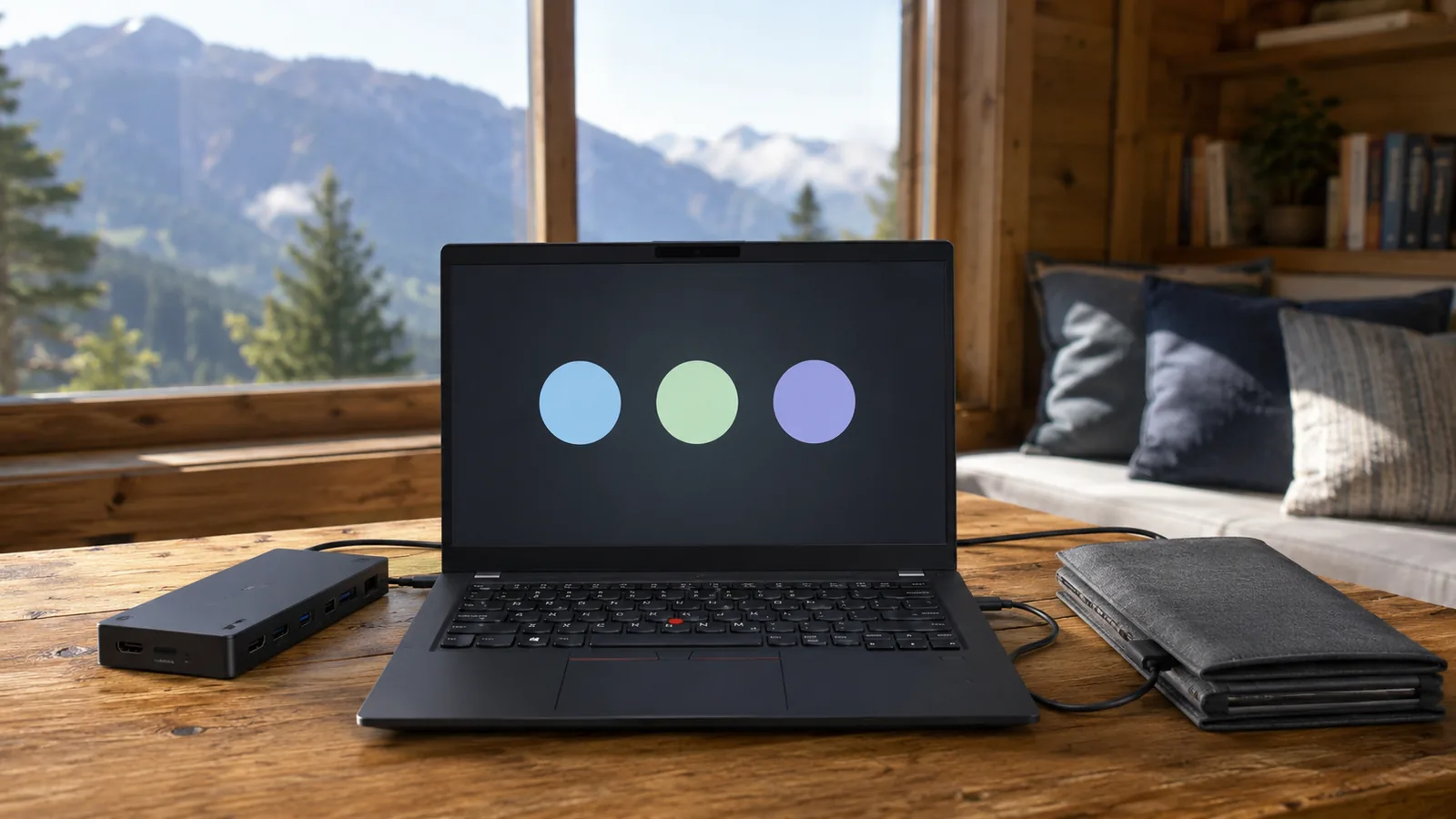
- USB‑C / Thunderbolt 4 (2x) – Support 40 Gbps data transfer, DisplayPort 2.1 and USB Power Delivery. Either port can charge the laptop.
- USB‑A (2x) – 5 Gbps ports, one with always‑on charging for peripherals.
- HDMI 2.1 – Drives up to 4K@60 Hz external monitors.
- Headphone/microphone combo jack.
- Optional ports – A nano‑SIM slot and smart‑card reader for secure authentication are available on certain models.
Wireless connectivity includes Wi‑Fi 6E or Wi‑Fi 7, Bluetooth 5.3, and optional 4G LTE or 5G Sub‑6 GHz modems. This ensures fast internet whether you’re tethered to a home network or working from a coffee shop.
Security and Privacy
Remote work demands strong security. The X13 Gen 5 integrates TPM 2.0, a power‑button fingerprint reader, and optional IR camera with Windows Hello facial recognition. ThinkShield’s suite adds features like FIDO authentication, self‑healing BIOS, NVMe password and supervisor password. A camera privacy shutter and ultrasonic human presence detection (on IR models) further protect privacy.
Design and Build Quality
The ThinkPad name evokes images of matte‑black boxes and red TrackPoint nipples, and the X13 Gen 5 doesn’t stray far. Lenovo offers two lid materials: carbon‑fibre reinforced plastic (CFRP) or a carbon‑fibre hybrid with aluminium base. Models with the 41 Wh battery start at 1.12 kg, while those with the 54.7 Wh pack weigh 1.17 kg. Thickness is a slim 15.95 mm, making the device easy to slip into a backpack.
Durability and Environmental Credentials
Lenovo subjects the X13 Gen 5 to the MIL‑STD‑810H torture tests – 12 or more procedures covering extremes of temperature, vibration, humidity and altitude. This ensures the chassis can survive drops and spills better than consumer ultrabooks. Topmahof’s first‑look notes that the machine uses recycled aluminium and magnesium, with 90 % post‑consumer recycled plastic in the battery enclosure and AC adapterstopmahof.com. Packaging is plastic‑free and composed of bamboo and sugarcane fibre. Sustainability certifications include EPEAT Gold and ENERGY STAR 8.0.
Ergonomics: Keyboard, TrackPoint and Stylus
ThinkPad keyboards are legendary, and the X13 Gen 5 continues the tradition. The six‑row keyboard offers 1.35–1.5 mm of key travel and is spill‑resistant. Laptop Mag found the keys punchy and bouncy, but noted that the overall deck is smaller than on larger ThinkPads, and the top‑firing speakers reduce keyboard widthlaptopmag.com. The TrackPoint remains for pointer aficionados and includes a three‑button clickpad with glass‑like Mylar surface.
On convertible 2‑in‑1 models (identified by the 21LW machine type), the hinge rotates 360 degrees and houses a garaged stylus, ideal for note‑taking and sketching. TechRadar praised the hinge for its sturdiness and the integrated stylus for conveniencetechradar.com. Standard clamshell models do not include a stylus but maintain the same keyboard quality.
Display and Multimedia Experience
Brightness and Color
All X13 Gen 5 displays cover 100 % of the sRGB color gamut, making them suitable for document editing, coding and light photo work. However, brightness varies by panel. Laptop Mag measured 317 nits on its review unit, which is adequate for indoor use but dim compared with the 465–476 nits of competitors like the Asus ExpertBook P5 and MacBook Air. The anti‑glare coating reduces reflections but also mutes contrast. TechRadar echoed this, listing 317 nits brightness as a drawback.
Speakers and Audio
The X13’s top‑firing Dolby Audio speakers deliver clear mids and highs but lack bass. Laptop Mag noted that vocals sounded crisp yet percussion became “muddy” due to muted low frequencies. For remote meetings this is acceptable, but audio professionals or movie enthusiasts may want external speakers or headphones.
Webcam
Lenovo equips the X13 Gen 5 with a 5 MP camera (standard model) or 5 MP IR hybrid camera. While the resolution is higher than typical 1080p webcams, Laptop Mag’s 2‑in‑1 review found the 1440 p webcam produced washed‑out colors and fuzzy detail. For professional video calls, consider pairing the laptop with an external camera.
Performance in Real‑World Use
Everyday Productivity
With a Core Ultra 7 155U processor and 16 GB of RAM, Laptop Mag’s review unit performed everyday tasks smoothly, handling dozens of Chrome tabs and multiple YouTube streams with only minor slowdownslaptopmag.com. The integrated NPU accelerates AI features in Windows, enabling features like real‑time video background blur and voice isolation for calls.
Benchmark Results
Laptop Mag published benchmark scores for the convertible variant: a Geekbench 6 score of 9,232, Handbrake video conversion time of 10.36 minutes, and SSD transfer rate of 1,356 MB/s. These numbers lag behind the Asus ExpertBook P5 and MacBook Air, highlighting that the Ultra 7 155U is tuned for efficiency rather than raw horsepower. TechRadar’s review corroborated this, noting that while the laptop is snappy for office work, its integrated graphics and mid‑range CPU aren’t suited for gaming or heavy video editingtechradar.com.
Thermal Performance
One advantage of the modest power envelope is low heat. Laptop Mag recorded the hottest surface temperature at 94.5 °F (34.7 °C), well below their 95 °F comfort threshold. This makes the laptop comfortable on your lap during long video calls.
Battery Life in Practice
Despite Lenovo’s high laboratory figures, real‑world endurance depends on usage. On a continuous web surfing test at 150 nits, Laptop Mag’s unit lasted 7 hours 25 minutes. TechRadar experienced similar results, rating the battery life as around 7.25 hours and listing it as a con. If you opt for the larger 54.7 Wh battery, expect at least an hour or two more. For full‑day remote work, plan to carry the compact 65 W charger; Rapid Charge will provide 80 % power in an hour.
Gaming and Graphics
The X13 Gen 5 is not a gaming rig. Laptop Mag measured 28 FPS in Civilization VI at 1080p medium settings and 9–12 FPS in more demanding titles like Shadow of the Tomb Raider. Integrated Intel Graphics cannot handle AAA games or heavy video renders, although the H‑series chips with Intel Arc iGPU perform slightly better for light creative tasks.
Connectivity and Remote Work Features
Wired and Wireless Connectivity
Remote work thrives on stable connections. The X13 Gen 5’s two Thunderbolt 4/USB4 ports support docking stations and power pass‑through, while the two USB‑A ports accommodate legacy peripherals. The HDMI 2.1 port lets you present on 4K monitors. Optional LTE or 5G modules keep you connected when Wi‑Fi isn’t available. Wi‑Fi 7, when paired with compatible routers, reduces latency and increases throughput, beneficial for cloud‑based collaboration.
Human Presence Detection and Privacy
For remote professionals juggling meetings and sensitive data, privacy features matter. The optional ultrasonic human presence detection uses the IR camera to lock the computer automatically when you step away. The camera shutter and fingerprint reader give physical control over webcam and login security, while the self‑healing BIOS protects firmware against attacks.
Sustainability and Corporate Responsibility
As remote work leads to more home offices, sustainability becomes a factor. Lenovo emphasizes recycled materials: the keyboard frame uses 90 % recycled magnesium, the bottom cover 55 % recycled aluminium, and the battery enclosure 90 % post‑consumer plastic. Packaging is plastic‑free, and the laptop meets EPEAT Gold and ENERGY STAR 8.0 standards. Choosing eco‑friendly devices helps reduce your carbon footprint, which resonates with many remote workers conscious of energy consumption.
Pricing and Competitors
The ThinkPad X13 Gen 5 starts around $1,250 for a Core Ultra 5 125U configuration with 16 GB of RAM and 256 GB SSD. Higher‑end models with a Core Ultra 7 165U, 64 GB memory, 2 TB SSD, 54.7 Wh battery, IR camera and smart‑card reader can exceed $2,200. While pricey, the machine aims at enterprise buyers who value durability and security.
Competitors include:
Laptop | Weight | Battery Life (web) | Strengths | Weaknesses |
Asus ExpertBook P5 (P5405) | 2.8 lbs | 14.22 hours | Long battery life, robust port selection, lower price | Slightly heavier; fewer security features |
MacBook Air (M3) | 2.7 lbs | 15.13 hours | Excellent battery life and performance; brilliant display | Limited ports; macOS ecosystem |
Acer TravelMate P6 14 | 2.6 lbs | 13.03 hours | Balanced performance and price; strong battery life | Lower security options; limited availability |
ThinkPad X13 Gen 5 | 2.5–2.6 lbs | ~7–9 hours (real‑world) | Durability, integrated AI, excellent keyboard, many ports | Higher price; dim display; modest performance |
If battery life is a top priority, the Asus ExpertBook or MacBook Air may be better choices. However, the ThinkPad distinguishes itself with serviceability, security features and enterprise‑grade durability. It’s the only one among these with optional LTE/5G and smart‑card reader supportpsref.lenovo.com.
Step‑by‑Step Guide to Selecting Your X13 Gen 5 Configuration
Choosing the right configuration requires balancing portability, performance, battery life and price. Follow this step‑by‑step approach:
- Define your workload. If your remote work involves general office tasks, coding and document editing, the U‑series Core Ultra 5 or 7 is sufficient. For occasional light video editing or AI development, consider the H‑series for its higher core count.
- Decide on memory. Start at 16 GB for email, browsing and office apps. Move to 32 GB or 64 GB if you run virtual machines, large spreadsheets or data‑analysis workloads.
- Select storage. A 512 GB SSD fits most productivity needs; go up to 1 TB or 2 TB for media files, VM images or large project datasets.
- Choose the display. The 400‑nit low‑power panel offers better brightness for bright rooms and uses less power. The touchscreen model suits artists and presenters; note that convertible models with stylus add weight.
- Pick your battery. The 54.7 Wh option costs slightly more but significantly improves battery life. We recommend it for remote workers who travel or work away from outlets.
- Consider connectivity. If you need on‑the‑go internet, upgrade to LTE or 5G modems. Add the smart‑card reader if your organization requires secure badge login.
- Account for price and support. Lenovo often offers discount promotions; check corporate purchasing programs. Evaluate warranty and support options, including onsite service and accidental damage protection.
Real‑World Examples and Use Cases
Remote Developer
Sam, a software engineer working from Ghana, needs to compile code, run local servers and participate in video meetings. A Core Ultra 7 155H configuration with 32 GB RAM handles multiple Docker containers, while the 54.7 Wh battery provides roughly 9–10 hours of mixed use. Sam uses the Thunderbolt 4 port to connect a docking station with two monitors and Ethernet. The TrackPoint allows quick navigation when debugging code on the couch.
Project Manager
Ama manages remote teams across time zones. She prioritizes lightweight portability because she travels between co‑working spaces and home offices. A Core Ultra 5 125U model with 16 GB RAM suffices for spreadsheets, presentations and Slack. She opts for the 5G modem to stay connected during commutes and the IR camera for secure logins. The Rapid Charge feature lets her replenish battery during lunch breaks, and the integrated AI helps with noise suppression during calls.
Creative Professional
Kwame is a graphic designer who uses Figma and occasionally edits photos. While he appreciates the X13’s portability, he pairs it with a calibrated external monitor because the 300‑nit display lacks brightness and contrast. He chose a Core Ultra 7 155H to benefit from Intel Arc graphics and 64 GB RAM to handle large asset files. For color accuracy on the go, he calibrates the laptop display with an external colorimeter.
Academic Researcher
Dr. Amina conducts data analysis and writes research papers. She leverages the X13’s long battery life (with the 54.7 Wh battery) to work in libraries without outlets. She appreciates the privacy shutter and fingerprint reader for protecting sensitive research data. The laptop’s MIL‑STD‑810H certification ensures it survives frequent travel and occasional spills.
Conclusion: Is the X13 Gen 5 the Right Laptop for Remote Work?
The ThinkPad X13 Gen 5 blends many qualities remote professionals value: lightweight design, rugged durability, strong security and future‑proof connectivity. It shines with its excellent keyboard, repairable chassis and enterprise‑grade security, making it ideal for IT departments and remote workers who travel often. The integrated AI hardware ensures smooth video calls and on‑device processing, keeping your data private.
However, prospective buyers should be aware of compromises. The display is dim compared with competitors, and the battery life in real‑world use is average unless you choose the larger battery. Performance is adequate for office tasks but lags behind some rivals, particularly Apple’s MacBook Air and Asus’ ExpertBook. Gamers and video editors should look elsewhere. Finally, the price can be steep once you add memory and storage upgrades.
For remote professionals prioritizing portability, security and durability, the X13 Gen 5 remains a compelling choice. Its combination of MIL‑STD‑810H build, extensive ports, optional cellular connectivity and AI‑enabled productivity features sets it apart from consumer ultrabooks. If you can overlook the display’s brightness and invest in the larger battery, this ThinkPad might be your trusted work companion for years.
Internal resource on FrediTech
- For deeper insights into remote‑work security and laptop care, read our Cybersecurity Essentials for Remote Workers in 2026 guide, which covers VPNs, password managers and threat mitigation.
- To keep your laptop running smoothly, see Maximizing Your Laptop Performance: 2025 Guide.
- If you’re considering a larger, more upgradeable business notebook, check out our ThinkPad T14 Gen 5 review to compare features.
Frequently Asked Questions (FAQ)
What’s the difference between the ThinkPad X13 Gen 5 and earlier generations?
The ThinkPad X13 Gen 5 introduces Intel Core Ultra processors with integrated NPUs for AI tasks, adds Wi-Fi 7 support, and offers up to 64GB of LPDDR5X memory. It also removes the OLED display option (focusing on IPS panels) and expands sustainability efforts with increased recycled materials.
Should I choose the U-series or H-series processor?
Choose a U-series chip (125U, 135U, 155U, 165U) if you prioritize battery life and run typical office workloads (Docs, email, browsing, Zoom/Teams). Choose an H-series chip (125H or 155H) if you want more cores for development, data analysis, or light creative work—expect slightly shorter battery life and more heat under sustained load.
How long does the battery last in everyday use?
Battery life varies by battery size, display brightness, and workload. Lenovo’s lab testing claims up to about 15.2 hours, but independent reviews often report around 7–9 hours in real-world mixed use. Choosing the larger 54.7Wh battery can extend runtime by a few hours compared with smaller configurations.
Can I upgrade the RAM or storage later?
RAM: No—memory is soldered, so you can’t upgrade it later. If you want longer lifespan, consider 32GB or 64GB.
Storage: Yes—the SSD is replaceable, so you can upgrade to a larger or faster drive later (depending on your region’s warranty terms).
Is the ThinkPad X13 Gen 5 good for gaming or video editing?
Not for serious gaming or heavy editing. The X13 Gen 5 relies on integrated Intel Graphics/Intel Arc iGPU, which is fine for everyday work but limited for AAA games and demanding GPU workflows. Some benchmarks show low frame rates in games (for example, Civilization VI around 28 FPS and other titles under 12 FPS on certain settings). If you need real gaming performance or heavy creative workloads, choose a laptop with a dedicated GPU (for example, Lenovo Legion or Asus ROG models).
How does the X13 Gen 5 compare to the ThinkPad T14 Gen 5?
The T14 Gen 5 is more modular and expandable. It offers larger display options (including OLED on some configurations), user-replaceable RAM (on many Intel models), and a broader port selection (often including Ethernet). It’s heavier (starting around 1.31 kg) but is commonly reported to deliver longer battery life (Lenovo cites up to 11.5 hours in MobileMark on certain configs). The X13 Gen 5 is smaller and more travel-friendly, but memory is soldered and upgrade flexibility is lower.