

Introduction
The rise of remote and hybrid work has reshaped how companies operate and how employees interact with sensitive data. In 2025 and into 2026, research shows that remote workers are no longer a niche group—nearly one‑third of full‑time workers in the United States work remotely when given the optionelectroiq.com. A large share of organizations have adopted flexible work arrangements, yet the shift has widened the attack surface for cybercriminals. According to an IBM study, breaches involving remote work cost organizations about $131,212 more than breaches without remote involvementbakerdonelson.com. Another survey of IT professionals found that 92 % believe remote work has increased cybersecurity threats, with 38 % of cyberattacks targeting home routers, VPNs and remote access methodssqmagazine.co.uk.
Remote work statistics also reveal growing use of insecure practices: 73 % of remote employees use personal devices for work, and only a minority consistently enable multi‑factor authentication (MFA). Passwords remain a weak link—78 % of people admit to reusing passwords across accounts—and credential theft spiked in recent years. At the same time, VPN adoption is uneven: about 42 % of U.S. adults use VPNs, while 54 % do notsecurity.org. The global remote work security market is booming, growing from USD 54.8 billion in 2023 to an estimated USD 390.6 billion by 2033electroiq.com. These statistics underscore the urgency of strong cybersecurity practices for remote workers.
This comprehensive guide explains the threat landscape, provides step‑by‑step security measures and offers real‑world examples. Links to authoritative sources—including NIST guidelines, IBM studies and FrediTech resources—support each recommendation. Whether you’re an individual working from home or an employer managing distributed teams, you’ll find practical strategies to protect your data in 2026.
Understanding the Remote Work Threat Landscape
1. Remote work increases exposure to attacks
Remote and hybrid work decentralize the workplace perimeter. With employees connecting from homes, cafes and co‑working spaces, organizations lose visibility into endpoints and networks. The increase in exposure is reflected in statistics:
- Cyber‑attack volume: A 2025 analysis found that the average organization faces 1,000 remote‑work‑related cyberattacks per month. About 29 % of ransomware infections begin from remote endpoints, and 38 % of all cyberattacks target home routers, VPNs and other remote access infrastructuresqmagazine.co.uk. Unpatched personal devices account for 22 % of endpoint vulnerabilities, and misconfigured VPNs lead to 14 % of data leaks.
- Credential theft: Weak or reused passwords enable attackers to hijack accounts. A survey in 2026 revealed that 78 % of users reuse passwords and 62 % of breaches involve poor or stolen remote access credentials. Password reuse remains widespread because people manage an average of 255 credentials.
- Phishing and social engineering: Phishing remains the number‑one initial attack vector, responsible for 43 % of remote work breaches. Criminals leverage emails, SMS and voice calls to trick employees into revealing passwords or approving fraudulent MFA prompts.
- Shadow IT and cloud misconfigurations: Employees often install unapproved apps to ease collaboration. 35 % of workers admit to using unapproved software, and shadow SaaS tools grew by 28 % year over year. Cloud misconfigurations caused 17 % of remote work security incidents, and many breaches involved file‑sharing apps not vetted by IT.
- Costs and business impact: Breaches involving remote workers are costlier and take longer to contain. IBM’s 2025 Cost of a Data Breach Report found that breaches with a remote workforce were $131,212 more expensive. The average cost of a remote‑related breach reached $4.56 million in 2025. Regulatory fines and legal expenses also increased, with a median of $410,000 per incident.
2. Emerging threats in 2026
The cyber threat landscape continues to evolve. In addition to traditional malware, phishing and ransomware, remote workers must contend with:
- AI‑powered attacks: Attackers use generative AI to craft more convincing phishing messages and to automate password spraying. Business leaders rank prompt hacking (46 %) and data poisoning of large language models (38 %) as top threatssqmagazine.co.uk. Protecting AI systems requires robust input validation and monitoring.
- Zero‑day exploits in remote tools: Researchers discovered a 15 % year‑over‑year increase in zero‑day vulnerabilities affecting remote work tools in 2025. Misconfigurations or outdated VPNs, RDP services and collaboration platforms can expose sensitive data.
- Shadow IT and consumer devices: The growth of unsanctioned tools and personal devices increases the risk of data exfiltration. 67 % of remote workers said convenience outweighs security when choosing tools, and shadow IT contributed to 16 % of security alertssqmagazine.co.uk. BYOD (bring your own device) policies without oversight leave gaps in patching and monitoring.
Understanding these threats sets the stage for proactive defense. The next sections explore practical measures—VPNs, password managers, MFA and more—to mitigate risks.
Core Cybersecurity Principles for Remote Work
Cybersecurity basics remain the foundation of remote work safety. By following industry‑recognized best practices, remote workers and employers can reduce the attack surface and improve resilience.
1. Secure your network with a VPN
Virtual private networks (VPNs) create an encrypted tunnel between a remote device and an organization’s network. They prevent eavesdroppers from intercepting traffic on home Wi‑Fi or public networks. According to NIST’s telework guidance, IPsec and SSL/TLS VPNs are the primary options, and proper setup—including strong authentication—is criticalnvlpubs.nist.gov. VPN best practices include:
- Choose a reputable provider. Look for audited VPN services with transparent no‑log policies and multi‑platform support. Avoid free VPNs that may log your data for advertising.
- Use strong authentication. NIST recommends multi‑factor authentication for remote access. Many VPN clients support hardware tokens or authenticator apps.
- Enable kill switch and DNS leak protection. These features prevent traffic from leaking outside the encrypted tunnel if the VPN disconnects.
- Keep VPN software updated. Unpatched VPN servers contributed to 14 % of data leaks. Ensure clients and servers are updated and monitored.
Despite their benefits, VPNs are not a panacea. They can become bottlenecks or single points of failure, especially if misconfigured. Gartner predicts that by 2028, 70 % of remote access will transition to zero‑trust network access (ZTNA) rather than traditional VPNsmedhacloud.com. Remote workers should learn about emerging ZTNA solutions that connect users directly to authorized applications instead of entire networks.
2. Adopt strong passwords and a password manager
Passwords remain the primary authentication method for most services, but human memory cannot safely manage hundreds of unique credentials. NIST’s 2023 Digital Identity Guidelines emphasise using long, memorable passphrases rather than complex strings of charactersidentitymanagementinstitute.org. To manage them effectively:
- Use a password manager. A 2026 survey found that 36 % of U.S. adults use password managers. Password managers generate random passwords, store them securely in encrypted vaults and autofill credentials on websites. Studies show that using a password manager at home increases security awareness at work (51 % of respondents)bitwarden.com and reduces password reuse. Popular options include Bitwarden, 1Password and Dashlane.
- Create unique passphrases. NIST recommends passphrases of at least eight characters with multiple words. Avoid common phrases or song lyrics. Some password managers allow you to set passphrase length and complexity rules.
- Enable breach monitoring. Many managers monitor compromised-password databases and alert you if any saved credentials appear in data breaches. Change compromised passwords immediately.
- Secure your master password. Since the master password unlocks the vault, choose a long passphrase and enable multi‑factor authentication (hardware key, authenticator app or biometrics). Do not reuse your master password anywhere else.
- Share securely when necessary. If you must share credentials with a colleague, many password managers support secure sharing rather than sending credentials via email or chat.
Password managers not only simplify credential management but also enforce strong, unique passwords across all accounts. Combined with MFA, they significantly reduce the risk of credential‑based attacks.
3. Enable multi‑factor authentication and passkeys
Multi‑factor authentication (MFA) requires users to provide two or more verification factors—something you know (password), something you have (hardware key or phone) and something you are (biometrics). Implementing MFA on all important accounts dramatically reduces the success of credential‑stuffing attacks. Studies show that mandatory MFA reduces credential‑based breaches by 86 %medhacloud.com. To implement MFA effectively:
- Use authenticator apps or hardware keys. Avoid SMS codes, as they are vulnerable to SIM‑swap attacks. Hardware security keys (FIDO2) provide the strongest protection and are supported by major services.
- Upgrade to passkeys where possible. Passkeys are cryptographic credentials based on FIDO standards that replace passwords entirely. They use public‑key cryptography stored on your device and synced via your operating system’s keychain. Adoption is growing—about 45 % of survey respondents in 2024 had adopted passkeys, although many still lacked understanding. Services like Google, Microsoft and Apple now support passkeys.
- Enable MFA on VPNs and remote access. NIST’s telework guidelines urge organizations to implement MFA for remote access servers and to use mutual authentication when possible. This ensures that both the server and the client authenticate each other, preventing man‑in‑the‑middle attacks.
4. Keep devices and software up to date
Outdated software is a common entry point for malware and exploits. Remote endpoints often miss corporate patch cycles, making them attractive targets. To maintain device hygiene:
- Enable automatic updates on operating systems and applications. Frequent patches fix vulnerabilities exploited in the wild. Delaying patches contributed to extended compromise detection times (remote endpoints average 228 days to detect compromises vs. 156 days on networked devices).
- Install reputable anti‑malware. Modern endpoint detection and response (EDR) solutions use machine learning to detect suspicious behavior. Ensure that your antivirus definitions are current.
- Encrypt devices. Use built‑in full disk encryption (e.g., BitLocker on Windows, FileVault on macOS). If your device is stolen, encryption prevents unauthorized access to data. FrediTech’s Apple security guide explains how to enable device encryption and Stolen Device Protectionfreditech.com.
- Disable unused services. Turn off Bluetooth, AirDrop and file sharing when not needed. Minimizing exposed ports reduces attack surface.
5. Recognize and avoid phishing & social engineering
Human error remains the greatest cybersecurity weakness. Regular training can reduce phishing click rates by 65 %. Tips include:
- Verify sender details. Look for misspelled email addresses, suspicious domain names and urgent language. If the sender claims to be a colleague, confirm via a separate channel.
- Hover over links. Check if the URL matches the purported destination. Do not click on shortened links or attachments from unknown sources.
- Be cautious of urgent requests. Attackers often create a sense of urgency to bypass rational thinking. Always pause and confirm via official channels.
- Report suspicious messages. Use your organization’s phishing reporting system or forward suspicious emails to IT. Prompt reporting helps detect and contain attacks.
6. Secure home Wi‑Fi and physical environment
Remote security extends beyond digital tools. A secure physical environment includes:
- Configure your router. Change default admin passwords, use WPA3 or at least WPA2 encryption, disable WPS and update firmware regularly. Separate guest networks for visitors.
- Use wired connections when possible. Ethernet connections are harder to intercept and more stable than Wi‑Fi.
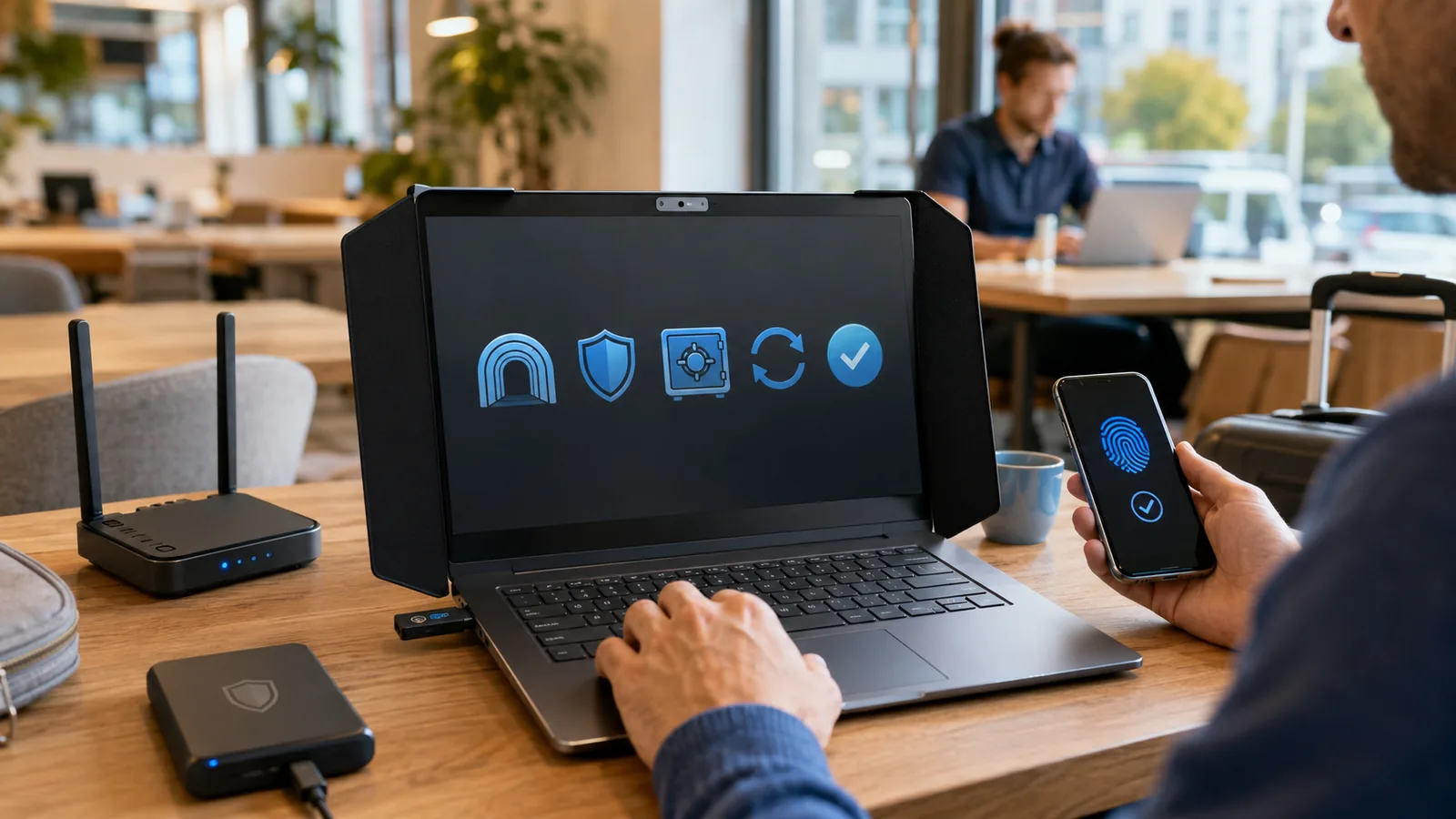
- Lock screens and store devices safely. Enable automatic screen locking and keep work devices in secure locations. If traveling, use privacy screens to prevent shoulder surfing.
- Establish a clean desk policy at home. Do not leave sensitive documents or devices unattended. Shred paper documents when no longer needed.
7. Backup data and secure cloud storage
Regular backups protect against ransomware, device failure and accidental deletion. Best practices:
- Follow the 3‑2‑1 rule: Maintain at least three copies of your data (production, local backup and offsite backup), stored on two different media, with one copy off‑site or in the cloud.
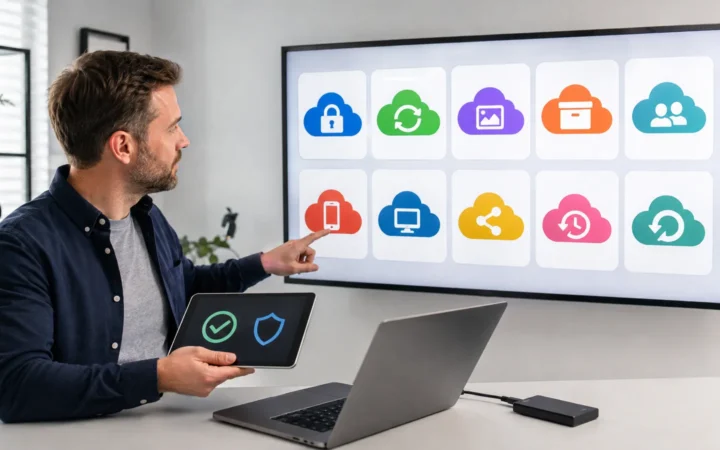
- Use encrypted cloud services. FrediTech’s cloud‑storage guide notes that by 2025 roughly half of the world’s data is expected to be stored on cloud platforms, and 71 % of Americans already use cloud servicesfreditech.com. Choose providers with end‑to‑end encryption and strong access controls.
- Test your backups. Periodically restore files from backups to ensure they work. Many organizations fail to test backups, only discovering problems during incidents.
Tools & Solutions: VPNs, Password Managers and More
1. Choosing and configuring a VPN
Selecting a VPN involves evaluating security features, performance and privacy policies. Consider these steps:
- Compare protocols: OpenVPN and WireGuard are common; WireGuard offers faster speeds and uses modern cryptography. IPsec is widely used in enterprise gatewaysnvlpubs.nist.gov.
- Check logging policies: Transparent providers publish independent audits proving they do not store identifying data. Look for jurisdiction outside intelligence alliances.
- Assess device compatibility: Ensure the VPN client supports your operating system, routers and mobile devices. Many providers allow simultaneous connections across multiple devices.
- Set up split tunneling wisely: Some VPNs let you choose which traffic goes through the tunnel. Use this for high‑bandwidth streaming or to access local printers while keeping work traffic encrypted. Configure carefully to avoid leaks.
2. Selecting a password manager
When evaluating password managers, examine these factors:
- Security architecture: End‑to‑end encryption ensures that only you can decrypt your vault. Zero‑knowledge providers cannot access your passwords.
- Open source vs. proprietary: Open‑source managers like Bitwarden allow public code review, while proprietary solutions may offer additional features and integrations. Choose based on your risk tolerance and feature needs.
- Cross‑platform availability: Verify that mobile, desktop and browser extensions are supported. Seamless synchronization increases adoption.
- Emergency access and sharing: Look for features that allow secure sharing with family or team members and designate trusted contacts for emergency situations.
Popular password managers include Bitwarden, 1Password, Dashlane and LastPass (though LastPass has faced breaches). For enterprise use, evaluate integration with single sign‑on (SSO) and directory services.
3. Multi‑factor authentication tools
MFA implementation tools include:
- Authenticator apps: Google Authenticator, Microsoft Authenticator, Authy and Duo produce time‑based one‑time passwords (TOTPs). Most are free and support multiple devices.
- Hardware security keys: YubiKey, Titan Security Key and Nitrokey support FIDO2/WebAuthn. They protect against phishing because the key verifies the domain it’s connecting to.
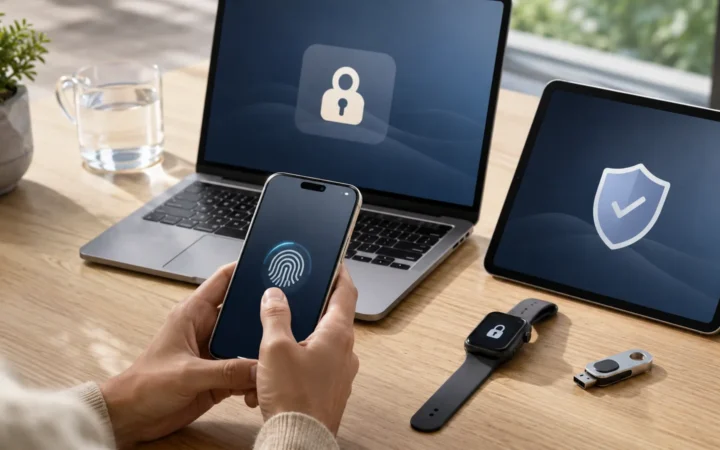
- Biometric systems: Modern devices integrate fingerprint and facial recognition, but these should be used in addition to, not instead of, strong passwords.
4. Endpoint protection and monitoring
Modern remote work security requires continuous monitoring. Consider deploying:
- Endpoint detection and response (EDR): Tools like CrowdStrike, SentinelOne or Microsoft Defender for Endpoint analyze behavior and isolate compromised devices.
- Mobile device management (MDM): MDM platforms enforce policies, push updates and remotely wipe lost devices. However, only 39 % of organizations have formal MDM for BYOD devices.
- Zero‑trust network access (ZTNA): ZTNA grants users access to specific applications based on identity, device posture and context. This reduces lateral movement and is predicted to replace VPNs for 70 % of remote access by 2028medhacloud.com.
5. Collaboration and cloud security tools
Collaboration platforms like Slack, Teams, Zoom and Google Workspace are essential for remote work but can introduce risks. Best practices:
- Use approved tools. Refrain from using unvetted apps. Shadow IT significantly increases risk.
- Configure security settings. Enable waiting rooms, meeting passwords and participant notifications in video conferencing tools. Disable recording and file sharing if unnecessary.
- Control access. Assign role‑based permissions and limit admin rights. Many tools integrate with identity and access management systems for centralized control.
6. Training and awareness platforms
Cybersecurity is a shared responsibility. To build a security culture:
- Implement regular training. Simulated phishing campaigns and security awareness programs reduce click‑through rates by 65 %.
- Gamify learning. Platforms like KnowBe4 and Phished use gamification to increase engagement.
- Reward compliance. Recognize employees who report phishing attempts or complete training modules.
Building a Remote Worker Cybersecurity Culture
1. Establish clear policies
Organizations should document telework policies that assume the external environment is hostile. The NIST Guide to Enterprise Telework, Remote Access, and BYOD Security recommends formal policies covering authentication, encryption, device management and incident response. Policies should include:
- Acceptable use of devices. Clarify whether personal devices can be used for work and the security standards they must meet. Require employees to report lost or stolen devices immediately.
- Password and MFA requirements. Specify the use of password managers, passphrases and hardware tokens. Enforce MFA on all remote access.
- Data classification and handling. Define categories of sensitive data and outline how each should be stored, transmitted and destroyed.
- Incident response protocols. Outline steps for reporting and responding to security incidents. Include contact information for IT and specify when to disconnect compromised devices.
2. Implement least privilege and segmentation
Remote access should follow the principle of least privilege—users should only have the rights necessary to perform their tasks. NIST recommends tiered access policies and segregated networksnvlpubs.nist.gov. Practical steps include:
- Role‑based access control (RBAC): Assign permissions based on job roles, not individual preferences. Regularly review and revoke unnecessary privileges.
- Network segmentation: Use firewalls and VLANs to isolate sensitive systems. Prevent remote users from accessing the entire internal network; limit access to the specific servers or services they need.
3. Provide adequate resources and support
Remote workers often lack the technical support of an on‑site help desk. Companies should:
- Offer equipment stipends. Forrester estimates that remote employees cost organizations 35 % more in IT support than office workersmedhacloud.com. Provide quality laptops, webcams, and network equipment to minimize issues.
- Create a security help desk. Offer a dedicated channel for remote workers to ask questions or report suspicious activity. Provide quick responses to encourage reporting.
- Offer flexible schedules for patching. Allow remote users to schedule updates outside of working hours to minimize disruption.
4. Encourage a culture of accountability and trust
Security culture is not about surveillance but about shared responsibility. Encourage employees to:
- Take ownership of security. Recognize that mistakes happen. Provide non‑punitive channels for admitting missteps or clicking on malicious links.
- Participate in policy formation. Engage staff in drafting and updating security policies to increase buy‑in.
- Stay informed about threats. Share newsletters or internal briefings highlighting current scams and attacks.
Step‑by‑Step Security Setup for Remote Workers
Implementing security best practices can seem daunting, but following a structured process makes it manageable. Here is a step‑by‑step checklist to harden your remote work environment:
- Assess your current posture. Inventory your devices, software, accounts and data. Identify sensitive information (such as customer data, financial records or intellectual property) and where it resides.
- Secure your network. Update router firmware, enable WPA3 encryption, change default passwords and set up a guest network. Subscribe to a reputable VPN service and configure it with strong authentication and kill‑switch features.
- Deploy a password manager. Choose a trusted service, create a unique master passphrase and enable MFA. Import existing passwords, generate new random passphrases and update weak or reused credentials.
- Enable MFA and passkeys. Turn on MFA for email, cloud storage, collaboration tools, banking and social media. Where available, register passkeys on devices equipped with biometrics or hardware security modules.
- Update and harden devices. Enable automatic updates, uninstall unused applications, activate full disk encryption and configure firewall rules. Set devices to lock automatically after a short period of inactivity.
- Install endpoint protection. Use antivirus software or an EDR solution to detect and isolate threats. For employers, deploy MDM/EDR across all corporate devices.
- Educate yourself and your team. Complete security awareness training and stay informed about phishing tactics, social engineering and emerging threats. Encourage colleagues to share suspicious messages.
- Back up important data. Implement the 3‑2‑1 backup strategy using external drives and encrypted cloud services. Schedule regular backups and periodically test restore procedures.
- Review access privileges. Use RBAC and remove unnecessary permissions. For shared file drives and cloud services, restrict editing rights and enable logging to track access.
- Test your setup. Run security audits or vulnerability scans using open‑source tools or professional services. Simulate phishing tests to measure employee awareness and refine training.
Real‑World Examples and Lessons
Example 1: VPN credentials exploited in a ransomware attack
In 2021, a major energy pipeline company suffered a ransomware incident after attackers stole a single VPN password that lacked MFA. The breach disrupted gasoline supplies across the U.S. and led to ransom payments. This real‑world case highlights several lessons:
- Separate credentials for different systems. Avoid reusing passwords across corporate VPNs and other services. Use password managers to create unique credentials.
- Enforce MFA. Had MFA been enabled on the VPN, the stolen password alone would not have granted access.
- Monitor access logs. Regularly review VPN and remote access logs for unusual login times, IP addresses or repeated attempts. Automated anomaly detection can spot suspicious patterns.
- Update and segment networks. Do not expose the entire internal network through a VPN. Limit connections to necessary systems and employ network segmentation.
Example 2: Phishing leads to account takeover
A remote employee at a financial services company received an email appearing to be from their IT department, requesting a password reset via a link. The employee clicked the link, entered credentials and approved an MFA prompt. Attackers used the stolen session to initiate fraudulent wire transfers. Lessons learned:
- Verify communications. Always confirm password reset requests through official channels. IT departments rarely ask for credentials via email.
- Understand MFA fatigue. Attackers sometimes bombard users with push notifications hoping they will approve out of annoyance. Only approve authentications you initiate.
- Educate employees. Regular phishing drills and up‑to‑date training are essential to help staff recognise social engineering.
Example 3: Shadow IT leads to data exposure
During the pandemic, a project team began using an unapproved file‑sharing app because it integrated well with their workflow. Unknown to them, the app stored documents without encryption and lacked access controls. When a misconfiguration exposed the storage bucket, sensitive client data became publicly accessible. Lessons:
- Establish approved tool lists. Provide employees with secure collaboration tools and make it easy to request new software through formal channels.
- Conduct periodic audits. IT should scan for unauthorized applications and work with teams to replace them.
- Educate staff on risks. Help employees understand why unauthorized apps can endanger data and provide alternative solutions.
These real‑world stories illustrate that cybersecurity incidents often result from simple oversights—weak passwords, missing MFA, unpatched systems or unauthorized tools. Proactive measures, vigilance and training are key to preventing similar events.
Future Trends and Predictions for Remote Work Security
As remote work matures, emerging technologies and threat dynamics will shape the future of cybersecurity. Key trends to watch include:
1. Zero‑trust adoption
Gartner forecasts that 70 % of remote access will be delivered via zero‑trust network access rather than traditional VPNs by 2028. Zero‑trust treats every request as untrusted until verified, using identity, device posture and context to grant access. Expect more organizations to implement ZTNA and micro‑segmentation to reduce lateral movement and limit breach impact.
2. Passwordless authentication
Passkeys, biometrics and hardware tokens will continue to replace passwords. FIDO2/WebAuthn adoption will expand, simplifying login experiences and eliminating password reuse. Major technology vendors (Apple, Google and Microsoft) already support passkeys, and adoption will grow as consumer understanding improves. Organizations should prepare for passwordless transitions by evaluating FIDO2‑compatible devices and updating authentication workflows.
3. AI‑driven security solutions
AI and machine learning will power threat detection, anomaly identification and automated response. However, these systems themselves become targets. Business owners cite GenAI prompt hacking and model poisoning as top concerns. Security teams must secure their AI pipelines, validate input data and monitor model outputs for tampering.
4. Regulatory and compliance developments
Data protection laws are evolving to address remote work risks. Organizations should anticipate stricter regulations around data residency, incident reporting and third‑party risk. Cyber insurance policies are being rewritten to consider remote‑work exposures; 31 % of organizations revised their policies due to remote work. Stay informed about local and international regulations, and integrate compliance monitoring into security programs.
5. Employee wellbeing and security
Studies show remote workers often feel isolated; more than half report feeling less connected to coworkers. Burnout and stress can lead to mistakes, making employees susceptible to social engineering. Organizations should integrate mental health support into security programs, encouraging breaks and balanced workloads. A holistic approach to employee wellbeing can indirectly improve security posture.
Conclusion
Remote work is here to stay, offering flexibility and broad talent pools. Yet the shift demands a renewed focus on cybersecurity. Statistics from 2025–2026 reveal that remote infrastructures are prime targets for cybercriminals, with credential theft, phishing and misconfigured VPNs driving incidents. Breaches involving remote workers cost more and take longer to contain, while shadow IT and password reuse remain pervasive. By adopting core principles—using VPNs, implementing password managers, enabling multi‑factor authentication, keeping devices updated, recognising phishing tactics and fostering a culture of security—organizations and individuals can mitigate these risks.
As we look to 2026 and beyond, zero‑trust architectures, passwordless authentication and AI‑enhanced defenses will shape the remote security landscape. Proactive preparation now will pay dividends later. For more tips on protecting your devices, explore FrediTech’s Apple Security Best Practices: Protecting Your Data in 2025, which explains how to enable encryption, stolen device protection and two‑factor authentication. To boost productivity alongside security, check out FrediTech’s Top 10 Mobile Apps to Enhance Your Productivity in 2025, which reviews task managers and collaboration tools.
Frequently Asked Questions (FAQ)
Why do remote workers need a VPN?
A VPN encrypts your internet connection, helping protect sensitive data when using home or public Wi-Fi. NIST notes that VPN tunnels (IPsec or SSL/TLS) can secure traffic between teleworkers and corporate networks. Without a VPN, attackers may intercept credentials or attempt to inject malicious code over unsecured networks.
Are free VPNs safe to use?
Free VPNs can be risky. They often have limited bandwidth, weaker security, and unclear logging policies. Some may log browsing data and monetize it through advertising. If you need a VPN for remote work, choose a reputable provider with audited privacy practices, strong encryption, and protections like a kill switch and DNS leak prevention.
What is the difference between a password manager and a browser’s password storage?
Browser password storage may sync across devices, but it often lacks advanced security features. Dedicated password managers typically provide end-to-end encryption, strong password generation, breach monitoring, and secure sharing. They also integrate with mobile apps and commonly support biometric logins for safer, faster access.
How does multi-factor authentication improve security?
MFA adds a second verification step beyond your password. Even if an attacker steals your password, they still need the second factor to log in. Studies report that mandatory MFA can reduce credential-based breaches by 86%. Hardware security keys and authenticator apps are generally stronger than SMS codes.
What is zero-trust network access (ZTNA)?
ZTNA assumes no user or device is automatically trustworthy. Instead of granting broad network access like traditional VPNs, ZTNA typically grants access only to specific applications after verifying identity and device posture. Gartner predicts ZTNA will replace VPNs for 70% of remote access by 2028.
How should I secure my home Wi-Fi?
Start with the basics and keep it simple:
- Change default router admin passwords
- Use WPA3 (or at least WPA2) encryption
- Disable WPS
- Update router firmware regularly
- Create a guest network for visitors/IoT devices
- Place the router centrally to reduce signal leakage
- Use wired Ethernet when possible for sensitive work
For exact steps, follow your router vendor’s documentation and support pages.
Is using personal devices for work safe?
It can increase risk, because personal devices may lack enterprise-grade controls and may be missing updates or security tools. If your organization allows BYOD:
- Follow company security policies and patch requirements
- Install MDM/work profile tools if provided
- Separate work and personal apps/data
- Avoid unauthorized software and risky browser extensions
Some reports note unpatched personal devices accounted for 22% of endpoint vulnerabilities exploited in 2025—so updates matter.
How often should I back up my data?
Use the 3-2-1 rule: keep three copies of your data on two different media, with one copy offsite (or in the cloud). Automate backups daily or weekly based on how often your work changes, and test restores occasionally to confirm your backups actually work.
What should I do if I suspect a security breach?
Act fast and follow a clean process:
- Disconnect the device from the internet (Wi-Fi/Ethernet)
- Report immediately to your employer’s IT/security team
- Follow their incident response instructions
Don’t try to “fix it” yourself—doing so can destroy evidence. If you’re self-employed, contact a cybersecurity professional and document what happened. A predefined incident response plan helps minimize damage.
About the Author
Wiredu Fred is a cybersecurity enthusiast and technology writer. He has spent several years researching digital security, privacy tools and emerging technologies. Fred’s work combines technical expertise with a passion for clear communication, helping readers understand complex topics. He has previously published guides on device security, productivity tools and technology trends.. When he isn’t writing, Fred enjoys exploring new gadgets, mentoring young tech enthusiasts and advocating for digital literacy in his community.