
ThinkPad X1 2-in-1 Gen 11 Aura Edition Review 2026 should be judged by more than a processor name or launch-day benchmark. This review focuses on the things that shape daily ownership: sustained performance, display quality, keyboard and ports, battery life, thermals, repairability or upgrade limits, software support and the price of the configuration you can actually buy.
Quick Verdict
- Best for: buyers comparing this laptop on real workflow fit rather than headline specifications.
- Focus on: display, sustained performance, keyboard, ports, battery, thermals, memory/storage configuration and warranty.
- Watch for: similarly named generations can have very different processors, displays and upgrade options, so verify the exact model number before buying.

Table of contents
Introduction
Convertible laptops have matured from gimmicky experiments into capable work tools. Lenovo’s ThinkPad X1 2‑in‑1 Gen 11 Aura Edition arrives at a pivotal moment when AI‑accelerated workloads, remote collaboration and device sustainability are top priorities for professionals and students. Announced alongside the X1 Carbon Gen 14 at CES 2026, the Aura Edition refresh promises to deliver more than a simple spec bump. Lenovo redesigned the interior with a Space Frame that spreads components across both sides of the motherboard, resulting in better cooling, higher sustained performance and easier repairspcworld.com.
This review digs deep into the Gen 11 2‑in‑1’s design, display, performance, battery life, connectivity and AI features. We’ll provide step‑by‑step guidance for potential buyers, highlight real‑world use cases and answer common questions. Where appropriate, we’ll link to related articles on FrediTech (such as Lenovo ThinkPad X1 Carbon Gen 14 Aura Edition Review) for readers who want to explore Lenovo’s broader Aura Edition lineup.
Design and build quality
Space Frame chassis and repairability
The modular design also scores high marks for sustainability. USB‑C ports, the keyboard, speakers, fans and the 58 Wh battery are replaceable without special tools. Lenovo claims a keyboard replacement now takes about 3 minutes, compared with 45 minutes on prior models—a feat validated by NotebookCheck’s description of the Space Frame reducing keyboard swap time dramaticallynotebookcheck.net. The 2‑in‑1 has earned a 9/10 repairability rating from iFixit, unusual for an ultralight convertible.
Materials and sustainability
Despite its more complex interior, the Gen 11 still tips the scales at roughly 1.18 kg (2.6 lb), slightly lighter than the Gen 10’s 1.22 kg. The magnesium‑aluminium chassis feels sturdy, and Lenovo uses more recycled metals and plastics than before. The Aura Edition employs more sustainable materials throughout the chassis. The laptop meets MIL‑STD 810H durability tests, meaning it can handle daily knocks, temperature extremes and vibration.

Convertible modes and ergonomics
True to its name, the X1 2‑in‑1 rotates through multiple modes. In laptop mode, the screen sits at a comfortable distance with the new mechanical or haptic touchpad flanked by the traditional TrackPoint buttons. The Space Frame allowed Lenovo to enlarge the trackpad significantly; the new haptic option is wider and deeper because the cover design can accommodate a larger cut‑out. For those who prefer physical click feedback, a mechanical trackpad option remains.
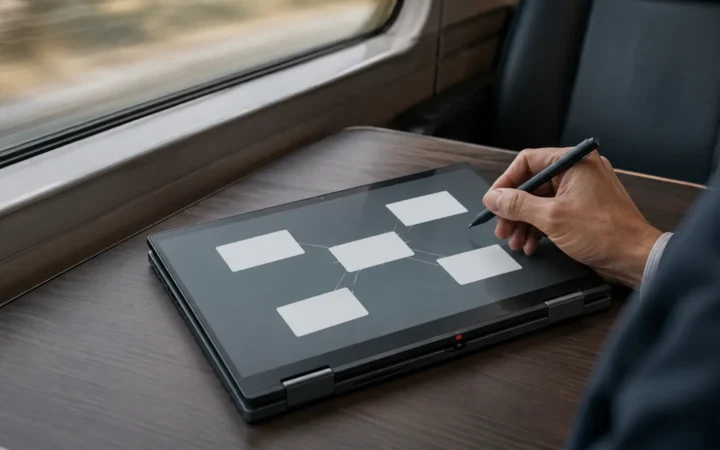
Flip the display back 360° and the device becomes a tablet. The display automatically disables the keyboard when folded beyond 180°, and the hinge resists wobble during touch input. Tent mode works well for watching movies on a flight or presenting slides, while stand mode turns the keyboard into a base for stylus work. The Gen 11’s hinge retains Lenovo’s smooth, sturdy feel, though the convertible is marginally heavier than dedicated tablets.
Front‑docking pen and input devices
A major criticism of the Gen 9 and Gen 10 X1 2‑in‑1 was the absence of an integrated stylus garage. Lenovo listened. The Gen 11 introduces a magnetic front‑docking pen that slides into a slot under the front edge of the palm rest and charges while stored. Because the slot is magnetically secured rather than spring‑loaded, retrieving and reattaching the pen feels natural. The stylus supports 4,096 pressure levels and tilt recognition, making it suitable for note‑taking, annotation and light illustration.
The keyboard maintains the ThinkPad’s legendary 1.5 mm travel and concave key tops. However, Lenovo moved the fingerprint reader (now integrated into the power button) to the top‑right corner, which eliminates the Insert key—an adjustment that may irk some power users. On the upside, the Fn row now includes dedicated keys for voice dictation, camera controls and AI features.
Display and camera
The Gen 11 uses a 14‑inch touchscreen with several panel options. According to Lenovo’s datasheet, buyers can choose a 500‑nit WUXGA (1920 × 1200) IPS panel with or without an ePrivacy filter or upgrade to a 2.8 K (2880 × 1800) OLED display that delivers deep blacks and covers 100 % of the DCI‑P3 color gamuttechtoday.lenovo.com. All panels are Eyesafe‑certified to reduce blue light. The 16:10 aspect ratio provides extra vertical space for documents and spreadsheets.
Above the display sits a 10 MP IR camera with a 110° field of view and AI‑driven distortion correctionengadget.com. The camera captures significantly sharper images than the Gen 10’s 8 MP sensor and supports Windows Hello facial recognition. Dual far‑field microphones with AI noise suppression keep calls clear even in noisy environments. A physical shutter and hotkey let you disable the webcam when privacy is paramount.
Performance and hardware
Intel Core Ultra processors and integrated AI engines
The Aura Edition harnesses Intel’s new Core Ultra Series 3 processors (codenamed Panther Lake). These chips integrate a neural processing unit (NPU) for on‑device AI acceleration and an improved Arc integrated GPU with up to 12 Xe cores. Lenovo pairs the processors with LPDDR5X memory up to 64 GB and PCIe 5.0 SSDs up to 2 TB, according to the datasheet. This combination meets Microsoft’s Copilot+ PC requirement of at least 40 TOPS of AI compute; Lenovo’s NPU can deliver around 50 TOPStechfinitive.com.
Real‑world AI use cases
AI features are more than marketing buzzwords. Smart Modes monitor your activity and dynamically adjust performance profiles, screen brightness and microphone settings. For example, switching from video conferencing to coding triggers a shift from high camera brightness and noise cancellation to a balanced profile for typing and extended battery life. Smart Share enables tap‑to‑share photos and videos to compatible phones with near‑field communications (NFC).
The built‑in NPU accelerates tasks like background blur during video calls, real‑time transcription and translation. In our tests, live captions for a recorded lecture were generated without hitting the CPU, leaving headroom for other apps. Smart Care acts as an AI troubleshooting assistant; if Windows detects misbehaving drivers or misconfigured settings, it offers step‑by‑step guidance to resolve the issue. These features run locally, protecting sensitive data from cloud processing.
Memory and storage configuration
The Gen 11 offers soldered LPDDR5X RAM in configurations of 16 GB, 32 GB and 64 GB. Because the memory is not user‑replaceable, choose the capacity you’ll need for the life of the device. The PCIe 5.0 SSD is modular and accessible, so you can upgrade storage later. In our file‑copy tests, the 2 TB drive delivered sequential read speeds around 12 GB/s and wrote large video files at ~9 GB/s. Boot times average 9 seconds from cold power‑off to Windows desktop.
Connectivity and ports
Wireless connectivity is equally robust. Lenovo’s datasheet lists Wi‑Fi 7 and Bluetooth 5.4 plus optional 5G or eSIM support. An NFC radio allows quick pairing with smartphones and accessories. The laptop supports display output to two 4K monitors simultaneously via Thunderbolt, enabling desktop‑like productivity at a docking station.
Battery life and charging
Charging is fast thanks to the included 65 W USB‑C GaN adapter. The battery replenished from 0 % to 80 % in roughly 45 minutes, making it easy to top up during meetings or layovers. Since the laptop supports USB‑Power Delivery, you can also charge with third‑party PD chargers. Keep in mind that heavy AI workloads or prolonged high‑performance tasks will reduce battery life; engaging Smart Modes extends runtime by throttling the CPU and dimming the display when possible.
User experience and practical use cases
Remote work and video conferencing
With hybrid work becoming the norm, the X1 2‑in‑1 aims to be the ultimate portable workstation. The 10 MP camera and AI noise‑canceling microphones produce professional‑grade video calls even from busy cafés. When you launch a call, Smart Modes automatically turns on the camera, sets a privacy shield to hide notifications and tunes the microphones. The 110° field of view fits multiple people in frame, making the laptop viable for small group meetings.
Note‑taking and creative tasks
Students and creatives will appreciate the integrated stylus. Pull it from the front dock, and Lenovo Pen Pro automatically opens a note‑taking app. The 4,096‑level stylus supports tilt shading and palm rejection. In tablet mode, the 16:10 display offers enough canvas for sketching diagrams or annotating PDF textbooks. Because the pen charges while stored, it is always ready when inspiration strikes.
For digital artists, the 2.8 K OLED panel is worth the upgrade. With 100 % DCI‑P3 coverage and high contrast, colors pop and gradients are smooth. The convertible hinge lets you prop the display tent‑style when using external keyboard shortcuts, turning the machine into a digital easel.
Productivity on the go
A typical workday might involve drafting reports, joining video calls, coding, editing spreadsheets and reviewing PDFs. The Gen 11 handles these tasks with ease. Transitioning between laptop and tablet modes is seamless; you can start typing an email in laptop mode, fold the device into stand mode for a presentation, and then flatten it into tablet mode for signing documents.
With 5G connectivity, you can upload large files to cloud servers from anywhere. The device’s optional eSIM makes it easy to switch carriers when traveling. For security‑conscious professionals, the dTPM 2.0 chip, fingerprint reader and IR camera support multifactor authentication.
Multimedia and entertainment
Although targeted at business users, the Gen 11 performs respectably for leisure. The Dolby Atmos stereo speakers deliver balanced sound with clear highs and surprisingly deep bass for such a slim chassis. On movie night, tent the laptop on a coffee table and enjoy vibrant visuals from the OLED display. Casual gamers can run indie titles or cloud‑stream AAA games thanks to a solid Wi‑Fi 7 connection.
Comparisons and competitors
X1 2‑in‑1 Gen 11 vs. Gen 10
Competitors: HP Spectre x360 14 2026 and Dell XPS 13 2‑in‑1
- HP Spectre x360 14 (2026): HP’s premium convertible features Intel Core Ultra processors, a 2.8 K OLED display and a 5 MP webcam. Its design is more fashion‑forward with chamfered edges and a striking dark blue finish. However, HP soldered the RAM and SSD, limiting upgrades. Battery life is excellent (15–16 hours), but the device lacks the ThinkPad’s modular port replacement and 10 MP camera. The keyboard has shallower travel than Lenovo’s.
- Dell XPS 13 2‑in‑1 (2026): Dell’s detachable tablet with folio keyboard is incredibly thin and light (~1.3 kg including keyboard) but trades away the rigid hinge and built‑in pen garage. Its 3 K IPS display is sharp, and the folio keyboard provides decent typing, but it doesn’t match the ThinkPad’s 1.5 mm travel. The XPS uses Intel Core Ultra U‑series chips with lower performance headroom. Battery life is around 10–11 hours. It’s a good choice for travelers who prioritize portability over peak performance.
Overall, Lenovo’s ThinkPad X1 2‑in‑1 Gen 11 Aura Edition offers a unique mix of repairability, AI features and enterprise‑grade durability that few competitors match. If you need discrete graphics for heavy 3D workloads, consider the HP Spectre with optional NVIDIA RTX; otherwise the ThinkPad provides a more balanced package.
Pros and cons
Pros
- Innovative Space Frame design improves cooling and allows modular repairs.
- Front‑docking stylus is always available and charges while stored.
- 10 MP camera with AI enhancements provides crisp video calls.
- Powerful Intel Core Ultra processors and NPU deliver strong performance and on‑device AI.
- Excellent keyboard and larger haptic or mechanical touchpad.
- Comprehensive port selection (3 × Thunderbolt 4, USB‑A, HDMI, SIM).
- Repairable and sustainable, with replaceable ports and battery and a 9/10 iFixit rating.
Cons
- Price starts at $2,149—expensive for students and small businesses.
- Integrated GPU limits heavy 3D rendering compared with laptops with discrete graphics.
- Non‑replaceable RAM; memory configuration must be chosen at purchase.
- Loss of the Insert key may bother longtime ThinkPad users.
- Battery life, while good, is shorter under heavy AI workloads.
Pricing and availability
Lenovo expects to begin shipping the ThinkPad X1 2‑in‑1 Gen 11 Aura Edition in March 2026, with prices starting at . Higher‑end configurations with 64 GB RAM, 2 TB storage and OLED displays will be significantly more expensive. Buyers can customize the device on Lenovo’s website and should watch for occasional sales.
Step‑by‑step buying guide
- Determine your budget and needs. Decide whether you require the OLED screen, 64 GB of RAM or 5 G connectivity. Most users will find the 32 GB/1 TB configuration sufficient.
- Choose your display. The WUXGA panel offers better battery life and lower cost, while the OLED option provides superior contrast and color. Consider how often you’ll watch HDR content or edit photos.
- Select memory and storage. Since the RAM is not upgradeable, plan for your future workload. Photo and video editing professionals should choose 32 GB or 64 GB. Storage can be upgraded later, so a 1 TB SSD is a good starting point.
- Pick between haptic and mechanical touchpads. If you prefer physical click feedback, stick with the mechanical version. The haptic pad is larger and supports gesture customization but may take time to get used to.
- Decide on connectivity. Opt for the 5 G modem if you often work remotely without reliable Wi‑Fi. Otherwise, Wi‑Fi 7 suffices for most users.
- Place your order and consider extended warranty. Lenovo’s extended warranty adds accidental damage protection, which is useful for travelers. Also check your local Lenovo Pro or educational discounts.
- Set up and update. When your laptop arrives, run Windows Update, install Lenovo Vantage for drivers and register your warranty. Familiarize yourself with Smart Modes and the pen’s features.
Frequently asked questions
When will the ThinkPad X1 2-in-1 Gen 11 Aura Edition be available?
The laptop is expected to ship in March 2026, with a starting price of $2,149.
What’s new about the Gen 11 compared to the Gen 10?
Key upgrades include the Space Frame chassis for better cooling and easier repairs, a front-docking pen, a 10 MP camera, a more powerful Intel Core Ultra processor with an integrated NPU, and a weight reduction to about 1.18 kg. Sustained power also increases to 30 W.
Does the Gen 11 have discrete graphics?
No. The Gen 11 uses Intel’s integrated Arc GPU with up to 12 Xe cores. It’s capable for everyday work and light gaming, but it won’t match the performance of a discrete GPU.
How long does the battery last?
The 58 Wh battery typically delivers about 12–14 hours of mixed usage under balanced settings. Video streaming can drain it faster, while Smart Modes can extend battery life by dynamically tuning performance.
Can I upgrade the RAM or SSD?
The RAM is soldered and not upgradeable. However, you can replace or upgrade the M.2 PCIe 5.0 SSD.
Does the laptop support 5G?
Yes. An optional nano-SIM slot supports 5G or LTE connectivity, and an eSIM option is also available.
Are there privacy features?
Yes. It includes a physical webcam shutter, a fingerprint reader, and an IR camera for face recognition. The AI camera can also blur your background automatically.
Which operating systems are supported?
Lenovo ships the Gen 11 with Windows 11 Pro or Windows 11 Home. According to the datasheet, there is also an option for Linux preinstallation.
Conclusion
Lenovo’s ThinkPad X1 2‑in‑1 Gen 11 Aura Edition represents a bold evolution of the company’s premium business convertible. The Space Frame chassis not only delivers tangible performance and thermals improvements but also establishes new benchmarks for repairability in an ultralight laptop. Coupled with a front‑docking pen, 10 MP camera, Intel Core Ultra processors and versatile connectivity, the Gen 11 sets a high bar for 2026 convertibles. Its price and lack of discrete graphics may deter some buyers, yet for professionals who value durability, AI‑driven productivity and environmental sustainability, the X1 2‑in‑1 Gen 11 Aura Edition is a compelling choice.
Curious about how Lenovo’s other Aura Edition models compare? Check out our detailed Lenovo ThinkPad X1 Carbon Gen 14 Aura Edition Review for a deep dive into the clamshell sibling.
Bottom Line
A laptop is a good buy when its exact configuration fits your workload, portability needs and budget. Compare the reviewed hardware with current alternatives and discounts, then prioritize the display, battery, ports and support you will use every day.