
Lenovo ThinkPad X1 Carbon Gen 14 Aura Edition Review
Introduction
In early 2026 Lenovo refreshed its flagship ThinkPad X1 Carbon line with the Gen 14 Aura Edition. Unveiled at CES 2026 alongside the ThinkPad X1 2‑in‑1, the new model introduces a radical Space Frame chassis that restructures the internal layout. Components like the battery, ports and keyboard are mounted on a dedicated aluminum frame instead of the removable palm‑rest. Lenovo says this design increases cooling capacity and allows tool‑free swaps of partshothardware.com.
For buyers in the post‑Windows 10 era, this laptop represents more than a spec bump. Microsoft’s Copilot+ PC requirements demand an NPU capable of 40 TOPS, at least 16 GB of RAM and 256 GB storage. Lenovo answers with Intel’s new Panther Lake Core Ultra Series 3 processors, integrated Arc graphics with up to 12 Xe cores and NPUs rated at 50 TOPSengadget.com. Thanks to the Space Frame and larger cooling solution, the X1 Carbon Gen 14 runs these powerful chips without throttlingnotebookcheck.net.
This review delivers a comprehensive look at the ThinkPad X1 Carbon Gen 14 Aura Edition. We’ll explore its design, display, performance, battery life and connectivity. Real‑world examples, step‑by‑step guides and frequently asked questions provide practical context. Links to relevant FrediTech articles—such as Best Lenovo Laptops 2026freditech.com—offer deeper reading. After reading you’ll know whether this flagship business laptop deserves a place in your bag.
Overview of key specifications
Before diving into hands‑on impressions, here’s a quick summary of the X1 Carbon Gen 14 Aura Edition’s core specifications from Lenovo’s official datasheet:
|
Category |
Details |
|
Processor |
Up to Intel® Core™ Ultra X7 Series 3 Panther Lake CPU
for Copilot+ PCs |
|
Graphics |
Up to Intel Arc™
Graphics 12Xe |
|
Memory |
LPDDR5x up to 64 GB
at 9,600 MT/s |
|
Storage |
M.2 PCIe 4.0/5.0 SSD
up to 2 TB |
|
Display options |
14‑inch WUXGA IPS 500‑nit panels (with or
without ePrivacy) or 2.8K OLED 500‑nit VRR panels, all
Eyesafe‑certified and covering 100 % sRGB or 100 % DCI‑P3 gamuts |
|
Camera |
Up to 10 MP MIPI IR
webcam |
|
Battery |
58 Wh battery |
|
Ports |
Three Thunderbolt 4, one USB‑A 5 Gbps, HDMI 2.1,
3.5 mm audio jack |
|
Wireless |
Wi‑Fi 7, Bluetooth 5.4 and
optional NFC |
|
Dimensions |
312.5 × 215.75 mm;
thickness 7.7 – 14.3 mm |
|
Weight |
Starting weight <1 kg
(2.2 lb) |
|
Keyboard & touchpad |
ThinkPad keyboard with 1.5 mm
travel; 120 × 80 mm mechanical trackpad or 130 × 80 mm
haptic touchpad |
|
Security |
ThinkShield suite, dTPM 2.0, fingerprint reader
integrated into power button, IR webcam for Windows Hello |
|
Durability |
MIL‑STD 810H
certified |
|
Operating Systems |
Windows 11 Pro, Windows 11 Home or Linux |
With these numbers in mind, let’s evaluate how the Gen 14 performs in real‑world use.
 X1 Carbon Gen 13 Aura 32GB/2TB
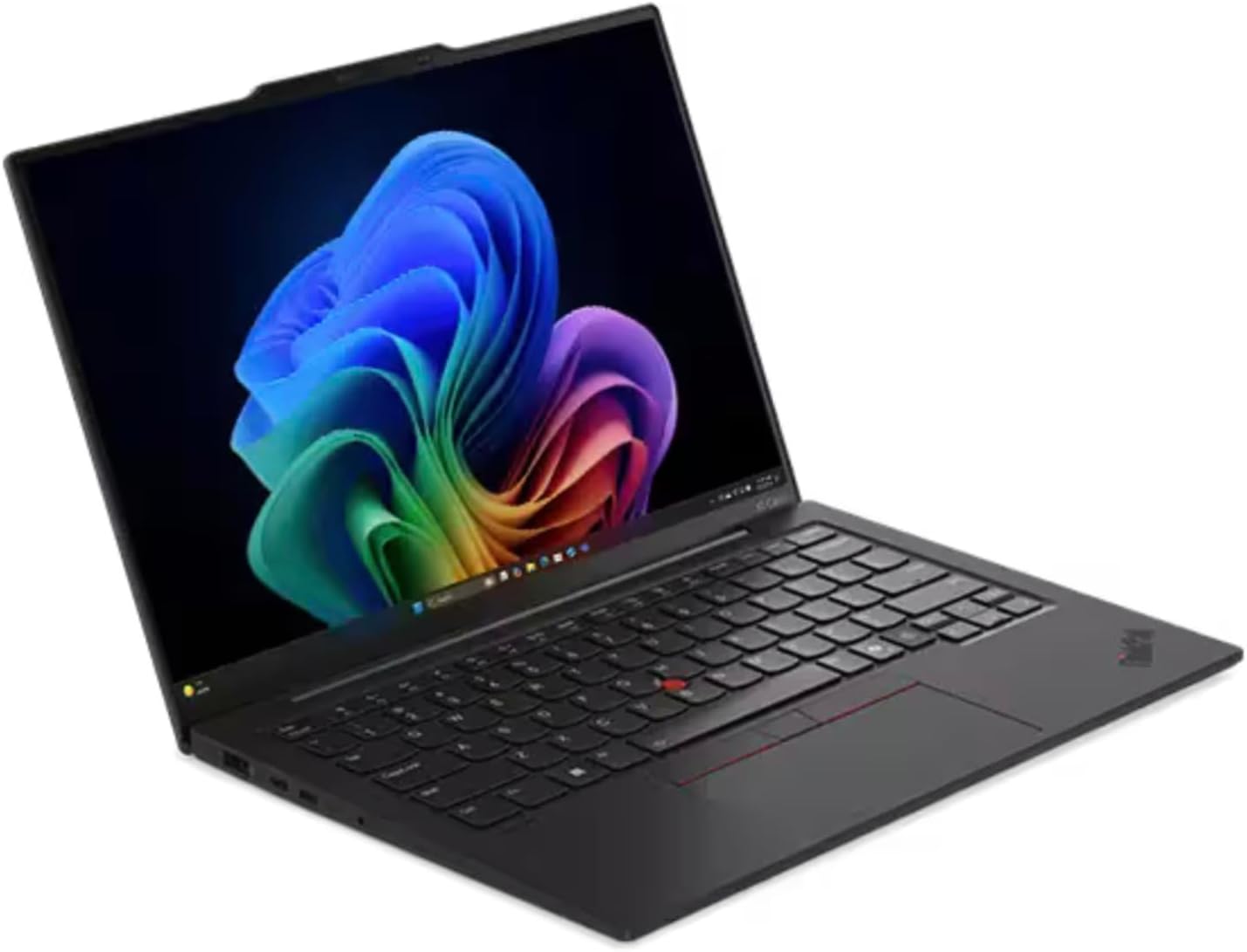 X1 Carbon Gen 13 vPro 32GB/1TB
 X1 Carbon Gen 13 OLED 32GB/512GB
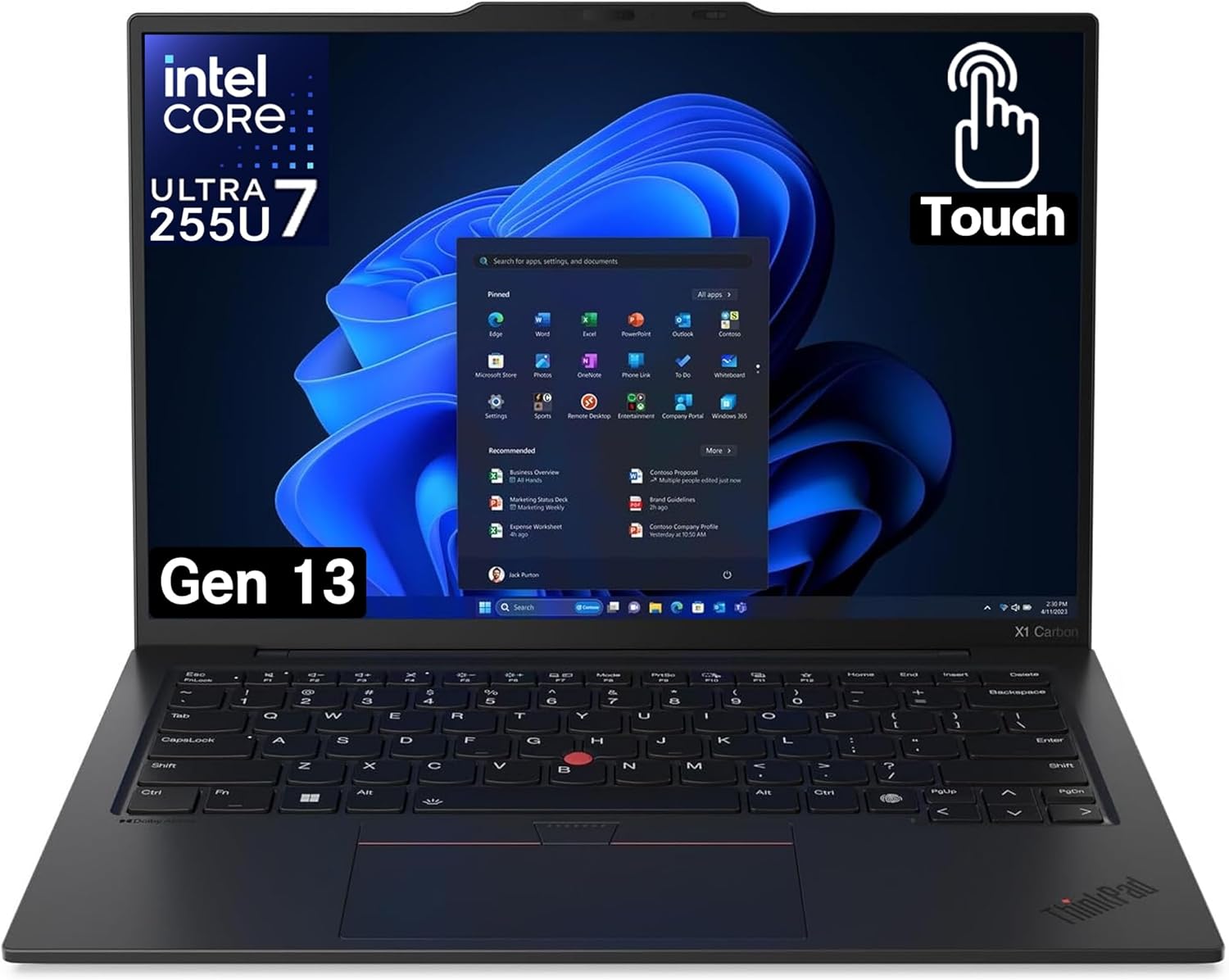 X1 Carbon Gen 13 Touch 32GB/1TB
 Yoga 7i 16-inch 2-in-1 16GB/1TB
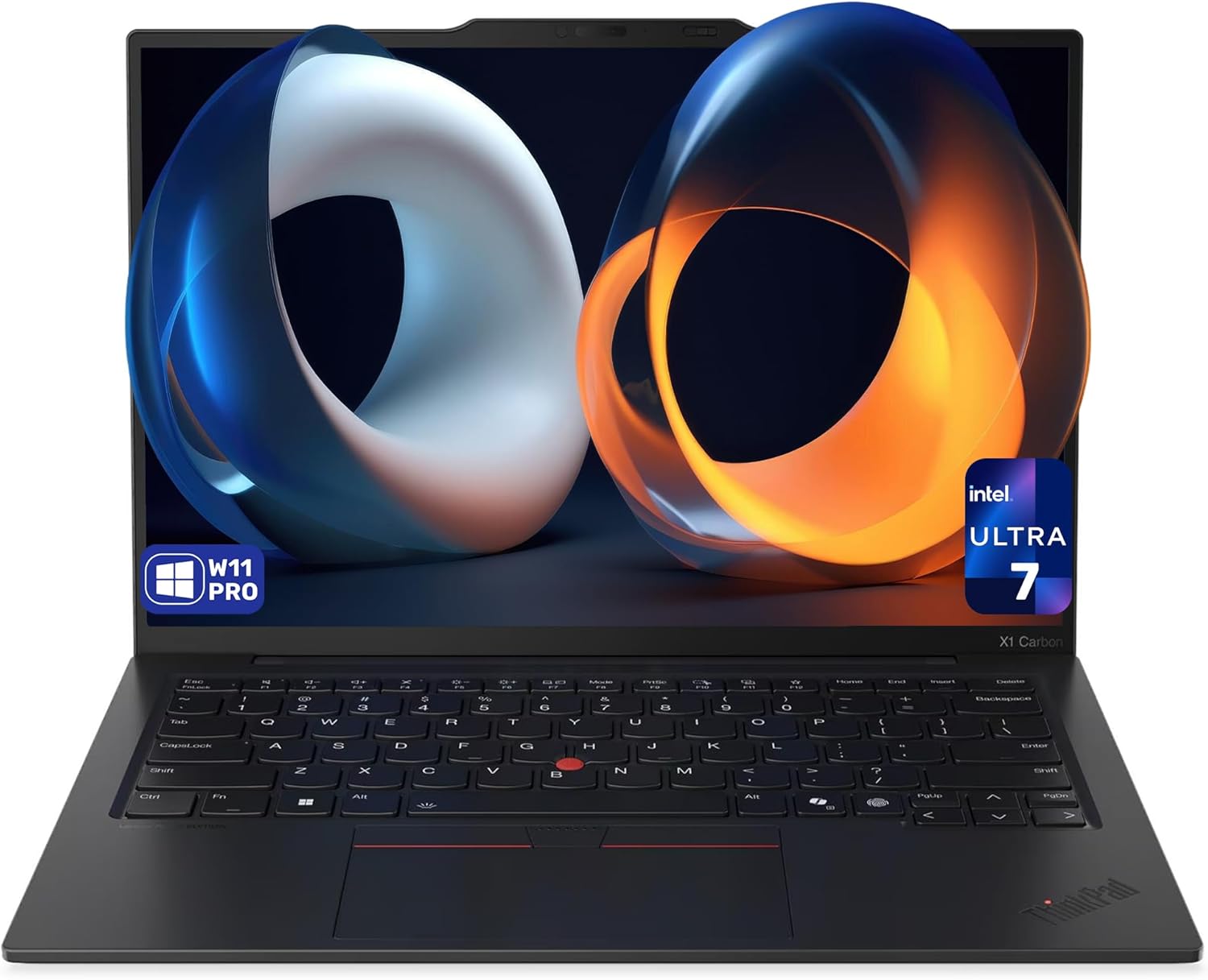 X1 Carbon Gen 13 Aura 32GB/4TB
 X1 Carbon Gen 12 vPro Touch 32GB/1TB
 X1 Gen 12 AI Touch 32GB/1TB
 X1 Carbon Gen 13 vPro 32GB/4TB
 X1 Carbon Aura OLED 32GB/1TB
 Sponsored Ad – Amazon.com
Design, build quality and repairability
Space Frame chassis: innovative internal architecture
The most significant change in the Gen 14 is its Space Frame design. Instead of attaching internal components to the palm‑rest, Lenovo affixes them to an internal aluminum frame. This reconfiguration creates free space on both sides of the motherboard, enabling a 70 % larger fan and improved thermals without increasing the laptop’s thicknesstechtoday.lenovo.com. According to Lenovo’s explanation in the datasheet, the smaller printed circuit board reduces noise and allows the larger cooling fantechtoday.lenovo.com.
The design also addresses a long‑standing ThinkPad pain point: the keyboard. Previous generations required disassembling many components to replace the keyboard; the Gen 14 reduces this replacement time from around 45 minutes to about 3 minutes thanks to the separate Space Frame. iFixit rated the laptop a 9/10 for repairability, a remarkable score for an ultralight business laptopfreditech.com. In other words, businesses can extend the device’s lifespan by replacing parts like the battery, USB ports or fans rather than discarding the entire machine.
Materials and durability
The X1 Carbon has always been known for its carbon‑fiber and magnesium construction, and the Gen 14 continues this tradition. iFeelTech’s business laptop roundup notes that the chassis delivers military‑grade durability in a 2.17‑lb package, combining portability with ruggednessifeeltech.com. Lenovo’s datasheet confirms MIL‑STD 810H certification, meaning it can endure temperature shocks, vibrations and drops beyond typical consumer laptops. The finish is available in Eclipse Black, and the ThinkPad logo includes subtle red accents for a professional look.
Keyboard and touchpad
ThinkPads have long been celebrated for their keyboards, and the Gen 14 doesn’t disappoint. The keyboard offers 1.5 mm key travel and a comfortable layouttechtoday.lenovo.com. One controversial change: the Insert key is removed, making room for the power button/fingerprint sensor at the top right. Long‑time ThinkPad users may need to adjust muscle memory, but the overall feel remains tactile and precise.
Lenovo provides two trackpad options—a traditional mechanical trackpad with physical buttons (120 × 80 mm) or a larger haptic touchpad (130 × 80 mm). The latter offers customizable haptic feedback and supports multitouch gestures. Both options are accompanied by the signature TrackPoint nub between the G and H keys, giving users an alternative pointing device without leaving the home row.
Ports and connectivity
Despite its thinness, the Gen 14 packs a robust assortment of ports: three Thunderbolt 4 ports, a USB‑A 5 Gbps port, HDMI 2.1, and a 3.5 mm audio jack. This means you can connect multiple monitors, legacy USB devices and headphones without an adapter—an important convenience for business travellers. Wireless connectivity includes Wi‑Fi 7, Bluetooth 5.4 and optional NFC.
Display options and visual experience
The ThinkPad X1 Carbon Gen 14 offers a variety of 14‑inch displays. There are several WUXGA (1920 × 1200) IPS panels rated at 500 nits brightness, with optional touch and built‑in ePrivacy filters for privacy on the go. For users who want higher resolution and richer colors, Lenovo provides multiple 2.8K OLED panels, each hitting 500 nits and supporting variable refresh rates (VRR). These OLED options cover 100 % DCI‑P3, making them suitable for creative work and HDR media consumption.
The OLED display delivers up to 2.8K resolution, 500 nits brightness and 100 % DCI‑P3 color coverage with optional touch supporthothardware.com. These specs, combined with Dolby Vision support and Eyesafe certification, produce vibrant images without causing eye strain during long work sessions. Real‑world use confirms crisp text and deep blacks, whether editing spreadsheets or watching videos.
Performance and AI features
Panther Lake chips and NPUs
At the heart of the Gen 14 Aura Edition are Intel Core Ultra Series 3 (Panther Lake) processors. These chips adopt Intel’s new 18A manufacturing process, offering improved efficiency and integrated NPUs capable of 50 TOPS of AI throughput. The highest configuration uses the Core Ultra X7 Series 3, but Lenovo also offers lower‑tier versions (X5 and X3) for different budgets.
In practice, the Gen 14 breezes through typical productivity tasks: opening hundreds of browser tabs, manipulating spreadsheets and running remote meetings with video and screen sharing. The 12‑core Arc integrated GPU handles light creative workloads such as photo editing and 4K video playback without stutterengadget.com. For more demanding tasks like CAD or 3D rendering, discrete GPUs still outperform integrated graphics; however, most business users will find the built‑in GPU adequate.
AI‑accelerated workflows
Microsoft’s Copilot+ PC initiative brings new AI‑driven features to Windows 11. On the X1 Carbon Gen 14, the built‑in NPU accelerates tasks such as real‑time transcription, translation, and noise suppression in conference calls. Apps like Recall, Live Captions and Cocreator run locally, protecting sensitive data while reducing latency. Lenovo’s Aura Edition experiences further expand AI integration—features like Smart Modes automatically adjust performance, privacy and notifications based on activity, and Smart Care offers quick access to human or AI support agents.
Battery life and charging
Lenovo equips the Gen 14 with a 58 Wh battery. Real‑world runtimes depend heavily on display choice and workload. iFeelTech’s hands‑on tests report 12+ hours of battery life in typical business scenarios—editing documents, web browsing and video conferencingifeeltech.com. With the brightness at ~150 nits, that translates to a full workday without a charger. OLED configurations may reduce runtime due to higher power draw, but the difference is modest thanks to Intel’s efficiency improvements.
Charging is handled via any of the Thunderbolt 4 ports. Lenovo ships a 65 W USB‑C GaN adapter, which can top up the battery from empty to about 80 % in roughly an hour. Because the charger is compact and supports universal USB‑C Power Delivery, you can charge phones or tablets with the same brick—handy for travel.
Audio, camera and conferencing experience
The Gen 14 doesn’t neglect collaboration. Lenovo includes two Dolby Atmos speakers (woofer + tweeter) that deliver clear mids and crisp treble for conference calls and media. Volume peaks are sufficient for small meeting rooms, though bass still can’t match larger 15‑inch laptops.
Microphone quality is crucial for remote work. The laptop integrates two microphones with AI noise cancellation, significantly reducing keyboard clatter and ambient noise. The standout feature is the 10 MP MIPI IR webcam—a first in thin‑and‑light business notebooks. The camera offers a wide field of view and adaptive distortion correction, capturing more participants during team meetings. Combined with Windows Hello facial recognition, logging in is quick and secure.
Real‑world usage scenarios
1. Executive travel and presentations
The ThinkPad X1 Carbon Gen 14 is tailored for executives and frequent travelers. Weighing under 2.2 lb and measuring less than 0.6 inch thick, it fits easily into a briefcase. The OLED display makes presentations vivid when pitching to clients. For example, a marketing executive can run PowerPoint slides in the airport lounge, then plug into a conference room projector via HDMI 2.1 without carrying donglestechtoday.lenovo.com. The long battery life means they can work on spreadsheets during a five‑hour flight and still have enough power for the meeting.
2. Software development and remote work
Developers benefit from the Gen 14’s combination of high‑resolution display and strong CPU performance. Running multiple IDEs, containers and a few virtual machines, the laptop remains responsive thanks to its 64 GB RAM option. The integrated NPU accelerates tasks like local code generation and summarization with tools such as GitHub Copilot. When pairing with remote servers, Wi‑Fi 7 provides low‑latency connectivity. The repairable design also appeals to IT departments responsible for remote worker fleets—swapping a faulty keyboard or battery doesn’t require shipping the laptop back to headquartersfreditech.com.
3. Creative professionals and content creators
While the X1 Carbon isn’t a gaming machine, its 2.8K OLED display with 100 % DCI‑P3 coverage is ideal for photographers and designers editing images on the go. The 12‑core Arc graphics handle light video editing and photo exports. Pairing with external monitors via Thunderbolt 4 lets creators build a mobile workstation. For more demanding GPU workloads, however, Lenovo’s Yoga Pro 9i or Legion laptops may be better choices. FrediTech’s Best Lenovo Laptops 2026 guide offers detailed recommendations for creatorsfreditech.com.
4. Students and mixed‑use owners
Although the Gen 14 targets business users, it’s also suitable for students who prioritize portability, premium build and longevity. The 9/10 repairability rating means a campus IT department can replace the keyboard after a coffee spill instead of scrapping the laptopfreditech.com. Students can take notes using the haptic touchpad or attach an external pen tablet via Thunderbolt. However, the premium price may be overkill for purely academic needs; FrediTech’s Yoga 9i 2‑in‑1 Aura Edition review provides a more flexible option for those needing tablet modefreditech.com.
Comparison with competitors
Dell XPS 14 (2026)
Dell’s 2026 XPS 14 targets a similar premium business market. iFeelTech lists it as the “best battery life” laptop, achieving 20+ hours in their tests. It also features Intel’s Core Ultra Series 3 chips and a return to physical function keys. However, it weighs slightly more (around 2.5 lb) and lacks the tool‑free repairability of the ThinkPad’s Space Frame. For users who prioritise all‑day battery life above repairability, the XPS 14 might be a better choice.
Apple MacBook Air M5 (2026)
Apple’s MacBook Air M5 is FrediTech’s best value premium pick. It provides 18 hours of battery life and a fanless design for silent operation. However, macOS may not integrate as smoothly into Windows‑centric business environments. The M5 also lacks user‑serviceable parts—replacing the battery requires professional service, adding to long‑term costs. Professionals tied to the Apple ecosystem will enjoy its efficiency and resale value, but others may prefer the X1 Carbon’s serviceability.
ThinkPad T14s Gen 6 (Snapdragon)
Lenovo’s own ThinkPad T14s Gen 6 offers extraordinary battery life (over 21 hours in Laptop Mag’s test) thanks to its Snapdragon X Elite platform. It qualifies as a Copilot+ PC and remains extremely light. However, Windows on ARM still suffers from app compatibility issues for some specialized softwarefreditech.com. Businesses reliant on x86 applications may find the Gen 14’s Panther Lake platform safer, even if its battery life is shorter.
Pros and cons
Advantages
- Outstanding portability and build quality – Weighs under 2.2 lb and meets MIL‑STD 810H durability standards.
- Innovative Space Frame design – Simplifies repairs and provides 9/10 iFixit repairability.
- Bright, vibrant display options – Up to 2.8K OLED with 500 nits brightness and 100 % DCI‑P3.
- Powerful AI‑ready processor – Intel Core Ultra Series 3 with 50 TOPS NPU.
- Strong port selection – Three Thunderbolt 4, USB‑A, HDMI 2.1 and audio jack.
- Long battery life – Real‑world tests show 12+ hours of typical use.
- Excellent keyboard and optional haptic touchpad – 1.5 mm travel and customizable haptic feedback.
Disadvantages
- Premium price – Starting around US $1,999 according to Lenovo’s CES press releasefreditech.com.
- No discrete GPU option – Integrated 12‑core Arc GPU suffices for light editing but not heavy 3D work.
- Potential keyboard layout adjustment – Removal of the Insert key may require adaptation.
- OLED panels may reduce battery life – Expect slightly shorter runtimes compared to IPS models.
Step‑by‑step buying guide
Choosing a premium laptop can be overwhelming. Here’s a step‑by‑step approach to decide whether the X1 Carbon Gen 14 is right for you.
- Assess your budget and priorities. If your budget is under US $1,500 or you require a convertible design, consider alternatives like the ThinkPad X1 2‑in‑1 or Yoga 9i 2‑in‑1freditech.com. If you can invest around US $2,000 and need a long‑lasting work machine, the Gen 14 stands out.
- Choose your display. Opt for WUXGA IPS if you need maximum battery life and an integrated privacy filter. Pick 2.8K OLED for creative work and richer colors.
- Decide on memory and storage. Many professionals will be satisfied with 32 GB RAM and 1 TB SSD. Consider the 64 GB option if you handle large datasets or virtual machines.
- Pick your touchpad. Choose the mechanical trackpad for tactile feedback or the haptic touchpad if you prefer a larger surface and customizable clicks.
- Plan for longevity. Factor the 9/10 repairability rating into your total cost of ownership. Being able to swap a battery or keyboard on your own may save hundreds over the laptop’s life.
- Consider warranty and support. Lenovo offers extended warranty and Premier Support services. Given the higher upfront cost, investing in a multi‑year warranty can protect your investment.
Frequently asked questions
When will the ThinkPad X1 Carbon Gen 14 Aura Edition be available?
Lenovo’s CES 2026 press release and multiple reports state that the X1 Carbon Gen 14 will ship in March 2026 with a starting price around US $1,999.
How long does the battery last in real use?
With the 58 Wh battery, real-world tests have shown 12+ hours of battery life during typical productivity tasks. Lower-resolution IPS models may last slightly longer than OLED configurations, while high brightness settings or heavy workloads can reduce runtime.
Is the laptop easy to repair?
Yes. The new Space Frame design allows tool-free replacement of the keyboard, battery, fans, and USB ports. iFixit awarded the laptop a 9/10 repairability score, which is exceptional for an ultralight notebook.
Does it qualify as a Copilot+ PC?
Yes. The Core Ultra Series 3 processors include NPUs rated at 50 TOPS, surpassing Microsoft’s 40 TOPS Copilot+ requirement. Configurations with at least 16 GB RAM and 512 GB storage qualify as Copilot+ PCs.
Are there any downsides compared to the Gen 13?
The Gen 14 removes the Insert key and slightly rearranges the keyboard layout. Some reviewers note that the larger haptic trackpad takes time to get used to, and there is still no discrete GPU option. However, the improved cooling, repairability, and AI performance are major upgrades.
How does it compare to the ThinkPad T14s Gen 6 or X1 2-in-1?
The T14s Gen 6 offers longer battery life (over 21 hours) and uses Snapdragon X Elite chips, but it may face compatibility issues for certain Windows software. The X1 2-in-1 shares the Space Frame design but adds 360-degree hinges and a touchscreen, making it suitable for note-taking and presentations. The clamshell Gen 14 remains the lightest and most traditional business laptop among the three.
Is the OLED display worth it?
If you work with photos/video or simply appreciate deep blacks and high contrast, the 2.8K OLED panel is exceptional and can justify the premium. For pure productivity and battery life, the WUXGA IPS screens typically deliver slightly longer runtimes and may offer ePrivacy options.
Conclusion
The Lenovo ThinkPad X1 Carbon Gen 14 Aura Edition is a significant milestone in the evolution of ultralight business laptops. Its Space Frame chassis rethinks internal design, enabling tool‑free repairs and improved cooling while keeping the weight under 1 kg. Powered by Intel’s Panther Lake Core Ultra Series 3 processors and NPUs ready for Copilot+ AI features, it combines high performance with smart efficiency. Options for 2.8K OLED or WUXGA IPS displays cater to creatives and professionals alike.
With an estimated starting price of US $1,999 and availability in March 2026, the X1 Carbon Gen 14 isn’t cheap—but its durability, repairability and productivity benefits make it a compelling long‑term investment. Businesses and professionals who value portability, longevity and AI‑ready hardware will find it among the best laptops of 2026. For other use cases—such as students seeking a convertible or those who prioritise all‑day battery life—Lenovo’s X1 2‑in‑1, T14s Gen 6 or Yoga 9i 2‑in‑1 provide worthy alternatives. For a broader overview of Lenovo’s 2026 lineup, check FrediTech’s Best Lenovo Laptops 2026 guidefreditech.com.
X1 Carbon Gen 13 Aura 32GB/2TB
X1 Carbon Gen 13 vPro 32GB/1TB
X1 Carbon Gen 13 OLED 32GB/512GB
X1 Carbon Gen 13 Touch 32GB/1TB
Yoga 7i 16-inch 2-in-1 16GB/1TB
X1 Carbon Gen 13 Aura 32GB/4TB
X1 Carbon Gen 12 vPro Touch 32GB/1TB
X1 Gen 12 AI Touch 32GB/1TB
X1 Carbon Gen 13 vPro 32GB/4TB
X1 Carbon Aura OLED 32GB/1TB