
Choosing the right device is crucial for students juggling academics, creativity, and mobility. 2-in-1 laptops (also called convertible or hybrid laptops) combine a traditional laptop with tablet functionality, offering unmatched flexibility. In this comprehensive guide, we explore why 2-in-1s are ideal for students, outline key features to look for, and review the best models of 2026. We include step-by-step buying tips, real-world examples, and answers to common questions – all backed by reputable sources.

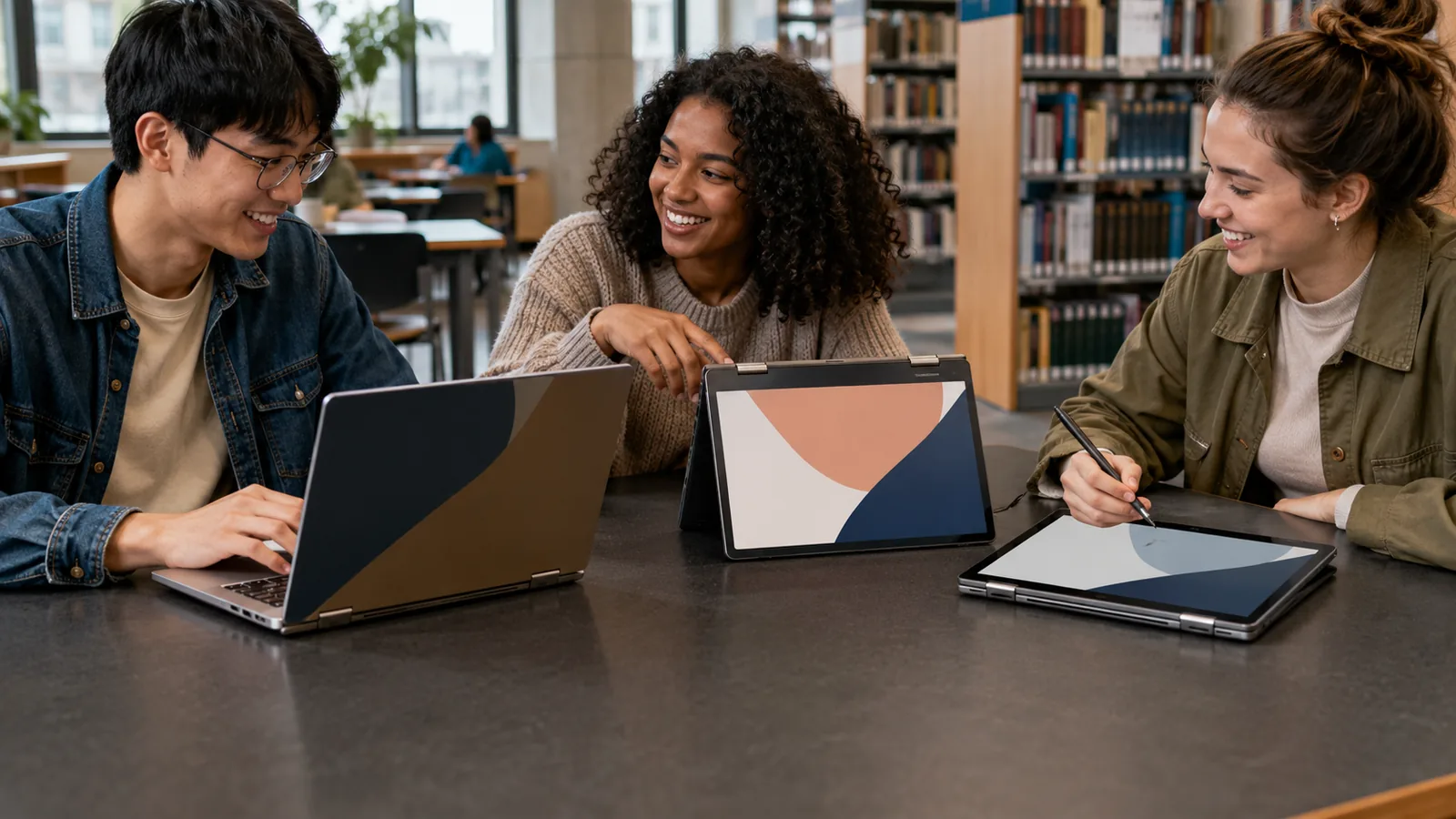
Convertible laptops like the Lenovo Yoga 7i exemplify how a 360° hinge enables seamless transitions between laptop, tent, and tablet modesnotesforshs.com. This versatility lets students use the same device for note-taking, sketching, watching lectures, or traditional typing. For example, in tablet mode with a stylus, students can jot down handwritten notes during class; then flip it back into laptop mode to write essays or browse the webmicrosoft.com. According to Microsoft, 2-in-1s “provide extra flexibility that makes [studying] a breeze,” since they combine the power of a full PC with the convenience of a tabletmicrosoft.comhp.com.
Convertible designs address many student needs. They support touch and pen input, making interactive learning easierhp.commicrosoft.com. They tend to be lightweight and portable (often under 4 lbs), crucial for lugging between classeshp.comnotesforshs.com. Many 2-in-1s also boast long battery life – HP notes that they “typically offer superior battery life compared to traditional laptops”hp.com – allowing students to study all day without recharging. And when properly chosen, these laptops deliver the performance of a standard notebook: modern 2-in-1s often include powerful Intel or AMD CPUs, ample RAM, and fast SSDsnotesforshs.com. In short, 2-in-1 laptops give students one device that can flexibly handle classes, projects, and entertainment.
Why 2-in-1 Laptops Are Ideal for Students
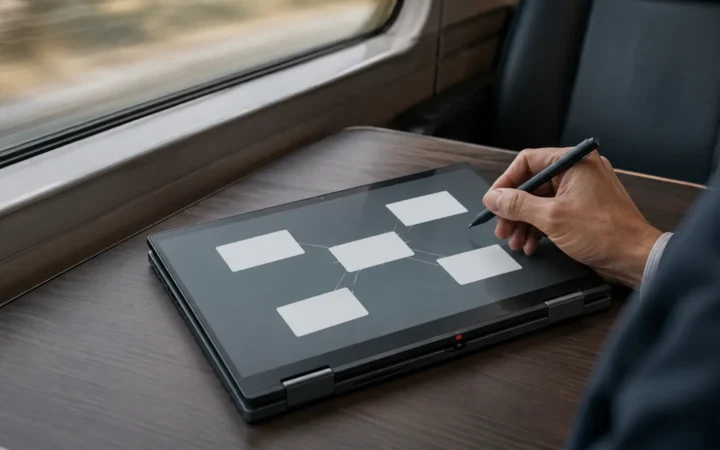
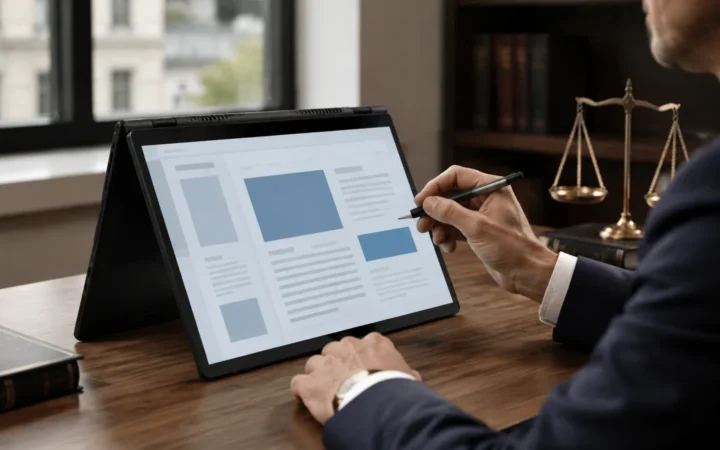
1. Versatility & Flexibility: A 2-in-1’s biggest advantage is its ability to switch modes. As HP explains, these devices are “particularly well-suited” for students who want “a single device for note-taking, research, and media consumption”hp.com. In practice, students can use a 2-in-1 in traditional clamshell mode for writing papers or coding, flip it into tent mode for group presentations, and fully detach or fold it into tablet mode for reading e-textbooks or taking handwritten notes. This adaptability means one device can serve multiple purposes, replacing both laptop and tablet. For example, Microsoft notes that in tablet mode a student can “jot down notes… with a stylus pen before using the removable keyboard to type up a research paper”microsoft.com.
2. Portability: Students are constantly on the move – between home, classrooms, libraries, and cafeterias. 2-in-1 laptops are typically designed to be ultralight and slim. The HP Tech Takes blog notes “most 2-in-1 laptops weigh less than 4 lbs,” making them easy to carry in a backpackhp.com. The Dell XPS 13, while not convertible, is an example of extreme portability: at just ~2.6 lbs, it “fits the bill” for students who prize weight and batterynotesforshs.com. Many 2-in-1 models use lightweight aluminum or carbon-fiber materials to cut weight without compromising build quality. Portable 2-in-1s like the Lenovo Yoga 7i (around 3.2 lbs for the 14-inch)notesforshs.com or the Microsoft Surface Pro 9 (about 1.7 lbs tablet alone) give students the freedom to study anywhere.
3. Long Battery Life: A full day of classes demands a laptop that can last through lectures and study sessions. Fortunately, 2-in-1 laptops often prioritize energy efficiency. HP reports that 2-in-1s “offer superior battery life… you can work, study, or enjoy entertainment from morning to night without constantly searching for a power outlet”hp.com. In real-world tests, some convertibles exceed 8–10 hours easily. For instance, the Yoga 7i can deliver roughly 10 hours of typical use on its 71Wh batterynotesforshs.com. LaptopMag’s test of the Asus Vivobook 16 Flip found it provided “a full work day’s worth of battery life and then some”laptopmag.com. When shopping, students should aim for at least 8–10 hours of official battery life, and ideally see real-world tests confirming all-day usage. Longer battery life means no mid-class charging stress.
4. Productivity & Learning Features: Many 2-in-1 laptops include student-friendly features. Touchscreens and stylus support make them perfect for interactive textbooks and math/chemistry problem solving (writing equations by hand). Schools have reported that tablets alone can’t handle certain tasks, but 2-in-1s fill the gap. EdTech Magazine highlights schools using convertibles because “students use [them] to both consume and create content,” thanks to built-in stylus and apps like OneNoteedtechmagazine.com. Additionally, some 2-in-1s come with detachable keyboards, mini HDMI ports for projectors, and UEFI security (like Windows Hello facial login) for safe online learning. Keyboards on many models are backlit and ergonomic, useful for late-night studying. In short, 2-in-1s blend the best of tablets and laptops, suiting varied academic tasks.
5. Cost-Effectiveness: At first glance, buying one device instead of two (a laptop plus a tablet) can save money. HP notes that 2-in-1s can be “excellent value for budget-conscious consumers,” since they combine laptop and tablet in onehp.com. Students can invest in one good convertible and skip buying a separate tablet (and its accessories). Over the long term, a durable 2-in-1 with warranty can be a one-and-done purchase. That said, high-end convertibles (like the HP Spectre x360 or Surface Pro) can be pricey. Mid-range models often use mid-tier CPUs (like Intel Core i3/i5 or AMD Ryzen 3/5) to hit sweet spots of cost vs. performance. Budget 2-in-1s, like certain IdeaPad or Pavilion x360 models, show that convertible flexibility is within reach even under $600. (For example, a Lenovo IdeaPad Flex 5i Chromebook or an HP Pavilion x360 can be surprisingly affordablenotesforshs.comhp.com.) Balancing budget with needed features is key.
Key Features to Look for in Student 2-in-1 Laptops
Choosing the best 2-in-1 laptop involves assessing specific hardware and design aspects. Here are the critical factors students should consider:
- Convertible Mechanism: There are two main 2-in-1 types: convertibles (screen rotates on a 360° hinge) and detachables (screen fully detaches from keyboard). Convertibles (e.g. Lenovo Yoga or HP Spectre x360) tend to be sturdier and more compact, whereas detachables (e.g. Surface Pro) can be lighter tablets on their own. Decide which style you prefer. Convertibles offer multiple modes (laptop, tent, tablet), while detachables can be slim tablets with optional keyboard. Both give flexibility; HP notes that most have “multiple modes for ultimate flexibility” like tent and reverse modeshp.com.
- Build and Durability: Students need rugged builds that survive being hauled around. Look for metal chassis (aluminum or magnesium) rather than cheap plastic. Some 2-in-1s even meet military durability standards (MIL-STD-810H) like certain Dell Latitude or Lenovo ThinkPad models. Reinforced corners and spill-resistant keyboards help too. (For fieldwork or heavy lab use, rugged series like Dell’s are available, although they’re often bulkynotesforshs.com.) At minimum, pick a well-reviewed model known for solid construction.
- Display Quality: A crisp, responsive touchscreen is at the heart of a good 2-in-1. Ideally, the screen should be Full HD (1920×1080) or higher. Many premium 2-in-1s now offer 4K (UHD) or high-end OLED panels, which yield vivid colors and sharp text – great for design or video projectsnotesforshs.comlaptopmag.com. Look for at least 250–300 nits brightness so it’s usable in bright classrooms or outdoors. Anti-glare coatings reduce eye strain. A 16:10 aspect ratio can give extra vertical space (useful for writing and coding). If possible, choose a model with good color accuracy (important for art/design classes).
- Performance: While most students won’t need a gaming rig, the CPU and RAM still matter. For everyday tasks (web, Office, streaming), a current Intel Core i5 or AMD Ryzen 5 is generally sufficientnotesforshs.comhp.com. If you plan on heavy video editing or virtualization, step up to a Core i7/Ryzen 7. At a minimum, 8GB of RAM is recommended; 16GB is ideal for future-proofing, especially if you run many apps at once (browser tabs, research papers, video chat). All storage should be SSD for fast boot/load times – look for at least 256GB SSD (512GB+ better if you handle large media files)notesforshs.comnotesforshs.com. Wireless connectivity (Wi-Fi 6/6E, Bluetooth 5.x) is essential for modern school networks.
- Battery Life: Aim for at least 8–10 hours of battery under normal use. HP notes 2-in-1s often last “from morning to night”hp.com. Longer is even better – for example, the MacBook Air M1 achieves around 18 hoursnotesforshs.com. Understand that high-end 4K screens or gaming tasks will drain battery faster. Also check if the laptop supports fast charging, which can top up a quick class break.
- Keyboard & Pen Support: A comfortable, backlit keyboard (with good key travel) is crucial for writing essays and coding. The trackpad should be spacious and responsive. Many convertibles include an active pen (stylus) for drawing and note-taking; if not included, ensure stylus support (Wacom AES, Microsoft Pen Protocol, etc.). This feature is very valuable for math, engineering, and design students. For example, Toshiba and Lenovo coaches report students benefiting from built-in styluses and note appsedtechmagazine.com.
- Weight & Size: Most 2-in-1s come in 11–16 inch sizes. Smaller (11–13″) models are very light but less screen space; larger (15–16″) give more room but weigh more. If mobility is key (e.g. busy schedule across campus), prioritize sub-4-lb laptops with ~13-14″ screensmicrosoft.comhp.com. If you do media editing or want the best display, a 15+″ device may be worth the extra ounces.
- Price & Warranty: Finally, consider your budget. Chromebooks (Chromium OS) also have convertible models (like Lenovo Flex 5i Chromebook) that can be much cheaper for basic tasks, but they run different software. If buying Windows or Mac, expect good convertibles to start around $600–800. Premium models (HP Spectre, Surface Pro, MacBook) can exceed $1000. Given this, it’s wise to look for student discounts or back-to-school deals. And always check warranty terms: a solid 1- or 2-year warranty and decent support can save headaches later.
Top 2-in-1 Laptops for Students in 2025
Here are some of the best convertible laptops that balance student-friendly features, performance, and value. Each has been selected based on reviews and real-world testinglaptopmag.comlaptopmag.com. We’ve highlighted models at different price points and strengths.
1. HP Spectre x360 (13″ or 14″) – Premium Convertible Powerhousenotesforshs.com

- Why we like it: The Spectre x360 is often cited as one of the most refined 2-in-1s. It has a sturdy 360° hinge and a sleek aluminum chassis. The 14″ model typically offers a 3K+ OLED touchscreen, delivering vibrant colors and sharp text – ideal for video or design classworknotesforshs.com. It uses high-end Intel Core i7 CPUs and usually 16GB RAM, so performance is strong. Battery life is excellent for its class, and it supports Thunderbolt 4 for fast data. Overall, it feels premium and versatile.
- Key specs: 12th/13th Gen Intel Core i7, 16–32GB RAM, 512GB–1TB SSD, 13.5″ or 14″ OLED touch, Windows 11.
- Pros: Convertible design for laptop/tablet use; beautiful OLED display; excellent build quality; very long battery lifenotesforshs.com.
- Cons: Higher price makes it a bigger investment; slightly heavier than some ultrabooks.
LaptopMag notes that the Spectre “serves as an excellent 2-in-1 device that can handle multitasking with ease,” thanks to its refined design and powernotesforshs.com. Who it’s for: Students who want top-tier performance and a stunning display for media projects, and who don’t mind the cost.
2. Lenovo Yoga 7i – Balanced Performance and Portabilitynotesforshs.com
- Why we like it: The Yoga 7i (2024/2025 models) is a well-rounded convertible offering strong value. It features a 360° hinge and a robust metal build. The typical 14″ version has a Full HD or 2K IPS touchscreen (16:10 ratio), Dolby Vision support, and a good keyboard. Performance is solid for everyday tasks – recent models use Intel Core Ultra (12th/13th Gen Core) processors with up to 16GB RAM, which handle multitasking and even light content creation. Battery life is also impressive: Lenovo quotes ~13 hours video playback (real ~10 hours)notesforshs.com. The Yoga’s approximately 3.2-lb weight makes it easy to carry aroundnotesforshs.com.
- Key specs: Intel Core i5/i7 (12th–13th Gen Core-U/H), 8–16GB RAM, 256GB–1TB SSD, 14″ 2K Touch (1920×1200) IPS, Windows 11.
- Pros: Very portable and thin; long battery life; convertible modes include useful tent/stand; includes Thunderbolt 4; often cheaper than the top premium models.
- Cons: Mid-tier graphics (Intel Iris Xe) means it’s not for heavy gaming; sound quality is good but not class-leading.
Our Lenovo Yoga 7i review notes its sleek all-aluminum design and 360° hinge that “cater[s] to various usage scenarios,” making it ideal for studentsnotesforshs.com. It also emphasizes the Yoga 7i’s versatility for students: “whether attending online classes, taking notes in tablet mode, or working on assignments, the device adapts to various academic needs”notesforshs.com. Who it’s for: Students who need a very portable, everyday laptop with the bonus of tablet mode – great for writing papers by day and streaming by night.
3. Microsoft Surface Pro 9 (or Surface Pro 8) – Tablet with Laptop Powermicrosoft.comnotesforshs.com
- Why we like it: Microsoft’s Surface Pro line is essentially a tablet at its core, but with full laptop horsepower when you attach the keyboard. The latest Surface Pro 9 uses Intel 12th Gen Core processors (Core i5/i7) and up to 32GB RAM, so it can handle demanding study software. It has a high-resolution 13″ 2K PixelSense touchscreen, exceptional color accuracy, and supports the Surface Pen for precise inking and drawing. At only ~1.95 lbs (tablet alone), it’s extremely portable. The Type Cover keyboard (sold separately) clicks on magnetically to turn it into a laptop-like device.freditech.com
- Key specs: Intel Core i5-1235U or i7-1255U, 8–32GB RAM, 128GB–1TB SSD, 13″ 2880×1920 touch display, Windows 11.
- Pros: Lightest tablet weight (~1.9 lbs); fantastic display and pen support; versatile kickstand for viewing angles; very clean Windows experience.
- Cons: Expensive (especially with keyboard pen); fewer ports (two USB-C/Thunderbolt only); entry-level configs only have 128GB storage by default (upgrade recommended).
Microsoft explicitly markets Surface Pro to students, noting it is made of “strong material, like magnesium alloy, to handle daily use”microsoft.com. The Surface Pro 9 combines “processor and battery life comparable to traditional laptops” in an ultra-light tablet formmicrosoft.com. Who it’s for: Students prioritizing maximum portability and pen-toting: perfect for note-taking, digital art classes, or architecture sketching. It essentially replaces an iPad (with keyboard) but runs full Windows apps.
4. Asus Vivobook Flip 14 – Great Budget 2-in-1 for Studentsnotesforshs.comlaptopmag.com
- Why we like it: The Vivobook Flip 14 is an affordable convertible that doesn’t skimp on features. It typically packs an Intel Core i3/i5 or AMD Ryzen 3/5 processor, 8GB RAM, and a 14″ Full HD touchscreen. The all-metal chassis feels premium for the price, and its 360° hinge allows easy switching to tablet mode. Battery life is usually rated around 8–10 hours in web use. Importantly, it often includes an active stylus in the box.
- Key specs: Intel Core i3/i5 or AMD Ryzen 3/5, 8–12GB RAM, 128GB–512GB SSD, 14″ FHD (1920×1080) touch IPS, Windows 11/Chrome OS (select models).
- Pros: Very budget-friendly (often $500–700); includes stylus; bright 14″ display; decently powerful for everyday apps.
- Cons: Build and screen quality are good but not as high-end as pricier models; speakers and webcam are average; not for heavy gaming or 4K editing.
Our Best VivoBook models guide highlights the Vivobook Flip 14’s versatility: “the ASUS VivoBook Flip 14 offers a unique 2-in-1 convertible design” with stylus support for note-takingnotesforshs.com. LaptopMag also praises the similar Vivobook 16 Flip for its “impressive performance” and “full work day’s worth of battery” at a great pricelaptopmag.com. Who it’s for: Budget-conscious students who want a real 2-in-1 experience with a touchscreen and pen, but don’t need extreme performance. Ideal for everyday tasks and classes.
5. Lenovo IdeaPad Flex 5i Chromebook (14″) – Value Convertible Chromebooklaptopmag.com
- Why we like it: This is a Chromebook option – meaning it runs Chrome OS instead of Windows. For many students who mainly use web apps and Google Classroom, a Chromebook is a great low-cost solution. The Flex 5i Chromebook Plus is a 2-in-1 with a 360° hinge and a 14″ Full HD touch display. It’s powered by Intel Core i3/i5 CPUs (or MediaTek in some regions) and comes with 8GB RAM. It’s fanless and very quiet. Since Chrome OS is lightweight, the battery life is excellent (often >10 hours). Plus, Chromebooks are generally cheaper; the Flex 5i often sells for well under $600.
- Key specs: Intel Core i3/i5 (11th Gen), 8GB RAM, 64–128GB eMMC/SSD, 14″ FHD touch, Chrome OS.
- Pros: Very affordable; intuitive Chrome OS; long battery life (LaptopMag notes it “may be what you’re looking for… last a whole work or school day”laptopmag.com); includes basic 2-in-1 features and a decent keyboard.
- Cons: Limited offline capability (best with internet); storage is small (cloud storage favored); less powerful for heavy apps; webcam is modest.
Lenovo’s Flex 5i Chromebook is explicitly mentioned by LaptopMag as a top budget 2-in-1, with “battery life that’ll last a whole work or school day” and a great keyboardlaptopmag.com. Who it’s for: Students who primarily use Google services or Linux apps, and who want a versatile touchscreen laptop at the lowest cost. If you don’t need Windows software, this can be a perfect lightweight companion.
6. Dell Latitude 7320 (2-in-1) – Business-Grade Convertible for Durability
- Why we like it: For students seeking an ultra-durable option, Dell’s Latitude 7000 series (the 7320 2-in-1) is top-tier. It’s built to military standards (MIL-STD-810G) for drop and spill resistance. It weighs around 3 lbs and has a premium magnesium chassis. Despite its toughness, it’s not bulkier than many consumer models. Specs include up to Intel Core i7-1185G7, 16GB RAM, and a 13.3″ touch display (WUXGA or 4K). Battery life can reach around 10 hours.
- Key specs: Intel 11th Gen Core i5/i7, 8–16GB RAM, 256GB–1TB SSD, 13.3″ FHD+ touch, Windows 11 Pro.
- Pros: Extremely durable; strong security features; comfortable keyboard; includes a stylus.
- Cons: Expensive; less flashy design; smaller screen size.
This laptop is overkill for most students, but science or engineering students who need durability (fieldwork, labs, outdoor class) will value it. Dell’s marketing notes it can survive “extreme conditions,” making it a solid investmentnotesforshs.com. Who it’s for: Students who need rugged reliability above all, and can afford a business-grade device (perhaps funded by projects or scholarship budgets).
How to Choose the Right 2-in-1 Laptop for Students
Making the final decision involves aligning a laptop’s features with your academic needs. Here’s a step-by-step guide to help you choose the best 2-in-1 laptop:
- Define Your Study Needs: List the applications and tasks you’ll use (writing papers, programming, digital art, video editing, etc.). If you need specialized software (CAD, MATLAB, Adobe Suite), ensure the laptop’s CPU/GPU can handle it. If you mainly use web apps and documents, a lower-spec model will suffice. Also decide if stylus support is essential (for art or STEM classes).
- Set a Realistic Budget: Determine how much you can spend. Entry-level 2-in-1s start around $500 (often Chromebook or Intel Core i3 models). Mid-range (Core i5/8GB RAM) run $600–$1000. Premium convertibles (OLED screens, Core i7, 16GB RAM) can exceed $1200. Remember to factor in accessories like a digital pen or protective case if needed. It’s worth watching for student discounts and seasonal sales (back-to-school) to stretch your budgetnotesforshs.com.
- Compare Key Features: Check the specs against your needs:
- Processor/RAM: Aim for at least Intel Core i5/AMD Ryzen 5 and 8GB RAM for fluid multitaskingnotesforshs.com. More RAM (16GB) is better for heavy use.
- Battery and Weight: Ensure at least 8 hours of battery life (some sources recommend 10+ for student usenotesforshs.com). Choose weight/size based on portability needs (lighter for frequent travelers).
- Screen: For note-taking and reading, 14″ or larger is easier on eyes. Touch and pen support is great for interactive work. Full HD is minimum; higher resolution for creative work.
- Ports: At least one USB-C (ideally Thunderbolt) and one USB-A. An HDMI or DisplayPort can be handy for external monitors/class connections.
- Keyboard: Backlit keys help when studying in dim libraries. Check online reviews (or in-store if possible) for key travel and touchpad comfort.
- Read Reviews and Ratings: Utilize tech review sites (CNET, PCMag, TechRadar, LaptopMag) to see expert opinions and benchmarks. For student life perspective, our site’s reviews (e.g. the Yoga 7i reviewnotesforshs.com, Dell XPS 13 reviewnotesforshs.com) can be helpful. LaptopMag and Rtings provide lab test results on battery and performance. Cross-check multiple reviews for real-world pros/cons. Also consult user reviews on retailer sites to catch any recurring issues.
- Test Before Buying: If possible, try the laptop in person. Check out models at a local store or from friends. Feel the weight, type on the keyboard, and flip between modes. Confirm that the touchscreen is responsive and the hinge feels solid. This step ensures the laptop matches your comfort and expectations.
- Check Warranty/Service: Finally, consider warranty length and after-sales support. Many student laptops come with 1-year standard warranties. Some brands offer extensions or accidental damage protection (useful for clumsy moments). Buying from reputable retailers or directly from manufacturers ensures good service.
Quick Checklist:
- Does it meet academic software requirements?
- Is the budget realistic for specs you’re getting?
- Are weight and battery life sufficient for your schedule?
- Does it have the necessary ports and security features?
- Have you read trusted reviews and tested it if possible?
By following these steps, you can confidently pick a 2-in-1 laptop that fits both your studies and lifestyle.
FAQs: 2-in-1 Laptops for Students
What exactly is a 2-in-1 laptop? How does it differ from a regular laptop?
A 2-in-1 laptop is a hybrid device that combines a laptop’s full operating system (like Windows or Chrome OS) with tablet-like features. It has a touchscreen and either a 360° hinge or a detachable keyboard. Unlike a regular clamshell laptop, a 2-in-1 can switch to tablet mode or tent mode for more flexible use. For example, you can fold the screen back to draw or present, then use it as a notebook again for typing. This flexibility is the core difference.
Why should students consider getting a 2-in-1 laptop?
2-in-1 laptops are great for students because they offer both productivity and portability. They enable handwritten note-taking directly on screen, easier sharing of presentations, and one device can handle both document work and reading e-books. Many classrooms now use interactive apps where touchscreen and stylus support are helpful. Plus, carrying one device instead of a separate tablet and laptop can save money and bag space.
Are 2-in-1 laptops more expensive than regular laptops?
They can be, but not always. High-end 2-in-1s are priced like premium ultrabooks, but there are budget-friendly convertibles too (including Chromebook 2-in-1s). Compare specs: a 2-in-1 with similar CPU/RAM/storage often costs about the same as a similarly equipped clamshell. The main price differences usually come from the touchscreen, hinge design, and build materials.
Can a 2-in-1 laptop replace a tablet for note-taking?
Yes—often. A 2-in-1 runs full desktop apps (unlike most tablets), so you can use tools like Microsoft Office, creative apps, or coding environments. With tablet mode and stylus support, you still get the natural writing and PDF annotation experience students want. In short, you get tablet convenience + PC power.
How should I prioritize features when buying a 2-in-1 laptop for school?
Prioritize performance and battery first, then portability. Aim for at least a Core i5/Ryzen 5 (or equivalent) and 8GB+ RAM (16GB is ideal for heavier coursework). Look for 8–10+ hours of real-world battery life, a comfortable keyboard, and enough ports. If you’ll draw diagrams or write math, prioritize stylus support and a high-quality touchscreen.
Which 2-in-1 laptop is best for college students on a budget?
Budget-friendly 2-in-1 options often include midrange Windows convertibles and Chromebook 2-in-1s. The best pick depends on your workload: Chromebooks are great for Google-based schoolwork, while Windows models are safer if you need specialized apps. Whatever you choose, get at least 8GB RAM and an SSD for smooth performance.
Are there downsides to 2-in-1 laptops?
The trade-offs can include higher prices for premium models, fewer ports on thin convertibles, and slightly more weight than a traditional laptop (especially in tablet mode). Some detachables can feel cramped for long typing sessions compared to a full clamshell keyboard. Still, for many students, the flexibility outweighs these drawbacks.
How do I care for a 2-in-1 laptop?
Use a padded sleeve or protective case, clean the touchscreen with a microfiber cloth, and switch modes gently to protect the hinge. Avoid placing heavy pressure on the screen in tablet mode, and keep liquids away. For detachables, handle the keyboard connectors carefully.