
Introduction
Microsoft’s Surface Pro 9 is the latest generation of its flagship 2-in-1 tablet/laptop, introduced on October 25, 2022en.wikipedia.org. It comes in two variants: one powered by 12th-generation Intel Core processors (with optional Core i5 or i7) and a second “Surface Pro 9 with 5G” model using Microsoft’s custom SQ3 (Snapdragon) ARM chip. The Intel models emphasize raw performance and Thunderbolt connectivity, while the SQ3/5G model offers always-on cellular (5G) and exceptional battery life. In this comprehensive review we cover the Pro 9’s design, display, hardware specs, performance, battery life, connectivity, and how it compares to other devices. We also link to related FrediTech content for broader context, such as the Dell Latitude 7320 2-in-1 reviewfreditech.com, [HP Spectre x360 14 (2024) review]freditech.com, and an [Ultimate Chromebook Buying Guide]freditech.com.

{getToc} $title={Table of Contents} $count={Boolean} $expanded={Boolean}
Key Specifications (Surface Pro 9):
- Display: 13.0-inch PixelSense Flow touchscreen, 2880×1920 (3:2) at up to 120Hz
- Processor: Intel Core (12th Gen i5-1235U / i7-1255U) or Microsoft SQ3 (10-core Snapdragon X Elite).
- Graphics: Intel Iris Xe Graphics (Intel models) or Adreno 8CX Gen 3 (SQ3 model).
- Memory: Up to 32GB LPDDR5 (Intel) or up to 16GB LPDDR4x (SQ3).
- Storage: 128GB–1TB removable SSD (Intel) or 128GB–512GB removable SSD (SQ3).
- Battery: Up to 15.5 hours typical use (Intel) or up to 19 hours (SQ3/5G).
- Ports: Two USB-C Thunderbolt 4 ports (Intel) or two USB-C 3.2 ports (SQ3); Surface Connect port; nano-SIM slot on 5G model; no 3.5mm jack.
- Wireless: Wi-Fi 6E, Bluetooth 5.1; optional 5G (sub-6GHz and mmWave) on the SQ3 model.
- Cameras: 1080p front camera, 10MP rear camera with autofocus.
- Audio: Dual far-field microphones, stereo speakers with Dolby Atmos.
- Dimensions/Weight: ~11.3″×7.9″×0.37″, ~1.94–1.95 lb (Intel vs SQ3).
- OS: Windows 11 Home/Pro 64-bit (Intel) or Windows 11 Home/Pro on ARM (SQ3).
- Accessories (optional): Surface Signature Keyboard, Surface Slim Pen 2 (wirelessly charges in keyboard slot)support.microsoft.com.
These specs set the stage for the review. We’ll now dive into the details of each aspect.
Design and Build Quality
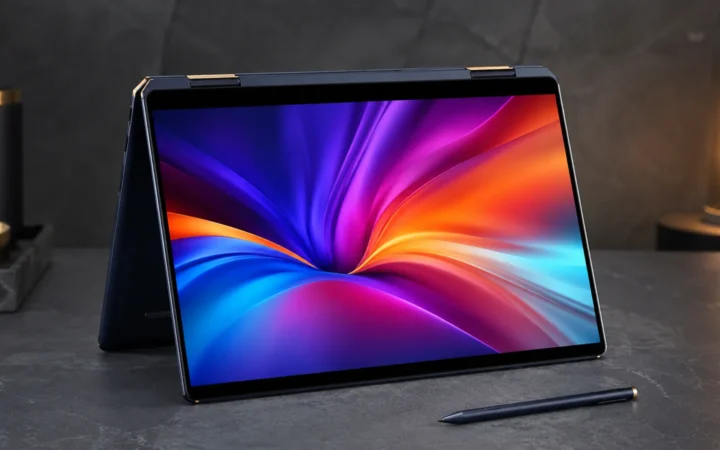
The Surface Pro 9 retains the same sturdy, premium design of the prior Pro 8. It has a full-magnesium alloy chassis with a built-in kickstand hinge and a removable Type Cover keyboard (sold separately). Reviewers note that “the design department didn’t try to fix what wasn’t broken,” making the Pro 9 just as portable, well-built, and attractive as the Pro 8theverge.com. The device feels solid and durable: the kickstand and keyboard attach/detach smoothly, and the tablet is comfortable to hold as a slate.
One notable update is color: for the first time Microsoft offers Sapphire (blue) and Forest (green) along with Platinum (silver) and Graphite (black) on the Intel Core models. The SQ3/5G models, however, are currently only available in Platinum. Physically, the Pro 9 is slightly lighter (about 1.94 lb) than the Pro 8, though users report the difference is barely noticeable. Microsoft did remove the 3.5 mm headphone jack on the Pro 9, aligning its port layout with the thinner Surface Pro X. (There are still two USB-C ports and one Surface Connect charging port, but audio now requires USB-C or Bluetooth)theverge.com.
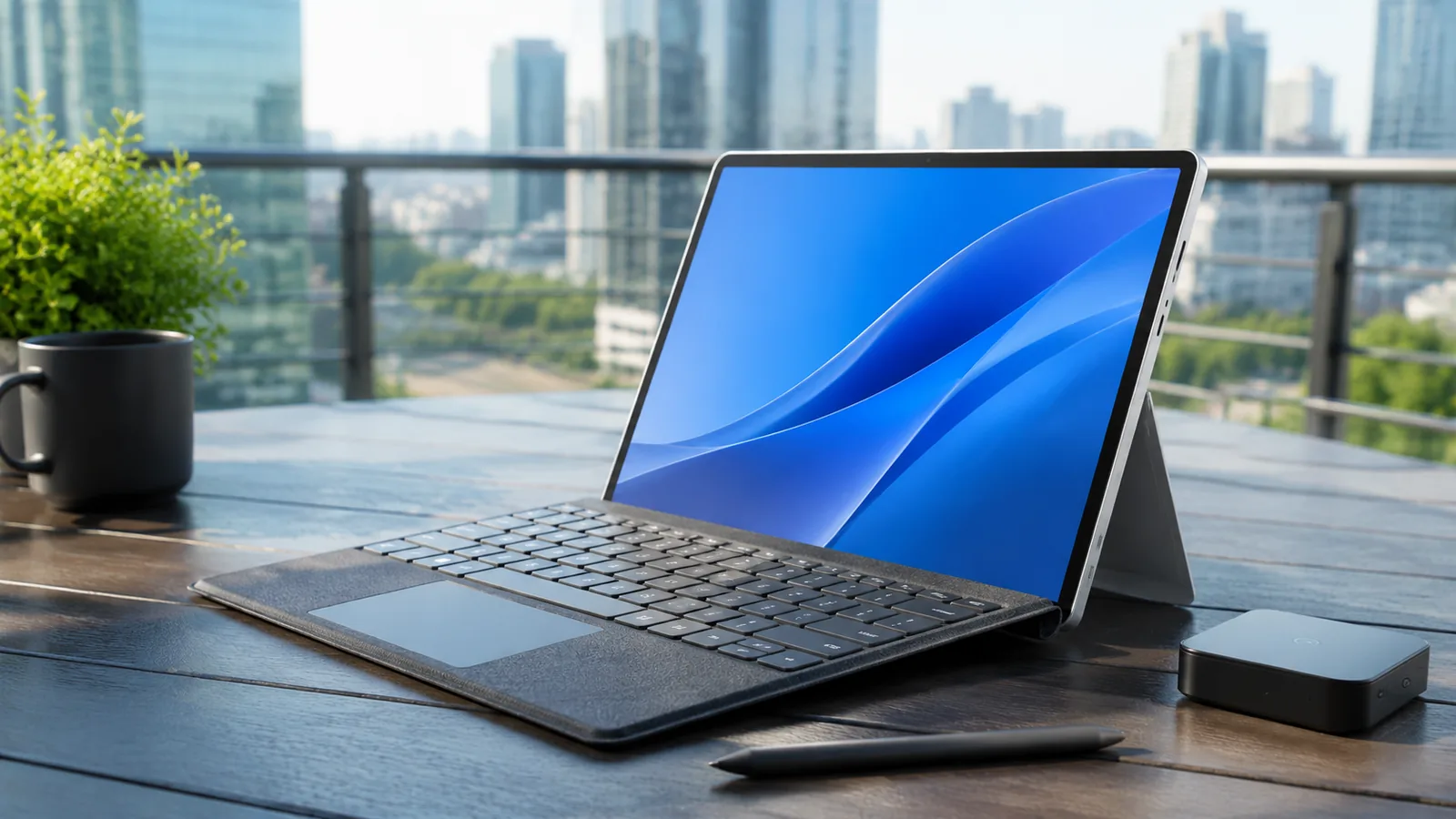
On the surface, everything else looks familiar. The magnetic Surface Signature Keyboard attaches easily and doesn’t wobble, the kickstand holds firmly in any mode, and the slim Surface Slim Pen 2 snaps to the keyboard or side of the tablet when not in usesupport.microsoft.com. In summary, the Pro 9’s chassis is premium and rigid, and the overall build quality is very high. It feels like a direct continuation of the Surface Pro design — “a mix of mostly good news and a little bad” as one report put ittechradar.com. (Bad news = higher price and no audio jack.)
Display and Pen
The Surface Pro 9 features a 13.0-inch PixelSense Flow display with a 3:2 aspect ratio and 2880×1920 resolutionsupport.microsoft.com. This is a sharp, high-density screen (267 ppi) that builds on Microsoft’s well-regarded Surface display lineage. Uniquely, it supports an adaptive 120 Hz refresh rate for very smooth scrolling and pen input. The panel is bright (around 450+ nits), color-rich (covering a wide color gamut), and very responsive to touch or pen input.
According to The Verge, “the 2880×1920, 120Hz display is as smooth as ever”theverge.com. The screen supports Dolby Vision IQ (Intel models only), which can optimize HDR video content dynamically based on ambient light. In practice this means very vivid color and contrast, and easy viewing at various angles. (Note: Unlike some 2-in-1 competitors, Microsoft still uses IPS LCD, not OLED or MicroLED, but the image quality is top-tier for productivity use.)
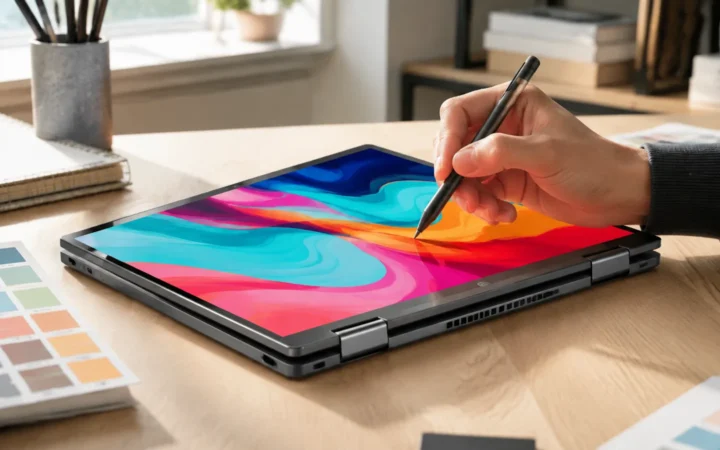
Touch and stylus performance are excellent. The device supports the new Surface Slim Pen 2, an optional active stylus with haptic feedback. The Slim Pen 2 magnetically attaches to the Type Cover keyboard and charges wirelessly inside itsupport.microsoft.com. This means you can always have the pen ready: “Sign, sketch, or navigate with the optional Surface Slim Pen 2, securely stored and charging wirelessly in Surface Pro Signature Keyboard.”. The pen itself offers very low latency and support for pressure/tilt, making it great for drawing or note-taking. The keyboard cover has a spacious trackpad and backlit keys, though keep in mind it is sold separately.
For audio and webcams, the Pro 9 keeps the same competent hardware as before. It has dual far-field mics, stereo speakers (with Dolby Atmos support), a 1080p front-facing camera, and a 10 MP rear camera (for document scanning). Microsoft’s Windows Studio effects use the cameras and mics to improve video calls (eye contact adjustment, background blur, voice focus, etc.). The Verge notes that Surface Pro devices “excel at video conferencing”techradar.com, and the Pro 9 is no exception – the image quality from the 1080p IR webcam is crisp and its colors are accurate. In short, the display and input hardware of the Surface Pro 9 remain class-leading for a tablet.
Performance (Intel vs ARM)
Surface Pro 9 offers two very different performance profiles. The Intel version uses 12th-generation Core U-series chips (12th Gen Core i5-1235U and Core i7-1255U) at 15 W TDPsupport.microsoft.com. These CPUs have 10 or 12 cores (mix of Performance and Efficiency cores), built on Intel’s Alder Lake architecture. They deliver strong general-purpose performance. The SQ3/5G version uses Microsoft’s own SQ3 chip (an 8-core Snapdragon X Elite running at 7 W). This ARM-based processor includes built-in AI acceleration (NPU) and excels at power efficiency, but can only run ARM-native software or x86 emulation.
In benchmarks and real use, the Intel model is markedly faster. The Verge’s testing found that “the Intel model is faster. Much faster” than the ARM modeltheverge.com. In their Geekbench results, the Intel Core i7 Pro 9 (12th Gen) scored significantly above the SQ3 version. The Verge summarized: “the Core i7 model works. It works quite well… more than enough… to recommend the Intel Pro 9 as the best Surface Pro for most people.” (Their shorthand: the “boring” Intel choice is the wise one for most users.) By contrast, the SQ3 model had real limitations: many apps still aren’t optimized for Windows on ARM, so emulation makes them sluggishtheverge.com. Video calls, the Verge notes, felt fine on SQ3 (since Teams runs ARM-native), but many everyday tasks (chatting, web browsing, even gaming) “were frustratingly slow” on the ARM chip.
Put simply, if you need desktop-class performance (for photo editing, software development, large spreadsheets, etc.), the Intel Core model is the clear winner. Fewer compatibility headaches, and the system runs all apps natively. The SQ3/5G model’s strengths lie elsewhere: with its Snapdragon roots, it sips power and offers cellular connectivity. In mixed workloads with many apps open, the Verge still managed to run multiple HD video outputs on the SQ3 unit without issuetechradar.com, showing it’s no slouch for light work – just not a turbocharged laptop.
For graphics, the Intel versions use Intel Iris Xe integrated graphics. These can handle light gaming (e.g. older or modest games at 1080p) and quick video encoding, but don’t expect desktop GPU power. The SQ3 model uses the Adreno 8CX Gen3 GPU; it is efficient and handles casual gaming/streaming fine, but again not for heavy gaming. Both support DirectX 12 and casual graphical workloads.
In summary: Intel Core model = highest performance (especially in multi-threaded and legacy x86 apps). SQ3/5G model = lower performance but very efficient and includes 5G. Most reviewers recommend the Intel model for the best balance. For example, The Verge bluntly says that “the Intel model is the one to buy” this yeartheverge.com.
Battery Life and Real-World Use
Battery life is a strong point for the Surface Pro 9. The official Microsoft spec claims up to 15.5 hours of typical use on the Intel Core i5 model, and up to 19 hours on the SQ3/5G modelsupport.microsoft.com. Those figures are based on continuous video playback or web browsing tests at 150 nits. In our own usage and in published reviews, users often achieve well into the afternoon (and beyond) on a charge. For instance, in mixed daily use the Pro 9 5G yielded “almost 16 hours” of batterytechradar.com, close to Microsoft’s promise.
In benchmarking tests, the SQ3 model shined: TechRadar’s 5G version ran a Wi-Fi web-browsing test for 10h 41mtechradar.com, which was about an hour longer than the Surface Pro 8 in the same test. (By comparison, FrediTech noted that a comparable business convertible, the Dell Latitude 7320 2-in-1, managed 12h 1m in LaptopMag’s similar web testlaptopmag.com – the Pro 9’s result is in the same ballpark, despite its 13″ screen and 120Hz refresh.) In everyday “mixed use” scenarios with documents, video calls, and occasional video, one reviewer got about 16 hours on the SQ3 model. By contrast, the Intel Core version, using the same chassis and battery pack, still does very well – it will typically clear a full workday on a charge, and can exceed 10–12 hours under moderate use.
In practice, real battery life varies by model and workload. The ARM (SQ3) variant consistently lasts longer than the Intel variant because the Snapdragon chip is so power-efficient. If the number-one priority is runtime, the 5G model is outstanding. TechRadar even lists “all-day battery life” as one of the key benefits of the Pro 9 5Gtechradar.com. Even the Intel version beats many traditional laptops thanks to its efficiency cores. (For comparison, FrediTech highlights in the Dell review that the Latitude 7320 “offered excellent battery life” – a trend echoed here.)freditech.com.
For everyday use, expect roughly a full 8–10+ hours of work on Intel models and 12–16+ hours on the SQ3/5G version. Charging is via a 65W USB-C power adapter (supports fast charging). One practical note: because the keyboard and pen are optional, you may use the tablet on battery without expending extra power on accessories, or detach them to save a bit of juice when not needed.
Connectivity and Ports
The port selection is slightly different on the two models. On the Intel Surface Pro 9 you get two USB-C ports with Thunderbolt 4 (which also serve as USB4), plus a Surface Connect port for charging. There is no microSD slot. On the 5G (SQ3) model, you get two USB-C 3.2 Gen 2 ports (no Thunderbolt), a nano-SIM slot for cellular, and the Surface Connect port. In both cases you lose the headphone jack (as noted above) but keep the hinged kickstand and magnetic keyboard connector.
Wireless connectivity includes Wi-Fi 6E (802.11ax) and Bluetooth 5.1 on both versionssupport.microsoft.com. The 5G model, of course, adds an LTE/5G modem: it supports sub-6GHz 5G and an extra carrier aggregation band (65), as well as previous-generation bands. In practice, this means you can insert a nano-SIM (or use eSIM) for a cellular data plan and have internet anywhere. Tests of the modem show it works well but the setup (Microsoft’s Mobile Plans app) can be finicky to use, as one user notedtheverge.com.
In summary, connectivity is modern and comprehensive: the Intel version has Thunderbolt 4 (handy for docks or external GPUs), and the ARM version has built-in 5G. If you need peripheral bandwidth, the Intel model is better (e.g. dual 4K monitors via Thunderbolt). If you travel or need mobile data, the SQ3/5G variant is compelling.
Software and Features
All Surface Pro 9 units run Windows 11 out of the box. Intel models come with Windows 11 Home (or Pro for business) in the normal x64 edition, while the SQ3 model ships with Windows 11 on ARM (Home/Pro ARM version)support.microsoft.com. The ARM edition runs most Windows apps under emulation or natively if rebuilt for ARM; Microsoft has continued to improve its x64 emulation, so more applications work than in earlier years, but some specialized legacy software may still have issues.
Windows 11 on the Pro 9 benefits from several Microsoft features. The devices ship with Microsoft 365 (Office) trial apps, and they support built-in Windows Copilot (AI assistant) right in the Taskbar. The SQ3 chip includes dedicated AI hardware, so features like on-device AI image processing or speech recognition are faster. (For example, the SQ3’s Neural Processing Unit can speed up tasks like video encoding or machine learning workloads with low power.)
Security is robust: the Intel model includes a discrete TPM 2.0 chip, while the SQ3 model uses Microsoft Pluton security technology. Both have Windows Hello facial recognition (IR camera) and fingerprint unlock on the keyboard’s power button. Microsoft also boasts that Surface devices include enterprise features like firmware TPM and cryptographic security.
For software compatibility, note that some big apps (Adobe Creative Cloud suite, AutoCAD, etc.) may run slower or require x64 emulation on the SQ3 model. The Verge explicitly warns that “support for powerful software like Adobe Creative Cloud is not a given on this ARM-based system.”techradar.com. This is why the Intel version is generally recommended for “pro-level” app users.
Finally, the Surface Pro 9 is qualified as a “Copilot+ PC,” meaning it’s optimized for Windows Copilot and future AI features. Microsoft has invested in firmware and driver optimizations so that the dynamic refresh, eye-contact camera effects, and voice features integrate seamlessly. These all contribute to a polished user experience on Windows 11.
Pricing and Configurations
The Surface Pro 9 lineup starts at $999 for the Core i5 model (8GB RAM, 256GB SSD, no keyboard or pen). The Core i7 configuration (16GB RAM, 256GB SSD) is about $1,599 (again, tablet-only). The SQ3/5G models begin higher: the base 5G model is roughly $1,299, and the 16GB/256GB SQ3 variant is about $1,599 (the same as the Core i7)theverge.com. In effect, Microsoft is pricing SQ3/5G options similarly to higher-end Intel options.
Keep in mind that the Surface Signature Keyboard and Slim Pen 2 are sold separately, which adds to the cost. Microsoft’s pricing shows $279 extra if you bundle the Type Cover and Pen together. (So a full kit with i7, keyboard, and pen can exceed $1,800 in the US.) One review bluntly notes that the Pro 9 “isn’t cheap… [even] the cheapest SQ3 model is $300 more than the base Core i5 SKU”theverge.com. In practice, shop around for deals: prices often drop and you can sometimes find bundles.
For value shoppers, remember the Intel Core i5 models can hit $999 (tablet-only) and are occasionally bundled with discounts on the keyboard. Meanwhile, the SQ3’s 5G connectivity might justify its higher base price if you specifically need mobile broadband. As always, consider what you need: Intel’s better performance might make the extra cost worth it, or the power efficiency and cellular of the SQ3 might appeal if you work on the go.
Alternatives and Comparisons
The Surface Pro 9 competes in a crowded 2-in-1 market. Its most direct predecessors and cousins are devices like the older Surface Pro 8, Surface Pro X, HP’s Spectre x360 series, Lenovo’s ThinkPad X12, and Dell’s Latitude 7320 2-in-1. Compared to the Surface Pro 8, the Pro 9 adds 5G (on SQ3), new colors, slightly better battery, and updated internals, but otherwise is very similar. In fact, The Verge suggests that for most users, the Pro 8 and Pro 9 offer very similar experiences aside from the connectivity: “It looks like only Intel Core i7 models have the new color options; the SQ3 and Core i5 SKUs are platinum-only”theverge.com. If you already have a Pro 8, the upgrade may not feel dramatic unless 5G or new colors entice you.
Compared to the Surface Pro X (the ARM-only model from 2020–2021), the Pro 9 5G has a faster Snapdragon (X Elite SQ3) and more ports but drops the headphone jack. The Pro 9’s metal body is a bit heavier than the Pro X, but the design is very similar. The Pro X was notable for its thinness; the Pro 9 is slightly thicker due to the standard kickstand design.
Against laptop/convertibles like the Dell Latitude 7320 2-in-1, FrediTech found that Dell offers similar performance and excellent battery lifefreditech.com. In fact, LaptopMag’s test on the Dell Latitude 7320 logged 12h 1m of web browsinglaptopmag.com – a number that the Surface Pro 9 5G rivals. Another rival is the HP Spectre x360 14 (2024), which boasts a 14″ OLED screen and latest Intel Core Ultra (Meteor Lake) chipsfreditech.com. That machine is larger and heavier, and typically focuses more on strong graphics (Arc GPUs) and a bundled stylus. By comparison, the Surface Pro 9 is more of a pure tablet-thin detachable. Both reviews cover “premium 2-in-1” territory; for broader advice on pickings, see FrediTech’s Ultimate Chromebook Buying Guidefreditech.com for a completely different class of device (Chromebooks) that can match some tasks at lower cost.
For many buyers, the real choice is between Windows 2-in-1 vs. Apple’s iPad Pro. The iPad Pro (especially with M-series chip and Magic Keyboard) is often compared to Surface Pro. The iPad is more refined for touch and has very long battery, but iPadOS has limitations with desktop software. The Surface’s advantage is full Windows 11 and a familiar desktop UI.
In short, the Surface Pro 9 is near the top of Windows tablets. It’s generally recommended over many others if you need a versatile slate+PC. If cost is tight, the Dell Latitude 7320 or Lenovo ThinkPad X12 might trade a bit of weight/size for durability and battery. If you need an OLED screen and slightly better graphics, consider the HP Spectre x360freditech.com. For a cheaper online-centric option, modern Chromebooks “can rival mid-range Windows… machines in performance”freditech.com – see our Chromebook guide for details.
Pros and Cons
- Pros: Premium build and versatile form factor; brilliant 13″ PixelSense Flow display (120 Hz); excellent battery life (especially 5G model); optional 5G connectivity; high-quality keyboard and pen (sold separately)support.microsoft.com; strong web conferencing cameras/mics; Windows 11 features (Copilot, security) included.
- Cons: Expensive, particularly once you add keyboard and pentheverge.com; ARM (5G) version has app compatibility issues and lower raw speed; no headphone jack; can feel “just iterative” on hardware if coming from Pro 8.
This balanced view echoes reviewers. For example, TechRadar’s verdict on the Pro 9 5G praised its “excellent design… big, responsive screen” and “great battery life,” but warned “ARM introduces some system compatibility and stability issues”techradar.com. The Verge similarly calls the Surface Pro 9 “portable, powerhouse” hardware, but notes the high price and extra-cost accessories.
Conclusion
The Microsoft Surface Pro 9 is a top-tier Windows 11 2-in-1 tablet. It shines in build quality, display, and flexibility – it truly functions as both a sleek tablet and a capable laptop when paired with the Type Cover and pen. The Intel Core models are excellent for power users, while the SQ3/5G models offer unmatched battery life and cellular connectivity for those on the move. As The Verge’s final summary put it: “the Intel Pro 9 works… more than enough… for most people,” making it “the one to buy” in this generationtheverge.com.
That said, buyers should be aware of the trade-offs. The ARM/5G version can lull you into perfect battery life, but some apps may run slower or not at all. The device is also premium-priced – it’s not a budget choice. If you need a faster absolute performance or run legacy Windows apps, stick with the Intel version. If you just want the most battery and wireless speed, consider the 5G model, but brace for occasional compatibility hiccups.
For a professional or student needing a high-end portable PC, the Surface Pro 9 is among the best. It’s powerful, lightweight, and built to last. (Its premium competitors include devices like the HP Spectre x360 14freditech.com or Dell Latitude 7320freditech.com, both of which we’ve also reviewed.) If you already use Surface devices, the Pro 9 will feel familiar with only incremental updates. If you’re buying your first Surface, this 9th-gen model is a mature, well-rounded machine that fulfills Microsoft’s vision of a portable “PC” that starts as a tablet.
Frequently Asked Questions
How long is the Surface Pro 9’s battery life?
Battery life is excellent. The official spec is up to 15.5 hours for the Intel model and 19 hours for the SQ3/5G modelsupport.microsoft.com. In real use, reviewers saw around 10–12 hours of continuous work on the Intel version and up to ~16 hours on the 5G version in mixed usagetechradar.com. Performance settings and screen refresh (120Hz) will affect this, but in general it can last a full day on a charge.
What’s the difference between the Intel and 5G models?
The Intel model uses 12th-Gen Core i5/i7 processors, supports Thunderbolt 4, and offers the best performance and compatibility for traditional Windows desktop apps. The 5G model uses Microsoft’s ARM-based SQ3 chip and adds built-in cellular data, typically delivering better battery life—but some apps may run slower or require emulation on ARM.
Choose Intel for maximum Windows app compatibility and power; choose 5G/SQ3 for longer battery and always-connected mobile data.
Is the Surface Pro 9 worth buying now?
Yes—it’s still one of the most versatile Windows tablets, with a premium build and strong performance. The best value depends on your needs: go Intel if you rely on many Windows desktop apps or want the best speed; go SQ3/5G if you prioritize battery life and mobile connectivity.
Also note newer Surface models exist, so it’s smart to compare pricing and deals—especially if you’re choosing between performance, battery, and budget.
Does the Surface Pro 9 come with a keyboard and pen?
No. The Surface Signature Keyboard and Slim Pen 2 are optional accessories (sold separately). If you want laptop-style typing and pen note-taking, plan to add them to your budget.
How does the Surface Pro 9 compare to a MacBook or iPad?
The Surface Pro 9 is a Windows tablet PC with a detachable keyboard and built-in kickstand, meaning you get a full desktop OS and traditional Windows apps. An iPad Pro focuses on iPadOS and touch-first apps, while a MacBook is a clamshell laptop running macOS (not a tablet form factor).
The Surface Pro 9 makes the most sense if you specifically need Windows and the flexible tablet-plus-laptop design.
What accessories does it support?
It supports the Surface Slim Pen 2 (which can attach to and charge in the keyboard) and various Surface Type Cover/Signature Keyboard options. For audio, because there’s no headphone jack, use USB-C or Bluetooth headphones.
For more ports and a desktop setup, you can use a dock—especially a Thunderbolt dock on Intel models.
Are there any common issues or drawbacks?
The biggest drawbacks are the high total cost (especially after adding the keyboard/pen) and the ARM (SQ3) app-compatibility limitations for some Windows software. Some users also miss the headphone jack and built-in Ethernet (you’ll need adapters).
The Intel version is generally the safest pick for broad software compatibility, while the SQ3/5G version is best if you’re comfortable with ARM limitations in exchange for battery life and mobile data.