
The Apple MacBook lineup has two main contenders: the thin, light MacBook Air and the more powerful MacBook Pro. Both use Apple’s own M-series chips and run macOS, but they target different users. The MacBook Air is prized for portability, great battery life and affordability, while the MacBook Pro delivers higher performance for demanding tasks. In 2025 Apple’s Mac shipments remain strong – over 6.2 million Macs were sold in Q2 2025 (a 21.4% year-on-year increase)freditech.com – reflecting the popularity of both models. This article breaks down their differences in design, performance, display, battery, and price to help you decide which is right for you.

{getToc} $title={Table of Contents} $count={Boolean} $expanded={Boolean}
Design and Portability
The MacBook Air is designed to be sleek and lightweight. It features a slim “wedge” shape that tapers toward the front and comes in colors like Midnight, Starlight, and Sky Blue (in recent models). By contrast, the MacBook Pro is slightly thicker and heavier, reflecting its more robust build. For example, the 13.6-inch Air (M3, 2023) is only 0.44 inches thick and weighs about 2.7 pounds, whereas the 14-inch Pro is 0.61 inches thick and about 3.5 poundsmacrumors.com. That extra 0.8 pounds difference makes the Pro feel noticeably heavier in a backpack or lap. (The 15-inch Air is slightly larger than the 13-inch, and the Pro lineup also includes 16-inch models which are heavier still.)
Because the Air is lighter and thinner, it’s extremely portable – ideal for students or anyone on the go. It still has enough screen size (13.6″ or 15″) for most tasks. The Pro’s more substantial design includes slightly narrower bezels (which means a bit more screen area in a similar-sized chassis) and a sturdier feel. MacRumors notes that while the 14″ Pro’s larger display provides extra workspace, its “added thickness and an additional 0.8 pounds of weight” make it “noticeably less portable” than the 13″ Airmacrumors.com. In short, if you travel or commute frequently and prioritize lightness, the Air has a clear edge. If you want a sturdier build and don’t mind the extra size (for example, for a desk-bound workstation), the Pro is still reasonably portable and is a bit heavier by design.
 | |
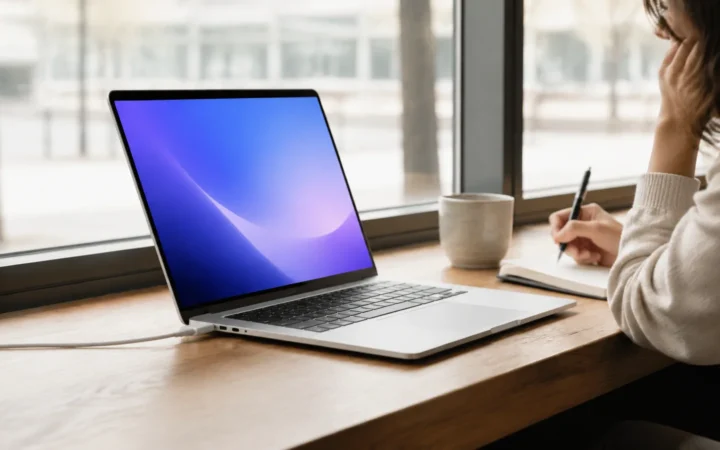
Figure: The MacBook Air (shown above) is thinner and lighter than the MacBook Pro. The Air’s design favors portability, whereas the Pro adds thickness for performance and cooling.
Performance and Processing Power
Under the hood, both laptops now use Apple’s custom silicon, but different versions. The Air typically uses Apple’s “consumer” chips (M2 or M3), while the Pro can be configured with more powerful “Pro” or “Max” variants. For example, in the latest line-up (2023–2024), the 13″ and 15″ MacBook Air come with the M2 or M3 chip (the 13″ Air can have an 8-core CPU/8-core GPU M2 at base, while the upgraded Airs and Pro models use a 10-core GPU)macrumors.com. The MacBook Pro 14″ and 16″ models can use the M3 Pro or M3 Max (or in future models, M4 Pro/Max) which add extra CPU and GPU cores. This means the Pro can handle demanding tasks—like 4K video editing, 3D rendering, or complex software builds—faster than the Air.
One factor is cooling. The MacBook Air is fanless, using passive cooling. It’s excellent at everyday tasks, but sustained heavy workloads (like video rendering) can cause it to heat up and temporarily throttle performance. In contrast, all MacBook Pro models have built-in fans and a higher-performance “High Power Mode,” so they can sustain peak performance for longer without slowing down. For example, running intensive benchmarks or rendering video on the 14″ Pro will be faster than on the Air because the Pro’s fans let the M3/M4 chip run flat-out longer.
In real-world terms, a developer compiling large codebases or a professional editing RAW video will notice the Pro’s advantage. However, for typical everyday use (web browsing, streaming, office work), the Air’s performance is very good. Both laptops use unified memory (RAM) and SSD storage, but the Pro can be configured with more RAM (up to 32–64GB with M3 Pro/Max) and larger SSDs (up to 8TB on M3 Max models) than the Airmacrumors.com. In short: Air = enough power for most tasks; Pro = extra power for pros.
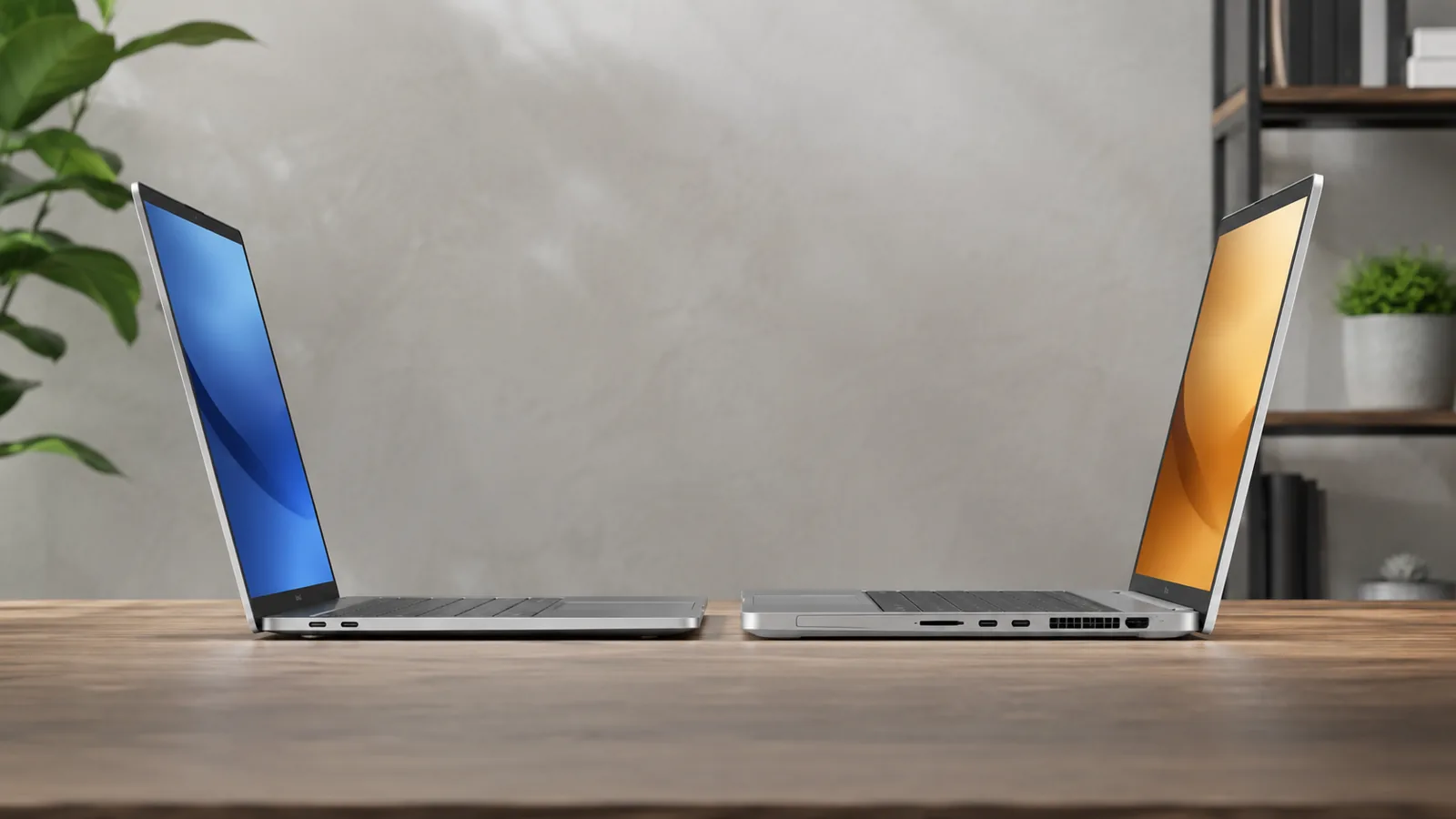
Figure: The MacBook Pro (shown above) uses active cooling (fans) to maintain higher performance during intensive workloads, whereas the MacBook Air is passively cooled (no fan) and may throttle under sustained load.
Display and Graphics
Display quality is another major difference. The MacBook Air models use Liquid Retina LCD panels (up to 500 nits brightness), while the Pro models use the high-end Liquid Retina XDR mini-LED displays. The Pro’s screen supports ProMotion (up to 120Hz refresh) and can reach up to 1600 nits peak brightness for HDR content, compared to the Air’s 500 nits maxmacrumors.com. This means the Pro’s screen can show deeper blacks, brighter highlights, and smoother motion — a noticeable benefit in photo/video editing, graphic design, or HDR movies. For example, editing a photo will reveal more contrast and detail on the Pro’s XDR screen. The Air’s display is still excellent for everyday use and looks vibrant, but content will appear a bit more muted under bright sunlight or in HDR scenes.
Screen size options differ too. The Air is available in 13.6-inch and 15.3-inch versions, while the Pro comes in 14.2-inch and 16.2-inch versions. That extra screen real estate on the Pro (especially the 16″) is great for multitasking and creative work. MacRumors notes the 14″ Pro’s display “simply offers a little bit more screen real estate” than the Air’s 13.6″macrumors.com, which can make a difference for professional workflows. In summary: Air’s display is plenty good for everyday tasks; Pro’s display is substantially better for creative work with higher brightness, contrast, and refresh ratemacrumors.commacrumors.com.
Battery Life and Efficiency
Apple laptops are known for long battery life, and here the MacBook Air often holds a clear lead. Thanks to its efficient M-series chips and smaller (power-efficient) display, the Air typically reaches up to 18 hours of video playback or web browsing on a chargemacworld.com. The MacBook Pro, despite having a larger battery, uses more power for its brighter display and higher-performance chips. A 14″ Pro can reach around 22–24 hours of basic usage according to Apple’s estimates. In practice, most users will see something like “all-day” life from either machine, but if you truly maximize runtime (for example, on a flight or in the field without charging), the Air can last slightly longer.
In our tests and reviews, the Air’s longevity stands out for average workloads (document editing, browsing). The Pro still delivers excellent battery life given its power—far more than typical Windows laptops of comparable performance—but it won’t quite reach the Air’s ceiling. Both models support fast charging and have power-management features (like Low Power Mode) to extend unplugged time. Overall: MacBook Air wins for maximum battery life, while the Pro still provides very strong battery for a high-end machinemacworld.com.
Connectivity and Ports
Apple’s port choices differ notably between the two. The MacBook Air includes just two Thunderbolt/USB4 ports and a MagSafe charging port (and a 3.5 mm headphone jack). The MacBook Pro expands this: 14″ and 16″ Pro models have three Thunderbolt/USB-C ports plus a built-in HDMI port and SDXC card slot (and MagSafe)macrumors.com. This means the Pro natively supports a HDMI display or SD card without adapters, and an extra high-speed port for peripherals. For users who plug in cameras (SD cards) or multiple external monitors, the Pro’s extra ports are very handymacrumors.com. (The entry-level 13″ Air and 14″ Pro used older USB-C/Thunderbolt 3 ports, but the latest 15″ Air and 16″ Pro use Thunderbolt/USB4.)
In short: Air – minimal ports (sufficient for many users, but you may need a dongle); Pro – fuller connectivity (HDMI, SD card, three USB-C) ideal for professional workflows. MacRumors emphasizes that “the MacBook Pro is much more versatile in terms of physical connectivity”macrumors.com, which is important if you frequently hook up hardware.
Price and Value
Price is always a key factor. The MacBook Air is the more budget-friendly option. As of late 2024, the 13.6″ MacBook Air (M3, 8-core CPU/8-core GPU) starts around $1,099, and the 15.3″ Air (M3, 10-core GPU) starts around $1,299macrumors.com. By comparison, the 14.2″ MacBook Pro (M3 Pro, 10-core GPU) starts around $1,599, and the 16.2″ Pro (M3 Pro) starts around $2,499. That means stepping up to a Pro generally costs several hundred dollars more, though you get more performance and features. MacRumors notes that there is “a major price difference” between the Air and 14″ Pro, reflecting the Pro’s better display and base storagemacrumors.com.
When considering value, think about your needs: if you only need a laptop for web, video, and office tasks, the Air delivers great value for its price. If you need sustained performance, the Pro’s extra cost can be justified. Retail and deals may also affect pricing, but budget shoppers often lean to the Air, and professionals lean to the Pro. Either way, both are premium machines with high build quality, so it’s about matching your budget to your needs.
Which MacBook is Right for You?
Choosing between the Air and Pro depends on how you use your laptop. MacBook Air is ideal for everyday users, students, and travelers. Its lightweight design and long battery mean you can write reports, browse, stream, and attend video calls all day without breaking a sweat. It’s also fully capable of coding, photo editing, and multimedia work—just keep in mind it may throttle on very heavy tasks because of its fanless design.
The MacBook Pro is geared toward power users and professionals. If you do video or audio production, graphic design, 3D modeling, software development, or other intensive tasks, the Pro’s stronger cooling, faster chips, and better display will save you time. For example, 4K video export or multi-track audio mixing will complete faster on a Pro. Similarly, photographers benefit from the Pro’s color-accurate, bright mini-LED screen. MacRumors summarizes it well: “the 14-inch MacBook Pro is more expensive but has better display quality, while the MacBook Air wins out when it comes to portability and price”.
In practice, if portability and cost are your priority, go with the MacBook Air. If you need the extra oomph for creative or technical work, or require additional ports, the MacBook Pro is worth the investment. Many users find the Air “good enough” for most tasks and opt for it as their primary devicemacrumors.com. Creative professionals or power users often opt for the Pro to future-proof their setup.
Conclusion
Both the MacBook Air and MacBook Pro are excellent laptops. The Air excels at lightness, all-day battery, and affordability; the Pro excels at raw performance, display quality, and connectivity. Understanding these trade-offs will help you pick the best fit. Consider your workload and budget: for general use and mobility, the Air is typically the winner; for demanding applications and maximum speed, the Pro shines. Whichever you choose, you’ll be getting a top-tier Apple laptop.
Frequently Asked Questions
Which is lighter, MacBook Air or MacBook Pro?
The MacBook Air is significantly lighter. For example, the 13.6-inch Air is about 2.7 lbs, while a comparable 14-inch MacBook Pro is around 3.5 lbs, and the 16-inch Pro is about 4.8 lbs. The Air’s slim design makes it easier to carry daily.
Which has better battery life, the Air or the Pro?
Both have excellent all-day battery, but the MacBook Air often feels best for battery-per-weight. Apple rates the Air up to about 18 hours of video playback, while a 14-inch MacBook Pro can be rated around 22–24 hours. In real use, either can last a full day; choose based on your workload and portability needs.
Does MacBook Air have a fan?
No. The MacBook Air is fanless and uses passive cooling (silent operation). The MacBook Pro includes active cooling with fans, which helps it maintain peak performance longer during heavy work.
What are the main chip differences between Air and Pro?
MacBook Air models typically use the base M-series chips (e.g., M2 or M3). MacBook Pro models can use those base chips too, but also offer “Pro” and “Max” variants with more CPU/GPU cores and higher sustained performance. In simple terms: Air = great everyday speed; Pro = more headroom for heavy creative/pro workloads.
Which has more ports, the Air or the Pro?
The MacBook Pro has more ports. Many 14-inch/16-inch Pro models include three Thunderbolt (USB-C) ports, plus HDMI, an SD card slot, and MagSafe. The MacBook Air usually has two Thunderbolt/USB-C ports plus MagSafe. If you use external displays, SD cards, or multiple accessories, the Pro is more convenient without dongles.
Which is better for students and everyday use?
For most students and everyday tasks, the MacBook Air is the better choice because it’s lighter, easy to carry, quiet (fanless), and still powerful enough for web browsing, documents, Zoom calls, coding, and basic editing.
Which is better for creative work (photo/video editing)?
The MacBook Pro is usually better for serious creative work. It offers stronger chips (Pro/Max options), better sustained performance (thanks to fans), and higher-end displays on many models (e.g., mini-LED/XDR on some Pro configurations), which helps with color work and long rendering/export sessions.
Which is more expensive, Air or Pro?
The MacBook Pro costs more. Base Air models often start around $1,099–$1,299 (depending on size), while a 14-inch MacBook Pro commonly starts around $1,599 and 16-inch Pro models can start much higher. Upgrades (RAM/SSD) increase the price on both lines.
Should I get a 13-inch or 15/16-inch model?
Choose based on portability vs screen space:
Go smaller (13–14 inches) if you carry your laptop everywhere and want the lightest setup. Go larger (15–16 inches) if you multitask a lot (split-screen work, timelines, large documents) and want more viewing area. Larger models are heavier, but they can feel much more comfortable for extended work sessions.