
Introduction
Google’s Pixel A‑series phones have always targeted buyers who want flagship‑level software and camera performance without the premium price tag. The Pixel 8a continues that tradition as the follow‑up to 2023’s Pixel 7a, bringing Google’s latest Tensor G3 chip, a brighter Actua OLED display and seven years of promised software updates to a phone that costs $499 at launch. Midrange Android phones are more competitive than ever; Samsung’s Galaxy A55 and Apple’s iPhone SE (3rd gen) offer strong alternatives, and Pixel 8 discounts often narrow the price gap to Google’s flagship models. With the Pixel 9 series looming, is it still smart to buy the Pixel 8a in 2025? This review examines the phone’s design, display, performance, camera system, battery life, software features, value, and long‑term support. We’ll draw on independent tests and real‑world experiences to help you decide if Google’s midrange AI phone deserves a place in your pocket.

Overview and Key Specifications
The Pixel 8a fits neatly between budget phones and Google’s premium Pixel 8 series. Below is a quick specification table summarising its key hardware.
Category | Pixel 8a Key Specs | Notes |
Launch and price | Launched May 2024; MSRP $499 in the US | Frequent discounts drop price to $400 or less. |
Body and dimensions | 152.1 × 72.7 × 8.49 mm; 188 g; matte plastic back; aluminium frame | IP67 dust‑ and water‑resistant; plastic back mimics cashmere texture. |
Display | 6.1‑inch Actua OLED, 2400 × 1080 px (20:9), 120 Hz refresh, Gorilla Glass 3 | Peak brightness up to 2,000 nits and HDR support. |
Processor | Tensor G3 (3 GHz Cortex‑X3 + 2.45 GHz A715 + 2.15 GHz A510) | Same chipset as Pixel 8/8 Pro; includes security chip. |
Memory & storage | 8 GB LPDDR5X RAM, 128 GB or 256 GB UFS 3.1 storage | No microSD slot. |
Rear cameras | 64 MP f/1.9 main with OIS/EIS; 13 MP f/2.2 ultra‑wide | 8× Super Res Zoom; Night Sight & Portrait modes. |
Front camera | 13 MP ultrawide | Supports portrait and Night Sight selfies. |
Battery & charging | 4492 mAh; 18 W wired charging; 7.5 W Qi wireless charging | Rated for all‑day battery; tests show up to 2 days. |
Software | Ships with Android 14; guaranteed 7 years OS/security updates | Pixel Feature Drops deliver quarterly improvements. |
Other features | Face Unlock with payment support, in‑display fingerprint sensor, stereo speakers, Wi‑Fi 6E, Bluetooth 5.3, 5G | Supports eSIM and dual SIM (nano‑SIM + eSIM). |
Colours | Obsidian (black), Porcelain (off‑white), Bay (blue), Aloe (green) | Matte back reduces fingerprints. |
These specs paint a picture of a compact midrange phone with modern internals, a bright display and long software support. Now let’s break down how each component performs in real life.
Design and Build Quality
Materials and construction
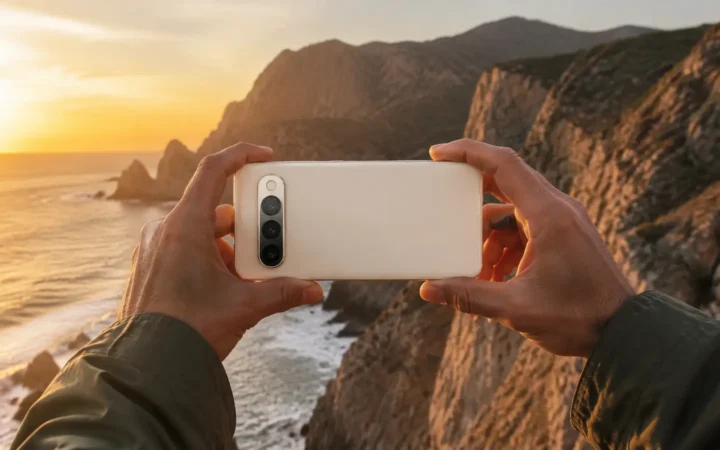
The Pixel 8a looks a lot like the Pixel 8, but there are subtle differences. Google replaced the flagship’s glass back with plastic to cut costs. According to Engadget, the phone’s aluminium frame still feels solid, and the new matte finish mimics cashmere without feeling cheapengadget.com. The camera bar on the back is slimmer than on the Pixel 8, giving the phone a sleeker profile. The phone maintains Google’s iconic “visor” that houses its dual cameras, but the plastic finish reduces weight to 188 gvisermark.com.
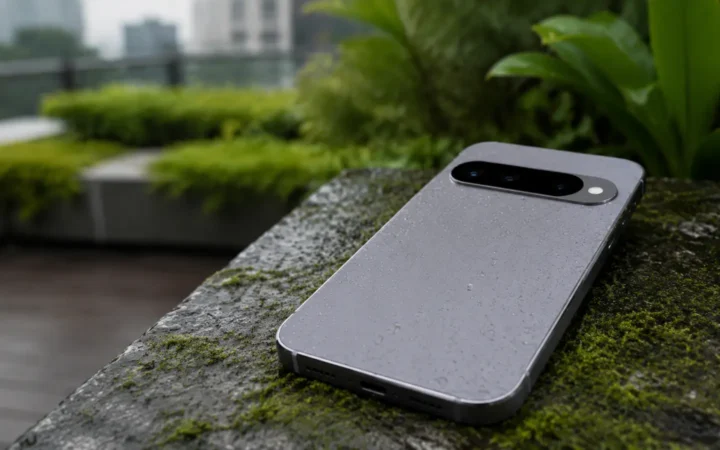
Despite the lower cost materials, the Pixel 8a is built for durability. It carries an IP67 rating, meaning it can survive dust and 1 m of water for 30 minutesengadget.com. Google uses Corning Gorilla Glass 3 on the front, which resists everyday scratches but is less durable than the Gorilla Glass Victus used on the Pixel 8 Pro. The power and volume buttons are plastic but clicky. For midrange buyers who often skip cases, the Pixel 8a’s slightly textured back helps prevent slips.
Size and ergonomics
At 152 mm tall, the Pixel 8a is compact by modern standards. Droid‑life’s reviewer praised the phone’s size, calling it “great for one‑handed use” and noting that its curved edges and matte back invite you to take it on adventures without feeling like you’re carrying work arounddroid-life.com. Android Police also emphasised the comfortable curved frame, stating that it fits comfortably in the hand and feels lighter than bulkier devicesandroidpolice.com. In a world of ever‑larger phones, the Pixel 8a appeals to users who want a manageable device that still offers a large enough screen for video and gaming.
Colour options
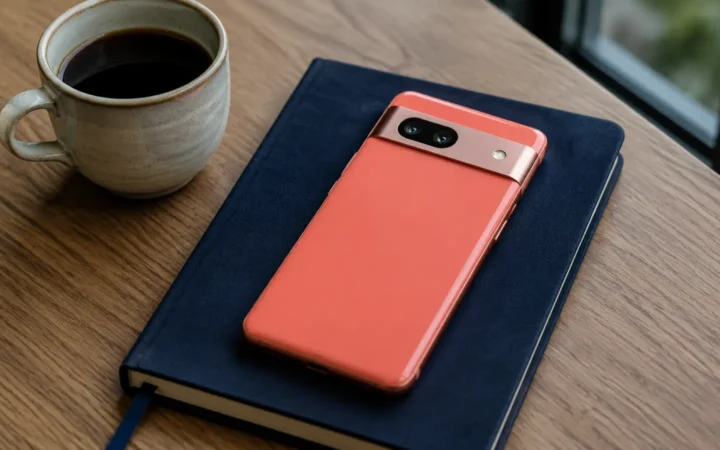
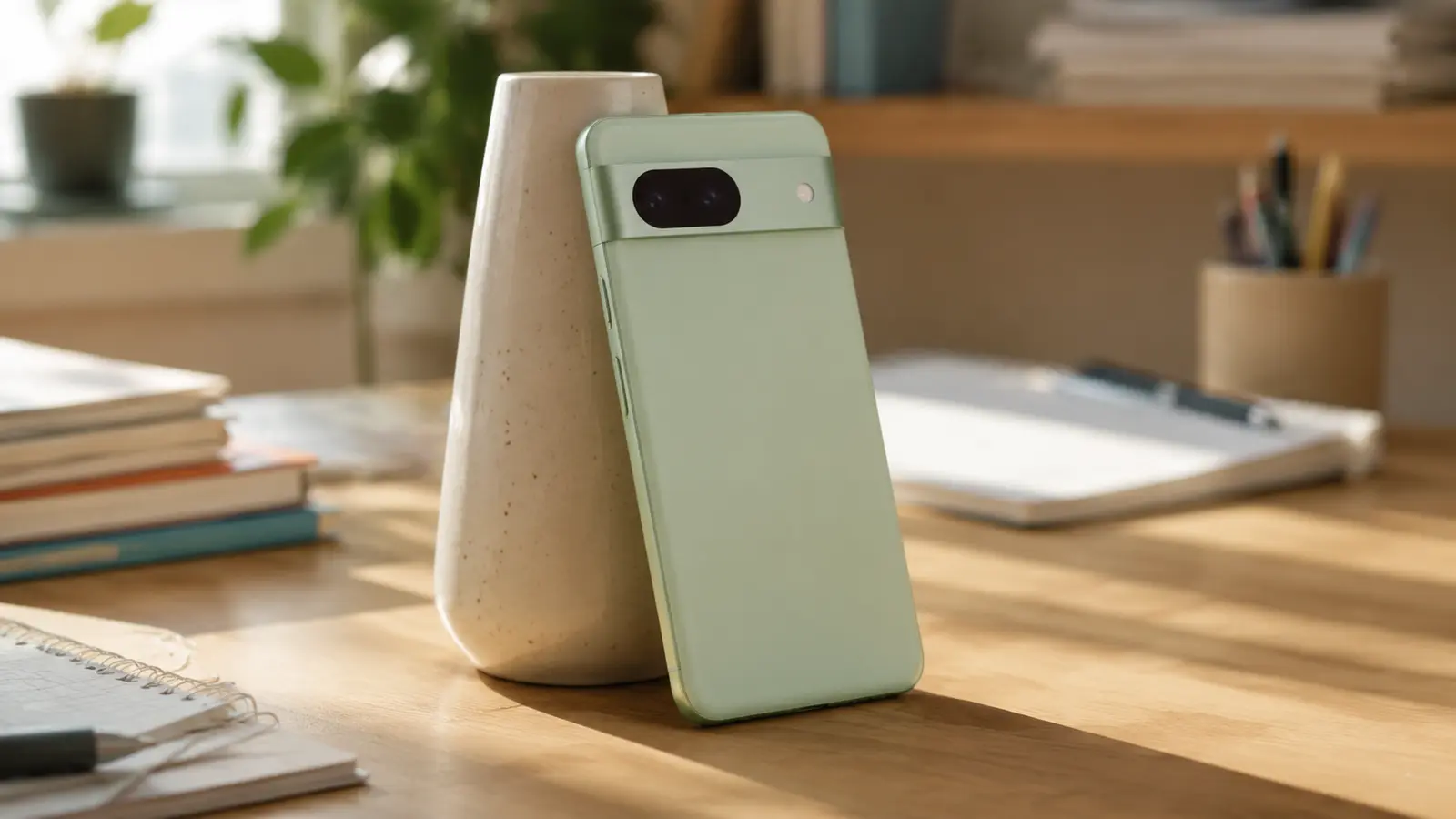
Google offers the Pixel 8a in four colours: Obsidian (black), Porcelain (ivory), Bay (light blue) and Aloe (mint green)visermark.com. The colour palette is subtle yet fun, and the matte finish reduces fingerprint smudges. If you like vibrant hues, the Aloe version stands out without being garish.
Display: Actua OLED with 120 Hz Smoothness
Brightness and panel quality
One of the Pixel 8a’s biggest upgrades over its predecessor is the 6.1‑inch Actua OLED display. It uses the same display technology found in the Pixel 8, albeit with slightly thicker bezels. The panel offers 120 Hz refresh for smooth scrolling and animationsengadget.com. Google claims the screen can reach 2,000 nits peak brightness, and Droid‑life notes that while the display is punchy and responsive, its indoor brightness feels low, requiring users to crank up the slider for comfortable viewingdroid-life.com. Off‑angle colour shifts are also more noticeable than on higher‑end displays.
ViserMark’s review measured the panel’s brightness and refresh capabilities, calling it vibrant and praising its 120 Hz refresh rate for smooth scrollingvisermark.com. Android Police notes that the display is brighter and more vibrant than the Pixel 7a’s drab panel, and it makes watching movies or playing games a pleasureandroidpolice.com. Overall, the Pixel 8a’s screen is not the absolute best in the class—that honour goes to more expensive phones like the OnePlus 12R—but it’s impressive for the price and a big leap over earlier A‑series devices.
Resolution and protection
The Full HD+ (2400 × 1080) resolution results in 430 ppi, ensuring sharp text and images. The 20:9 aspect ratio makes the phone tall and narrow, easier for one‑handed use. Gorilla Glass 3 protects the screen; while it’s not as scratch‑resistant as the newer Victus 2 used on flagships, it’s adequate if you use a case or screen protector.
Always‑On Display and haptics
Pixel phones are known for subtle yet effective haptics and an always‑on display. The Pixel 8a’s always‑on display shows time, weather and notifications at a glance without consuming much battery. The phone’s haptic feedback is clicky and precise—Droid‑life calls Google’s keyboards “the absolute best in the industry,” praising their tactile feel and accuracydroid-life.com. These small details contribute to a premium experience despite the midrange price.
Performance and Hardware
Tensor G3 and everyday speed
Under the hood, the Pixel 8a uses Google’s Tensor G3 chipset, paired with 8 GB of LPDDR5X RAM and UFS 3.1 storagevisermark.com. This is the same processor found in the Pixel 8 and 8 Pro, meaning the A‑series phone benefits from Google’s most recent AI optimizations. Reviewers generally agree that performance is smooth and snappy in daily tasks. Engadget notes that while Tensor chips don’t match the raw power of Apple’s or Qualcomm’s top silicon, the Pixel 8a feels quick in typical use and even handles casual gaming wellengadget.com. Droid‑life also notes that typical apps (Chrome, Instagram, YouTube, and games like Pokémon GO) run without major slowdowns, though heavy gaming can cause occasional frame drops.
Where Tensor shines is in AI and machine‑learning tasks. The Pixel 8a supports on‑device features such as Magic Eraser, Best Take, Magic Editor and Audio Magic Eraser thanks to the G3 chip’s AI capabilities. These tools allow you to remove unwanted objects from photos, combine faces from different shots to create the perfect group picture, or isolate specific sounds in videos. The Pixel 8a also includes Circle to Search and Call Screen—Google’s AI call assistant that screens spam calls for youdroid-life.com.
Memory, storage and connectivity
Standard models ship with 8 GB of RAM and 128 GB storage. A 256 GB variant is available in the Obsidian colour, marking the first time an A‑series phone offers this storage tierengadget.com. There’s no microSD card slot, so choose wisely. Connectivity includes Wi‑Fi 6E, Bluetooth 5.3, 5G (sub‑6 GHz), NFC for payments and eSIM support. The phone also features an optical in‑display fingerprint scanner and Face Unlock that now works for mobile payments, a feature previously reserved for the flagship Pixel 8theverge.com.
AI smarts and Gemini Nano
Google promises that the Pixel 8a will receive on‑device Gemini Nano AI capabilities via a developer preview optiontheverge.com. At the time of writing, Gemini Nano offers AI summaries for voice recordings and “Magic Compose” to rewrite message tones. Google says it will expand on‑device AI to include features like scam detection in calls. Even without Gemini Nano, the Pixel 8a packs AI features previously reserved for Google’s premium phones, making it one of the most affordable phones with such capabilities.
Long‑term software support
Software support is a major selling point. Google commits to seven years of OS and security updates for the Pixel 8adroid-life.com—a promise that matches the Pixel 8 Pro and surpasses most Android competitors. Android Police notes that with the phone already running Android 15 in 2025, buyers can expect updates through Android 21androidpolice.com. This longevity makes the Pixel 8a appealing for users who keep devices for many years or those who resell them later.
Camera System: Point‑and‑Shoot Power with AI Tricks
Hardware and features
The Pixel 8a retains the 64 MP f/1.9 main camera and 13 MP f/2.2 ultra‑wide from the Pixel 7a. It also has a 13 MP front camera for selfies. The main sensor features optical and electronic image stabilization (OIS/EIS), enabling sharper shots. Google includes Super Res Zoom up to 8×, Night Sight, Portrait, Long Exposure and Panorama modesdroid-life.com. While there is no dedicated macro or telephoto lens, Google’s computational photography makes up for the hardware limitations.
Image quality and computational photography
Droid‑life compared photos from the Pixel 8a to the Pixel 8 Pro and found that differences were subtle, concluding that the 8a is capable for everyday shotsdroid-life.com. The article notes the same 64 MP sensor as the 7a produces speedy focusing and reliable exposures, making it easy to point, shoot and get a good result. Engadget’s review challenged the Pixel 8a by comparing it to the Galaxy S24 Ultra. In bright light, the Pixel 8a captured more accurate colours and details than the S24 Ultraengadget.com. The Pixel 8a only lagged behind the flagship at night, where the S24 Ultra’s larger sensor produced sharper images. Nonetheless, Google’s Night Sight significantly narrows the gap; the 8a’s low‑light performance impresses given the priceengadget.com.
The Pixel 8a includes Google’s latest AI editing tools, such as Magic Editor to rearrange or remove objects, Best Take to swap faces in group photos, and Face Unblur. The Verge notes that these generative AI tools can feel weird when swapping expressions, but they’re handy for salvaging imperfect shotstheverge.com. AI features like Magic Eraser and Photo Unblur run on device with the Tensor G3 and produce impressive results without requiring a cloud connection.
Video capabilities
The Pixel 8a records video at 4K/60 fps on the main camera and 4K/30 fps on the ultra‑wide and selfie cameras. Electronic image stabilization keeps footage stable, and features like Audio Magic Eraser let you remove unwanted sounds (e.g., wind or traffic). Although the 8a lacks the Pro’s 10‑bit HDR recording, it still delivers high‑quality video for social media and casual use.
Battery Life and Charging
Real‑world endurance
With a 4,492 mAh battery, the Pixel 8a’s capacity is slightly lower than the Pixel 8’s 4,575 mAh but higher than many midrange phones. Reviewers consistently report excellent battery life. ViserMark claims the battery lasts up to 48 hours (two full days) under moderate usevisermark.com. Droid‑life found that after days with 3–4 hours of screen‑on time, the phone ended with around 30 % battery leftdroid-life.com, concluding that even heavy users should get through a full day. The Verge’s reviewer spent busy travel days navigating, using rideshare apps and scrolling social media without worrying about battery draintheverge.com.
Engadget’s battery test recorded 20 hours and 29 minutes of video playback, beating the regular Pixel 8’s 20 hour 16 minute resultengadget.com. This suggests that the smaller display and optimized Tensor G3 contribute to better endurance. Combining these sources, you can expect 1.5 to 2 days of battery life, depending on usage and screen brightness.
Wired and wireless charging
Charging speeds are not class‑leading. The Pixel 8a supports 18 W wired charging and 7.5 W Qi wireless charging. Engadget points out that the wired speed is enough to top up quickly, but wireless charging feels lethargicengadget.com. Unlike some midrange competitors, Google includes no charger in the box and sells its 30 W power brick separately. Realistically, a 30‑minute charge adds about 50 %, and a full charge takes roughly two hours.
Battery optimization tips
To maximise battery life, enable Adaptive Battery and Adaptive Charging in settings. Google’s algorithms learn your charging habits to slow down top‑ups overnight and preserve battery health. Turning on battery saver or Extreme Battery Saver can extend runtime further by limiting background activity. The 120 Hz refresh rate can be manually reduced to 60 Hz to save power, though most users may not need to since the adaptive refresh automatically scales down in static situations.
Software Experience and Features
Pure Android with Pixel extras
The Pixel 8a ships with Android 14, but Google has already rolled out Android 15 for Pixel phones in 2025. The Pixel experience is widely regarded as the best version of Android, offering a clean interface, cohesive Material You theming and timely updates. Droid‑life praises Google’s software for its intuitive settings, vertical app drawer, top‑class notifications and minimal bloatdroid-life.com. Android Police agrees, highlighting the Pixel experience as a major reason to choose the 8a—features like Now Playing (auto‑identifying songs playing around you) and Call Assist (screening calls) are particularly usefulandroidpolice.com.
The phone receives quarterly Pixel Feature Drops that add new capabilities. For example, Google recently added Circle to Search (draw a circle around anything on screen to search), Clear Calling (reduces background noise), and Photo Unblur for older images. With the Tensor G3, the Pixel 8a is ready for Gemini Nano, Google’s mobile AI model that will enable on‑device summarization and generative text featurestheverge.com.
Face Unlock for payments and security
One underrated upgrade on the Pixel 8a is the ability to use Face Unlock for mobile payments. Previous Pixel phones allowed face unlock only for device unlocking, but you still needed the fingerprint sensor to authorize payments. The Verge notes that with the 8a, you can now authorize purchases or password autofill using face unlocktheverge.com. This small quality‑of‑life improvement makes it easier to pay or log into apps when your hands are full.
Call Screen, Live Translate and other AI features
Google’s Call Screen helps you avoid spam calls. The Assistant answers on your behalf, transcribes the caller’s message and gives you options to respond or hang up. Live Translate can translate text and audio in real time across dozens of languages. Recorder app transcribes meetings and interviews with speaker labels. With the Tensor G3, these features run faster and more accurately. According to Droid‑life, the Pixel 8a also includes built‑in VPN, Smart Replies, Magic Eraser and Photo Unblurdroid-life.com.
Connectivity, Biometrics and Extras
Network and connectivity options
The Pixel 8a supports 5G (sub‑6 GHz only—no mmWave), LTE, Wi‑Fi 6E, Bluetooth 5.3, NFC and GPS. Dual SIM functionality works via a physical nano‑SIM plus an eSIM, making it convenient for travelers. Wi‑Fi 6E ensures fast connectivity on compatible routers, and the phone’s cellular reception is solid, matching the Pixel 8.
Biometrics
You get both an optical in‑display fingerprint reader and Face Unlock. The fingerprint reader is reliable but slower than ultrasonic sensors found on some Samsung phones. Face Unlock is speedy and now secure enough for paymentstheverge.com. With two biometric options, unlocking the phone is quick and flexible.
Audio and haptics
The Pixel 8a features stereo speakers that deliver clear sound with decent bass. There’s no headphone jack, but Bluetooth codec support includes LDAC and aptX for high‑quality wireless audio. As mentioned earlier, Google’s haptics are excellent, enhancing typing and system interactionsdroid-life.com.
Pricing, Value and Competition
Launch price and discounts
At $499, the Pixel 8a undercuts many flagship phones. However, Droid‑life warns that you shouldn’t pay full price because Google frequently discounts its phones, sometimes to $399 or even $349droid-life.com. With promotions, the 8a becomes an unbeatable value, especially given its 7 years of updates. The phone also competes with discounted Pixel 8 units, which can drop to around $549—only $50 more than the 8a. In that case, the Pixel 8 offers a better screen (Actua vs. Super Actua), an extra camera and slightly more premium materials.
Competitor comparison
- Pixel 8 – Price difference often shrinks due to discounts; Pixel 8 offers a glass back, slightly larger 6.2‑inch screen, better display brightness, and similar Tensor G3 performance. It includes an ultrawide sensor with macro focus and a 50 MP main camera. If you find it within $100 of the 8a, it’s worth considering.
- Samsung Galaxy A55 – Samsung’s midrange challenger has a larger AMOLED display, longer battery life and faster 25 W charging. However, its camera system and software support (5 years) trail the Pixel’s quality and longevity.
- iPhone SE (3rd Gen) – Apple’s budget phone uses the powerful A15 Bionic chip and offers many years of iOS support, but it retains a dated 4.7‑inch LCD, single camera and thick bezels. The Pixel 8a’s modern design, OLED screen and AI features make it a stronger choice for most users.
- OnePlus 12R / OnePlus Nord 3 – These phones offer faster 100 W charging and larger displays but only three years of OS updates and weaker cameras.
Value proposition
The Pixel 8a offers an unbeatable combination of a 120 Hz OLED display, strong battery life, reliable cameras and seven years of updates for under $500. Engadget summarises the formula perfectly: combine top‑notch cameras, a vivid screen and AI features in a tried‑and‑tested designengadget.com. The Verge echoes this sentiment, describing the Pixel 8a as “good enough” in a world where midrange phones rarely get seven years of OS updatestheverge.com.
Step‑by‑Step Guide: Setting Up and Using the Pixel 8a
1. Initial setup and transfer
- Unbox and charge: Plug the phone into a USB‑C charger (sold separately). While charging, turn it on by holding the power button.
- Follow on‑screen instructions: Select your language, connect to Wi‑Fi and insert your SIM or choose eSIM activation.
- Transfer data: Use the provided USB‑C to USB‑C cable (or Quick Switch Adapter) to transfer data from your old phone. Follow prompts to move apps, messages, photos and contacts.
- Sign in with your Google account: This will sync your calendar, email and Google services.
2. Customize the home screen
- Choose wallpaper and style: Long press on the home screen, tap Wallpaper & style, then select one of Google’s colourful wallpapers that adapt to Material You theming.
- Arrange widgets: Drag widgets like Weather, Now Playing or Calendar onto the home screen.
- Create themed icons: Turn on themed icons in settings to match your icons to the wallpaper colours.
3. Set up security and biometrics
- Register your fingerprint: Go to Settings → Security & privacy → Fingerprint unlock and follow the instructions to scan your finger.
- Enable Face Unlock: Still under security settings, register your face. Once complete, toggle the option to use Face Unlock for payment and password autofilltheverge.com.
- Set a PIN or pattern: Add a fallback screen lock method for when biometrics fail.
4. Enable AI features
- Turn on Magic Eraser and Photo Unblur: Open Photos, choose a picture, tap Edit → Tools → Magic Eraser or Photo Unblur.
- Use Best Take: Take a burst of group photos, then in Photos, tap Tools → Best Take to swap faces for everyone’s best expressiontheverge.com.
- Explore Gemini Nano (developer preview): Go to Settings → System → Developer options (you’ll need to enable developer mode) and look for On‑device AI features. Note that this may be experimentaltheverge.com.
5. Personalize notifications and call features
- Customize notifications: Go to Settings → Notifications. Enable app‑specific channels, choose sound and vibration.
- Use Call Screen: In the Phone app, go to Settings → Spam and Call Screen and turn on automatic screening. You’ll see transcriptions when calls come in, with options to respond or block.
- Enable Now Playing: Under Sound & vibration, turn on Identify songs playing nearby. Songs will appear on your lock screen.
6. Optimize battery and performance
- Adaptive preferences: Navigate to Battery settings and enable Adaptive Battery and Adaptive Charging for better longevity.
- Display settings: Switch refresh to 60 Hz under Display → Smooth Display when battery conservation is more important than smoothness.
- Battery saver modes: Use Battery Saver or Extreme Battery Saver for extended trips.
7. Explore camera modes
- Night Sight and Long Exposure: In the camera app, scroll through modes to Night Sight for low light photos and Long Exposure for creative motion blur.
- Portrait and Cinematic modes: Use Portrait for bokeh effects; Cinematic Pan records 60 fps video with digital stabilisation for dramatic panning shots.
- Magic Editor: After taking a photo, open it in Google Photos and tap Edit → Magic Editor to reposition subjects or remove unwanted items.
- Audio Magic Eraser: In the Videos tab, select a video, then use the AI slider to reduce background noise.
8. Keep the phone secure and up‑to‑date
- Automatic updates: Under Settings → System → System update, enable automatic OS and security updates. You’ll receive updates for seven yearsdroid-life.com.
- Check for Feature Drops: Regularly open Settings → System → System updates to check for Pixel Feature Drops that add new AI features or improvements.
Following these steps ensures you get the most out of your Pixel 8a from day one.
Pros and Cons
Pros
- Bright 120 Hz OLED display: The Actua panel offers crisp visuals and smooth animationsengadget.com.
- Excellent cameras: 64 MP main and 13 MP ultra‑wide deliver reliable point‑and‑shoot results; Night Sight and computational photography produce great low‑light shotsdroid-life.comengadget.com.
- Tensor G3 with AI features: Supports Magic Editor, Best Take, Call Screen and more; ready for on‑device Gemini Nano AItheverge.com.
- Long battery life: 4,492 mAh battery offers 1.5–2 days of use and over 20 hours of video playbackvisermark.comengadget.com.
- Seven years of OS and security updates: Unmatched in the Android midrangedroid-life.com.
- Compact and comfortable design: Lightweight with curved edges; easy one‑handed usedroid-life.com.
- Face Unlock for payments and secure biometric optionstheverge.com.
Cons
- Charging speed is slow: 18 W wired and 7.5 W wireless charging feel lethargicengadget.com.
- Plastic back lacks premium feel: Doesn’t feel as upscale as glass or metal, though the matte finish helpsengadget.com.
- Display brightness in normal settings is low: Users must crank brightness indoorsdroid-life.com.
- No telephoto or macro lens: Zoom is limited to digital Super Res Zoom; there’s no dedicated macro modetheverge.com.
- No charger included: Must buy a power brick separately.
- Possible price overlap with Pixel 8: Frequent discounts mean you might find the flagship Pixel 8 for only slightly moredroid-life.com.
Who Should Buy the Pixel 8a?
The Pixel 8a serves a wide range of users:
- First‑time smartphone buyers or upgraders from older devices: The 8a offers modern features, 120 Hz display and long support at a friendly price.
- Photography enthusiasts on a budget: The camera system punches above its weight and includes AI editing tools.
- Value seekers: Seven years of updates mean the phone stays secure and usable longer than most midrange phones.
- Compact phone lovers: Its 6.1‑inch size suits those who don’t want large, heavy handsetsandroidpolice.com.
- People looking for AI features without paying flagship prices: Access to Magic Editor, Best Take and Circle to Search offers a taste of Google’s AI innovations.
However, if you prioritise fast charging, premium materials or telephoto cameras, consider the Pixel 8 or another device. And if you can wait for the Pixel 9 series, you might find improved design and performance at a similar price.
Additional Resources
To further explore Google phones and smartphone tech, check out these helpful articles on FrediTech:
- Google Pixel 7 Review: Ultimate In‑Depth Analysis of Google’s Flagship Smartphone – detailed look at Google’s Tensor G2 phone and how it compares to the Pixel 8a.
- Google Pixel 8 Pro Review: A Game‑Changer in AI‑Driven Photography and HDR Displays – explores the flagship Pixel 8 Pro’s Super Actua display, upgraded cameras and AI features.
- The Definitive Guide to the Best Fashion Smart Watch with Bluetooth Calling for Men and Women in 2025 – FrediTech’s guide to stylish smartwatches if you’re interested in wearable tech.
For deeper technical insights, see these external authoritative sources:
- Google Pixel 8A review: the sensible choice – The Verge’s in‑depth review explaining the Pixel 8a’s specifications and real‑world performancetheverge.com.
- Google Pixel 8a review: The best midrange Android phone gets flagship AI features – Engadget’s article exploring design, performance, AI features and battery testingengadget.comengadget.com.
- Google Pixel 8a Review: It’s Good, But Two Things Cause Hesitation – Droid‑life’s candid review discussing display, performance, battery, camera and why waiting for discounts may be wisedroid-life.comdroid-life.com.
- I Love the Google Pixel 8a in 2025 – Android Police’s long‑term impression emphasising the Pixel 8a’s improved display, battery life and seven years of supportandroidpolice.comandroidpolice.com.
- Google Pixel 8a smartphone review – ViserMark – summarises the Pixel 8a’s specs, battery longevity and camera highlightsvisermark.com.
Frequently Asked Questions (FAQ)
How long will the Pixel 8a receive software updates?
Google promises seven years of OS upgrades and security updates for the Pixel 8a. Since it launched with Android 14, it should receive updates through around Android 21 (about 2031), depending on rollout schedules.
Does the Pixel 8a support wireless charging?
Yes. The Pixel 8a supports Qi wireless charging up to 7.5W, plus 18W wired charging. Wireless charging is slower, but it’s convenient for overnight charging or desk top-ups.
What colours does the Pixel 8a come in?
The Pixel 8a is available in Obsidian (black), Porcelain (off-white), Bay (blue), and Aloe (green). Availability can vary by region and retailer.
Is the Pixel 8a water-resistant?
Yes. It has an IP67 rating, meaning it’s dust resistant and can handle immersion in up to 1 meter of water for 30 minutes under test conditions.
Does the Pixel 8a have a headphone jack?
No. There’s no 3.5 mm headphone jack. Use Bluetooth headphones or a USB-C to 3.5 mm adapter for wired audio.
What AI features does the Pixel 8a have?
Pixel 8a includes popular AI tools such as Magic Editor, Best Take, Magic Eraser, Photo Unblur, Audio Magic Eraser, and Circle to Search. It also supports features like Call Screen, Now Playing, and Live Translate, with potential for more on-device AI features via future updates.
Can I use Face Unlock for payments?
Yes. Pixel 8a’s Face Unlock can be used for payments and password autofill (where supported), so you don’t always have to rely on the fingerprint scanner.
Does the Pixel 8a support expandable storage?
No. There’s no microSD card slot. Choose 128GB or 256GB based on your storage needs (photos, videos, apps, and offline downloads).
How does the Pixel 8a’s camera compare to flagship phones?
The Pixel 8a lacks a telephoto lens, but its main and ultrawide cameras can deliver excellent results thanks to Google’s computational photography. Features like Night Sight, Magic Editor, and Best Take help it compete above its price. Flagships typically still win for zoom and the most demanding low-light shots.
Should I buy the Pixel 8a or wait for the Pixel 9a?
If you need a phone now—especially if the Pixel 8a is on sale—it’s a strong value with long update support and great camera software. If you can wait, the next model may bring refinements (design, battery, or AI features). There’s always something newer coming, so the best choice depends on your budget and timing.
Conclusion
The Google Pixel 8a is one of the most compelling midrange smartphones in 2025. It delivers a vibrant 120 Hz OLED display, an AI‑powered Tensor G3 chipset, excellent cameras, long battery life and seven years of software support—all for around $499 or less with discounts. Its biggest compromises are slow charging and a plastic back, but these trade‑offs are easy to accept when you consider the phone’s camera quality, AI features and longevity. For those seeking a compact, feature‑rich smartphone with long‑term value, the Pixel 8a is hard to beat. If you can find it on sale, it becomes a no‑brainer. Only buyers craving telephoto lenses, faster charging or the latest hardware should consider paying extra for a Pixel 8 or waiting for the Pixel 9 series.
As AI continues to reshape our devices, the Pixel 8a demonstrates that you don’t need to spend flagship money to access cutting‑edge features. It’s a sensible choice and, for many, the best midrange Android phone available today.