
Introduction: Why upgrade your head unit in 2025?
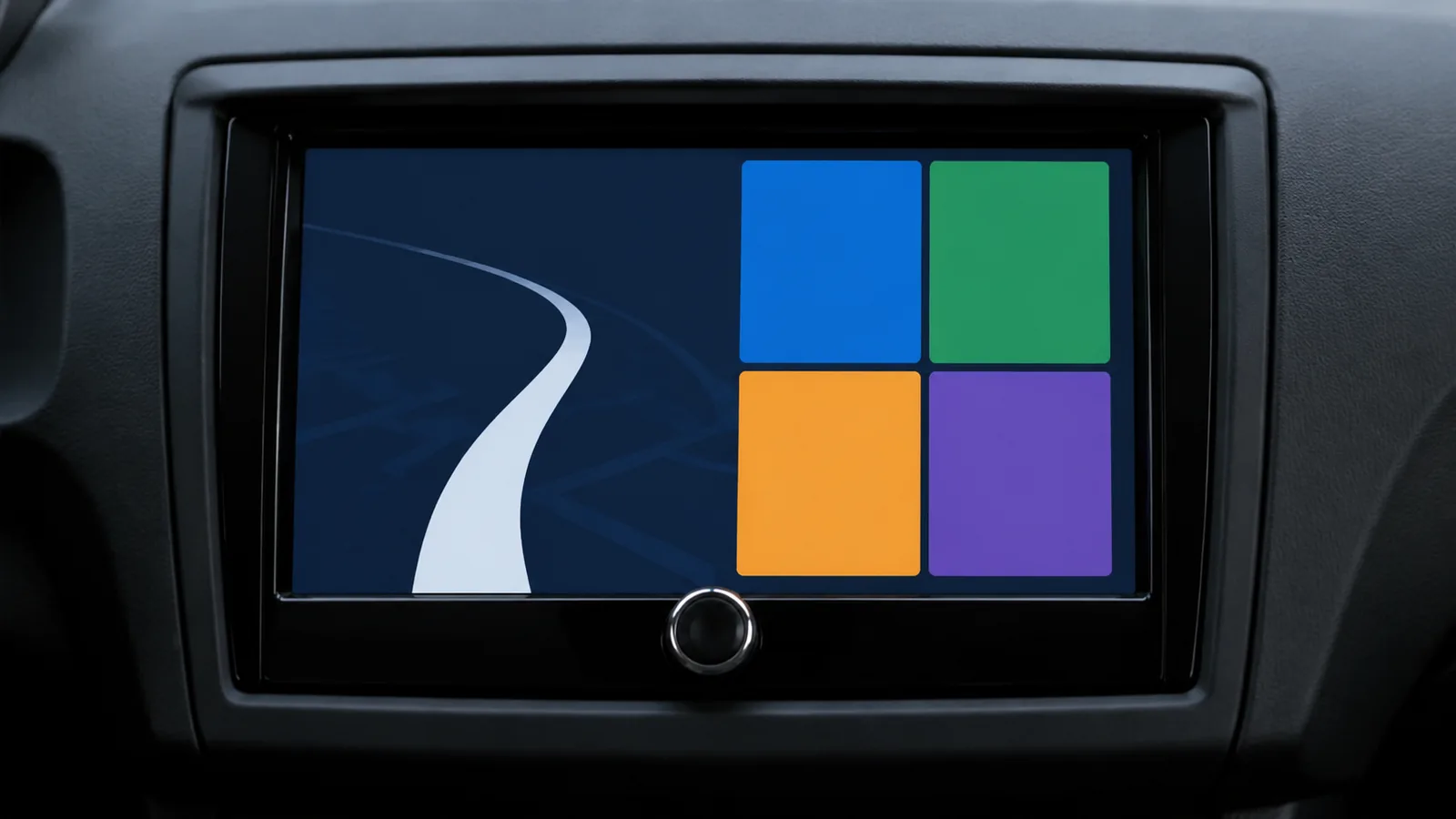
Upgrading a car’s stereo is no longer about playing CDs – it’s about giving your vehicle a modern infotainment system. In 2026 Android head units have matured into powerful tablets that sit in the dashboard. Adoption statistics back up this trend: a 2025 AutoSky survey found that nearly 40 % of Americans who rode in a vehicle within the past month used Apple CarPlay or Android Auto, and about one in three car buyers worldwide view these smartphone‑mirroring platforms as essential featuresautoskyus.com. Factory radios typically use 6–8 inch displays with limited resolution and sluggish touch response, while aftermarket head units offer 9–10 inch screens with sharper resolution and responsive touch controlsautoskyus.com. These units integrate navigation, streaming music, hands‑free calling and digital assistants into one interface – making driving safer and more enjoyable.

Besides smartphone connectivity, modern head units bring improved user interfaces and audio performance. Aftermarket models let drivers customise their home screens, change themes and access favourite apps easily. Wireless connectivity eliminates messy cables, and advanced digital signal processing (DSP) enables high‑resolution audio playback, equaliser adjustments and time alignment, resulting in a more immersive soundautoskyus.com. Digital radio is another reason to upgrade. DAB+ (Digital Audio Broadcasting Plus) replaces noisy analogue signals with efficient digital compression, offering crystal‑clear sound and more stations on a single frequencyhellbergsafety.com.
Modernising your dashboard also boosts resale value and allows vehicles built before 2020 to access navigation and hands‑free features previously reserved for luxury cars. This guide explains how to pick the right head unit for 2026, compares top‑ranked models and provides installation tips. Internal links to other FrediTech articles (for example, our Best Car Audio Systems of 2025 and How to Install a Car Stereo: Step‑by‑Step Guide) will help you explore related topics.
{getToc} $title={Table of Contents} $count={Boolean} $expanded={Boolean}
What is a head unit and DIN sizes?
A head unit is the central control panel for a car’s audio and infotainment system. In a modern vehicle it houses the radio tuner, amplifier pre‑outs, media playback, Bluetooth and smartphone integration. Head units come in two standard sizes:
- Single DIN (180 × 50 mm): a slim, rectangular chassis often without a screen; some models deploy a flip‑out or floating display to add Android Auto functionality while still fitting a single‑DIN opening.
- Double DIN (180 × 100 mm): twice the height of single DIN and usually includes a built‑in touchscreen for navigation and smartphone appst3.com.
Before buying a new unit, measure your vehicle’s dashboard opening and check whether you need mounting kits or trim panels. For older cars (2000s–early 2010s) it’s often possible to upgrade from single‑DIN to double‑DIN using a dash kit.
Factors to consider when choosing an Android head unit
- Screen size and ergonomics – While factory radios rarely exceed eight inches, aftermarket units offer 9–10 inch capacitive touchscreens with anti‑glare coatings and adjustable viewing anglesautoskyus.com. Larger screens improve visibility but may obstruct vents or controls; models with floating panels allow height, depth and tilt adjustments to fit your dashboard.
- Smartphone integration – Check whether the unit supports wireless and wired Android Auto and Apple CarPlay. Wireless connectivity is more convenient but may cost more; some budget models require a USB cable. Look for built‑in Wi‑Fi and external GPS antennas for stable connections.
- Operating system and updates – Many units run custom Android versions with access to Google Play. Ensure the manufacturer provides firmware updates, security patches and support for future OS upgrades.
- Audio quality – High‑resolution audio playback, built‑in DSP, 14–13‑band equalisers, time alignment and pre‑outs (2 V or 5 V) allow you to tune the sound for your car’s acousticssony.iekenwood.com. Models with tune‑it apps or audio widgets simplify adjustments.
- Digital radio (DAB+) and tuners – DAB+ delivers cleaner sound and more stations than FM by using MPEG‑4 compressionhellbergsafety.com. If you live in a region that broadcasts DAB+, choose a head unit with a built‑in DAB+ tuner.
- Input/Output options – Multiple USB ports (including USB‑C), HDMI inputs for playing video from laptops or gaming consoles, camera inputs for reversing and blind‑spot cameras, and microphone inputs for Bluetooth calling all enhance functionalitykenwood.com.
- Fit and installation complexity – Some vehicles require dash modification or custom wiring harnesses. Check if the unit fits your car’s electrical system (standard ISO connectors vs. proprietary harnesses) and whether you need adapters for steering‑wheel controls or amplified systemst3.com.
Top Android head units for 2026
The following head units earned top rankings from expert reviews and manufacturer specifications. Each model offers distinct strengths, so choose based on your priorities.
Sony XAV‑AX4050 – The best all‑rounder for everyday drivers

Sony’s XAV‑AX4050 is widely praised for offering a balanced mix of features and value. T3’s reviewer highlights its fully wireless Android Auto and Apple CarPlay, USB‑C fast‑charging and quick wake‑up, noting that it starts faster than many competitors and has a responsive interfacet3.com. The 6.95‑inch anti‑glare touchscreen displays vibrant colours and supports multi‑finger gestures. Sony includes an external GPS/Wi‑Fi antenna for stable wireless connectivity. For audio, the head unit packs a 14‑band equaliser, time alignment and High‑Resolution Audio support via LDAC, plus DAB+ digital radiosony.ie. An on‑board DSP lets you tailor sound to your vehicle’s cabin, and there are three pre‑outs for adding amplifiers and subwoofers.
Pros
- Wireless Android Auto/CarPlay and Bluetooth.
- USB‑C charging and fast bootingt3.com.
- Solid audio tuning (14‑band EQ, time alignment)sony.ie.
- Anti‑glare display and intuitive UI.
Cons
- Screen is smaller than some competitors (6.95 inches).
- Steering‑wheel control adapters may be requiredt3.com.
Pioneer AVH‑Z7200DAB – Feature‑packed single‑DIN with flip‑out screen

If your car only has a single‑DIN slot but you want a large screen, the Pioneer AVH‑Z7200DAB is an excellent solution. The unit’s motorised 7‑inch resistive touchscreen flips out from the single‑DIN chassis and folds away when not in use. According to T3, it’s considered a premium upgrade because it integrates DAB+ radio, Bluetooth streaming and wired Android Auto/Apple CarPlay via USBt3.com. The official Pioneer site lists a 13‑band graphic equaliser, dual camera inputs, and the ability to play FLAC files and DVDspioneer-car.eu. While it lacks wireless connectivity, the ability to stash the screen out of sight when parked protects against theft.
Pros
- Single‑DIN form factor with motorised 7‑inch displayt3.com.
- DAB+ tuner and DVD/CD playbackpioneer-car.eu.
- Extensive EQ and audio settings.
- Compatible with steering‑wheel controls and reverse cameras.
Cons
- Wired smartphone connection only (no wireless).
- Resistive screen is less responsive than capacitive displays.
- Installation requires space behind the dash for the flip‑out mechanism.
Kenwood DMX9720XDS – Best high‑end unit with massive floating screen

Kenwood’s flagship DMX9720XDS is a double‑DIN head unit with a 10.1‑inch floating HD display. The panel is adjustable in three axes (height, tilt and depth) so you can align it perfectly with your dashboardkenwood.com. The unit supports wireless Apple CarPlay and Android Auto, high‑resolution audio, wireless mirroring and built‑in DAB+ tuner, along with four camera inputs and three 5‑V pre‑outs. The screen uses optical bonding for improved contrast and wide viewing angleskenwood.com. A HDMI input allows you to connect video sources like laptops or Nintendo Switch, and Bluetooth can pair with two phones simultaneously. The large screen and robust build make this unit ideal for luxury vehicles and enthusiasts.
Pros
- 10.1‑inch full‑HD floating display with adjustable positioning.
- Wireless Android Auto/CarPlay, wireless mirroring and DAB+ tuner.
- Extensive I/O (HDMI, four camera inputs, three 5‑V pre‑outs).
- High‑resolution audio playback and 13‑band EQkenwood.com.
Cons
- Expensive; targeted at high‑end builds.
- Large screen may block dash vents in some vehicles.
- Requires a double‑DIN opening or custom installation.
JVC KW‑M785DBW – Value‑oriented double‑DIN with wireless connectivity

The JVC KW‑M785DBW offers many of Kenwood’s features at a more affordable price. It has a 6.8‑inch capacitive touch display and supports wireless and wired Android Auto and Apple CarPlay, along with Android mirroring via USBeu.jvc.com. Built‑in DAB+ ensures crystal‑clear radio reception. The unit includes Hi‑Res Audio, Bluetooth with two‑phone pairing, time alignment, 13‑band EQ and a short chassis for easier installationeu.jvc.com. While the screen is smaller than other top picks, the KW‑M785DBW offers a strong balance of price and performance, making it a great choice for drivers who want wireless convenience without paying flagship prices.
Pros
- Wireless Android Auto/CarPlay and Android mirroring.
- Built‑in DAB+ tuner and Hi‑Res Audio.
- Compact chassis fits into tight dashboardseu.jvc.com.
- Affordable compared with high‑end models.
Cons
- 6.8‑inch screen may feel cramped compared with 9–10 inch models.
- UI not as polished as Sony or Kenwood units.
- Requires firmware updates to fix occasional bugs.
Snooper SMH‑530 DAB – Single‑DIN with giant 10‑inch floating display
The Snooper SMH‑530 DAB is aimed at drivers who want a huge screen but only have a single‑DIN slot. Its 10‑inch floating display mounts above the dashboard and can be adjusted for height and angle. T3 notes that the screen’s size gives a tablet‑like experience, though it can obscure vents on some cars and may look awkwardt3.com. The unit includes built‑in mapping for turn‑by‑turn navigation, DAB+ tuner and steering‑wheel control compatibility. However, reviewers mention that the wireless Android Auto connection occasionally drops, and the sheer size of the screen can make the dash feel crowdedt3.com.
Pros
- Massive 10‑inch floating screen fits single‑DIN openings.
- Built‑in GPS navigation and DAB+.
- Adjustable screen position.
- Steering‑wheel control compatible.
Cons
- Wireless Android Auto connectivity can be unreliable.
- Screen may block vents or controls.
- Design may not suit all dashboards.
Pioneer SPH‑DA77DAB – Responsive double‑DIN with hi‑tech features
The Pioneer SPH‑DA77DAB sits between the AVH‑Z7200DAB and Kenwood DMX9720XDS. It features a 6.8‑inch capacitive touchscreen, built‑in DAB+, wired Android Auto/CarPlay via USB and a 13‑band equaliser. T3’s review praises its responsive interface and high‑quality audio, though the unit lacks wireless smartphone connectionst3.com. For drivers who prefer a simpler setup and want Pioneer’s reliability without a flip‑out mechanism, the SPH‑DA77DAB is a solid choice.
Pros
- Responsive capacitive screen and intuitive UI.
- DAB+ radio and 13‑band EQ.
- Pioneer reliability.
Cons
- Wired smartphone connection only.
- Limited customisation compared with high‑end models.
Additional considerations
Other models worth mentioning include the Road Angel RA‑X621BT, a budget single‑DIN unit with good value but limited brand reputation and no physical buttonst3.com; and the Kenwood DMX5020S, an entry‑level double‑DIN that offers wired Android Auto/CarPlay and DAB+ at a lower price point. There are also Chinese Android units like ATOTO and Joying that provide large screens and open‑source Android but may lack certification or after‑sales support. Always check for CE/FCC certifications and read user reviews before buying.
How to install an Android head unit: Step‑by‑step guide
Upgrading your head unit is a rewarding DIY project, but it requires patience and the right tools. Follow these steps (adapted from Crutchfield’s installation guide) to ensure a successful swap:
- Disconnect the negative battery cable – Safety comes first. Removing the negative terminal prevents accidental short circuitscrutchfield.com.
- Remove the factory stereo – Use panel removal tools to gently pry off the dash trim. Factory stereos may be held by spring clips, bolts or rails. Keep screws organised for reassembly.
- Unplug the wiring harness and antenna – Disconnect the factory wiring harness and antenna lead. Some vehicles also have a secondary harness for steering‑wheel controls or factory amplifierscrutchfield.com.
- Prepare the wiring – Use a vehicle‑specific wiring harness to adapt the factory plug to your new head unit. Connect wires colour‑for‑colour (power, ground, speakers etc.) using soldering, crimp connectors or Posi‑Product connectors for a secure connectioncrutchfield.com. If your new unit includes an external microphone or GPS antenna, route the cables to an accessible location.
- Install mounting kit and brackets – Insert the dash kit (if required) and attach any side brackets. Some double‑DIN kits require cutting or filing the dash opening; follow the kit instructions.
- Connect the new head unit – Plug the wiring harness, antenna, USB extensions and camera leads into the new unit. Secure excess wires with zip ties.
- Test functionality – Before snapping the dash back together, reconnect the negative battery cable and test the unit. Check smartphone connectivity, radio reception, sound output from all speakers and steering‑wheel controls.
- Reassemble the dash – Once everything works, reinstall the trim panels and screws. Adjust the screen angle (for floating models) to suit your driving position.
If you’re uncomfortable with wiring or your vehicle has complex electronics (e.g., CAN‑bus or factory amplifiers), consult a professional installer or read our How to Install a Car Stereo: Step‑by‑Step Guide on FrediTech.
Real‑world benefits and examples
To illustrate the impact of upgrading, consider the case of a 2010 Toyota Corolla. The factory radio used a simple single‑DIN unit with physical buttons and no smartphone integration. After installing a Sony XAV‑AX4050 with a 9‑inch floating display, the owner gained wireless navigation, Spotify streaming, and hands‑free calling. According to AutoSky’s report, aftermarket stereos like this deliver improved user interface and seamless integration, reducing driver distractionautoskyus.com. Additionally, the high‑resolution audio and time alignment features dramatically improve sound quality, making long commutes more enjoyableautoskyus.com. Similar upgrades have revitalised older vehicles such as the 2009 Honda Civic and 2005 Ford Focus, proving that a modern head unit can extend the life of an ageing car.
Frequently asked questions
What is the difference between Android Auto and Android head units?
Android Auto is a smartphone projection system that mirrors selected apps from your phone onto your car’s display when connected by USB or wirelessly. An Android head unit, on the other hand, runs Android as its own operating system. It can function without a phone, install apps directly from the Google Play Store, store music and videos locally, and often still supports Android Auto and Apple CarPlay for added flexibility.
Do I need a double-DIN opening for a large screen?
Are wireless Android Auto head units worth the extra cost?
Yes, if convenience matters. Wireless units let you leave your phone in your pocket, keeping the cabin tidy. They also use the car’s external GPS and Wi‑Fi antennas for more stable navigationt3.com. However, wired units offer similar functionality for less money and may provide faster charging.
Will upgrading my head unit improve sound quality?
A modern head unit with DSP, higher voltage pre‑outs and digital signal processing can dramatically improve sound clarity and dynamic range. When paired with quality speakers and amplifiers, you’ll notice deeper bass, cleaner highs and more accurate imagingautoskyus.com. Even if you keep factory speakers, the improvement is noticeable because of better DACs (digital‑to‑analogue converters) and equaliser controls.
Can I install a head unit myself?
Many car owners successfully install their own head units using vehicle-specific wiring harnesses and dash kits. Installation usually involves removing the factory stereo, connecting the new wiring harness, mounting the unit, and testing functionality. If your vehicle has factory amplifiers, CAN-bus systems, or steering-wheel controls, professional installation may be a safer option.
Do these head units support DAB+ digital radio?
Most models in our list include DAB+ digital radio tuners (Sony XAV‑AX4050, Pioneer AVH‑Z7200DAB, Kenwood DMX9720XDS, JVC KW‑M785DBW and Snooper SMH‑530 DAB), providing crystal‑clear sound and more stationshellbergsafety.com. If you live outside a DAB+ coverage area, they can still receive FM/AM radio.
How much does installation cost?
Installation costs vary by vehicle type and complexity. AutoSky notes that a simple single‑DIN head unit installation can cost between USD 50 and USD 150 in labour, while double‑DIN units or vehicles with complex wiring can cost USD 200–300 or moreautoskyus.com. Luxury vehicles with integrated climate controls may require custom dash kits and programming, increasing the cost further.
Conclusion
Upgrading to an Android head unit in 2025 is one of the most impactful modifications you can make to an older car. Beyond aesthetic appeal, modern units provide wireless smartphone integration, high‑resolution displays, DAB+ digital radio and advanced audio tuning. Our top picks – Sony XAV‑AX4050, Pioneer AVH‑Z7200DAB, Kenwood DMX9720XDS, JVC KW‑M785DBW, Snooper SMH‑530 DAB and Pioneer SPH‑DA77DAB – cater to different budgets and installation scenarios. When choosing, consider screen size, connectivity, audio features and installation requirements.
For more car‑tech insights, check out FrediTech’s guides on Best Car Audio Systems of 2025 and 2025’s Ultimate Phone Holder for Your Car, or explore our reviews of headlight replacements to complement your upgrade.
By investing in the right head unit and following proper installation steps, you can breathe new life into your vehicle, enjoy modern conveniences and drive safely in the connected age.
About the author
Wiredu Fred is a technology writer and founder of FrediTech & Modern Collective, a tech platform covering gadgets, automotive tech and consumer electronics. Fred has spent years testing car audio equipment and helping readers choose the right technology for their lifestyles. His work emphasizes real‑world insights, clear explanations and trustworthy research.