
Lenovo Legion Pro 7i Review: RTX Gaming Beast for Hardcore Gamers
Introduction
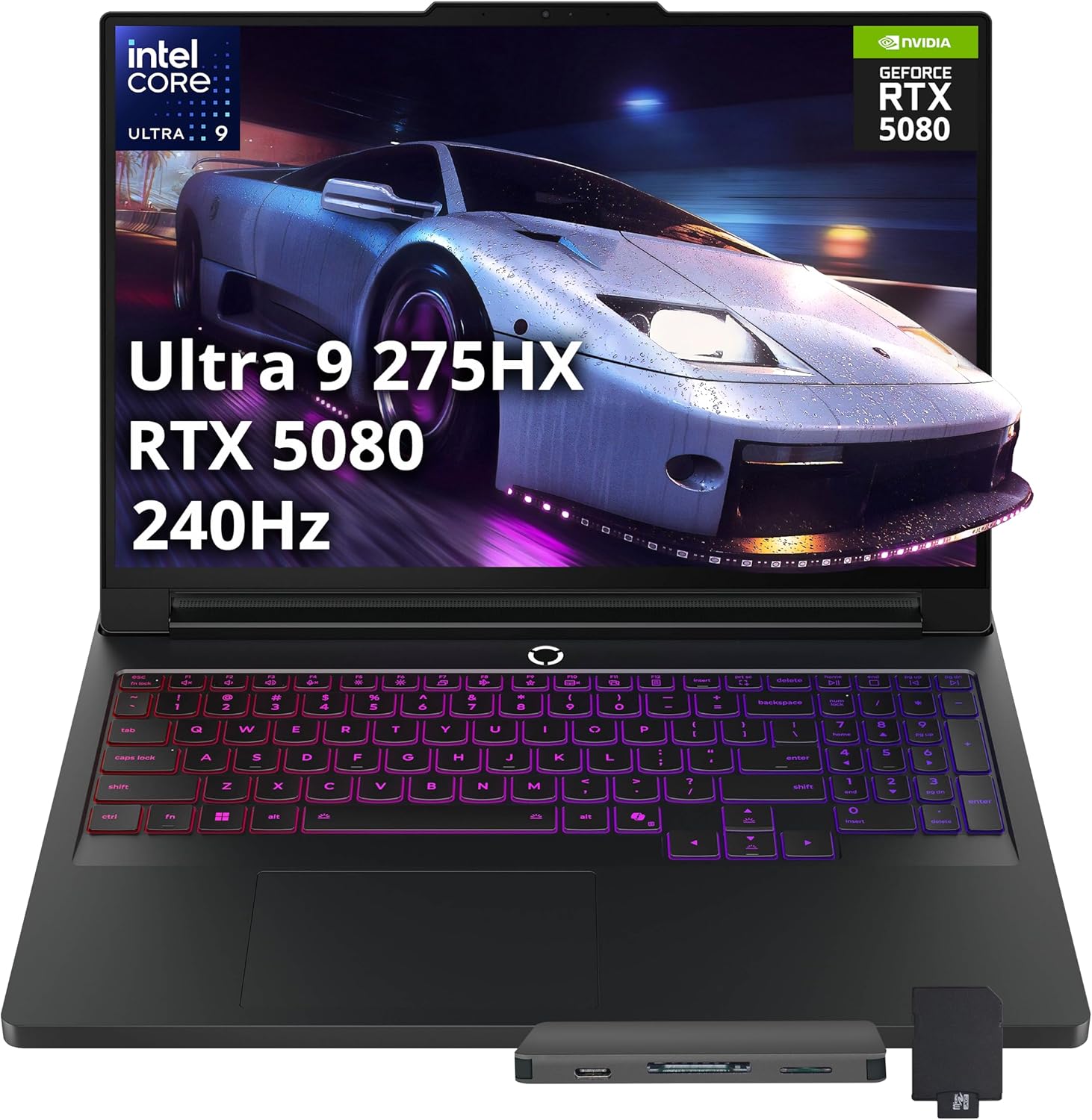
Gaming laptops have evolved from clunky desktop replacements to finely tuned machines that pack workstation‑class power into portable enclosures. 2026 has seen a surge of new models featuring Intel’s Core Ultra processors and NVIDIA’s RTX 5000‑series graphics, but one device stands at the pinnacle: Lenovo’s Legion Pro 7i (Gen 10). This 16‑inch gaming notebook is marketed as a “pro‑level” powerhouse built for hardcore gamers and streamers. With a high‑refresh OLED display, an Intel Core Ultra 9 275HX processor, and an NVIDIA GeForce RTX 5080/5070 Ti laptop GPU, the Legion Pro 7i promises desktop‑grade frame rates with portable convenience.
We cite reputable sources for all factual statements, compare benchmark results, and offer real‑world examples. If you’re deciding whether the Legion Pro 7i is worth its premium price, this article will help you make an informed decision. We’ll also link to related reviews on FrediTech for additional context.
Key Specifications at a Glance
The table below summarises the core specifications of the Legion Pro 7i Gen 10. These specs correspond to Lenovo’s factory configuration with the Intel Core Ultra 9 275HX and GeForce RTX 5070 Ti GPU. Note that configurations with the RTX 5080 exist, but their primary differences lie in GPU performance and price.
|
Component |
Details |
|
Processor |
Intel Core Ultra 9 275HX (E‑cores up to
4.60 GHz, P‑cores up to 5.40 GHz) |
|
GPU |
NVIDIA GeForce RTX 5070 Ti
Laptop GPU (12 GB GDDR7); higher‑end model uses RTX 5080 |
|
Memory |
32 GB DDR5‑6400
(2 × 16 GB) |
|
Storage |
1 TB
PCIe NVMe SSD |
|
Display |
16 inch WQXGA (2560 × 1600) OLED,
HDR 1000 True Black, 240 Hz refresh, 500 nits
brightness |
|
Battery |
99.99 Wh, supports 400 W
AC charging and 140 W USB‑C fast charge |
|
Weight |
Approx. 5.76 lb
(2.6 kg) |
|
Dimensions |
0.86 × 14.3 × 10.3 inches |
|
Operating System |
Windows 11 Home
or Pro |
|
Networking |
Wi‑Fi 7
+ Bluetooth 5.4 |
The Core Ultra 9 275HX uses Intel’s Meteor Lake architecture with separate performance and efficiency cores. Lenovo pairs it with fast DDR5 memory and a PCIe 4.0 SSD. The display is a major selling point: a 16‑inch OLED panel with a 240 Hz refresh rate and 500 nits peak brightness provides deep blacks and high contrast. Lenovo also touts an advanced cooling system and an AI‑powered performance optimizer, which we explore in detail later.
Why 16‑inch and RTX 5080/5070 Ti matter
Most gaming laptops either choose extreme portability (14–15 inches) or raw performance at the cost of mobility. By opting for a 16‑inch chassis, Lenovo aims to provide a large canvas for gaming while still keeping the machine thin enough to fit inside backpacks. The RTX 5070 Ti and optional RTX 5080 target enthusiasts who want to play modern AAA titles like Cyberpunk 2077 and Assassin’s Creed Shadows with ray tracing and DLSS. As Tom’s Guide reported, the RTX 5080 configuration can push Cyberpunk 2077 beyond 70 FPS at 4 K resolution using DLSS 4tomsguide.com. On the other hand, the 5070 Ti is a more balanced choice, still delivering high frame rates at QHD+ without pushing the price to extreme levels.
 Legion Pro 7i RTX 5070 Ti
$1,893.42
Legion Pro 7i RTX 5070 Ti
$1,893.42
 Legion Pro 7i RTX 5090
$3,500.00
Legion Pro 7i RTX 5080
$2,699.00
Legion Pro 7i RTX 5090
$3,500.00
Legion Pro 7i RTX 5080
$2,699.00
 Legion Pro 7i 96GB 4TB
$4,399.68
Legion Pro 7i 96GB 4TB
$4,399.68
 Legion Pro 7i 64GB 4TB
$4,029.75
Legion Pro 7i 64GB 4TB
$4,029.75
 Legion 7i RTX 5070 White
$2,249.00
Legion 7i RTX 5070 White
$2,249.00
 Legion Pro 7i 2TB Bundle
$2,899.00
Legion Pro 7i 2TB Bundle
$2,899.00
 Legion 7i Gen 10 1TB
$1,679.99
Legion 7i Gen 10 1TB
$1,679.99
 Legion Pro 7i 64GB 5070Ti
$2,999.00
Legion Pro 7i 3TB Bundle
$3,079.00
Legion Pro 7i 64GB 5070Ti
$2,999.00
Legion Pro 7i 3TB Bundle
$3,079.00
 Sponsored Ad – Amazon.com
Design and Build Quality
Unboxing and first impressions
Opening the Legion Pro 7i’s box reveals a minimalist aesthetic reminiscent of Lenovo’s professional ThinkPad line. The chassis is a dark metallic gray with subtle Legion branding on the lid. At about 5.76 lb, the laptop is heavy compared with thin‑and‑light gaming machines, but that weight signals robust construction. Inside the box you’ll find a 400 W power adapter (a hefty brick), a quick start guide, and a USB‑C cable for optional 140 W charging.
Port selection and ergonomics
One of the Legion Pro 7i’s most practical strengths is its wide array of ports. The machine offers multiple USB‑A and USB‑C ports, Thunderbolt 4, HDMI 2.1, an RJ‑45 Ethernet port, a full‑size SD card reader, and a proprietary charging port. Tom’s Guide notes that Lenovo cleverly places many ports on the rear edge of the chassis, which tidies up cable management during gameplaytomsguide.com. This thoughtful arrangement means you can connect monitors, Ethernet, and power without cluttering the sides.
The keyboard features per‑key RGB lighting and a generous layout. Keys have crisp tactile feedback and satisfyingly deep travel. Tom’s Hardware praised the keyboard’s “crisp” feel and noted that it’s complemented by a large touchpad. The palm rest remains relatively cool even during sustained gaming thanks to Lenovo’s Coldfront cooling system, though Tom’s Hardware measured heat spots reaching 93 °F near the G and H keys during stress testingtomshardware.com. The underside can become warmer (about 96 °F) but never dangerously hot.
Aesthetic and RGB lighting
RGB fans will appreciate the subtle but customizable lighting. Lenovo’s Legion Spectrum software allows per‑key RGB control along with strip lighting along the sides and rear exhaust. Unlike some gaming laptops that use flashy and distracting lighting patterns, the Legion Pro 7i keeps it tasteful. You can match your desk setup or set it to a single color for a professional look.
Real‑world use example
Imagine you’re streaming an intense Call of Duty session. You plug the Ethernet cable into the rear port, connect two monitors via HDMI and Thunderbolt, and still have a USB‑A port free for your mechanical keyboard. The back‑mounted ports prevent cables from tangling with your mouse hand. During the two‑hour session the keyboard remains comfortable, and the palm rest stays relatively cool. This everyday convenience shows how design influences performance beyond raw numbers.
Display: OLED Brilliance
The Legion Pro 7i’s 16‑inch WQXGA OLED panel is the star of the show. In Tom’s Hardware’s color tests, the display covered 138.9 % of the DCI‑P3 color gamut and reached 465 nits of brightness. This means the panel not only reproduces vibrant colors but also has enough brightness to handle bright environments or HDR gaming. OLED technology delivers perfect blacks, producing deep contrast that enhances dark scenes in horror games or movies.
Refresh rate and response time
The panel supports a 240 Hz refresh rate, allowing images to refresh 240 times per second. Combined with a response time near 1 ms (Lenovo’s spec, though not independently tested by all reviewers), the display reduces motion blur. Competitive gamers playing Valorant or CS 2 will notice smoother animations, giving an edge in fast‑paced matches.
Real‑world example: productivity and content creation
While marketed as a gaming laptop, the color accuracy and contrast also make the Legion Pro 7i suitable for content creation. Photographers or designers working in Adobe Photoshop can trust that the OLED screen reproduces colors accurately. The 16:10 aspect ratio offers additional vertical space for timelines in video editing software. When switching from a dark game to a bright document, the auto‑brightness and color adjustments remain consistent without flickering.
Performance: Benchmarking the Beast
Processor and GPU synergy
The Core Ultra 9 275HX features 8 performance cores and 16 efficiency cores (total 24 cores) built on Intel’s Meteor Lake architecture. These cores deliver high single‑threaded performance for gaming and multithreaded muscle for streaming or video editing. The RTX 5070 Ti or 5080 are based on NVIDIA’s Ada Lovelace architecture using DLSS 4 with frame generation. This combination results in outstanding gaming performance.
Gaming benchmarks
Tom’s Guide tested the RTX 5080 model at 1080p without DLSS and found the laptop achieved 50.2 FPS in Cyberpunk 2077, 45 FPS in Assassin’s Creed Shadows, and 45 FPS in Black Myth: Wukong. While those numbers might seem lower than expected for a flagship GPU, enabling DLSS 4 dramatically boosts performance. The same review noted that with DLSS enabled, the laptop could run Cyberpunk 2077 at 4 K and achieve 70 FPS. Tom’s Hardware measured high frame rates in other titles: Shadow of the Tomb Raider jumped from 163 FPS to 205 FPS when switching from balanced to performance mode, Red Dead Redemption 2 increased from 109 FPS to 126 FPS, and Borderlands 3 rose from 136 FPS to 178 FPS. These numbers illustrate that toggling Lenovo’s performance modes can significantly improve results.
Synthetic benchmarks
In the Geekbench 6 test, which measures CPU performance, the Legion Pro 7i scored 3,103 in the single‑core test and 19,597 in the multi‑core test. These scores place it at the top of the gaming laptop category for 2025/2026. A stress test using Metro Exodus ran the benchmark continuously and produced an average of 113 FPS across 15 runs. During this stress test, the P‑cores averaged 4.46 GHz at 71 °C, the E‑cores averaged 2.04 GHz at 64 °C, and the RTX 5080’s boost clock remained around 1.6 GHz at 63 °C. These numbers demonstrate the cooling system’s ability to maintain high clock speeds over extended sessions.
Real‑world gaming scenario: Cyberpunk 2077
To illustrate performance, consider running Cyberpunk 2077 at 2560 × 1600 resolution with ray tracing on. With DLSS 4 in balanced mode, frame rates hover around 70 FPS on the RTX 5080 model. When streaming to Twitch via OBS, the CPU’s efficiency cores handle encoding while performance cores focus on the game. The fans spin up, but the Coldfront cooling keeps temperatures under control. This is a scenario many streamers will replicate—playing demanding games while broadcasting—and the Legion Pro 7i handles it with ease.
Productivity and multitasking
Beyond gaming, the Legion Pro 7i excels at multitasking. Its 32 GB of DDR5 RAM allows users to run multiple applications simultaneously without slowdown. Video editors can transcode 4K footage while browsing Chrome with dozens of tabs. In Geekbench tests, multi‑core scores surpass many desktop processors, making the laptop a legitimate workstation replacement.
AI Engine+: smarter performance optimization
One of Lenovo’s unique features is the AI Engine +. According to the product page, the AI Engine + uses real‑time scenario detection and Smart FPS to optimize frame rateslenovo.com. It monitors CPU and GPU workloads, predicting upcoming tasks and allocating power accordingly. For example, when switching from a low‑demand game to a high‑demand one, the AI Engine + automatically increases power delivery and adjusts fan curves. This ensures stable performance without manual tweaking.
Additionally, the Hyper Chamber design increases the Total Design Power (TDP) to 250 W with an extra 15 W boost. Triple fans with a new Smart Fan System adjust fan speeds based on thermal readings and noise levels. This synergy between AI algorithms and mechanical cooling keeps the laptop quiet when possible and aggressive when needed.
Coldfront cooling and noise
Lenovo’s Coldfront technology uses a large vapor chamber covering the CPU and GPU, combined with triple fans and a hybrid heat pipe system. Tom’s Hardware’s stress tests showed the laptop maintaining boost clocks while keeping surface temperatures within comfortable ranges. Heat dissipates mainly through rear and side vents, so ensuring adequate desk clearance is important. While the fans are audible during heavy gaming, they never become overly loud or high‑pitched.
Legion Pro 7i RTX 5070 Ti
$1,893.42
Legion Pro 7i RTX 5090
$3,500.00
Legion Pro 7i RTX 5080
$2,699.00
Legion Pro 7i 96GB 4TB
$4,399.68
Legion Pro 7i 64GB 4TB
$4,029.75
Legion 7i RTX 5070 White
$2,249.00
Legion Pro 7i 2TB Bundle
$2,899.00
Legion 7i Gen 10 1TB
$1,679.99
Legion Pro 7i 64GB 5070Ti
$2,999.00
Legion Pro 7i 3TB Bundle
$3,079.00
Sponsored Ad – Amazon.com
Battery Life: Achilles’ Heel
All this performance comes at a cost: battery life. Multiple sources point out that despite the 99.99 Wh battery, the Legion Pro 7i has poor endurance. Tom’s Guide recorded only 4 hours 37 minutes in a web‑surfing test and an abysmal 1 hour 36 minutes when running the PCMark 10 gaming benchmarktomsguide.com. Tom’s Hardware obtained similar results, calling the battery life the worst among comparable laptopstomshardware.com. A Medium review citing the same tests also highlighted that the laptop drains quickly even in sleep mode and that the battery begins to deplete after just a few hours of basic usagemedium.com.
Fast charging and power options
To compensate, Lenovo includes Super Rapid Charge. The 400 W power adapter can replenish the battery quickly, and the laptop supports 140 W USB‑C charging for use with smaller adapters. However, real‑world results vary. For example, using the included charger, the battery can reach around 80 % in about 30 minutes, but you’ll need to plug back in after a few hours of gaming.
Tips for improving battery life (step‑by‑step)
- Use Lenovo Vantage software to select Battery Saver mode: This limits performance and screen brightness.
- Disable RGB lighting: Turn off per‑key RGB and side strip lights using the Legion Spectrum software.
- Reduce refresh rate: Set the display to 60 Hz instead of 240 Hz when not gaming to reduce power consumption.
- Close background apps: Use Task Manager to end unnecessary processes. This frees up CPU resources and reduces power draw.
- Carry the charger: Despite these steps, expect at most 4–5 hours of light work. For gaming, always plug in.
Keyboard, Ports and Audio
Keyboard and typing experience
The Legion Pro 7i uses a full‑size Legion TrueStrike keyboard. Each key features deep 1.5 mm travel and soft‑landing switches. Tom’s Hardware noted that the keys feel crisp and have a satisfying click. You can customise lighting on a per‑key basis using Lenovo’s software. The number pad is narrower than a desktop keyboard, but the arrow keys are full‑size—important for gamers who rely on directional keys.
Touchpad and input options
The touchpad is large and smooth, supporting Windows Precision gestures. Gamers will likely use a mouse, but the touchpad is useful when travelling. Lenovo includes discrete media keys and a dedicated Fn + Q shortcut to toggle between performance modes.
Audio quality
Four speakers (two tweeters and two woofers) deliver 2 W each, powered by Nahimic audio. While the sound is clear, Tom’s Hardware criticised the lack of bass. For a better experience, you may prefer external speakers or headphones.
Upgradability and Maintenance
Lenovo designs the Legion Pro 7i with future upgrades in mind. Removing the bottom panel requires unscrewing 10 Phillips screws; once inside, you’ll find two SO‑DIMM slots and two M.2 slots. The RAM can be upgraded to 64 GB, and you can add a second NVMe SSD for more storage. The 99 Wh battery is accessible but uses a proprietary connector. Thermal paste and fan cleaning are straightforward, making this laptop more repairable than many competitors.
Pricing and Value
Cost breakdown
The Legion Pro 7i is expensive. The RTX 5070 Ti configuration starts around US$2,909, while the RTX 5080 version can exceed US$4,400 depending on the storage and RAM options. This price range positions it directly against other flagship gaming laptops like the Asus ROG Strix Scar 16, Razer Blade 16, and Alienware M16 R2.
Does the performance justify the price?
Performance per dollar is a subjective metric. On the one hand, the Legion Pro 7i offers class‑leading performance. Tom’s Hardware found it outperforms many competitors in gaming and CPU taskstomshardware.com. On the other hand, the poor battery life and hefty weight mean the laptop is essentially a desktop replacement. If you plan to leave the device on a desk and plug it into mains power most of the time, the performance may justify the cost. Gamers who need mobility might consider cheaper or lighter options.
Real‑world value scenario
Suppose you’re a content creator who streams games, edits video, and occasionally travels for esports tournaments. Buying the Legion Pro 7i could replace both a desktop and a travel laptop, saving space and reducing the complexity of maintaining two machines. Over a three‑year period, the higher upfront cost may be justified if the machine can handle all your tasks without upgrading. Conversely, if you already own a powerful desktop and need a secondary travel machine, cheaper options may suffice.
Pros and Cons
Pros
- Outstanding performance: Top‑tier CPU and GPU deliver high frame rates and strong productivity scores.
- Stunning OLED display: 240 Hz refresh, excellent color coverage, and high brightness.
- AI Engine and cooling: Real‑time performance optimization and effective cooling keep temperatures and noise in check.
- Comprehensive port selection: Rear‑mounted ports minimise clutter.
- Upgradeable: Accessible RAM and SSD slots.
Cons
- Poor battery life: Only 4–5 hours of light use and roughly 1–2 hours of gaming.
- Heavy and bulky: At ~5.8 lb plus a 400 W power brick, portability suffers.
- High price: Starting around US$2,900 and climbing above US$4,400 in higher configurations.
- Limited battery accessibility: Battery replacement requires opening the chassis and removing the proprietary connector.
- Modest audio: Speakers lack bass.
Competitor Comparison
How does the Legion Pro 7i stack up against other gaming flagships? The table below summarises key differences among the Legion Pro 7i, Asus ROG Strix Scar 16, and HP Omen 16. Specifications are generalised from 2025 models; actual configurations vary by region and optional upgrades.
Analysis: The Legion Pro 7i offers an OLED screen while competitors often use Mini‑LED or IPS technology. Its performance is comparable or better due to Lenovo’s AI optimization and cooling, but its battery life is slightly worse than the ROG and Omen. The price is also on the high end, particularly for the RTX 5080 model.
|
Feature |
Legion Pro 7i |
ROG Strix Scar 16 |
HP Omen 16 |
|
CPU |
Intel Core Ultra 9 275HX |
Intel Core i9‑14900HX or Ryzen 9 7945HX |
Intel Core i9‑14900HX |
|
GPU |
RTX 5070 Ti
or 5080 |
RTX 5080
or 5090 |
RTX 5080 |
|
Display |
16 "
2560 × 1600 OLED, 240 Hz |
16 "
2560 × 1600 Mini‑LED, 240 Hz |
16 "
2560 × 1600 IPS, 240 Hz |
|
Battery life |
~4–5 hrs
web |
~5 hrs
(varies) |
~6 hrs |
|
Weight |
~5.8 lb |
~5.3 lb |
~5.1 lb |
|
Starting price |
≈ US$2,900 |
≈ US$2,799 |
≈ US$2,499 |
Real‑world Experiences and User Feedback
Positive feedback
- Professional gamers appreciate the high refresh OLED display and stable performance. A Tom’s Guide reviewer described the laptop as a “desktop replacement” capable of running games at 60 FPS or more with DLSS enabled.
- Content creators praise the color accuracy of the OLED panel and fast CPU for rendering. Many note that editing 4K footage and playing games simultaneously is seamless.
- Streamers enjoy the ability to run OBS and games concurrently without hitching, thanks to the efficient core design.
Negative feedback
- Battery drains quickly: Users echo reviewers by complaining about short battery life. Even when simply browsing, the battery seldom lasts more than four hours.
- Bloatware: Lowyat.net pointed out the presence of pre‑installed software and adverts that clutter the start menulowyat.net. Many owners recommend uninstalling these programs to free up resources.
- Heavy power brick: Carrying the 400 W adapter adds nearly 3 lb to your bag, making travel cumbersomepcworld.com.
Tips from the community
- Undervolting the CPU: Some users achieve better battery life by undervolting using Intel’s Extreme Tuning Utility (XTU). This reduces voltage to the CPU while maintaining stable frequencies.
- Using a smaller USB‑C charger for travel: The 140 W USB‑C port supports third‑party chargers. A smaller GaN charger can cut carrying weight in half for light tasks (though you cannot game at full power).
- Creating separate performance profiles: In Lenovo Vantage, you can set custom profiles for gaming, streaming, and productivity, adjusting CPU/GPU power and fan curves.
Step‑by‑Step: Setting Up and Using the Legion Pro 7i for Optimal Performance
1. Unboxing and initial setup
- Inspect the laptop: Check for any shipping damage and confirm all accessories are present (power brick, manuals).
- Plug in the charger: To avoid battery depletion during Windows setup.
- Power on and complete Windows 11 setup: Connect to Wi‑Fi, sign in to your Microsoft account, and apply updates.
- Install Lenovo Vantage: If not pre‑installed, download from Microsoft Store. Use it to update BIOS and firmware.
- Remove bloatware: Uninstall trial antivirus software and advertisements as recommended by Lowyat.
2. Configuring performance and cooling
- Open Lenovo Vantage: Go to Performance Mode and set it to Balanced for everyday tasks.
- Enable AI Engine+: Ensure Smart FPS is turned on for automatic optimization.
- Switch to Performance mode for gaming: Press Fn + Q or adjust via Vantage. This increases power to CPU/GPU and fans.
- Adjust fan curves manually: Under Thermal Mode, you can create a custom profile if you prefer quieter operation.
3. Optimizing display and color
- Calibrate the display: Use Windows color calibration or a colorimeter to fine‑tune the OLED panel.
- Adjust refresh rate: Set to 240 Hz for gaming; switch to 60 Hz for battery savings.
- Enable HDR: In Windows settings, toggle HDR to make use of the OLED’s 1,000 nit True Black capability.
4. Setting up peripherals and streaming
- Connect external monitors: Use the HDMI 2.1 or Thunderbolt 4 ports.
- Attach Ethernet: For stability during online play.
- Install OBS or streaming software: Use GPU encoding to minimise CPU load.
- Configure audio: Adjust Nahimic profiles or plug in external speakers/headsets for better bass.
5. Maintaining the laptop
- Keep vents clear: Ensure your desk allows airflow to rear and side vents.
- Update drivers regularly: Use Lenovo Vantage or Windows Update for GPU/BIOS updates.
- Clean fans periodically: Open the bottom panel (10 screws) to remove dust.
- Store properly: Avoid exposing the OLED screen to static images at maximum brightness for extended periods to prevent burn‑in.
FrediTech Resources
As part of FrediTech’s gaming coverage, you might find these related articles useful:
- Lenovo Legion 9i Review: The Most Powerful Gaming Laptop in 2026? – This article examines the Legion 9i, a higher‑end sibling to the Pro 7i with water‑cooling and extreme overclocking features.
- ThinkPad X1 2‑in‑1 Gen 9 Review: Premium Convertible for Professionals – For readers interested in productivity and business laptops, this review explores Lenovo’s versatile convertibles.
Frequently Asked Questions (FAQ)
What makes the Lenovo Legion Pro 7i stand out from other gaming laptops?
The Legion Pro 7i stands out for its 16-inch 240Hz OLED display, Core Ultra 9 275HX processor, and Lenovo AI Engine+ performance optimizer. Its performance can rival desktop-class results in many games and creator workloads, and it includes a wide selection of ports for peripherals and external displays.
How long does the battery last?
Battery life is one of its weakest points. Expect roughly 4–5 hours for web browsing and about 1–2 hours when gaming. For long sessions, plan to stay near power and carry the charger.
Is the Legion Pro 7i good for content creation?
Yes. The OLED panel’s strong color coverage and high brightness make it a great fit for photo and video work, and the high-performance CPU/GPU combo can handle editing, exporting, and rendering tasks smoothly.
Can I upgrade the RAM and storage?
Yes. It has two SO-DIMM slots and two M.2 slots. You can upgrade up to 64GB of RAM and add or upgrade SSD storage as needed.
Does it support USB-C charging?
Yes. In addition to the main 400W power adapter for maximum performance, it supports up to 140W USB-C charging—useful for lighter workloads or travel when you don’t want to carry the full brick.
How does it compare to the Lenovo Legion 9i?
The Legion 9i is a step above the Pro 7i, with features like water-cooling and higher-end GPU configurations (such as RTX 5090), but it also costs more. The Pro 7i delivers flagship-class performance at a lower price and is often the more practical buy for most gamers.
Is the Legion Pro 7i VR ready?
Yes. With RTX 5070 Ti or 5080 configurations, it meets requirements for modern VR headsets. Just expect higher power draw and shorter battery life during VR gaming.
What is included in the box?
The box typically includes the laptop, a 400W power adapter, a USB-C cable for 140W charging, and documentation (contents may vary by region/retailer).
Are there any common issues?
Common complaints include short battery life, heavier weight, and preinstalled bloatware. Uninstalling unnecessary software and keeping the charger handy helps reduce these downsides.
Should I buy the Legion Pro 7i?
If you want maximum gaming and creator performance and you usually have access to power, the Legion Pro 7i is one of the fastest options available. The OLED panel and 240Hz refresh rate also deliver an immersive experience. If portability and battery life matter more, consider alternatives like the Asus ROG Strix Scar 16 or lighter gaming laptops.
Conclusion
The Lenovo Legion Pro 7i (Gen 10) is a high‑end gaming laptop that blurs the line between portable and desktop gaming. Its Core Ultra 9 275HX CPU and RTX 5070 Ti/5080 GPU deliver industry‑leading performance, and the 16‑inch 240 Hz OLED display sets a new benchmark for laptop screens. Lenovo’s AI Engine + and Coldfront cooling systems optimise performance automatically, while the robust port selection and per‑key RGB keyboard enhance usability.
However, no device is perfect. The short battery life and hefty weight restrict mobility. The high price may deter budget‑conscious gamers, and bloatware can mar the out‑of‑box experience. Nevertheless, for those seeking a powerful laptop that can handle AAA games, streaming, and content creation with aplomb, the Legion Pro 7i remains a top contender.
If you’re interested in exploring Lenovo’s lineup further, check out FrediTech’s Lenovo Legion 9i review and ThinkPad X1 2‑in‑1 Gen 9 review for complementary perspectives. We hope this guide helps you decide whether the Legion Pro 7i fits your gaming and creative needs.
Author: Wiredu Fred
Wiredu Fred is a technology journalist and editor at FrediTech, specializing in gaming laptops and PC hardware. With over a decade of experience reviewing consumer electronics, he combines hands‑on testing with rigorous research to help readers make informed decisions. Fred mission is to demystify technology through clear, honest reporting while adhering to ethical standards.
Legion Pro 7i RTX 5070 Ti
$1,893.42
Legion Pro 7i RTX 5090
$3,500.00
Legion Pro 7i RTX 5080
$2,699.00
Legion Pro 7i 96GB 4TB
$4,399.68
Legion Pro 7i 64GB 4TB
$4,029.75
Legion 7i RTX 5070 White
$2,249.00
Legion Pro 7i 2TB Bundle
$2,899.00
Legion 7i Gen 10 1TB
$1,679.99
Legion Pro 7i 64GB 5070Ti
$2,999.00
Legion Pro 7i 3TB Bundle
$3,079.00
Sponsored Ad – Amazon.com