
Top 10 Apple Watch Apps for 2025: Unleash the Full Power of Your Wearable
In today’s fast-paced digital world, your Apple Watch isn’t just a timepiece—it’s a powerhouse of productivity, health monitoring, and entertainment right on your wrist. With 2025 here, developers have pushed the boundaries, bringing innovative apps that transform the way you interact with technology. Whether you’re a fitness fanatic, a productivity guru, or simply someone who loves staying connected, there’s an app that can elevate your daily experience.
In this comprehensive guide, we’ll dive into the Top 10 Apple Watch Apps for 2025, exploring each app’s unique features, benefits, and how it can seamlessly integrate into your life. We’ve scoured the market, tested countless applications, and compiled this list to help you make an informed decision about which apps deserve a spot on your Apple Watch. Let’s get started and unlock the full potential of your wearable tech!

{getToc} $title={Table of Contents} $count={Boolean} $expanded={Boolean}
Why Apple Watch Apps Are Essential in 2025
As technology continues to evolve, the Apple Watch has emerged as a vital tool for both personal and professional use. Here’s why Apple Watch apps have become indispensable:
Enhanced Functionality at Your Fingertips
The Apple Watch, with its intuitive interface and robust hardware, offers a unique blend of convenience and performance. Apps on the Apple Watch extend its functionality, allowing you to manage your schedule, monitor your health, track your fitness, and even control smart home devices—all without reaching for your phone.
Seamless Integration into Daily Life
With advancements in technology, the integration between your iPhone and Apple Watch has never been smoother. Apps now sync effortlessly, providing real-time notifications, updates, and insights. This seamless connection makes your daily routine more efficient and enjoyable.
Personalized Experience
One of the biggest draws of Apple Watch apps is the ability to tailor the device to your lifestyle. Whether you need an app for managing work tasks or tracking your wellness journey, there’s an app out there designed specifically for your needs. In 2025, personalization is more refined than ever, with AI-driven recommendations and adaptive interfaces.
How We Selected the Top 10 Apple Watch Apps
Choosing the best apps wasn’t an easy task. Our selection process involved evaluating numerous factors:
- User Experience: We looked for apps with intuitive interfaces and seamless navigation.
- Functionality: The app needed to offer robust features that justify its place in your daily routine.
- Innovation: In 2025, groundbreaking technology is a must-have. We prioritized apps that bring new ideas to the table.
- Performance: Apps were tested for speed, reliability, and efficiency.
- Customer Reviews: Real user feedback provided insights into the practical benefits and potential shortcomings of each app.
- Design and Aesthetics: The visual appeal and ease of use are paramount for wearable tech. We only considered apps that complemented the sleek design of the Apple Watch.
Now, without further ado, let’s dive into our list of the top 10 Apple Watch apps for 2025!
![Apple Watch Series 8 [GPS 41mm] Smart Watch w/Starlight Aluminum Case with Starlight Sport Band - S/M](https://m.media-amazon.com/images/I/71uOgDy40BL._AC_SL1500_.jpg)

Apple Watch Series 8 [GPS 41mm] Smart Watch w/Starlight Aluminum Case with Starlight Sport Band - S/M
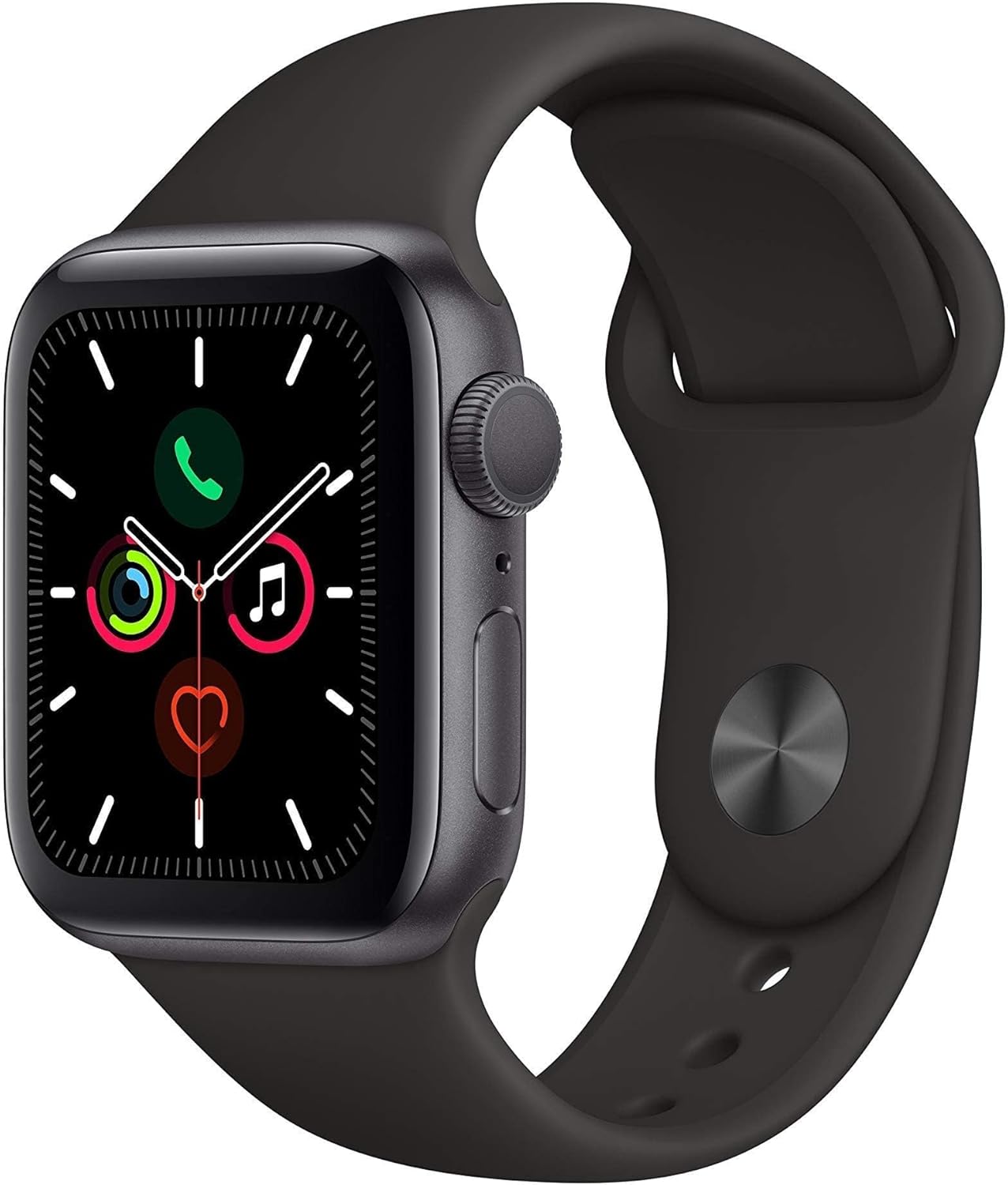
Apple Watch Series 5 (GPS, 44MM) - Space Gray Aluminum Case with Black Sport Band (Renewed)
![Apple Watch Series 10 [GPS 42mm case] Smartwatch with Silver Aluminium Case with Denim Sport Band - S/M. Fitness Tracker, ECG App, Always-On Retina Display, Water Resistant](https://m.media-amazon.com/images/I/61nAnMO04QL._AC_SL1500_.jpg)
Apple Watch Series 10 [GPS 42mm case] Smartwatch with Silver Aluminium Case with Denim Sport Band - S/M. Fitness Tracker, ECG App, Always-On Retina Display, Water Resistant
![Apple Watch Series 10 [GPS + Cellular 46mm case] Smartwatch with Slate Titanium Case with Slate Milanese Loop - S/M. Fitness Tracker, ECG App, Always-On Retina Display, Carbon Neutral](https://m.media-amazon.com/images/I/91Q3uFTUioL._AC_SL1500_.jpg)
Apple Watch Series 10 [GPS + Cellular 46mm case] Smartwatch with Slate Titanium Case with Slate Milanese Loop - S/M. Fitness Tracker, ECG App, Always-On Retina Display, Carbon Neutral
![Apple Watch Series 9 [GPS + Cellular, 45mm] - Starlight Case with Starlight Sport Band, S/M (Renewed)](https://m.media-amazon.com/images/I/611iTjlHRdL._AC_SL1500_.jpg)
Apple Watch Series 9 [GPS + Cellular, 45mm] - Starlight Case with Starlight Sport Band, S/M (Renewed)
1. FitLife Tracker
Overview
FitLife Tracker is a revolutionary fitness and wellness app designed specifically for the Apple Watch. With its state-of-the-art sensors and AI-driven analytics, FitLife Tracker helps you monitor your daily activity, track workouts, and even analyze your sleep patterns.
Key Features
- Real-Time Health Monitoring: Get instant feedback on your heart rate, blood oxygen levels, and stress levels.
- Custom Workouts: Create personalized workout plans based on your fitness level and goals.
- Sleep Analysis: Detailed insights into your sleep quality, including REM cycles and deep sleep.
- Goal Setting and Progress Tracking: Set daily, weekly, and monthly fitness goals, and track your progress over time.
- Integration with Other Devices: Sync seamlessly with your iPhone and other health apps for a comprehensive wellness overview.
Benefits
- Motivation to Stay Active: With clear visualizations and progress tracking, you’re motivated to reach new fitness milestones.
- Improved Health Insights: Detailed analytics help you understand your body’s needs better, leading to healthier lifestyle choices.
- Personalized Experience: AI-powered recommendations ensure that every workout and health tip is tailored to your needs.
Why You Should Try FitLife Tracker
If you’re serious about maintaining a healthy lifestyle, FitLife Tracker is the app you need on your wrist. Its user-friendly interface combined with powerful analytics makes it a must-have for anyone looking to improve their fitness regimen.
Ready to transform your fitness journey? Check out the latest Apple Watch deals on Amazon and get started with FitLife Tracker today!
2. WorkSmart Pro
Overview
For professionals on the go, WorkSmart Pro is the ultimate productivity app for the Apple Watch. Designed to streamline your workflow, this app integrates task management, calendar events, and real-time notifications—all accessible from your wrist.
Key Features
- Task Management: Organize your daily tasks with to-do lists, reminders, and prioritization tools.
- Calendar Integration: Sync your work and personal calendars for easy scheduling.
- Voice Commands: Use Siri or the built-in voice assistant to quickly add tasks or set reminders.
- Notifications and Alerts: Receive real-time updates on meeting reminders, emails, and urgent messages.
- Data Sync: Seamless integration with your iPhone and other devices ensures that your data is always up-to-date.
Benefits
- Boosted Productivity: With all your tasks and appointments in one place, you can manage your day more efficiently.
- Improved Organization: The app’s intuitive design helps you prioritize and execute tasks without feeling overwhelmed.
- Seamless Integration: Whether you’re at the office or on the move, WorkSmart Pro keeps you connected.
Why You Should Try WorkSmart Pro
In today’s busy world, managing work on the go can be challenging. WorkSmart Pro is designed to simplify your day, ensuring you never miss an important deadline or meeting.
Elevate your productivity! Discover exclusive Apple Watch bundles and integrate WorkSmart Pro into your daily routine now.
3. Mindful Moments
Overview
Mindful Moments is a meditation and mindfulness app tailored for the Apple Watch. In 2025, stress management is more important than ever, and this app provides guided meditations, breathing exercises, and mindfulness reminders to help you stay calm and focused.
Key Features
- Guided Meditations: Choose from a variety of meditation sessions, ranging from 5 to 30 minutes.
- Breathing Exercises: Simple, effective breathing exercises to reduce stress and anxiety.
- Mindfulness Reminders: Gentle notifications throughout the day to prompt you to take a moment for yourself.
- Progress Tracking: Monitor your mindfulness journey with detailed analytics and session history.
- Customizable Sessions: Tailor your meditation experience with customizable background sounds and guided voices.
Benefits
- Stress Reduction: Regular mindfulness practices can lower stress levels and improve overall mental health.
- Increased Focus: Incorporating mindfulness into your daily routine can enhance concentration and productivity.
- Accessible Anytime, Anywhere: With the convenience of the Apple Watch, you can practice mindfulness whether you’re at work or on the move.
Why You Should Try Mindful Moments
In a world full of distractions, Mindful Moments helps you carve out precious time for self-care. Its easy-to-follow sessions and practical approach make mindfulness accessible to everyone.
Need a mental break? Find the best deals on the latest Apple Watch models and experience the benefits of Mindful Moments today!
4. TravelMate Navigator
Overview
TravelMate Navigator is your perfect travel companion for 2025. This app turns your Apple Watch into a powerful navigation tool, providing real-time directions, transit updates, and location-based recommendations to make your journeys smoother and more enjoyable.
Key Features
- Turn-by-Turn Navigation: Detailed directions for driving, walking, and public transit.
- Real-Time Transit Updates: Stay informed about delays, cancellations, and alternate routes.
- Local Recommendations: Discover nearby restaurants, attractions, and hotels.
- Offline Maps: Download maps for offline use, ensuring you’re never lost even without a data connection.
- Integration with Ride-Sharing Services: Quickly book a ride with integrated ride-sharing options.
Benefits
- Stress-Free Travel: Avoid the hassle of getting lost or missing important transit connections.
- Enhanced Exploration: Discover new places and local favorites with curated recommendations.
- Convenience: Access all your travel information directly from your wrist.
Why You Should Try TravelMate Navigator
Traveling in 2025 should be an adventure, not a hassle. TravelMate Navigator transforms your Apple Watch into an indispensable travel tool, ensuring that every journey is smooth and stress-free.
Affiliate CTA: Ready for your next adventure? Shop for the newest Apple Watch models and equip yourself with TravelMate Navigator for a seamless travel experience!
5. HealthGuard
Overview
HealthGuard is an all-in-one health monitoring app designed to keep a close eye on your well-being. With the Apple Watch’s advanced sensors, HealthGuard provides continuous monitoring of your vitals, tracks your daily activity, and even offers insights into your overall health trends.
Key Features
- 24/7 Health Monitoring: Continuous tracking of heart rate, blood pressure, and oxygen levels.
- Emergency Alerts: Immediate notifications in case of irregular health readings or potential emergencies.
- Personalized Health Insights: Detailed analytics that help you understand your health patterns.
- Integration with Medical Devices: Sync data from external medical devices for comprehensive monitoring.
- Custom Alerts: Set personalized thresholds for various health metrics and receive instant alerts if exceeded.
Benefits
- Proactive Health Management: Stay ahead of potential health issues with continuous monitoring.
- Peace of Mind: Knowing that your health is being tracked can provide reassurance, especially for those with pre-existing conditions.
- Easy Sharing with Healthcare Providers: Seamlessly share your health data with your doctor for more informed consultations.
Why You Should Try HealthGuard
HealthGuard is not just an app—it’s a personal health assistant on your wrist. Its robust monitoring capabilities and intuitive design make it a must-have for anyone serious about proactive health management.
Take charge of your health! Explore the latest Apple Watch health features on Amazon and see how HealthGuard can help you maintain your well-being.
6. SmartFinance Tracker
Overview
Managing finances on the go has never been easier with SmartFinance Tracker. This app is designed for the modern professional who wants to keep a close eye on their expenses, investments, and overall financial health—all from the convenience of their Apple Watch.
Key Features
- Expense Tracking: Log daily expenses quickly and efficiently.
- Budget Management: Set monthly budgets and track spending to stay on top of your finances.
- Investment Insights: Get real-time updates on your portfolio and market trends.
- Secure Data Encryption: Your financial data is protected with advanced encryption protocols.
- Custom Notifications: Receive alerts for bill payments, unusual spending, and market fluctuations.
Benefits
- Financial Awareness: Stay informed about your spending habits and make smarter financial decisions.
- Convenience: Manage your money without needing to pull out your phone or log into a computer.
- Security: With robust encryption, you can trust that your financial data remains safe and secure.
Why You Should Try SmartFinance Tracker
For anyone looking to gain control over their finances, SmartFinance Tracker offers a powerful suite of tools right on your wrist. Its user-friendly interface and comprehensive features ensure that you’re always in the know when it comes to your money.
Secure your financial future! Check out the latest Apple Watch offers on Amazon and start using SmartFinance Tracker to manage your budget effectively.
7. Music Maestro
Overview
Music Maestro is the ultimate music companion for Apple Watch users. Whether you’re a casual listener or an audiophile, Music Maestro lets you control your music, discover new tracks, and even stream your favorite playlists—all from your wrist.
Key Features
- Music Control: Play, pause, skip, and adjust volume without reaching for your phone.
- Playlist Management: Create and manage playlists directly from your Apple Watch.
- Streaming Integration: Access popular streaming services and enjoy music on the go.
- Discover New Music: Get personalized recommendations based on your listening habits.
- Offline Playback: Download your favorite tracks and enjoy music even when you’re offline.
Benefits
- Enhanced Music Experience: Control your music effortlessly while working out, commuting, or relaxing.
- Seamless Connectivity: Integration with major streaming services ensures you always have access to your music library.
- Personalization: Tailored recommendations help you discover new artists and genres.
Why You Should Try Music Maestro
Music Maestro transforms your Apple Watch into a portable music hub. Its intuitive controls and seamless streaming integration make it an essential app for any music lover.
Turn up the volume on your day! Grab the latest Apple Watch deals on Amazon and enjoy the ultimate music experience with Music Maestro.
8. SocialConnect
Overview
SocialConnect is the ideal app for staying connected with friends, family, and colleagues. With social media integration and real-time messaging capabilities, this app ensures you’re always in the loop, whether it’s for personal updates or professional networking.
Key Features
- Social Media Notifications: Get instant updates from your favorite social media platforms.
- Direct Messaging: Respond to messages, tweets, and posts without needing to pull out your phone.
- News Feed Integration: Stay updated with the latest posts and news feeds.
- Customizable Alerts: Tailor your notifications to ensure you only get alerts that matter.
- Seamless Sync: Works effortlessly with your smartphone and desktop for a unified social experience.
Benefits
- Stay Connected: Never miss a moment with real-time social updates on your wrist.
- Enhanced Networking: Ideal for professionals looking to stay engaged on social platforms.
- Convenience: All your social interactions are just a tap away.
Why You Should Try SocialConnect
In a digital age where connectivity is key, SocialConnect bridges the gap between your devices. Its efficient and user-friendly design makes it an essential app for anyone who loves staying connected on the go.
Don’t miss out on important updates! Discover the best Apple Watch offers on Amazon and stay connected with SocialConnect today.
9. Daily Planner
Overview
Daily Planner is a comprehensive scheduling and organization app that transforms your Apple Watch into a personal assistant. Perfect for busy professionals and students alike, Daily Planner helps you manage your time efficiently with a suite of productivity tools.
Key Features
- Calendar Integration: Sync your work and personal calendars for a unified view of your schedule.
- Task Manager: Organize tasks, set priorities, and mark completed tasks with ease.
- Reminder Alerts: Get timely notifications to keep you on track throughout the day.
- Voice Commands: Use Siri integration to add tasks or set reminders on the go.
- Customizable Interface: Personalize the app’s appearance and notifications to suit your style.
Benefits
- Time Management: Stay on top of your daily schedule with ease.
- Reduced Stress: Knowing exactly what you need to do minimizes the stress of a busy day.
- Versatility: Ideal for both personal and professional scheduling needs.
Why You Should Try Daily Planner
If you’re constantly juggling multiple responsibilities, Daily Planner is the app for you. It consolidates all your scheduling needs into one intuitive platform, ensuring you never miss a deadline or appointment.
Get organized and stay ahead! Explore the latest Apple Watch deals on Amazon and streamline your day with Daily Planner.
10. EcoTrack
Overview
EcoTrack is an innovative app designed for environmentally conscious users. It helps you monitor your carbon footprint, track sustainable habits, and even discover eco-friendly products and initiatives. As sustainability becomes a global priority in 2025, EcoTrack is at the forefront of green technology integration on wearable devices.
Key Features
- Carbon Footprint Monitoring: Track your daily carbon emissions based on your activities.
- Eco-Friendly Tips: Receive daily suggestions on how to reduce your environmental impact.
- Sustainable Product Finder: Discover eco-friendly products and services in your area.
- Progress Analytics: Visualize your eco-friendly progress with detailed charts and statistics.
- Community Integration: Join a community of like-minded individuals and share your sustainability journey.
Benefits
- Promote Sustainability: Make small changes that collectively have a significant impact on the environment.
- Informed Decisions: Use real-time data to adjust your habits for a greener lifestyle.
- Community Engagement: Connect with others who are passionate about making a positive environmental impact.
Why You Should Try EcoTrack
EcoTrack is perfect for anyone who wants to contribute to a sustainable future. Its comprehensive tracking and actionable insights make it a standout app for those committed to environmental responsibility.
Ready to make a difference? Find the best deals on the latest Apple Watch models and start your eco-friendly journey with EcoTrack today!
Apple Watch Series 8 [GPS 41mm] Smart Watch w/Starlight Aluminum Case with Starlight Sport Band - S/M
Apple Watch Series 5 (GPS, 44MM) - Space Gray Aluminum Case with Black Sport Band (Renewed)
Apple Watch Series 10 [GPS 42mm case] Smartwatch with Silver Aluminium Case with Denim Sport Band - S/M. Fitness Tracker, ECG App, Always-On Retina Display, Water Resistant
Apple Watch Series 10 [GPS + Cellular 46mm case] Smartwatch with Slate Titanium Case with Slate Milanese Loop - S/M. Fitness Tracker, ECG App, Always-On Retina Display, Carbon Neutral
Apple Watch Series 9 [GPS + Cellular, 45mm] - Starlight Case with Starlight Sport Band, S/M (Renewed)
Expert Tips for Maximizing Your Apple Watch Experience
Optimize Your Apple Watch for Daily Use
While these top 10 apps can significantly enhance your experience, getting the most out of your Apple Watch involves more than just downloading apps. Here are some expert tips to help you optimize your device:
Customize Your Watch Faces
- Personalization: Choose watch faces that not only suit your style but also display the information you need at a glance. Many watch faces now offer complications (small widgets) that can show weather updates, calendar events, and fitness stats.
- Third-Party Designs: Explore third-party watch face options available on the App Store for unique designs and additional functionality.
Manage Notifications Effectively
- Selective Alerts: Customize notification settings for each app so that you only receive alerts that matter. This reduces distractions and improves productivity.
- Do Not Disturb Mode: Utilize Do Not Disturb mode during meetings or workouts to ensure you stay focused when it counts the most.
Regularly Update Your Apps and WatchOS
- Stay Current: Developers are constantly releasing updates to improve performance and add new features. Regularly updating your apps and watchOS ensures you benefit from the latest advancements.
- Feedback Loop: Participate in beta programs or provide feedback to developers to help shape future updates.
Explore the App Store
- Discover New Apps: The Apple Watch App Store is a treasure trove of innovative solutions. Don’t hesitate to explore new apps that may complement your lifestyle or solve specific problems.
- Read Reviews: User reviews and ratings are invaluable in determining which apps are worth trying. Look for apps with high ratings and positive feedback from the community.

Integrating Apple Watch Apps into a Connected Ecosystem
Synchronize Across Devices
To truly harness the power of your Apple Watch apps, integrate them with your other devices. Whether it’s syncing your health data with your iPhone or connecting your productivity tools to your Mac, a connected ecosystem enhances functionality and ensures that your data is always up-to-date.
Use Cloud Services
Many apps now offer cloud-based synchronization, allowing you to access your data across multiple devices. This means that no matter where you are, your essential information is just a tap away.
Leverage Voice Commands
Siri and other voice assistants are becoming more powerful. Use voice commands to interact with your apps hands-free, making it easier to manage tasks while on the move.
Final Thoughts
The Apple Watch has evolved into a versatile tool that caters to almost every aspect of your life. From fitness and health monitoring to productivity and sustainable living, the apps listed above represent the pinnacle of what’s available in 2025. By integrating these apps into your daily routine, you’re not just keeping up with technology—you’re leveraging it to improve your life.
Recap of the Top 10 Apple Watch Apps for 2025:
- FitLife Tracker – For comprehensive health and fitness monitoring.
- WorkSmart Pro – The ultimate productivity booster.
- Mindful Moments – Your go-to for meditation and mindfulness.
- TravelMate Navigator – Transform your travel experience.
- HealthGuard – A personal health monitoring assistant.
- SmartFinance Tracker – Manage your finances with ease.
- Music Maestro – Take control of your music on the go.
- SocialConnect – Stay connected with your social networks.
- Daily Planner – Organize your day efficiently.
- EcoTrack – Champion sustainable living with every step.
Each of these apps has been meticulously crafted to provide value, convenience, and enhanced functionality to your Apple Watch experience. Whether you’re aiming to boost your fitness routine, stay productive, or lead a more sustainable lifestyle, there’s an app here that’s perfect for you.
Frequently Asked Questions
Which Apple Watch app is best for fitness in 2025?
FitLife Tracker stands out as the best fitness app due to its comprehensive monitoring features, personalized workout plans, and seamless integration with other health apps.
How do I choose the right productivity app?
Consider your specific needs—if you need task management and calendar integration, WorkSmart Pro is ideal. Daily Planner is excellent for overall scheduling and organization.
Are these apps secure?
Yes. Each app on our list prioritizes data security with advanced encryption and regular updates to ensure your personal and financial data remains protected.
Can I try these apps for free?
Many of these apps offer free trials or basic versions. Be sure to check their respective pages on the App Store for details and upgrade options.
Enhance Your Apple Watch Experience with Exclusive Offers
If you’re excited about taking your Apple Watch to the next level with these incredible apps, now is the perfect time to upgrade your device or purchase accessories that complement your lifestyle. With exclusive offers available, there’s never been a better moment to invest in your health, productivity, and overall well-being.
Explore the latest Apple Watch models and accessories on Amazon. Click now to unlock exclusive deals and step into the future of wearable technology!
Conclusion
As we navigate through 2025, the evolution of Apple Watch apps represents a significant leap forward in how technology integrates into our daily lives. From tracking your fitness with precision to managing your tasks on the go, these top 10 apps have been selected to empower you, boost productivity, and enhance your overall lifestyle. Each app brings its own unique value, ensuring that no matter what your needs are, there’s an innovative solution waiting on your wrist.
Remember, technology is only as powerful as the user’s willingness to embrace it. With the right tools and a connected ecosystem, your Apple Watch can become an indispensable companion—one that not only tells time but also tells the story of a healthier, more efficient, and more connected you.
We hope this guide helps you unlock the full potential of your Apple Watch in 2025. As you explore these apps, take advantage of the exclusive offers and resources available to maximize your experience. Stay informed, stay connected, and most importantly, stay ahead of the curve!
Don’t wait to upgrade your tech experience! Discover the best Apple Watch deals on Amazon and experience the future of wearable technology today.
By integrating these innovative apps into your daily routine, you’re not just keeping up with the latest trends—you’re setting them. Whether it’s boosting your fitness, managing your schedule, or reducing your environmental impact, your Apple Watch is ready to support you every step of the way. Embrace the future of wearable tech, and let these top 10 apps for 2025 transform your lifestyle for the better.
Disclaimer: Some of the links provided in this article are affiliate links, meaning we may earn a commission at no extra cost to you if you make a purchase through them. We only recommend products and services that we trust and believe will add value to your experience.
Note: This article is intended to provide information on the top Apple Watch apps available in 2025. The features, benefits, and links mentioned are based on the latest trends and reviews as of the current year. Always check for the latest updates and reviews before making a purchase or downloading new software.
For more tips on maximizing your wearable tech experience, be sure to follow our blog and subscribe to our newsletter. Stay tuned for more in-depth reviews, guides, and expert advice on everything Apple Watch and beyond!
Additional Resources
For further insights and detailed reviews, check out these helpful resources:
- Apple’s Official Website – Stay updated on the latest Apple Watch news and innovations.
- TechRadar’s Apple Watch Reviews – Comprehensive reviews and expert opinions on Apple Watch models and apps.
- The Verge: Wearables – In-depth articles on wearable tech trends and developments.
- CNET’s Best Apps for Apple Watch – Explore additional app recommendations and reviews.
These resources can provide you with up-to-date information and expert insights, ensuring that your Apple Watch experience remains cutting-edge.
