
 .freditech-hero-img { border-radius: 14px; display: block; height: auto; margin: 18px auto; max-width: 100%; } .freditech-table-wrap { overflow-x: auto; margin: 18px 0 26px; } .freditech-accessory-table { width: 100%; min-width: 620px; border-collapse: collapse; border-top: 1px solid #f1a983; border-bottom: 1px solid #f1a983; font-size: 15px; line-height: 1.5; } .freditech-accessory-table th { background: #ffffff; color: #111827; font-weight: 800; text-align: left; padding: 12px 14px; border-bottom: 2px solid #f1a983; } .freditech-accessory-table td { color: #111827; padding: 12px 14px; border-bottom: 1px solid #f1a983; vertical-align: top; } .freditech-accessory-table tr:nth-child(even) td { background: #fae2d5; } .freditech-accessory-table tr:nth-child(odd) td { background: #ffffff; } .freditech-accessory-table th:first-child, .freditech-accessory-table td:first-child { width: 190px; min-width: 190px; } .freditech-note { background: #fff7ed; border-left: 4px solid #f97316; border-radius: 8px; color: #111827; margin: 18px 0; padding: 14px 16px; font-size: 15px; line-height: 1.6; } .freditech-product-card { align-items: center; border: 1px solid #dddddd; border-radius: 10px; display: flex; flex-direction: column; margin: 20px auto; max-width: 620px; overflow: hidden; padding: 15px; background: #ffffff; } .freditech-product-inner { align-items: center; background: #f9f9f9; display: flex; flex-wrap: wrap; font-family: Arial, sans-serif; gap: 14px; justify-content: space-between; width: 100%; } .freditech-product-img { display: block; height: auto; max-width: 120px; } .freditech-product-info { flex: 1 1 220px; text-align: center; } .freditech-product-logo { display: block; height: auto; margin: 0 auto 10px; max-width: 80px; } .freditech-product-title { color: #555555; font-size: 14px; line-height: 1.5; margin: 0; } .freditech-product-btn { background: #ff9900; border-radius: 6px; color: #111111; display: inline-block; font-size: 14px; font-weight: 800; margin-right: 10px; padding: 10px 14px; text-decoration: none; white-space: nowrap; } .freditech-powered { color: #777777; font-size: 12px; line-height: 1.6; margin-top: 10px; text-align: center; } @media (max-width: 600px) { .freditech-accessory-table { font-size: 14px; } .freditech-accessory-table th, .freditech-accessory-table td { padding: 10px 12px; } .freditech-product-inner { justify-content: center; text-align: center; } .freditech-product-btn { margin: 0 0 12px; } }
Introduction
Apple’s 2023 “Wonderlust” event ushered in a new era for the iPhone Pro line. For years, the Pro models were iterative updates built around stainless steel, Lightning and familiar triple-camera hardware. With the iPhone 15 Pro, Apple made meaningful changes: a lighter grade 5 titanium frame, a universal USB-C port, a programmable Action button, and the powerful A17 Pro chip.
The iPhone 15 Pro also introduced a more flexible camera experience, including 24MP default photos, multiple main-camera focal lengths, improved portraits and professional video workflows through USB-C. Even as newer iPhones arrive, the iPhone 15 Pro remains a strong compact flagship for buyers who want premium Apple performance, excellent cameras and long-term software support at a lower price than the newest Pro models.
{getToc} $title={Table of Contents} $count={Boolean} $expanded={Boolean}
Quick Overview
The table below summarises the key hardware specifications of the iPhone 15 Pro. Detailed explanations follow in the full review.
| Feature | iPhone 15 Pro Details |
|---|---|
| Display | 6.1-inch Super Retina XDR OLED, Dynamic Island, Always-On display, 2556 × 1179 resolution at 460 ppi, ProMotion up to 120Hz, HDR brightness up to 1600 nits and outdoor peak brightness up to 2000 nits. |
| Processor | A17 Pro chip with 6-core CPU, 6-core GPU and 16-core Neural Engine. |
| Storage | 128GB, 256GB, 512GB and 1TB options. |
| Rear Cameras | 48MP main camera, 12MP ultra-wide camera and 12MP telephoto camera with 3× optical zoom. |
| Front Camera | 12MP TrueDepth camera with autofocus, Photonic Engine and Smart HDR support. |
| Battery | Up to 23 hours of video playback and up to 75 hours of audio playback. |
| Charging | USB-C fast charging, MagSafe wireless charging, Qi2 wireless charging and standard Qi wireless charging. |
| Durability | IP68 water and dust resistance, Ceramic Shield front and grade 5 titanium design. |
| Connectivity | 5G, Wi-Fi 6E, Bluetooth 5.3, Ultra Wideband and USB-C with USB 3 transfer speeds up to 10Gbps. |
| Launch Price | Started at $999 for 128GB in the United States. |
Design & Build Quality
Titanium frame & contoured design
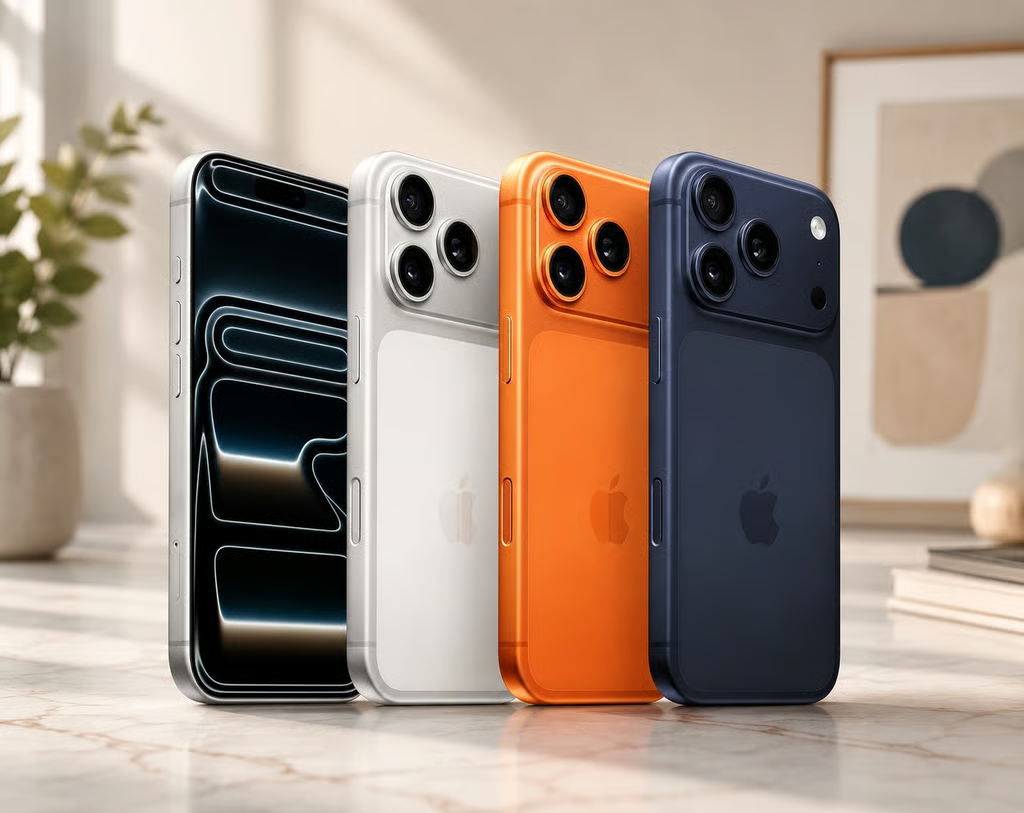
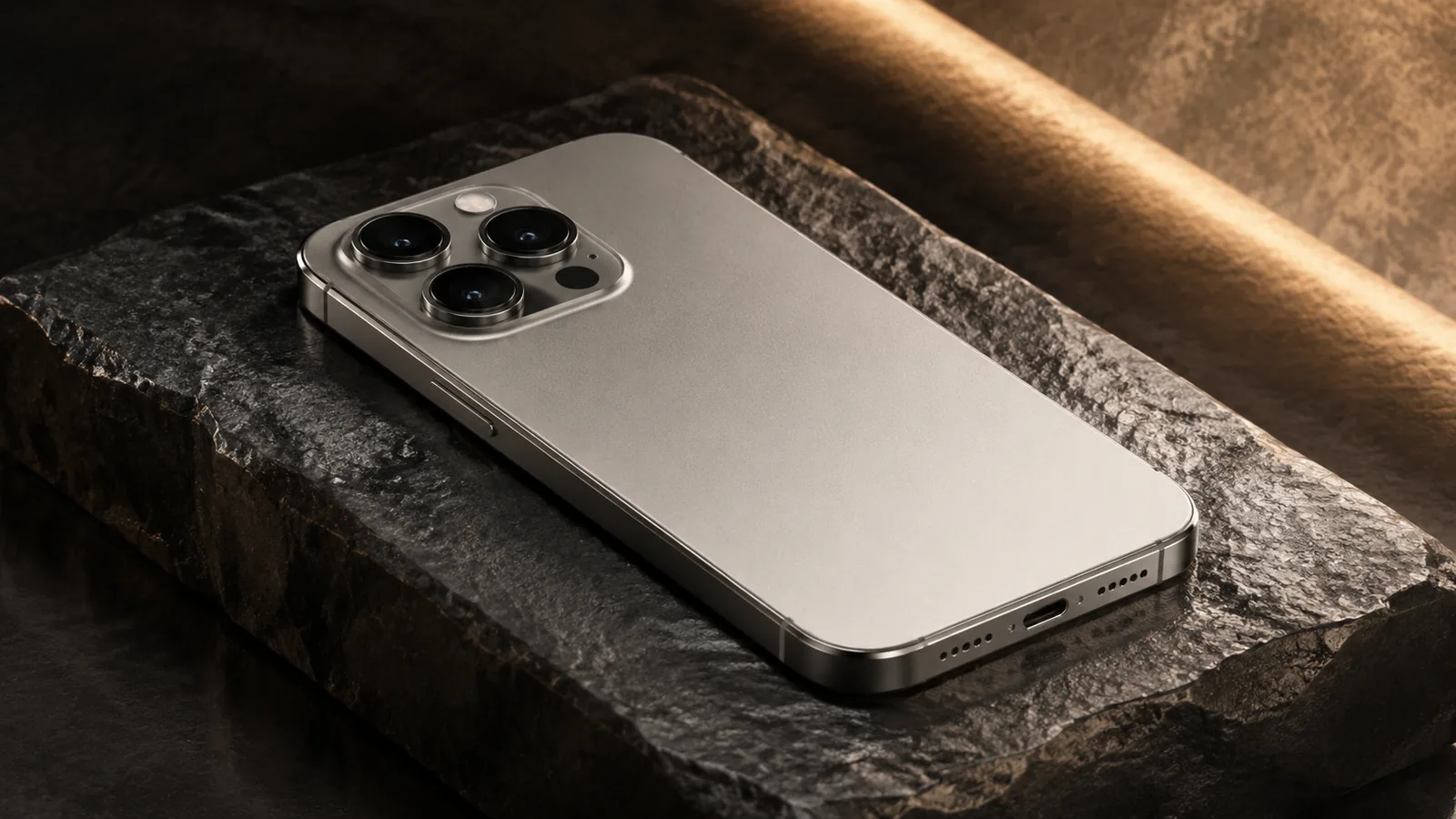
One of the biggest changes from previous models is the switch from stainless steel to grade 5 titanium. Titanium reduces weight by about 19 g compared with the 14 Pro series. The sides are slightly curved instead of squared off, which, combined with the lighter material, makes the phone noticeably more comfortable to hold. The dimensions are 5.77 × 2.78 × 0.32 inches and the weight is just 187 g, allowing the device to feel compact despite packing high-end hardware. The finish is matte to reduce fingerprints, and Apple offers subdued colour options: Natural Titanium, Blue Titanium, White Titanium and Black Titaniumtheverge.com.
The titanium frame isn’t just for looks. According to The Verge, the new alloy contributes to a noticeably lighter feel, making long-term use more comfortable. The slightly curved edges preserve the familiar flat-edge aesthetic while reducing pressure on your palm. These ergonomic improvements may seem minor on paper, but in daily use they add up to a flagship that is easier to handle than its steel-framed predecessors.
Programmable Action button
Replacing the long-standing mute switch, the Action button sits above the volume buttons. By default, holding it toggles Silent mode with a haptic cue, and a short press reveals the current ringer status. Through Settings → Action Button, you can assign it to launch the camera, flashlight, voice recorder, Magnifier, a specific Shortcut or other functionstomsguide.com. Apple also allows advanced users to use the Shortcuts app to program highly customised actions—think opening Spotify, starting a HomeKit routine or sending an automated text.
Step-by-step: customise the Action button
- Open Settings on your iPhone 15 Pro and tap Action Button.
- Swipe through the preset options (Silent Mode, Focus, Camera, Flashlight, Voice Memo, Magnifier, Shortcut and Accessibility).
- Select one to set it as the default action. For example, choose Camera and then pick a mode such as Selfie, Portrait or Video.
- If you choose Shortcut, tap Choose a Shortcut and select any automation you’ve created in the Shortcuts app.
- Test the button by pressing and holding it to perform the assigned action.
Note that the Action button can perform only one task at a time. If you regularly switch between tasks—say, toggling Silent mode during meetings and launching the camera at other times—you may need to revisit Settings frequently. Hopefully Apple expands this to multiple actions in a future software update.
USB-C & port versatility
After years of using the Lightning connector, Apple finally adopted USB-C across the iPhone 15 lineup. The Pro models support USB 3 data transfer at up to 10 Gbps. This makes offloading ProRes footage or transferring large files to an external SSD significantly faster than before. The change also enables USB Power Delivery, allowing the iPhone 15 Pro to charge other devices such as AirPods or another iPhone via a USB-C–to-USB-C cable.
Another benefit is universal compatibility. During testing, The Verge’s Nilay Patel found he could plug a Satechi hub into the phone and connect SD-card readers, Ethernet adapters and other accessories without needing Apple-specific dongles. The ability to use standard cables and hubs is a welcome shift for creatives and professionals who regularly transfer data or plug into external displays.
Water and dust resistance
Like recent Pro models, the iPhone 15 Pro has an IP68 rating for water and dust resistance. This means it can survive at a maximum depth of 6 m for up to 30 minutes. While you shouldn’t deliberately swim with your phone, the rating offers peace of mind when using the device near pools or in the rain.

.freditech-amazon-ad-mini { position: relative; width: 100%; max-width: 380px; margin: 18px auto; overflow: hidden; border-radius: 12px; box-shadow: 0 5px 16px rgba(0,0,0,0.14); font-family: Arial, sans-serif; background: #000;
}
.amazon-disclosure-mini { margin: 0; padding: 6px 8px; background: #f7f7f7; color: #444; font-size: 10px; line-height: 1.3; text-align: center;
}
.freditech-amazon-ad-mini a { text-decoration: none; color: #fff; display: block; position: relative; overflow: hidden;
}
.freditech-amazon-ad-mini img { width: 100%; height: auto; display: block; transition: transform 0.35s ease, filter 0.35s ease;
}
.freditech-amazon-ad-mini:hover img { transform: scale(1.04); filter: brightness(1.08);
}
.ad-overlay-mini { position: absolute; inset: 0; background: linear-gradient(to right, rgba(0,0,0,0.72) 0%, rgba(0,0,0,0.32) 55%, rgba(0,0,0,0.05) 100%); display: flex; flex-direction: column; justify-content: center; padding: 14px; transition: background 0.35s ease;
}
.freditech-amazon-ad-mini:hover .ad-overlay-mini { background: linear-gradient(to right, rgba(0,0,0,0.78) 0%, rgba(0,0,0,0.38) 55%, rgba(0,0,0,0.08) 100%);
}
.top-badge-mini { display: inline-block; background: #ff9900; color: #000; font-size: 9px; font-weight: 700; padding: 4px 8px; border-radius: 30px; width: max-content; margin-bottom: 6px;
}
.ad-overlay-mini h2 { color: #fff; font-size: 19px; line-height: 1.1; margin: 0 0 6px; max-width: 230px; font-weight: 800;
}
.ad-overlay-mini p { font-size: 11px; line-height: 1.4; max-width: 240px; margin: 0 0 9px; color: #f2f2f2;
}
.cta-btn-mini { display: inline-flex; align-items: center; justify-content: center; background: #ff9900; color: #000; font-size: 11px; font-weight: 900; padding: 7px 12px; border-radius: 7px; width: max-content; transition: background 0.3s ease, transform 0.3s ease;
}
.cta-btn-mini strong { color: #000; font-weight: 900;
}
.freditech-amazon-ad-mini:hover .cta-btn-mini { background: #ffb84d; transform: translateY(-2px);
}
@media (max-width: 480px) { .freditech-amazon-ad-mini { max-width: 320px; border-radius: 10px; } .ad-overlay-mini { padding: 11px; } .ad-overlay-mini h2 { font-size: 17px; } .ad-overlay-mini p { font-size: 10px; } .cta-btn-mini { font-size: 10px; padding: 6px 10px; }
}
Display & Audio
Super Retina XDR with ProMotion
The 15 Pro retains the 6.1-inch Super Retina XDR OLED display but improves the overall experience. Apple’s spec sheet lists a 2556 × 1179 resolution (460 ppi), a 2,000,000:1 contrast ratio and brightness that reaches 1000 nits typically, 1600 nits HDR and 2000 nits outdoors. The high peak brightness ensures excellent visibility even under direct sunlight. ProMotion technology allows the refresh rate to adapt from 1 Hz to 120 Hz, providing silky-smooth scrolling and saving power when a static image is shownsupport.apple.com.
Tom’s Guide praised the screen for its immersive quality; smaller bezels make the 6.1-inch panel feel larger. The Dynamic Island, introduced on the 14 Pro, remains a useful notification area. It shows ongoing activities such as timers, ride-share progress, flight information or music playback. The Always-On display lets you see the time, date and widgets without waking the phone, and Apple designed it to dim in dark environments to save powertomsguide.com.
Audio & spatial sound
Stereo speakers (one on the bottom and one integrated into the earpiece) deliver clear and loud sound. The phone supports Spatial Audio and Dolby Atmos, creating a cinematic experience when watching movies or playing games. There’s no headphone jack, so you’ll use wireless earbuds or USB-C audio accessories. As with previous models, the speakers produce balanced mids and highs, though the bass is limited by the phone’s size.
StandBy & interactive widgets
iOS 17 introduced StandBy, which transforms the iPhone into a smart display when charging in landscape orientation. You can display full-screen clocks, photo slideshows or smart home widgets. Tom’s Guide notes that the magnetic connection can sometimes be weak, so a sturdy MagSafe stand is recommended. With interactive widgets on the home screen you can perform actions like pausing music, marking tasks complete or turning off lights without opening an app.
Performance & Hardware
A17 Pro chipset
The iPhone 15 Pro is powered by Apple’s A17 Pro, the first 3-nm chip in a mainstream smartphone. It features a 6-core CPU (two performance cores and four efficiency cores) and a 6-core GPU along with a 16-core Neural Engine. Tom’s Guide reports that the chip delivers about 10 % better CPU performance, up to 2× faster machine-learning tasks and 20 % faster graphics compared with the A16. The GPU supports hardware-accelerated ray tracing, enabling console-quality lighting effects in games.
In benchmarks, the iPhone 15 Pro scored 2,890 single-core and 7,194 multi-core in Geekbench 6, far ahead of the Galaxy S23 Ultra’s 1,396/4,882 scores. However, the Galaxy S24 Plus edges ahead in 3DMark Wild Life Unlimited with 121.3 fps versus the iPhone’s 94.3 fps. Despite trailing in raw graphics benchmarks, real-world gaming performance is excellent. Engadget notes that the A17 Pro kept things running smoothly while switching between camera and video modes, downloading games and hotspotting to another iPhone. The chip’s 6-core GPU also supports console-level titles like Resident Evil Village and Assassin’s Creed Mirageengadget.com.
Thermals & cooling
Although the 15 Pro lacks a dedicated vapor chamber, the efficient 3-nm process results in minimal heat during everyday tasks. The titanium frame helps dissipate heat, and you’ll rarely notice throttling outside extended gaming sessions. Users who game intensely should still consider a case with heat dissipation grooves.
Networking & connectivity
Apple paired the A17 Pro with Qualcomm’s X70 modem, supporting all major 5G bands, and added Wi-Fi 6E for faster 6 GHz connections. In practice, speeds exceed 700–900 Mbps when connected to a Wi-Fi 6E router in the same room. When you move further away, the phone will drop to the familiar 5 GHz or 2.4 GHz bands, though iOS sometimes holds onto 6 GHz too aggressively. Dual-eSIM support lets you store multiple cellular plans and switch between them easily; the U.S. models no longer support physical SIM cards.
Camera System
Triple-lens hardware
The iPhone 15 Pro continues to use a triple-lens system, but each component has been refined.
- Main camera: a 48 MP quad-pixel sensor with a 24 mm equivalent lens and ƒ/1.78 aperture. It uses a second-generation sensor-shift stabilisation system and supports both 24 MP and 48 MP photo capture.
- Ultra-wide camera: 12 MP sensor with a 13 mm lens and 120° field of view. It doubles as a macro lens for close-up photography.
- Telephoto camera: 12 MP sensor with a 77 mm lens providing 3× optical zoom. Digital zoom extends up to 15×, though image quality drops beyond 9×.
- TrueDepth front camera: 12 MP camera with ƒ/1.9 aperture and autofocus, supporting Photonic Engine and Smart HDR 5.
High-resolution default photos & focal lengths
Pocketnow explains that Apple introduced a 24 MP high-resolution default using the HEIF file format. This strikes a balance between the detail of 48 MP and the file size of 12 MP images. The new system also allows you to choose between 24 mm, 28 mm and 35 mm focal lengths when shooting with the main camerapocketnow.com. This seven-lens system effectively turns the camera into a pocketable prime-lens kit:
- 24 mm (1×) – standard field of view
- 28 mm (1.2×) – slightly tighter framing
- 35 mm (1.5×) – classic focal length for portraits and street photography
- 48 mm (2× crop) – achieved by cropping the main sensor, acting like a 2× telephoto
- 13 mm (0.5×) – the ultra-wide lens for landscapes and macro shots
- Macro mode – uses the ultra-wide lens for close-up shots
- 77 mm (3×) – telephoto for portraits and distant subjects
Nano-coating & portrait improvements
To reduce lens flare and unwanted reflections, Apple applied a nano-scale coating on the camera lenses. Early tests show significantly fewer streaks and ghosting around light sources, improving low-light and night photography. The next-generation Portrait Mode automatically captures depth data when a person, dog or cat is detected or when you tap to focus. After capturing, you can adjust the focus point and aperture to refine background blur. This flexibility makes it easier to capture candid moments and decide on portrait effects later.
Videography & professional workflows
The iPhone 15 Pro offers robust video capabilities. It records 4K video at 24/25/30/60 fps; 1080p at 25/30/60 fps; and supports ProRes and Log for professional editing. Cinematic mode now records in 4K HDR at 30 fps and uses depth mapping to allow focus changes in post-production. Action mode stabilises footage at up to 2.8K/60 fps, making handheld walking shots smooth.
With the move to USB-C, you can record ProRes 4K60 directly to an external SSD, freeing internal storage and enabling longer shoots. Engadget notes that the A17 Pro allows hardware-accelerated ray tracing, which enhances lighting effects in games and can assist with computational photography.
Step-by-step: customise focal lengths
- Open the Camera app.
- In Photo mode, tap the 1× button above the shutter; it cycles through 24 mm, 28 mm and 35 mm presets.
- If you prefer one focal length, open Settings → Camera → Main Camera and set your default lens.
- For 2× zoom, tap 2×; this uses the central 24 MP crop of the 48 MP sensor and provides lossless quality.
- To access the full 48 MP resolution, tap RAW/HEIF in the top-right corner and choose 48 MP; the shutter icon will turn yellow, indicating ProRAW capture.
Real-world example: portrait editing after the shot
Imagine you take a photo of a friend during sunset without switching to Portrait mode. Later in the Photos app, tap Edit and you’ll see a Depth button. The iPhone saved depth information automatically because it recognised a human subject. Tap Depth to adjust the focus or shift the blur using the slider. This feature reduces the pressure to pick portrait mode before capturing a moment and demonstrates Apple’s computational photography prowess.
Battery Life & Charging
Battery capacity & endurance
Apple doesn’t officially quote milliampere-hour capacity, but regulatory filings indicate the iPhone 15 Pro has a 3,274 mAh battery. Apple’s spec sheet states it provides up to 23 hours of video playback, 20 hours of streamed video and 75 hours of audio. Tom’s Guide performed a continuous web-browsing test at 150 nits and measured 10 hours and 53 minutes, beating the iPhone 14 Pro by 40 minutes and the Pixel 7 Pro by almost two hours. However, phones like the Galaxy S24 Plus offer over 16 hours in similar tests, so the 15 Pro doesn’t lead the field.
Engadget’s Cherlynn Low found that the 15 Pro Max often lasted about two days on a charge, though she expects it to average around 1.5 days over time. While the smaller Pro has a smaller cell, you can typically expect a full day of moderate use. The titanium build also helps dissipate heat, preventing battery drain under heavy loads.
Charging speeds & reverse charging
Using Apple’s 20 W USB-C power adapter, you can charge the iPhone 15 Pro from 0 % to 50 % in about 30 minutes. Tom’s Guide observed even better results, reaching 57 % in 30 minutes. Wireless charging via MagSafe and Qi2 delivers up to 15 W, while standard Qi chargers provide 7.5 W. Unlike some Android competitors, Apple still caps wired charging at ~27 W, so you won’t see the 65 W to 100 W speeds offered by certain Chinese brands.
The move to USB-C enables reverse wired charging. Engadget notes you can top up AirPods or another iPhone via a USB-C-to-USB-C cable. It’s handy when traveling—charge both your phone and earbuds from a single battery pack by daisy-chaining devices.
Battery optimisation tips
- Enable Optimised Battery Charging: Go to Settings → Battery → Battery Health & Charging and toggle Optimised Battery Charging. This slows charging past 80 % until you need it, reducing battery wear.
- Use Low Power Mode: When battery is below 20 %, enable Low Power Mode via Control Center to reduce background activity and screen refresh rates.
- Manage StandBy brightness: In Settings → StandBy, choose Motion to Wake or Night Mode to prevent unnecessary battery drain at night.
- Charge with certified USB-C PD chargers: Third-party chargers that support USB Power Delivery provide safe, fast charging. Avoid cheap, uncertified accessories that may damage the battery.
Connectivity & Ports
5G and Wi-Fi 6E
The iPhone 15 Pro supports all major 5G bands and uses Qualcomm’s X70 modem for improved efficiency. The Verge noted that it also introduces Wi-Fi 6E, enabling transfer speeds up to 900 Mbps when connected to a 6 GHz router. However, 6 GHz signals don’t travel as far as 5 GHz or 2.4 GHz; iOS sometimes sticks to the 6 GHz band even when performance drops. For best results, set Wi-Fi 6E to Automatic under Settings → Wi-Fi → Wi-Fi 6E so the phone can fall back to lower bands when needed.
eSIM & Dual-SIM convenience
All iPhone 15 models sold in the U.S. eliminate the physical SIM tray. Instead, they support dual eSIM, allowing you to activate two numbers simultaneously and store multiple plans. This is ideal for travelers who use local carriers abroad. European and international models may retain a single SIM tray alongside eSIM, but Apple’s direction is clearly towards a portless, digital future.
Port selection
Aside from the USB-C connector there are no additional ports. For wired audio or Ethernet you’ll rely on adapters or hubs. Thanks to USB-C’s universal nature, these accessories are readily available and inexpensive. When connecting to external monitors or TVs, you can use a USB-C–to–HDMI adapter or DisplayPort cable to mirror or extend your iPhone screen.
Software & User Experience
iOS 17 features
The iPhone 15 Pro shipped with iOS 17 and is now upgradeable through iOS 27, incorporating Apple’s generative Apple Intelligence features. Tom’s Guide highlights a few standout iOS 17 features:
- NameDrop: Quickly share your contact info by holding your iPhone near another user’s phone or Apple Watch.
- StandBy Mode: When your phone is charging horizontally, it becomes a bedside display showing clocks, photos or widgets.
- Live Voicemail: Get real-time transcriptions of voicemail messages so you can decide whether to answer.
- Interactive widgets: Perform actions like turning on smart lights or ticking off tasks directly from your home screen.
- Improved autocorrect and AirDrop: On-device learning improves typing predictions, and AirDrop now continues over the internet if you move out of proximity.
Long-term support & Apple Intelligence
Apple typically provides five to six years of software updates. Buying a 15 Pro in 2026 means you’ll receive iOS security patches and features through at least 2030. iOS 27 introduces Apple Intelligence, which integrates generative AI into features such as summarising text, creating images and answering queries. While its full capabilities require an A18 or newer chip, the A17 Pro will support many features in limited form, ensuring the 15 Pro remains useful for years.
Real-World Usage & Examples
Daily workhorse
In everyday use, the iPhone 15 Pro’s lighter weight and contoured edges make one-handed use comfortable. Opening the Camera app via the Action button becomes second nature after a few days. The titanium finish resists minor scratches; after months of pockets, keys and occasional drops, there are few visible scuffs.
The 24 MP default photos retain impressive detail while keeping file sizes manageable. During a family hike, switching between 24 mm and 35 mm focal lengths captured both wide vistas and intimate portraits without changing lenses. Editing portraits after the fact by adjusting the aperture produced studio-like blurred backgrounds.
Running console-quality games such as Resident Evil Village showcased the A17 Pro’s ray tracing; reflections from puddles and dynamic shadows added realism. There were no frame drops even during intense sequences.
Professional workflow example
For content creators, the combination of ProRes recording and USB-C transforms the iPhone 15 Pro into a mini-production studio. You can connect an external SSD via a 10 Gbps USB-C cable and record ProRes 4K60 directly to the drive. After a shoot, transfer the footage to a MacBook quickly thanks to USB 3 speeds. The phone’s ability to act as a hub even allows you to connect SD-card readers, Ethernet and USB-C microphones simultaneously.
Pricing, Availability & Value
The iPhone 15 Pro launched on 22 September 2023 at $999 for the 128 GB model, $1,099 for 256 GB, $1,299 for 512 GB and $1,499 for 1 TB. In 2026, you can often find it new or refurbished for less, making it an attractive entry point into Apple’s Pro ecosystem. The phone comes in four colours and includes a USB-C charging cable but no power adapter. Competitors like Samsung’s Galaxy S24 Plus now offer 256 GB at the same price point, so choose based on ecosystem preference and camera needs.
Pros & Cons
Advantages
- Lightweight titanium design: 19 g lighter than the 14 Pro series and more comfortable due to contoured edges.
- A17 Pro performance: 10 % faster CPU, 20 % faster GPU and ray tracing support.
- Programmable Action button: Customisable hardware button for quick access to frequently used features.
- Improved camera system: 48 MP main sensor with multi-focal lengths; 24 MP default photos; better portrait mode; nano-coated lenses and seven-lens system.
- USB-C port with 10 Gbps transfer & reverse charging: Fast file transfers and the ability to charge accessories.
- Solid battery endurance: Up to 23 hours video playback; charges to 50 % in ~30 min.
- iOS 17 and long-term support: New features like NameDrop and StandBy; at least five years of software updates.
Disadvantages
- No 5× telephoto: The 15 Pro Max is the only model with 5× optical zoom; the 15 Pro sticks to 3×.
- Charging speeds lag behind competitors: Capped at ~27 W, slower than Android rivals with 65 W–100 W charging.
- One Action button assignment: Only a single function can be mapped at a time.
- Expensive storage tiers: 512 GB and 1 TB models cost significantly more.
- Limited Wi-Fi 6E range: Performance drops when you move away from the router.
Comparison to Other Flagships
The smartphone market in 2026 is crowded with excellent devices. Samsung’s Galaxy S24 Plus features a larger 6.2-inch display, 256 GB storage standard, a 50 MP main sensor and 16.5-hour battery life for the same $999 price. However, it lacks an equivalent to the iPhone’s seven-lens camera system, and its Exynos/Snapdragon chip still trails the A17 Pro in single-core performance. Google’s Pixel 8 Pro offers superb computational photography and a clean Android experience, but its Tensor chip cannot match Apple’s sustained performance or software support timeline.
Within Apple’s lineup, the iPhone 15 Pro Max is the better choice if you want a larger 6.7-inch display, longer battery life (~3 hours more in Tom’s Guide testing) and 5× optical zoom. However, the 15 Pro is easier to handle and $200 cheaper. If you prefer an even lighter phone, the base iPhone 15 uses an aluminium frame and costs $799 but lacks ProMotion, LiDAR and the telephoto camera. Apple’s iPhone 17 and 17 Pro bring new A19 chips and vertical camera designs but are more expensive; the 15 Pro remains a value sweet spot in 2026.
Step-by-Step Guides
How to record ProRes video to an external drive
- Connect a USB-C external SSD to your iPhone using a 10 Gbps cable.
- Open Settings → Camera → Formats.
- Under Video Capture, toggle Apple ProRes and choose 4K 60 fps (external storage).
- Launch the Camera app, switch to Video mode and ensure ProRes appears near the frame rate indicator.
- Start recording; footage saves directly to the SSD, freeing up internal storage.
- Safely eject the drive before unplugging it.
How to use NameDrop to share contacts
- Ensure both devices run iOS 17 or later and that AirDrop is enabled.
- Hold the tops of the two iPhones (or iPhone and Apple Watch) close together until you see the NameDrop animation.
- Your contact card appears; tap Share. The recipient will be prompted to accept your contact information.
- Once accepted, the contact is added to the recipient’s Contacts app.
How to enable StandBy Mode
- Place your iPhone on a MagSafe or wired charger in landscape orientation.
- StandBy appears automatically. Swipe left or right to switch between clock styles, photo slideshows and widget stacks.
- Press and hold a widget to customise it or use the + button to add new widgets.
- To adjust options like Night Mode or Motion to Wake, go to Settings → StandBy.
Recommended iPhone Deals


Conclusion
The iPhone 15 Pro represents a pivotal moment for Apple’s flagship line. By embracing a titanium design, adopting USB-C, adding a programmable Action button and introducing the A17 Pro chip with hardware-accelerated ray tracing, Apple has redefined what a Pro-level iPhone can be. The camera system’s multi-focal-length flexibility, 24 MP default resolution and improved portrait mode make it a powerful tool for creators, while the bright 120 Hz display and long-term software support ensure the phone remains enjoyable and relevant for years. Although the lack of a 5× telephoto lens and modest charging speeds leave room for improvement, the iPhone 15 Pro strikes a compelling balance between innovation and refinement. In 2026 it continues to stand out as a compact flagship that delivers premium performance, versatility and value.
Author Credentials
Wiredu Fred is a technology writer and the founder of FrediTech. With a background in computer engineering and over a decade of experience reviewing smartphones, laptops and consumer electronics, he is known for in‑depth analyses that balance technical insight with real‑world usability. Fred’s work has been referenced by major publications. When he isn’t testing new devices, he mentors students in digital literacy and contributes to open‑source projects.
Related FrediTech Guides
- Ultimate Guide to Smartphone Battery Optimization
- iOS Tips and Tricks: Unlock Top iPhone and iPad Features
- Mastering Smartphone Photography
- iPhone 15 Pro Max Review
References and Sources
- Apple Support: iPhone 15 Pro Technical Specifications
- Apple Newsroom: iPhone 15 Pro and iPhone 15 Pro Max Announcement
- Apple Support: Apple Intelligence on iPhone
- Apple: iOS Compatibility