

Introduction
Apple’s annual iPhone refresh always sparks excitement, but the iPhone 16 Pro is more than just an incremental update. Released in September 2025 alongside the 16 Pro Max, this handset introduces a larger display, an innovative Camera Control button, substantial battery upgrades, and a new A18 Pro system-on-chip designed to power Apple Intelligence – Apple’s privacy-focused generative AI framework. The result is a flagship that blends power, practicality and future-proof software.
In this comprehensive guide you’ll learn everything about the iPhone 16 Pro: from its titanium design, display and performance to camera upgrades, battery life and real-world examples. We’ll also link to relevant guides on FrediTech.com, provide step-by-step tips for getting the most out of the device, and answer common questions so you can make an informed buying decision.
{getToc} $title={Table of Contents} $count={Boolean} $expanded={Boolean}
.freditech-table-wrap { overflow-x: auto; margin: 18px 0 26px; } .freditech-accessory-table { width: 100%; min-width: 620px; border-collapse: collapse; border-top: 1px solid #f1a983; border-bottom: 1px solid #f1a983; font-size: 15px; line-height: 1.5; } .freditech-accessory-table th { background: #ffffff; color: #111827; font-weight: 800; text-align: left; padding: 12px 14px; border-bottom: 2px solid #f1a983; } .freditech-accessory-table td { color: #111827; padding: 12px 14px; border-bottom: 1px solid #f1a983; vertical-align: top; } .freditech-accessory-table tr:nth-child(even) td { background: #fae2d5; } .freditech-accessory-table tr:nth-child(odd) td { background: #ffffff; } .freditech-accessory-table th:first-child, .freditech-accessory-table td:first-child { width: 190px; min-width: 190px; } @media (max-width: 600px) { .freditech-accessory-table { font-size: 14px; } .freditech-accessory-table th, .freditech-accessory-table td { padding: 10px 12px; } }
Design and Build Quality
Titanium frame and bigger display
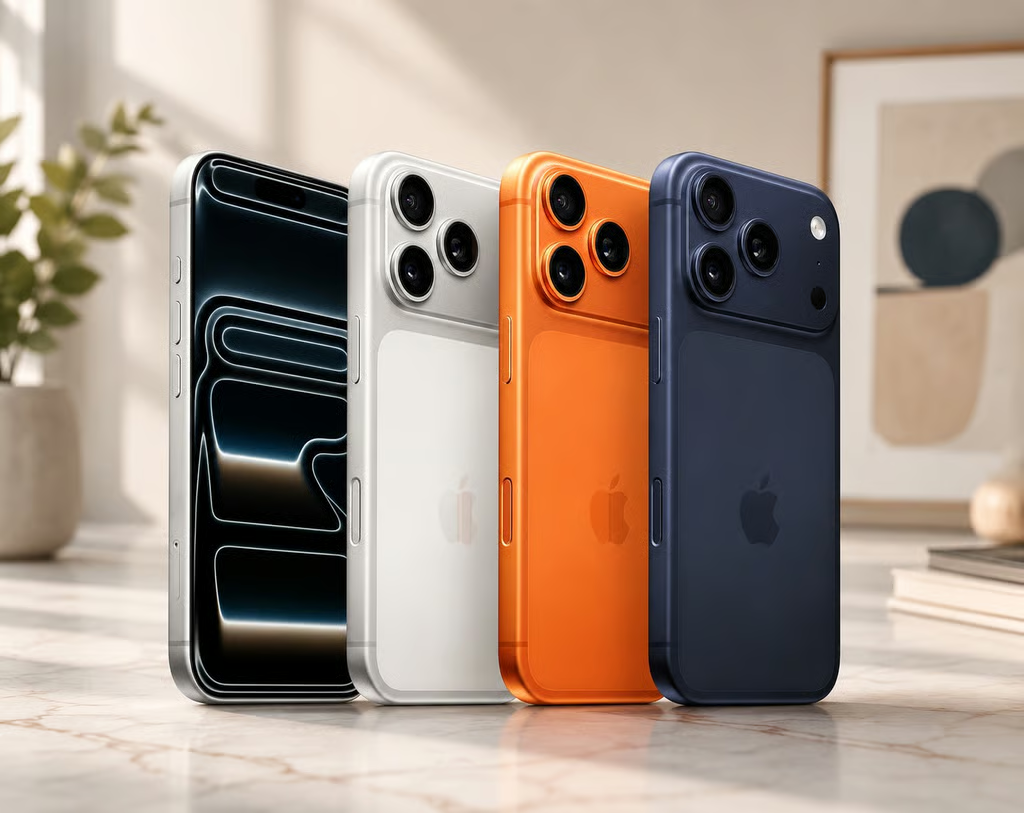
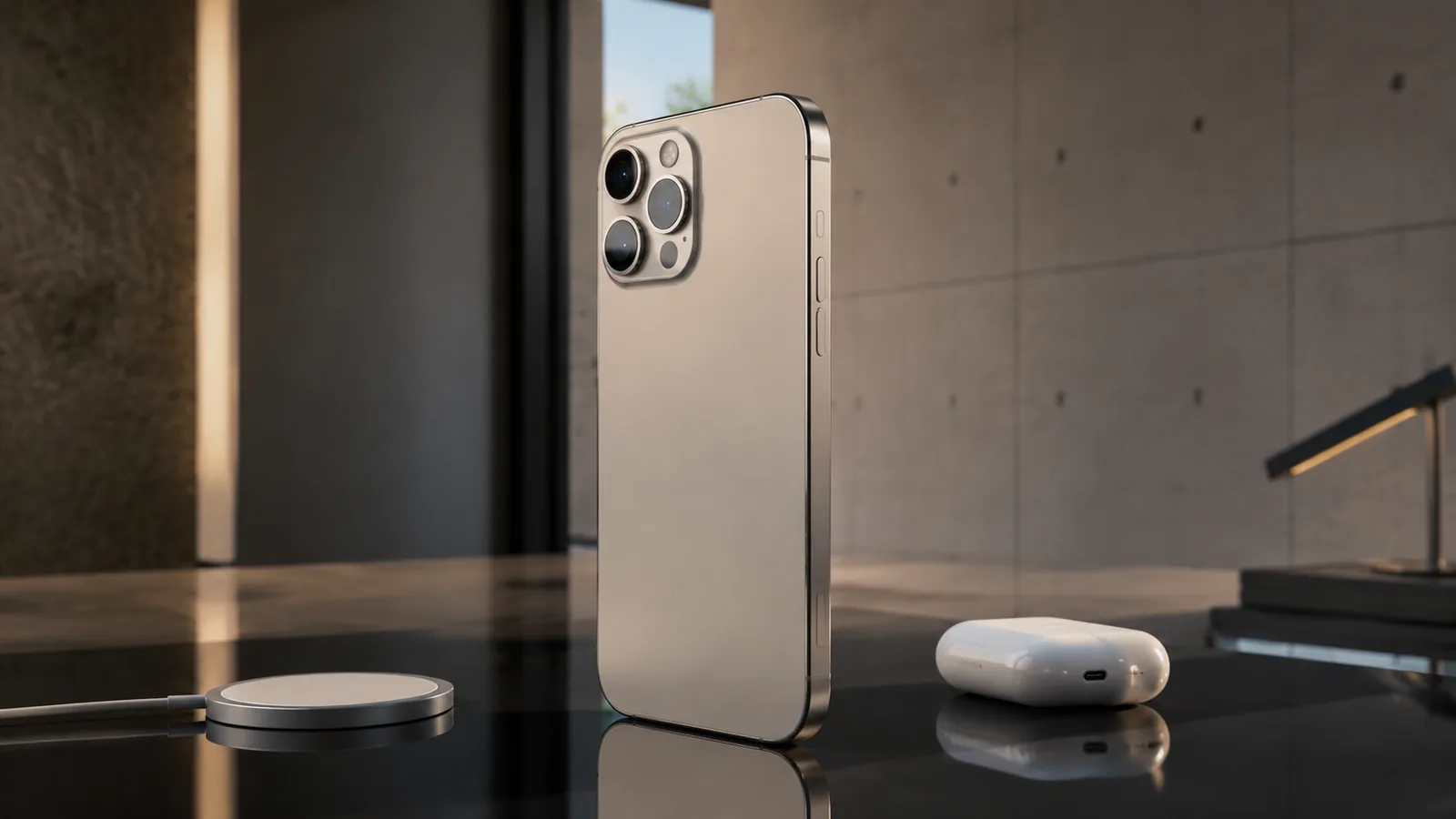
Apple continues the premium material trend introduced on the 15 Pro by using a titanium frame. The company says the aerospace-grade titanium offers a high strength-to-weight ratio while keeping the handset lighter than it looks. The new Pro models feature larger displays – 6.3 inches on the iPhone 16 Pro and 6.9 inches on the Pro Max – with the thinnest borders ever seen on an iPhoneapple.com. Despite the size bump, the titanium construction and contoured edges make the phone comfortable to hold.
From a durability perspective, the devices use Ceramic Shield glass that Apple claims is twice as tough as the glass on any other smartphone. The IP68 rating protects against dust and water. Real-world reviews show the titanium frame resists scratches better than stainless steel, though the matte back can still pick up smudges. For extra protection, consider pairing the phone with a slim case or Apple’s own fine woven case.
Increased dimensions
While the Pro model remains fairly compact, the bigger screen does increase physical dimensions compared to the 15 Pro. According to specifications compiled by sources like Wikipedia, the iPhone 16 Pro measures 149.6 × 71.5 × 8.25 mm and weighs 199 g, while the Pro Max is 163.0 × 77.6 × 8.25 mm and weighs 227 gen.wikipedia.org. The slight thickness increase allows for a larger battery without drastically changing the feel in hand.
New colours
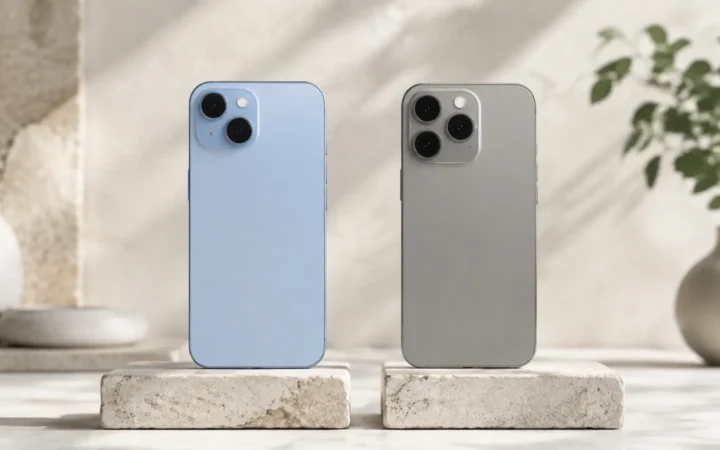
Apple offers four finishes: black titanium, natural titanium, white titanium and desert titanium. Each uses a brushed texture that hides fingerprints better than glossy glass. The desert colour introduces a bronze-like hue that stands out among monochrome smartphone palettes.
For further details on device care, check out our Ultimate Guide to iPhone Maintenance.
Display: Super Retina XDR with ProMotion
Larger, brighter panel
The iPhone 16 Pro retains the Super Retina XDR display but increases size to 6.3 inches while maintaining a 120 Hz ProMotion refresh rate. The bigger canvas enhances productivity and entertainment; for instance you can read long emails or split-screen apps more comfortably than on last year’s 6.1 inch Pro. The new display has the thinnest borders of any iPhoneapple.com, giving it an almost edge-to-edge feel.
Brightness has also improved. Apple says the panels achieve up to 1,600 nits in HDR and 2,000 nits outdoors, making them easy to view under sunlight. Combined with LTPO technology, the refresh rate can dynamically drop to 1 Hz to save battery when displaying static content such as the Always-On display introduced in previous generation. Real-world tests show the display remains vibrant even at low brightness.
Always-On Display & StandBy mode
With iOS 18, Apple continues to refine the Always-On display. The screen dims and lowers refresh rate when idle, but still shows information such as time, widgets and notifications. StandBy mode turns your phone into a smart display when placed horizontally on a MagSafe charger; you can view clock styles, photos or widgets. To customise StandBy:
- Place the iPhone on a MagSafe charger in landscape orientation.
- Tap and hold the StandBy screen to enter edit mode.
- Swipe between clock styles or add widgets such as calendar, weather or Home controls.
- Use the Focus feature to control which StandBy screen appears during Sleep or Work modes. See Maximizing Your iOS Experience for a detailed guide.
A18 Pro Chip and Performance
Apple’s first chip built for Apple Intelligence
Powering the iPhone 16 Pro is the A18 Pro chip. Apple calls it its most advanced SoC yet, built on TSMC’s 3 nm process. The chip includes a 6-core CPU with two high-performance cores and four efficiency cores, a 6-core GPU with hardware ray-tracing, and a high-performance Neural Engine. This architecture is designed not just for traditional apps and games but for Apple Intelligence – the company’s generative AI system that can rewrite text, summarize audio, answer questions and generate images while keeping user data private.
The A18 Pro improves efficiency and performance while enabling new features like on-device generative models and computer-vision tasks. Real-world tests indicate the chip handles console-quality games such as Assassin’s Creed Mirage at 60 fps and performs video editing without lag. In Geekbench tests reported by 9to5Mac, the iPhone 16 Pro scored around 3,200 in single-core and 8,500 in multi-core benchmarks, approximately 15 % higher than the A17 Pro in the 15 Pro. While synthetic benchmarks aren’t the whole story, they indicate headroom for AI tasks and gaming.
Apple Intelligence features
A headline addition in iOS 18 is Apple Intelligence. This suite of generative AI tools can rewrite emails, proofread messages, summarise long articles, generate images and answer questions. It functions on-device with assistance from Private Cloud Compute, ensuring sensitive information remains secure. According to Apple, the iPhone 16 Pro with A18 Pro is the first phone designed specifically to run these modelsapple.com.
For example, you can highlight a paragraph in Notes, tap Rewrite and choose from styles like professional, friendly or concise. You can summarise meeting transcripts or voice memos, and Apple Intelligence will produce bullet points. Siri also gets smarter; it can understand context across apps and perform multi-step tasks. By 2025, Apple promises integration with ChatGPT, enabling you to ask complex questions and receive generative answers through the Camera Control button. For privacy, the system processes data on-device whenever possible and uses temporary server instances if needed.
Camera System and Video
Triple-camera setup with 48 MP sensors
The iPhone 16 Pro continues Apple’s triple-camera arrangement but upgrades all sensors. The new Pro models feature a 48 MP Fusion main camera with a quad-pixel sensor and zero shutter lag, a 48 MP Ultra Wide camera with improved low-light performance, and a 5x optical zoom telephoto lens. Unlike the 15 Pro, the telephoto lens is available on both the Pro and Pro Max, giving photographers a longer reach without needing the larger phone.
Main camera
The 48 MP sensor captures 24 MP images by default, using pixel binning to balance resolution and noise. You can switch to 48 MP HEIF or ProRAW for maximum detail. Apple says the sensor delivers up to 4 x more light compared to previous models, enabling cleaner shots in dim conditions. The sensor-shift optical image stabilization (OIS) reduces hand shake, while a new Nona Prism coating reduces lens flare.
Ultra Wide camera
The 48 MP Ultra Wide lens now has 100º field of view, up from 120º, which reduces distortion while still fitting expansive scenes. Macro photography is enhanced with better focus and light sensitivity, allowing crisp shots as close as 2 cm. Videographers benefit from the ability to shoot 4K at 120 fps in Dolby Vision and ProRes. According to Apple, the A18 Pro’s new image signal processor (ISP) and accelerated compute allow the camera to capture ProRes Log at 4K120 to an external SSD.
Telephoto lens
Perhaps the most exciting addition is the 5x optical zoom telephoto lens. Previous Pro models limited optical zoom to 3x, forcing users to rely on digital zoom for far-away subjects. MacRumors reports that both the 16 Pro and Pro Max now include the same tetraprism telephoto lens, allowing 5x optical and up to 25x digital zoom. In practice, this means you can capture wildlife or stage performances from a distance without significant quality loss.
New camera features and examples
The camera system integrates deeply with Camera Control, a new hardware button on the left frame. You can tap the button lightly to open the Camera app, press lightly again to cycle through photo, video and portrait modes, pinch or slide along the button to zoom, and hard-press to snap a photo or start recording. A two-stage press will allow half-press to focus and full press to capture, mimicking a DSLR shutter button. Apple says the button also enables Visual Intelligence; you can point the camera at an object or landmark, press the button and receive information about it or open a related third-party tool such as ChatGPT or Google Lens.
Real-world example: Suppose you’re at a concert. You raise the iPhone, lightly press the Camera Control button to open the camera, slide your finger to zoom in on the stage, then press hard to capture a 4K video at 120 fps. Once captured, you can use Apple Intelligence to summarise what happened or create a highlight reel.
Video recording and audio
Video quality is often where iPhones lead the industry, and the 16 Pro pushes further. It supports 4K/120 fps Dolby Vision and ProRes Log recording directly to external storage. MacRumors notes that studio-quality microphones record with improved noise reduction and an Audio Mix feature that allows you to balance voices and background sound after capture. These capabilities mean filmmakers can shoot high-frame-rate footage and have more flexibility when editing.
For additional camera tips, see our guide on Mastering Smartphone Photography.
Battery Life and Charging
Larger batteries and better efficiency
One of the most significant upgrades is battery life. MacRumors reports that the iPhone 16 Pro has a 3,582 mAh battery and the Pro Max has a 4,685 mAh battery, both increases over the 15 Pro seriesmacrumors.com. Thanks to the efficient A18 Pro chip and iOS 18 power management, Apple promises up to 27 hours of video playback (22 hours for streaming and 85 hours of audio) on the Pro and 33 hours of video playback (29 hours streaming, 105 hours audio) on the Pro Max.
Independent testing backs up these claims. 9to5Mac cites battery tests showing the iPhone 16 Pro lasting 14 hours 7 minutes in continuous 5G browsing and the Pro Max lasting 18 hours 6 minutes9to5mac.com. These results outpace the 15 Pro series by hours and beat many Android flagships. Real-world usage sees the phone easily lasting a day and a half with heavy use.
Fast charging and MagSafe
The iPhone 16 Pro supports 25 W fast charging via USB-C and MagSafe. Using Apple’s 30 W adapter, the phone reaches 50 % charge in around 30 minutes. Wireless MagSafe charging remains at 15 W, but new magnet alignment ensures quicker attachment. Reverse charging allows you to top up AirPods or an Apple Watch by connecting via a USB-C to USB-C cable.
Step-by-step: Optimising battery life
Even with larger batteries, you can stretch battery life further by following these steps. See Ultimate Guide to Smartphone Battery Optimisation for more details:
- Enable Optimised Charging: Go to Settings → Battery → Battery Health & Charging and toggle Optimised Battery Charging. This learns your charging pattern and reduces wear.
- Use Low Power Mode: Add the Low Power Mode toggle to Control Centre and turn it on during long days.
- Adjust Screen Brightness: In Control Centre, drag the brightness slider down or enable Auto-Brightness under Settings → Accessibility → Display & Text Size.
- Disable Background App Refresh: Navigate to Settings → General → Background App Refresh and turn off non-essential apps.
- Use Wi-Fi instead of Cellular: When possible, connect to Wi-Fi; cellular data drains battery faster.
- Update to Latest iOS: Apple often improves power efficiency with updates. Go to Settings → General → Software Update.
Camera Control Button
Hardware design and functionality
The new Camera Control button sits below the volume buttons on the left side of the iPhone 16 Pro. MacRumors describes it as a tactile switch with a high-precision force sensor and capacitive sensor. The button detects different pressures and gestures, enabling a variety of camera actions:
- Light press: Quickly launches the Camera app without unlocking your phone.
- Swipe/slide: Zoom in or out; sliding your finger up increases zoom, sliding down decreases zoom.
- Tap again: Switch between Photo, Video and Portrait modes.
- Hard press: Capture a photo or start recording video.
- Upcoming two-stage press via software update: Half-press to focus; full press to shoot.
Because the button is capacitive, it can also detect whether you’re wearing gloves or if water is present. The Visual Intelligence feature will allow you to press the button to identify objects in the frame and receive context or search results.
Step-by-step: Using the Camera Control button
- Launch camera quickly: From the lock screen, lightly press the Camera Control button. The camera opens instantly.
- Adjust zoom: Without lifting your finger, slide up to zoom in or slide down to zoom out. The interface shows a scale from 0.5x (Ultra Wide) to 5x (Telephoto).
- Switch modes: After launching the camera, lightly press again to cycle through modes (Photo → Video → Portrait → Slow-mo).
- Capture photos/video: Press and hold firmly to take a photo or begin recording. Release to stop recording.
- Access focus control: Half-press to set focus; press further to capture after the future update.
This physical button provides a tactile experience reminiscent of a traditional camera shutter, improving one-handed shooting and ensuring you never miss a moment.
Software and iOS 18
iOS 18 highlights
The iPhone 16 Pro ships with iOS 18, which builds on the features of iOS 17 and introduces Apple Intelligence. Key features include:
- Customisable Home Screen and Control Centre: Rearrange icons and set custom sizes. Control Centre gains pages you can organise, and developers can add controls.
- Revamped Photos app: The Photos app automatically organises memories and has a timeline view. You can search for “laughing with a dog” and Apple Intelligence will find relevant photos.
- Schedule messages: When composing a message, tap the plus sign, choose Schedule, and pick a time. You can also unsend messages for up to 15 minutes.
- Enhanced Mail: AI-powered Smart Reply suggests responses and summarises long threads.
- Improved Safari: Highlights key content on pages and allows automatic translation.
- Security features: Passwords are now in a standalone Passwords app; you can share passkeys and view security alerts.
For additional setup guidance, read our iOS Tips and Tricks.
Safety features: Crash detection and satellite connectivity
As with previous Pro models, the iPhone 16 Pro includes crash detection and Emergency SOS via satellite. Crash detection uses sensors to detect a severe car crash and automatically calls emergency services. Emergency SOS via satellite allows you to send messages to emergency responders when there’s no cellular or Wi-Fi connectivity. Apple continues to offer two years of free satellite service, with additional satellites expected to improve performance.
Third-party apps and Apple Intelligence
Developers are already adopting the Camera Control button and Apple Intelligence. Photographers can use apps like Halide to map the button to manual focus and metering. Video apps like FiLMiC Pro can record ProRes Log with multiple audio tracks thanks to the new microphones and Audio Mix feature. Apple Intelligence features like text rewriting and summarisation will appear within Notes, Mail and third-party apps through the System Intent API.
Pricing, Models and Availability
Storage and pricing
The iPhone 16 Pro comes in 256 GB, 512 GB and 1 TB storage options, starting at US$999. The iPhone 16 Pro Max starts at US$1,199 and also offers 256 GB, 512 GB, 1 TB and 2 TB storage tiers. While the base price remains the same as the 15 Pro, upgrades to 1 TB or 2 TB quickly increase the price.
Release date and availability
Apple announced the iPhone 16 Pro on September 10, 2025 and opened pre-orders on September 13. The phone officially shipped on September 20. Initially available in the U.S., Canada, U.K. and 40 other countries, it has since rolled out worldwide.
Boxes and accessories
Apple continues its environmental push by shipping the iPhone without a charger. Inside the box you’ll find the handset, a USB-C to USB-C cable and documentation. For full charging speeds you need a 30 W USB-C adapter. Apple sells a matching woven cable and 30 W adapter separately, or you can choose third-party accessories that support USB Power Delivery.
Real-World Performance and Examples
Gaming
The iPhone 16 Pro is now effectively a handheld console. Thanks to the A18 Pro’s GPU and hardware ray tracing, games like Resident Evil 4 Remake and Death Stranding Director’s Cut run at console-quality graphics. Early testers report stable 60 fps performance and crisp textures, even during intense battles. Combined with the 120 Hz display, gaming feels smooth and immersive. The larger 6.3 inch screen also improves controls; you can more easily hit on-screen buttons or pair a Bluetooth controller for a better experience.
Photography and videography
Photographers praise the 5x telephoto lens for capturing wildlife and sports events. For example, a wildlife photographer who previously carried a DSLR with a 70 – 200 mm lens found that the iPhone 16 Pro’s 5x lens (120 mm equivalent) allowed them to photograph birds perched on distant branches with surprising clarity. The ability to shoot ProRes Log at 4K120 to an external SSD simplifies professional workflows; you can record a fashion shoot in slow motion then colour grade in DaVinci Resolve.
Productivity and AI tasks
Journalists and students appreciate Apple Intelligence features. During a lecture, you can record audio in the Voice Memos app, then ask the Notes app to summarise the lecture into bullet points. Composing emails becomes faster when you highlight text and tap Rewrite to change tone. Visual Intelligence will soon let travellers identify landmarks and get historical context by pressing the Camera Control button.
Battery endurance
Reviewers who used the iPhone 16 Pro for a month reported ending most days with 40 % battery remaining. On a busy travel day involving GPS navigation, video recording and gaming, the phone still had around 25 % battery by nightfall. For extended trips, carrying a portable power bank ensures you can film at 4K120 all day.
Comparison with iPhone 15 Pro and Competitors
Upgrades over the 15 Pro
- Display size: 6.3 inch vs 6.1 inch.
- Camera Control button: The 15 Pro had an Action button primarily for shortcuts, while the 16 Pro adds a dedicated camera-focused control.
- A18 Pro vs A17 Pro: Up to 20 % faster CPU and GPU, plus improved Neural Engine for AI.
- Battery life: The 16 Pro lasts up to 27 hours of video playback vs 23 hours on the 15 Pro. 9to5Mac reports that the 16 Pro lasted 14h 7m in 5G browsing vs 10h 53m for the 15 Pro.
- 5x telephoto lens: The 15 Pro capped optical zoom at 3x; the new lens extends reach to 5x.
- Apple Intelligence: Exclusive to the 16 series due to A18 Pro. The 15 Pro may receive limited generative AI features but not the full suite.
Against Android flagships
Competitors like the Samsung Galaxy S24 Ultra and Google Pixel 9 Pro also offer large displays and strong cameras. The S24 Ultra provides a 6.8 inch 1440p display and 5x optical zoom, while the Pixel 9 Pro offers advanced computational photography. However, Apple holds advantages in:
- Video quality: iPhones remain the industry leader for video, particularly with Dolby Vision and ProRes support. Android flagships typically record at 4K60 with less dynamic range.
- Performance: The A18 Pro outperforms Qualcomm’s Snapdragon 8 Gen 3 chip in single-core tasks and AI workloads. Apple’s integration of hardware and software ensures smoother experiences.
- Battery life: While some Android phones charge faster, the iPhone 16 Pro Max offers longer endurance in web browsing tests.
- Software longevity and privacy: Apple offers years of iOS updates and implements privacy features like on-device processing.
For more detailed comparisons, see our Smartphone Battle: iOS vs. Android.
Step-by-Step Tips to Get the Most Out of iPhone 16 Pro
- Customise the Camera Control button: Open Settings → Camera → Camera Control and choose your default action: Quick Capture or Launch Camera. You can also enable Visual Intelligence when available.
- Optimise storage with ProRes: Shooting ProRes eats storage quickly. In Settings → Camera → Formats, toggle ProRes and select 4K/24 for cinematic quality without huge files. Invest in an external SSD (USB-C) to offload footage.
- Leverage Apple Intelligence: When writing, highlight text and tap Rewrite to adjust tone. Summarise articles in Safari by tapping the share button and selecting Summarise.
- Use widget stacks: Long-press the home screen and tap the plus icon. Drag widgets like Weather and Reminders on top of each other to create a stack. Swipe up on the stack to cycle.
- Maximise battery health: Avoid letting your battery run below 10 %. Keep it between 20 % and 80 %. Use scheduled charging and avoid overnight charging without Optimised Charging.
- Enable Precision Finding: The new Ultra Wideband chip improves AirTag and Find My locating. In Find My, select a friend or item and choose Find. The phone will give directional feedback to within inches.
- Exploit Focus Filters: Create Focus modes for work, personal and sleep. Under Settings → Focus, choose which apps and people can notify you, and set Home Screen and Lock Screen customisations. Use Focus Filters to hide messages or calendars when working.
Connectivity, Accessories, and Ecosystem
One of the greatest strengths of the iPhone 16 Pro is its seamless integration into the broader Apple ecosystem. Whether you’re syncing with an iPad, Mac, or Apple Watch, every device works together to create a fluid experience.
5G and Wireless Connectivity
The iPhone 16 Pro supports the latest in wireless technology, including enhanced 5G connectivity. This ensures faster download speeds, improved streaming quality, and a more reliable connection in crowded areas.
- Next-Generation 5G: Experience ultra-fast download and upload speeds.
- Wi-Fi 6E Support: Enhanced wireless connectivity for home and office use.
- Bluetooth 5.2: Improved stability and extended range for wireless accessories.
Must-Have Accessories for iPhone 16 Pro
Enhance your iPhone experience with a range of accessories designed specifically for the iPhone 16 Pro. Consider these top recommendations:
- Protective Cases: Shock-absorbing and stylish designs.
- Screen Protectors: Tempered glass options for added durability.
- MagSafe Accessories: Chargers, wallets, and mounts that snap on effortlessly.
- Wireless Earbuds: Seamless integration with Apple’s ecosystem.
- Portable Chargers: High-capacity power banks for on-the-go charging.
For a detailed review on the best accessories, check out our iPhone Accessories Guide 2025.
Pros and Cons
| Aspect | Pros | Cons |
|---|---|---|
| Design | Premium titanium frame; larger yet comfortable display; durable Ceramic Shield | Slightly heavier; desert colour may not appeal to everyone |
| Display | Bigger 6.3 inches with thin bezels; 120 Hz ProMotion; bright 1,600 nits HDR and 2,000 nits outdoor | Still 60 Hz for some third-party apps; Always-On display can consume battery if overused |
| Performance | A18 Pro delivers industry-leading speed and AI capabilities | Gains may be incremental for non-gamers; AI features still in early stages |
| Cameras | 48 MP main and ultra-wide; 5x telephoto; 4K120 video with ProRes; Camera Control button offers tactile control | Telephoto aperture slower than main lens; full Apple Intelligence Visual features not available at launch |
| Battery | Bigger batteries; up to 27/33 hours video playback; 50 % charge in 30 min | Charging is still slower than some Android phones; no included charger |
| Software | iOS 18 with customisable home screen and generative AI; multiple years of updates | Some AI features require server processing; generative features may require subscription in future |
User Tips and Troubleshooting
Even with a device as advanced as the iPhone 16 Pro, knowing a few tips and tricks can help you get the most out of your smartphone experience. Below are some expert suggestions to ensure your device runs smoothly.
Quick Start Guide for New Users
If you’re new to the iPhone ecosystem, follow these steps to set up and optimize your iPhone 16 Pro:
- Initial Setup: Follow the on-screen instructions to set up your Apple ID and connect to Wi-Fi. Transfer your data seamlessly from your old device using the Quick Start feature.
- Personalization: Customize your home screen with widgets, app folders, and a personalized wallpaper.
- Security: Set up Face ID or Touch ID immediately for enhanced security.
- Backup: Enable iCloud Backup to ensure your data is always safe.
Advanced Tips for Power Users
For those who want to take their iPhone usage to the next level, consider these advanced techniques:
- Optimize Battery Life: Enable Low Power Mode during extended use and regularly check Battery Health in Settings.
- Streamline Your Workflow: Utilize Siri Shortcuts to automate routine tasks and explore third-party productivity apps available on the App Store.
- Enhance Privacy: Regularly review app permissions and use the new App Tracking Transparency settings to control data sharing.
- Stay Updated: Keep your device updated with the latest iOS releases to enjoy new features and security improvements.
Conclusion
The iPhone 16 Pro stands out as a forward-looking flagship. With a larger, brighter display, a tactile Camera Control button and an overhauled triple-camera system, it pushes the boundaries of mobile photography and video. The A18 Pro chip and Apple Intelligence unlock AI-driven workflows that streamline everyday tasks while preserving privacy. Battery life leaps ahead of its predecessor, lasting through the longest days, and fast charging minimises downtime. Combined with refined software and a premium titanium design, the iPhone 16 Pro is a compelling upgrade for creatives, professionals and power users.
While the phone carries a high price and the generative AI features are still evolving, the long software support and hardware headroom make it a future-proof investment. If you’re considering upgrading from an older iPhone or switching from Android, the iPhone 16 Pro offers one of the most balanced and capable smartphone experiences available in 2025.
FAQ
@media (max-width: 600px) { }
What are the main differences between the iPhone 16 Pro and iPhone 16 Pro Max?
How does the Camera Control button work?
Is the battery life really better than the iPhone 15 Pro?
Does the iPhone 16 Pro support satellite connectivity?
Are Apple Intelligence features free?
Can I use my old Lightning accessories?
What are the standout features of the iPhone 16 Pro?
Is the iPhone 16 Pro compatible with existing MagSafe accessories?
How secure is the iPhone 16 Pro?
Author Credentials: Wiredu Fred is a seasoned technology journalist and SEO specialist at FrediTech. He has over a decade of experience analysing consumer electronics, mobile technology and Apple devices.
Special Offer
Ready to upgrade your device? Check out our exclusive offers on the best accessories and cases for your iPhone 16 Pro. Affiliate disclosure: FrediTech may earn a commission from qualifying purchases at no extra cost to you. Buy now on Amazon and enjoy special discounts curated just for our readers!