
Introduction
Everyone wants to get more done in less time – whether you’re a professional, student, or managing a busy household. Yet despite working long hours, many people feel they’re not achieving enough. In fact, the average office worker is only productive for under three hours in an eight-hour dayapollotechnical.com. Constant distractions – from email notifications to social media – fragment our focus and drain efficiency. Studies have found employees get interrupted roughly every 3 minutes, taking over 20 minutes to regain focus each time. It’s no wonder we often finish the day wondering where the time went.
The good news is that productivity isn’t about squeezing in more hours – it’s about making smarter choices with your time and energy. By applying proven techniques in time management, task prioritization, and focus (with the help of some technology tools), you can dramatically boost your efficiency. These ultimate productivity tips – grounded in research and real-world examples – will help you work smarter, improve your focus, and get more done each day. Let’s dive in!

{getToc} $title={Table of Contents} $count={Boolean} $expanded={Boolean}
{getToc} $title={Table of Contents} $count={Boolean} $expanded={Boolean}
Plan and Prioritize Your Tasks
One of the fundamental keys to productivity is effective planning and prioritization. Instead of tackling whatever grabs your attention, start your day with a clear plan for what needs to be accomplished. This ensures you focus on high-impact tasks first and avoid wasting time on trivial stuff. Here are two popular planning methods to consider:
Use the 1-3-5 Rule for Daily To-Do Lists
Avoid overloading an unrealistic to-do list. Productivity experts suggest the 1-3-5 rule for daily planning: aim to complete one big task, three medium tasks, and five small tasks each daythemuse.com. This keeps your goals achievable and helps prioritize effectively. For example, your “one big thing” might be drafting a project proposal, the three medium tasks could be tasks like responding to important client emails or finishing a report section, and the five small tasks might include quick errands or minor follow-ups. By capping your list to 1-3-5 items, you focus on what truly matters rather than an endless inventory of tasks. This approach also gives a sense of accomplishment – you’ll end the day seeing that you tackled the most critical items.
Try the Eisenhower Matrix to Prioritize Importance
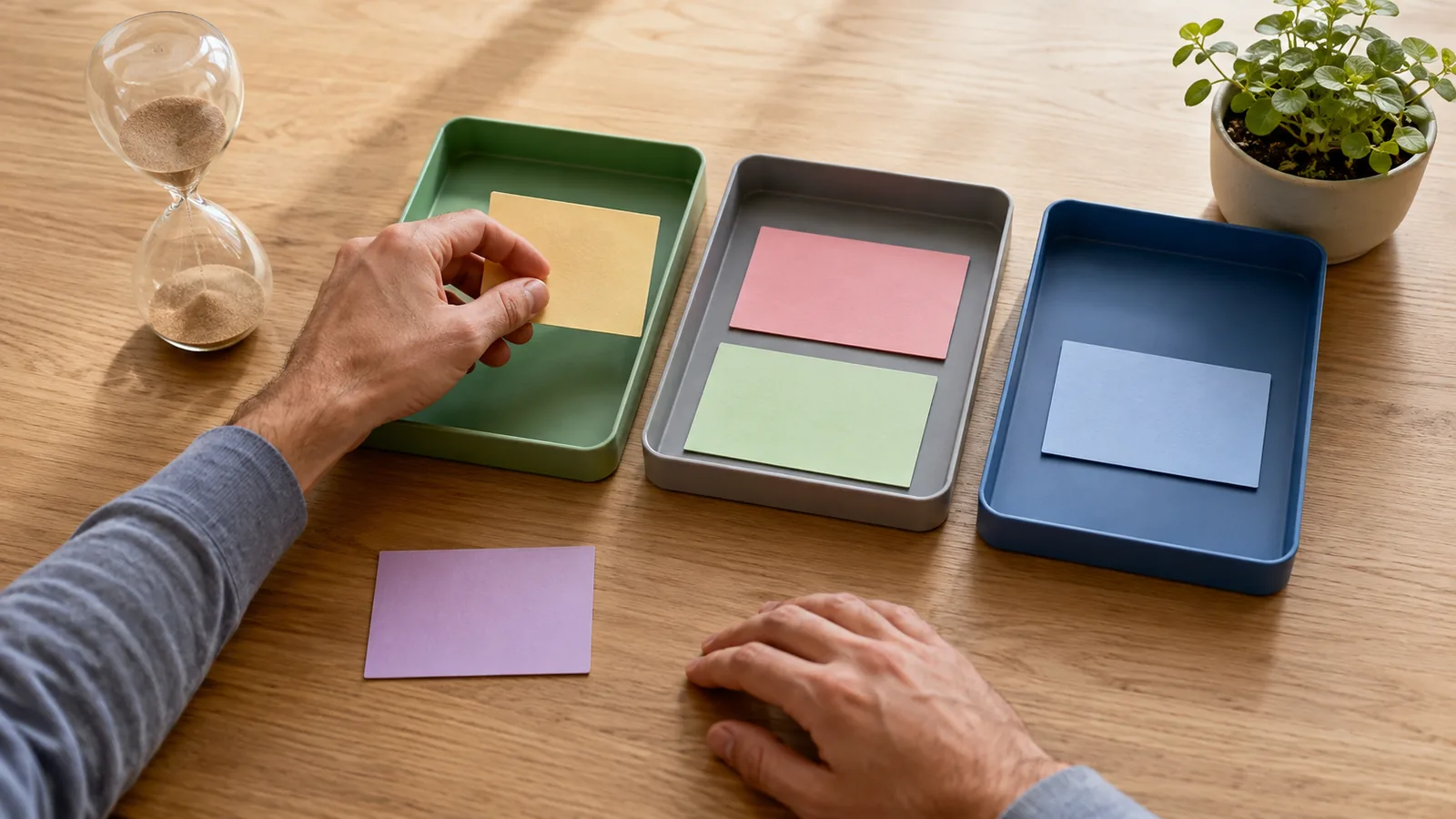
Not all tasks are created equal. To figure out what deserves your attention first, try using the Eisenhower Matrix (also known as the Urgent-Important matrix)altitudeadvisory.com.au. This classic prioritization tool, reportedly used by President Dwight Eisenhower, divides tasks into four categories: Urgent & Important (do immediately), Important but Not Urgent (schedule it), Urgent but Not Important (delegate or quick action), and Neither (consider dropping it).
For example, a client deadline due tomorrow is Urgent and Important – it gets top priority. Planning long-term strategy is Important but Not Urgent – you schedule time for it. An unexpected phone call might seem urgent but could be Not Important – perhaps delegate it or handle it after high-priority work. By categorizing your to-dos this way, you ensure you focus your energy on what truly matters and not just on what’s screaming for attentionaltitudeadvisory.com.au. This helps prevent the common mistake of spending too much time on minor tasks while big projects languish.
Real-World Example: Let’s say you’re juggling a project report, routine emails, and an impromptu meeting request. Using these techniques, you identify the project report as your “one big task” for the day and an Important/Urgent item – you block time in the morning to work on it. Emails are important but not all urgent, so you plan three specific email tasks for the day (e.g., send update to boss, respond to client A, schedule meeting with client B). Lower priority messages get deferred. The impromptu meeting turns out to be not urgent – you propose a later time or handle it via a quick call. By planning and prioritizing like this, you start the day with clarity and tackle tasks in order of importance, rather than reacting to whatever comes up.
Master Time Management Techniques
Time management is about controlling where your time goes instead of letting it slip away. Adopting structured scheduling methods can greatly enhance your productivity. Here are a few strategies and how to apply them:
- Time Blocking: Rather than multitasking throughout the day, allocate specific blocks of time for particular tasks or themes. For instance, you might block 9–11 AM for focused work on a major assignment, 11:30–12 PM for email, 1–2 PM for meetings, etc. By assigning tasks to dedicated time slots, you create a routine that keeps you on trackaltitudeadvisory.com.au. Time blocking also helps avoid the productivity loss from constant task-switching. When you know you’ve set aside, say, 3–4 PM to work on budgeting, you’re less likely to worry about it at other times. Treat these blocks like appointments with yourself – during a focus block, eliminate distractions (shut off email, put your phone on do-not-disturb) and concentrate on the task at hand.
- Morning Priority Work: Take advantage of peak energy times. Many people have their highest mental energy earlier in the day. If that’s you, tackle your most challenging task first thing in the morning, before other minor duties or meetings consume your attention. For example, if you need to write an important report, do it as soon as you start your workday. Completing a significant task before lunch not only moves the project forward but also gives you a psychological boost for the rest of the day. As productivity experts note, getting one big thing done early lets you start the afternoon fresh without a huge task looming over youthemuse.com.
- Avoid Overcommitting: Be realistic about how much you can do in a day. It’s better to plan fewer tasks and finish them well than to spread yourself too thin. If you consistently find tasks spilling over to the next day, try reducing your planned load or breaking big tasks into smaller chunks. Remember Parkinson’s Law: work expands to fill the time available. By giving yourself tighter (but achievable) deadlines through time blocks or self-imposed due times, you force yourself to work more efficiently. For example, if you allocate 2 hours to draft a presentation that could drag on for 4 hours, you’ll be more focused and likely finish closer to the 2-hour mark.
- Use Calendars and Reminders: Leverage your calendar app to schedule not just meetings but also your focused work sessions, breaks, and routine tasks. Set reminders for crucial deadlines. Treat these calendar entries as non-negotiable. Seeing your plan laid out visually helps prevent procrastination and ensures you don’t forget commitments. Some people even schedule personal routines (like a 5-minute midday stretch or a 10-minute daily planning time) into their calendars to build consistent habits.
By mastering these time management techniques, you can prevent the day’s chaos from dictating your schedule. You’ll move from a reactive mode to a proactive one – controlling your time and making steady progress on your priorities.
Eliminate Distractions and Avoid Multitasking
In our hyper-connected world, distractions are the mortal enemy of productivity. Every buzz of your phone or ping of an email can disrupt your focus. Even worse, many people try to juggle multiple tasks at once, believing they’re being efficient, when in reality multitasking severely impairs productivity. Research shows that multitasking can reduce productivity by up to 40% due to the “switching costs” of our brains refocusing between tasksforbes.com. To produce your best work in less time, it’s crucial to create a distraction-free workflow and focus on one thing at a time. Here’s how:
- Turn Off Non-Essential Notifications: Constant smartphone and computer notifications will fragment your concentration. Take control by silencing or disabling notifications for anything non-urgent while you work. For example, you can put your phone on silent or use “Do Not Disturb” mode. On your computer, close messaging apps and log out of social media. Even email alerts can usually be turned off. You won’t miss anything critical – those messages will be waiting for you when you choose to check them. This simple step can reclaim a lot of lost time (the average professional spends about 28% of their day on email alonehbr.org, often because they check it too frequently).
- Set Specific Times for Email and Messaging: Rather than reading and replying to emails or messages continuously, schedule a couple of dedicated windows in your day for communication. For instance, you might decide to check email at 10 AM, 1 PM, and 4 PM, instead of keeping your inbox open all day. This batching of communication tasks helps you avoid the productivity hit of constant context switching. It can feel strange at first, especially if you’re used to instantaneous replies, but most non-urgent messages can wait a couple of hours. As an added benefit, when you process emails in batches, you can get into “email mode” and clear your inbox faster than handling one message at a time throughout the dayhbr.org.
- Create a Focus-Friendly Workspace: Your environment plays a big role in concentration. If possible, set up a workspace that is quiet and tidy. A cluttered desk or a noisy background can subconsciously pull at your attention. Consider using noise-cancelling headphones or listening to soft background music or ambient sounds (some studies even suggest nature sounds can boost focus and cognitive functionsnacknation.com). Let family or coworkers know when you’re in a focus block so they won’t interrupt you unless necessary. One tactic is to have a visual “do not disturb” signal – for instance, wearing headphones or a small sign could indicate you’re in deep work mode.
- Avoid Multitasking – Do One Thing at a Time: It might feel like you’re getting more done when you multitask – jumping on a quick call while drafting a report and checking chat notifications, for example – but in reality you end up doing all tasks less efficiently. Psychology researchers have found that even brief mental blocks from switching tasks can cost as much as 40% of your productive timeforbes.com. The human brain isn’t truly capable of focusing on two complex tasks simultaneously; instead, it toggles rapidly, which wastes time and reduces quality. So, commit to monotasking: concentrate on the single task at hand, complete it (or make a solid chunk of progress), then move to the next. If you catch yourself opening a new browser tab in the middle of writing or alternating between two projects, gently bring your attention back to just one. You’ll likely finish faster and make fewer errors.
- Use Website Blockers and Focus Aids: If you find particular websites (like social media, news, or YouTube) are frequent distractions, consider installing a website blocker app or extension (such as Freedom, StayFocusd, or LeechBlock). These tools can temporarily block or limit your access to chosen sites during work hours or focus periods. Similarly, there are productivity apps that help you stay on task – for example, the Pomodoro technique timers (more on Pomodoro below) or apps like Forest that reward you for not looking at your phone. These create a little accountability system for yourself. For instance, using a Pomodoro timer app, you work in a 25-minute uninterrupted sprint; knowing a timer is running and that you’ve committed to not break focus until it dings can be very motivating.
By proactively managing distractions and avoiding the multitasking trap, you’ll notice a dramatic improvement in the quality of your work and the amount you accomplish. You’ll spend less time “recovering” from interruptions and more time in a productive flow state. Remember, focus is a skill – the more you practice it by eliminating distractions, the stronger your concentration muscle will get.
Leverage Technology and Productivity Tools
Technology, when used mindfully, can be a powerful ally in your quest for productivity. There are countless apps and tools designed to help you organize tasks, manage time, collaborate efficiently, and even automate routine chores. The key is choosing the right tools that address your specific productivity challenges without becoming distractions themselves. Here are some ways to leverage technology for better productivity:
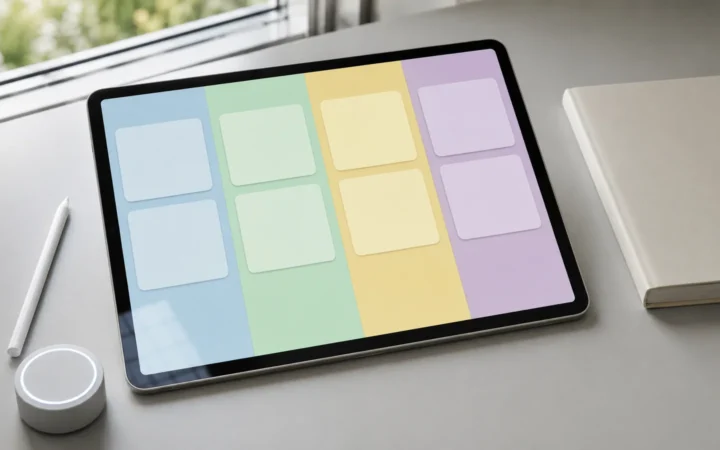
- Task and Project Management Apps: Ditch the sticky notes and chaotic notebooks – digital task managers can help you track everything in one place. Tools like Todoist, Trello, Asana, or Notion allow you to create to-do lists, set deadlines, and break projects into smaller tasks. For example, Trello provides visual boards where you can move tasks across columns (e.g. To-Do, In Progress, Done), which gives a clear view of your progress. Asana is great for team projects, where you can assign tasks to people and follow status. Using these tools, you won’t waste time wondering “what should I work on next?” – your priorities are laid out for you. Plus, many of them send reminder notifications for due dates and allow integration with your calendar.
- Time Tracking and Analysis: If you’re not sure where your time is going, try a time-tracking app like Toggl or RescueTime. These tools can monitor how you spend time on your computer or let you log hours on tasks. The data might reveal, for instance, that you spend 2 hours a day on email or 1 hour on social media. With that insight, you can set goals to reduce unproductive time. Some apps even provide focus reports – e.g., RescueTime can alert you if you’ve spent over a certain amount of time on distracting websites. By making your time use visible, technology can coach you to build better habits.
- Automation and AI Assistants: Repetitive, mundane tasks can sap your productivity and motivation. This is where automation tools or AI assistants shine. Consider using services like Zapier or IFTTT to automate workflows. For example, if you often copy emails into a to-do list, Zapier can automate “when I star an email, create a task in my task app.” Small automations like this can save minutes that add up to hours over a week. Similarly, AI-powered tools can handle tasks such as transcribing meeting notes, sorting your inbox (think of Gmail’s smart filters), or even drafting initial responses to common inquiries. Many professionals are also adopting AI chatbots (like ChatGPT) as brainstorming partners or research assistants to speed up certain creative tasks. A recent survey found that 36% of employees believe AI and automation tools increase productivity by reducing time spent on mundane taskstimechamp.io. For example, an AI scheduler can find meeting times without back-and-forth emails, or an automated report can pull data and format it, letting you focus on the insights rather than the legwork.
- Note-Taking and Knowledge Management: Keep your reference materials and notes organized using digital notebooks. Apps like Evernote, OneNote, or Obsidian allow you to jot down ideas, save clippings from the web, and organize information hierarchically or with tags. If you frequently need to recall information (like meeting decisions, research snippets, or code snippets), a searchable digital notebook is invaluable. Instead of digging through piles of paper or random files, you can quickly search keywords and find what you need. This saves time and mental energy. For students or researchers, tools like Obsidian help build a personal knowledge base with links between notes, which can spark insights and ensure nothing important gets lost.
- Communication and Collaboration Tools: Part of being productive is enabling quick collaboration with others when needed. Make use of tools like Slack, Microsoft Teams, or Google Workspace effectively – but set boundaries (e.g., snooze notifications when doing deep work as mentioned earlier). These platforms can streamline communication (no more waiting on long email threads), and features like shared documents or boards mean everyone stays on the same page. For example, instead of having a meeting to update project status, teams might use a shared Trello board or a Google Sheet that everyone updates asynchronously, saving time.
- Focus and Mindfulness Apps: Lastly, there are apps designed to boost your focus and mental clarity. For instance, Forest turns staying off your phone into a game – if you don’t touch your phone for a set period, you grow a virtual tree; if you exit the app to scroll social media, your tree dies. It’s surprisingly effective and satisfying. Mindfulness meditation apps (like Headspace or Calm) can train your attention and reduce stress, which indirectly boosts productivity. Even a 5-minute guided breathing exercise during a break can reset your focus.
When integrating new technology into your workflow, start small. Pick one tool that addresses your biggest pain point and learn to use it well. For example, if you struggle with task overload, focus on a task management app first. Once you see improvement, you can gradually add other tools. Also, periodically review your tech usage: ensure that each tool you use is saving you time, not creating additional overhead. With the right mix of technology, you can streamline your work, automate low-value tasks, and free up time and mental space for what really matters.
(For more tips on optimizing your tech setup for productivity, see our comprehensive guide on laptop storage solutions to improve performancefreditech.com – a faster, better organized computer can save you countless minutes each day.)
Adopt Healthy Habits to Sustain Productivity
True productivity isn’t just about hacks and tools – it’s also about your energy levels, health, and mindset. You are the engine of your productivity, and engines need maintenance! By taking care of your physical and mental well-being, you’ll have more fuel in the tank to be productive and avoid burnout. Let’s explore some healthy habits that directly impact your efficiency and output:
- Prioritize Good Sleep: It’s hard to be productive when you’re running on fumes. Consistently getting quality sleep will sharpen your focus, improve your decision-making, and give you the stamina to power through tasks. Poor sleep, on the other hand, has a staggering cost – one report estimates sleep deprivation costs the U.S. about $44.6 billion in lost productivity each yearsnacknation.com. When you’re sleep-deprived, you work slower, make more mistakes, and might need to redo tasks. Aim for 7-9 hours of sleep per night (most adults need around 8). If you have trouble sleeping, consider habits like maintaining a regular sleep schedule, creating a relaxing bedtime routine, and limiting screen time an hour before bed. Think of sleep as a productivity tool: those hours in bed are an investment in a sharper, more efficient you the next day.
- Make Time for Exercise: Regular physical activity boosts blood flow to the brain and releases endorphins, which can dramatically improve your mood and energy. You don’t need to spend hours at the gym – even a 20-30 minute brisk walk or home workout can do wonders. According to the CDC, “Physical activity can help you think, learn, problem-solve, and enjoy an emotional balance. It can improve memory and reduce anxiety or depression.”snacknation.com All of these are critical for maintaining productivity at work or school. Exercise also helps fight the afternoon slump by re-energizing you. Try incorporating short activity breaks in your day: do some stretches, take a walk around the block, or try a quick yoga or jumping jacks session. Not only will you come back to your work with a clearer head, but in the long run, exercise builds your overall endurance for sustained concentration.
- Eat for Energy and Focus: What you eat influences your cognitive performance. Heavy, sugary lunches can lead to energy crashes and foggy thinking, while a balanced meal will keep you fueled. Aim for a diet with plenty of fruits, vegetables, lean proteins, whole grains, and healthy fats – these provide steady energy. Stay hydrated too; even mild dehydration can impair concentration. Some people find a cup of coffee or tea in the morning helps with alertness (thanks to caffeine), which is fine in moderation. Just avoid excessive caffeine late in the day that could disrupt your sleep.
- Take Regular Breaks: It might sound counterintuitive, but taking breaks can actually increase productivity in the long runaltitudeadvisory.com.au. Working non-stop for hours leads to diminishing returns – your mind gets fatigued and you start making mistakes or slowing down. Short breaks help recharge your mental batteries and prevent burnout. Techniques like the Pomodoro Technique formalize this: you work for 25 minutes, then take a 5-minute break, and repeat. After 4 cycles or so, take a longer break (15-30 minutes). During breaks, step away from your work – stretch, look away from the screen, grab a healthy snack, or do a brief mindfulness exercise. When you return, you’ll find it easier to focus again. Research backs this up: regular breaks maintain your productivity and attention span over the course of the day. So don’t feel guilty about stepping away for a moment – think of it as sharpening the saw so you can cut more effectively.
- Mind Your Work Hours and Overwork: While dedication is admirable, consistently grinding for excessively long hours can backfire. Productivity isn’t linear with hours worked – in fact, studies show output plummets after a certain point. A famous Stanford study found that employee output dropped sharply beyond 50 hours a week, and that working a 70-hour week yielded little to no more output than a 55-hour weekintoo.com. The lesson? Working more isn’t always working better. Pay attention to signs of burnout: chronic exhaustion, inability to concentrate, irritability, or declining work quality. If you notice these, it’s time to scale back, take time off, or at least enforce stricter boundaries (like not working late into the night). Remember that rest, relaxation, and hobbies aren’t “wasted time” – they recharge you to be more productive in the time you do work. Strive for a healthy work-life balance where you have downtime to mentally disconnect from work. In the long run, this balance actually increases your productivity sustainability.
- Build Consistent Routines: Our bodies and minds thrive on routine. Try to wake up, work, and wind down at consistent times. A morning routine (such as planning your day with a cup of coffee, or doing a brief meditation or exercise) can set a positive tone and signal to your brain that it’s time to focus. An evening routine helps you transition out of work mode so you can get quality rest. When healthy habits become automatic daily practices, they require less willpower to maintain and create a stable foundation for your productivity.
By taking care of your health and well-being, you’re effectively supercharging your productivity engine. You’ll have more focus, more energy, and a better mood – all of which translate into getting more done with less strain. Productivity isn’t just about pushing yourself harder; it’s also about supporting yourself with the right lifestyle choices so you can operate at your best.
Optimize Your Workspace (Both Physical and Digital)
Your environment can either boost your productivity or constantly sabotage it. A well-organized, optimized workspace – whether it’s a home office, a desk at work, or even your computer’s digital environment – can save you time and reduce frustration. Here are some tips to optimize both your physical and digital workspaces:
- Keep a Tidy, Ergonomic Physical Workspace: Clutter on your desk can lead to clutter in your mind. Take a few minutes each day to tidy up your work area. File away papers you don’t need, throw out trash, and organize supplies. Knowing exactly where to find that document or stapler when you need it prevents time wasted searching. Also, consider ergonomics: if you’re uncomfortable, you’ll be distracted and may tire quickly. Ensure your chair and monitor are at proper height (your eyes level with the top of the screen, feet flat on the floor), use a supportive chair, and maintain good posture. A clean, comfortable workspace makes it easier to get into a focused state. Some people add a touch of personalization or something inspiring (like a plant or motivational quote) – if it makes you happy and doesn’t clutter, go for it.
- Organize Your Digital Files and Desktop: A chaotic computer can be just as bad as a messy desk. Set up a logical folder structure for your files (by project, date, or type – whatever makes sense for you) and stick to it. Regularly clean up your computer desktop; a screen full of random icons is visual clutter that can increase stress. Leverage cloud storage and syncing (like Google Drive, Dropbox, or OneDrive) to keep important files accessible and backed up – this also allows you to easily switch devices if needed. Use descriptive file names so you can locate things by search. If you spend 5 minutes every Friday organizing new files and clearing downloads, it will prevent a buildup of digital mess. A well-organized digital workspace means you can quickly retrieve information and you reduce the mental friction when switching tasks.
- Speed Up Your Devices: Nothing breaks workflow momentum like a sluggish computer or phone. Taking time to optimize your devices pays off daily. Ensure your computer has sufficient free storage space and isn’t bogged down by malware or too many auto-start programs. Consider routine maintenance like disk cleanup, updating software, and maybe upgrading hardware (more RAM or a faster SSD) if your machine is old. Even something as simple as closing unnecessary browser tabs can free up memory and speed things along. If your work involves specialized software (video editing, coding, etc.), make sure your equipment meets the recommended specs – waiting for a slow program or frequent crashes is frustrating and wasteful. An optimized, fast device lets you execute tasks quickly without tech hiccups.
- Utilize Multiple Monitors or Large Screens: If you often work with multiple applications or documents open, a second monitor or a larger display can significantly boost productivity. It reduces the time spent toggling between windows. For instance, you could have your research material open on one screen and your writing document on the other, or a reference design on one and your work canvas on another. This “dual-screen” setup mimics having a larger desk where all papers are laid out in view. Many people report a notable improvement in efficiency with multi-monitor setups, especially for tasks like programming, design, or data analysis.
- Optimize Workflow with the Right Tools: Sometimes investing in a specific tool or accessory can remove small daily hassles. Do you frequently print and scan? A reliable 3-in-1 printer can save trips to the copy room. Spend a lot of time in video calls? Maybe a better headset or webcam would improve communication clarity. If typing is a pain, a comfortable keyboard is worth it. These might seem like minor conveniences, but if they eliminate a daily annoyance or speed up a routine process, over time they contribute to productivity. Evaluate your workflow for bottlenecks – is your internet slow, application crashing, or any process where you say “ugh, this always takes forever”? That’s a cue to optimize, upgrade, or find a better tool for that job.
Real-World Example: Think about a photographer who switches from an old, slow computer to a new one optimized for photo editing. Tasks that used to involve waiting for images to render now happen instantly, freeing up hours in her week. Similarly, consider an office worker who declutters his workspace and implements a good filing system (physical and digital). Where he used to spend 10 minutes searching for a file in a messy pile, he can now retrieve it in seconds from a labeled folder. Over days and weeks, these small improvements compound. By optimizing your environment, you’re reducing “friction” – the little obstacles and slowdowns that sap your time.)
Conclusion
Becoming highly productive is a journey, not a one-time transformation. The ultimate productivity tips covered above – from smart planning and time management to leveraging technology and healthy habits – are all about working smarter, not just harder. Start by implementing a few changes at a time. Maybe this week you focus on organizing your to-do list with the 1-3-5 rule and cutting down distractions during a daily two-hour focus block. As that becomes routine, add in another layer, like using a new task app or incorporating short exercise breaks. Over time, these practices will compound into a dramatic improvement in how much you accomplish and how efficient you feel.
Remember, consistency is key. It’s better to steadily apply these principles than to try a dozen hacks for a day and abandon them. Track your progress – you could keep a journal of what techniques worked each day or use productivity apps to measure output. Celebrate the wins: if you finished that project ahead of deadline or managed to keep your inbox at zero for a week, recognize it! Positive reinforcement will keep you motivated to stick with your new habits.
Also, maintain a mindset of continuous improvement. Even top performers regularly tweak their routines and try new strategies to break through plateaus. Stay curious about what other successful people do, and feel free to adapt tips to suit your style (what works for someone else might need a slight twist to work for you).
Finally, balance productivity with self-care and purpose. The goal isn’t to become a work machine – it’s to use your time efficiently so you can achieve your goals and have time for the rest of your life. By working smarter and building strong habits, you’ll get more done in less time, reduce stress, and create space for the things that matter most to you. Here’s to a more productive and fulfilling life!
FAQ: Common Questions on Productivity
What are the top 3 things I can do to immediately improve my productivity?
A few high-impact changes to start with are: 1) Plan and prioritize your day—write down key tasks (e.g., the 1-3-5 rule) so you tackle important work first. 2) Eliminate distractions—turn off unnecessary notifications and focus on one task at a time (no multitasking). 3) Take regular short breaks—techniques like Pomodoro (25 minutes work, 5 minutes break) help maintain energy and prevent burnout (altitudeadvisory.com.au). These address common productivity killers—lack of focus and mental fatigue—and can yield immediate results.
How can I stay focused and avoid distractions while working?
Create a distraction-free environment. Silence or schedule notifications on your phone and computer and set specific times to check messages so they don’t constantly interrupt you (hbr.org). Work in a quiet, organized space; if noise is an issue, use headphones or ambient sound. Consider website blockers to limit distracting sites during focus sessions. Most importantly, single-task: commit to one task for 20–30 minutes and resist switching. If new to-dos pop up, jot them down to handle later. Over time, these habits strengthen concentration.
How do I avoid burnout while trying to be more productive?
Pace yourself and set boundaries. Take regular breaks throughout the day—stepping away helps you recharge and boosts productivity (altitudeadvisory.com.au). Keep reasonable working hours; chronic overwork leads to diminishing returns (intoo.com). Prioritize sleep, exercise, and personal time for sustained energy. Set clear lines between work and personal life (e.g., no work email after 7 PM or a shutdown ritual). Remember: productivity is a marathon, not a sprint. An occasional “off” day to rest preserves long-term consistency.
Can technology tools really help improve productivity, or are they just a distraction?
Used intentionally, tools can meaningfully boost productivity by organizing work, automating repetitive tasks, and enabling collaboration. A task manager helps you prioritize and remember; time-tracking can reveal unproductive habits; automation (email filters, AI for routine drafts) saves time (timechamp.io). But tools can distract if you constantly tweak settings or check analytics. Let tools serve your workflow: add one at a time, keep what genuinely saves time, and drop the rest. Even with great apps, discipline matters—a calendar only helps if you follow it.
What should I do when I feel unmotivated or procrastinate on important tasks?
Break inertia with tiny starts—commit to just 5 minutes. Momentum often carries you further. Split big projects into small sub-tasks and handle one at a time. Try the “two-minute rule”: if it takes under 2 minutes, do it now. Change your environment if you’re stuck (move locations, temporarily disconnect Wi-Fi). Reconnect with your “why”—visualize the benefits of finishing or the costs of delay. If overwhelm drives procrastination, use a prioritization method like the Eisenhower Matrix and, if needed, talk it through with someone. Don’t wait for perfect motivation—action often precedes motivation; progress creates its own energy.